Modor is an AI-powered online mockup generator that helps creators, e-commerce sellers, and marketers turn flat designs into realistic product visuals in seconds. Some of the top Modor alternatives include Magnific, Mediamodifier, Canva, Photoshop, and Printify, each offering different levels of realism, editing flexibility, and ease of use for creating mockups.
However, every mockup generator comes with its own strengths and limitations. Some tools focus on advanced editing and realistic textures, while others prioritize beginner-friendly workflows or ecommerce integrations.
To see which tool comes closest to Modor in mockup creation capabilities, we will compare seven Modor alternatives against the Modor mockup generator, break down their pros and cons, discuss their pricing, and help you decide which mockup generator is the right fit for your design and branding needs.
Key Insights
Mockup generators help businesses create realistic product visuals without expensive photo shoots or advanced design skills.
Most Modor alternatives focus either on advanced editing flexibility or beginner-friendly workflows, but rarely both together.
High-quality mockup templates are essential for making products look more professional and visually appealing.
Bulk mockup creation features help e-commerce sellers save time when creating multiple product visuals.
Advanced tools like Photoshop offer complete creative control but come with a steep learning curve and need stronger system performance.
Modor mockup generator combines ease of use, advanced customization, and high-quality templates into a more complete mockup creation workflow.
What is a Mockup Generator Tool?
A mockup generator tool is an online tool used by designers, marketers, e-commerce brands, and small business owners to create realistic, professional-looking product mockups.
These tools help users showcase product designs such as t-shirts, packaging, phones, banners, business cards, and posters without professional photography or advanced design skills.
Most mockup tools come with ready-made templates, customization features, and realistic effects that make the final presentation look polished and visually appealing.
Their main goal is to create professional product mockups more quickly, with less effort, and at lower cost.
Top Features to Look For in a Mockup Tool
Before we share the list of Modor alternatives, let’s walk through the top features to look for in a mockup generator tool.
Ease of use: A good mockup tool should be easy for beginners and professional designers alike.
Wide variety of mockups: A good mockup tool should also cover a wide range of mockup categories, so anyone looking for a specific category can find what they need.
Good-quality templates: The templates in a mockup tool should always look realistic, resembling a real product photograph.
Bulk mockup creation: A good mockup tool should also allow you to create multiple mockups simultaneously, reducing the time required.
Advanced customization options: A good mockup tool should offer ample flexibility to make your product mockup look great.
High-quality exports: You should also be able to download your mockups at the highest possible quality, so when you upload them to your store, customers can zoom in without the photo becoming pixelated.
What is Modor?
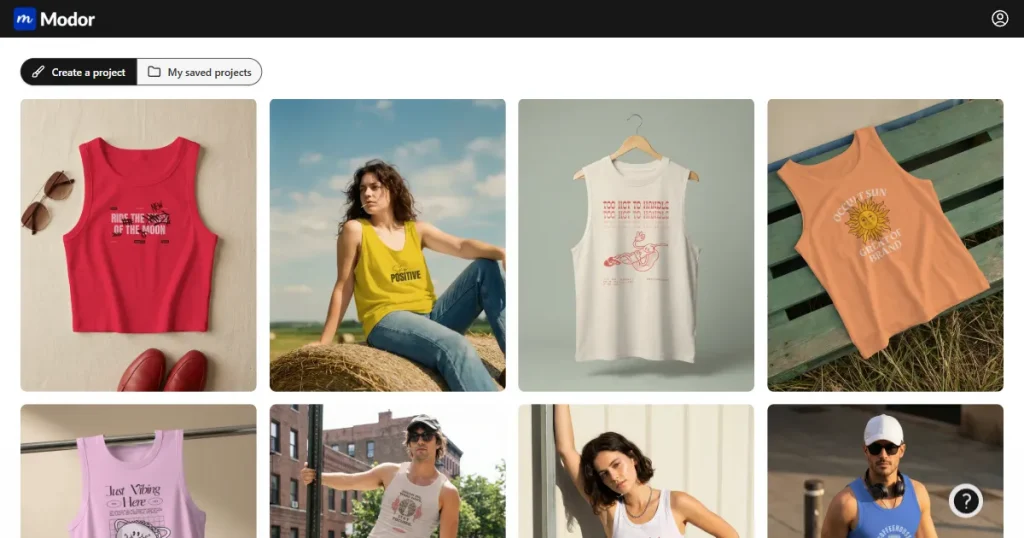
Modor mockup generator is an easy-to-use, web-based mockup generator that helps you turn your designs into realistic product visuals without needing any design skills.
It lets users quickly create mockups by applying their designs to templates, with automatic handling of placement, scaling, and lighting.
Top Features Supported by Modor
Easy to use: Modor comes with a drag-and-drop editor that lets you create mockups in just a few clicks.
Advanced customization: Modor mockup generator also supports advanced options such as transform and shadow intensity, allowing you to enhance the realism of the mockups.
Massive template library and category coverage: Modor offers 10,000+ mockup templates across 25+ categories, with new templates and categories updated regularly.
AI-assisted smart placements: Modor’s AI automatically fits your design into templates, adjusting perspective, scale, and lighting.
High-quality exports: Download high-resolution PNG or JPEG mockups with realistic shadows and lighting.
Commercial license: All mockups created with the Modor mockup generator are licensed for commercial use, making them perfect for POD sellers.
Free mockup generator tool: Modor offers a bunch of free mockup templates that you can try before committing to the tool.
The Best 7 Modor Alternatives at a Glance
Tool
Best For
Free Plan
Starting Price
Key Limitation
Magnific
Premium quality mockups
Yes
$20/month
Steep learning curve
Mediamodifier
Social media content
Yes
$25/month
No downloads with the free plan
Vista Create
All-in-one design
Yes
$13/month
Smaller template library
Canva
Quick, collaborative design
Yes
$18/month
Generic mockup templates
Mr Mockup
PSD mockup templates
Yes
$19/ per bundle
Steep learning curve, expensive
Photoshop
Detail-oriented work
Subscription only
$22.99/month
Requires significant expertise, slow workflow
Printify
POD sellers
Yes
$39/month
Generic mockup templates
8 Modor Alternatives You Can Try
Let’s look at the detailed analysis of some of the best Modor alternatives.
1. Magnific
Best for designers looking to create premium-quality mockups with realistic textures
About the tool
Magnific (formerly Freepik) is an AI-powered tool that enables designers, marketers, and e-commerce brands to create real-looking product mockups. The platform is mainly known for its AI-powered image and video creation abilities, but can also be used to create mockups with realistic lighting, textures, and depth.
Pros
Exceptional image enhancement quality: Magnific can transform simple or low-resolution product images into highly polished mockup-style visuals with realistic textures and lighting.
Great for premium branding visuals: This Modor alternative works especially well for luxury branding, fashion, packaging, and cinematic-style product presentations.
Advanced AI creative controls: Users can fine-tune creativity, detail intensity, sharpness, and styling to generate more customized and unique outputs.
Cons
Not built specifically for mockups: Unlike dedicated mockup generators, Magnific does not provide ready-made mockup templates or a drag-and-drop editor to create mockups fast.
Expensive for regular usage: This Modor alternative uses a credit-based pricing system that can become costly for creators generating large numbers of images.
Steeper learning curve: Achieving high-quality results may take time, as beginners often need to test different prompts and settings.
Pricing
$20/month
2. Mediamodifier
Best for designers looking for advanced editing flexibility by taking the mockups to Photoshop
About the tool
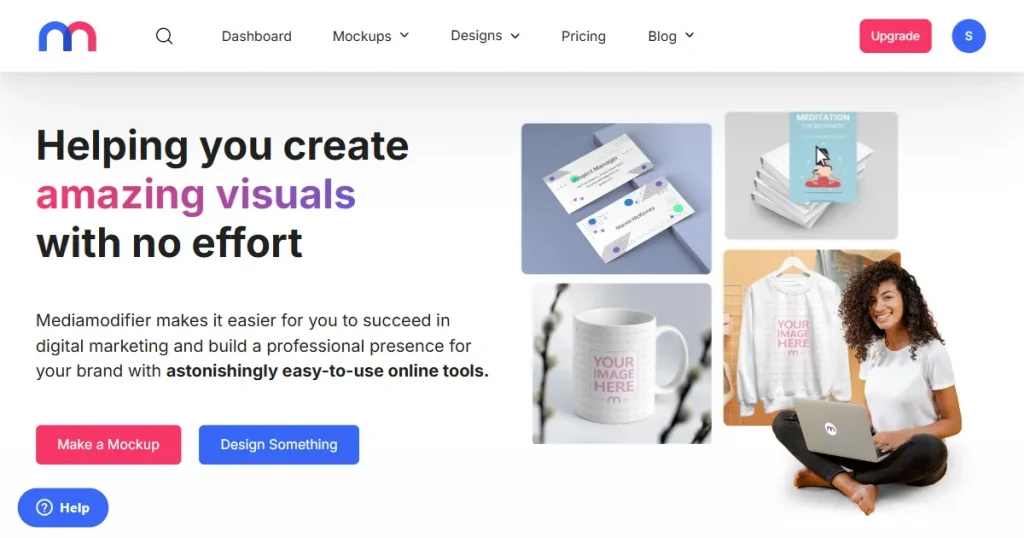
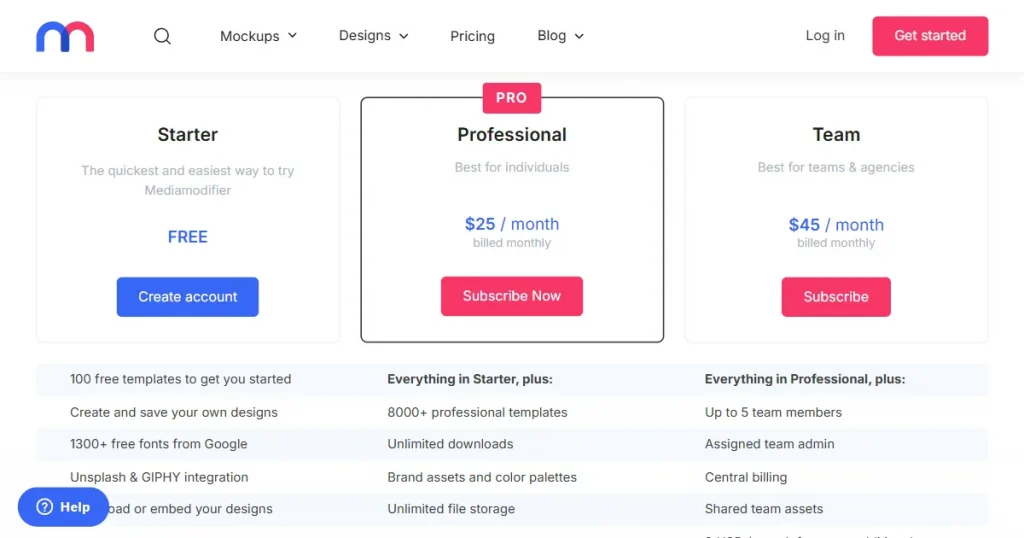
Mediamodifier is a web-based tool that allows e-commerce sellers, marketers, and content creators to create realistic-looking product images. Apart from being completely online, it also allows users to download the mockups in PSD format with editable layers and smart objects, so they can be further modified inside Photoshop.
Pros
Requires no design experience: Medamodifier is easy to use, even for complete beginners with no design experience or expertise in any tool.
Supports advanced customization: You can edit all elements in the mockup, including their colors, shadows, contrast, and positioning.
PSD integration: This feature lets users download the mockups you generate online as a raw, multi-layered PSD file so they can continue editing them locally in Photoshop.
Cons
Not a free mockup generator tool: This Modor alternative doesn’t let you download any templates without subscribing to a paid plan first, which makes it unnecessarily frustrating to test the tool before committing.
Generic template quality: All the mockup templates across different categories in Mediamodifier look very generic, with nothing really standing out.
High price point: Compared to Modor, Mediamodifier is also priced very high for the quality of its mockups.
Pricing
$25/month
3. Vista Create
Best for designing products, not a dedicated mockup tool
About the tool
VistaCreate is a powerful, user-friendly graphic design platform that offers thousands of templates and a massive library of royalty-free assets, making it a useful option for anyone looking for a free mockup generator online.
Pros
Quick mockup designs: This Modor alternative offers fast design creation, similar to Canva, with its easy-to-use editor and a bunch of free templates.
Built-in animation tools: In addition to designing product images and mockups, Vistacreate lets you create stunning animated videos, ideal for product preview videos or social media ads.
Affordable pricing: Compared to other Modor alternatives, Vistacreate offers a very low barrier to entry to its massive library of templates.
Cons
Not a dedicated mockup tool: Since Vistacreate is not a dedicated mockup tool, you can’t create mockups very fast and easily.
Does not support advanced customization: This Modor alternative offers only basic editing options, with no options to adjust shadows or lighting to improve the realism of the mockups.
Generic templates: Another major drawback is the lack of high-quality, unique mockup templates to help your brand stand out.
Pricing
$13/month
4. Canva
Best for basic mockup creation and all-in-one design needs
About the tool
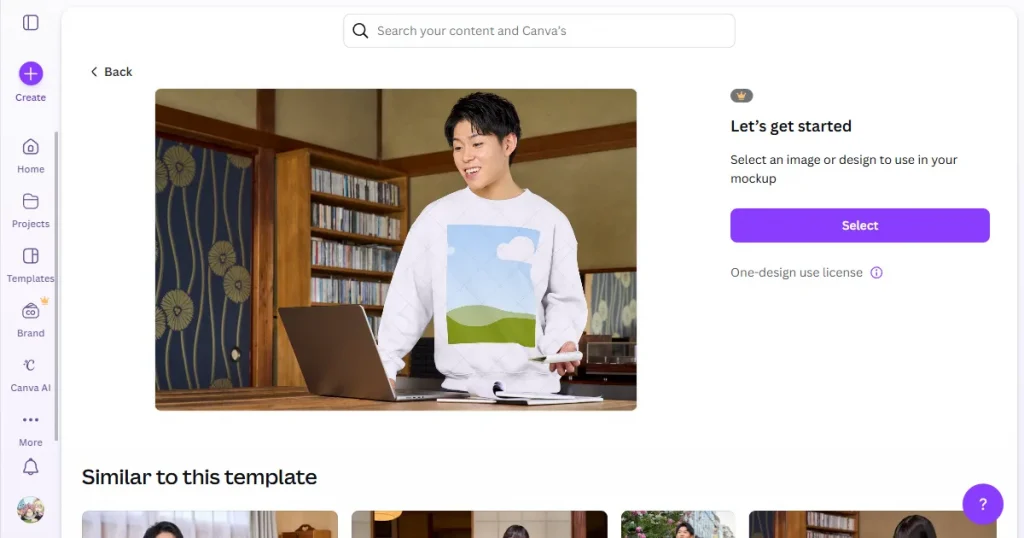
Canva is an all-in-one design platform that offers a dedicated free mockup generator online via Smartmockups integration. It offers a wide variety of templates where you can add your designs, and Canva will automatically align them. Moreover, you can download the mockup as it is or edit it further inside Canva to make it look more presentable.
Pros
Zero learning curve: This Modor alternative features a drag-and-drop interface that lets you create product mockups in just a few clicks.
All-in-one workflow: Using Canva, you can design a logo, use the mockup tool to create product mockups, and use it to create a social media post in just a few clicks.
Built-in AI tools: Canva has recently added multiple AI tools that help you add new elements, remove objects, and manipulate elements that were previously not possible.
High-quality exports: Although Canva is not a completely free mockup generator tool, it allows users to download all the free templates available in the highest quality without any watermarks.
Cons
Generic mockup templates: Canva is excellent for general design work, but its mockup templates often feel too generic and repetitive for professional branding or product presentations.
No repositioning outside template zones: This Modor alternative doesn’t allow you to reposition your designs outside the template zone.
Lack of advanced editing options: Fine-tuning reflections, lighting angles, or textures is not possible with Canva mockups.
Pricing
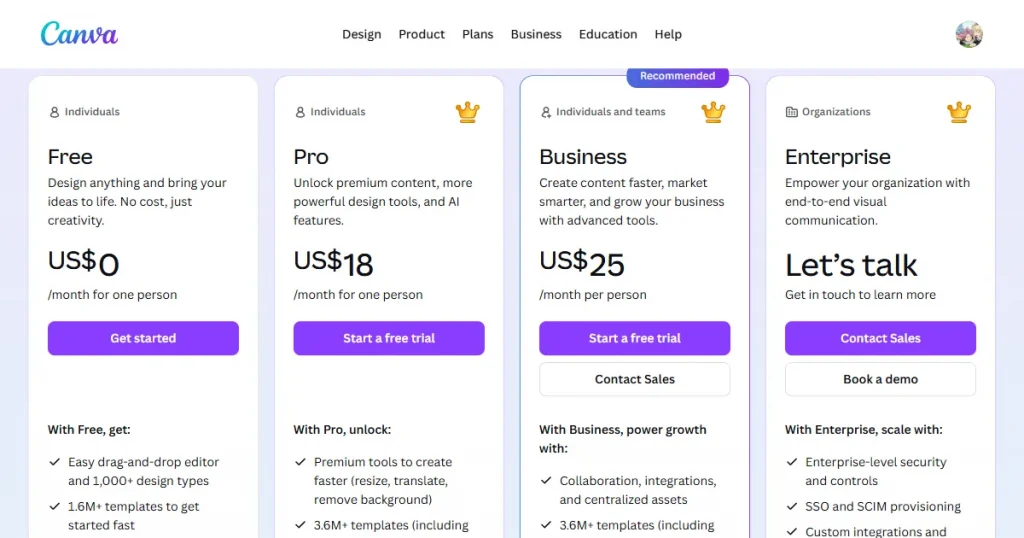
$18/month
5. Mr Mockup
Best for finding high-quality PSD mockup templates
About the tool
Mr Mockup is a PSD mockup resource that offers a wide variety of professional-looking PSD mockup templates across categories such as apparel, devices, and prints. Its biggest advantage is that the mockup templates are fully customizable, with smart object placement, making it easier for even beginners to create high-quality product mockups.
Pros
Premium-quality templates: All the product mockup templates in Mr Mockup offer realistic depth, lighting, and textures, making them perfect for professional studio-quality product mockups.
Highly organized PSD files: Files use well-labeled layers and smart objects, making it incredibly easy to drop your own designs in and customize shadows or highlights.
Good number of free templates: While they sell premium bundles, they also offer a good number of free mockup templates that let designers test their quality risk-free.
Pricing
Varies by template bundle, but generally starts at around $19 per bundle.
6. Photoshop
Best for advanced mockup creation with complete creative control and professional-grade editing.
About the tool
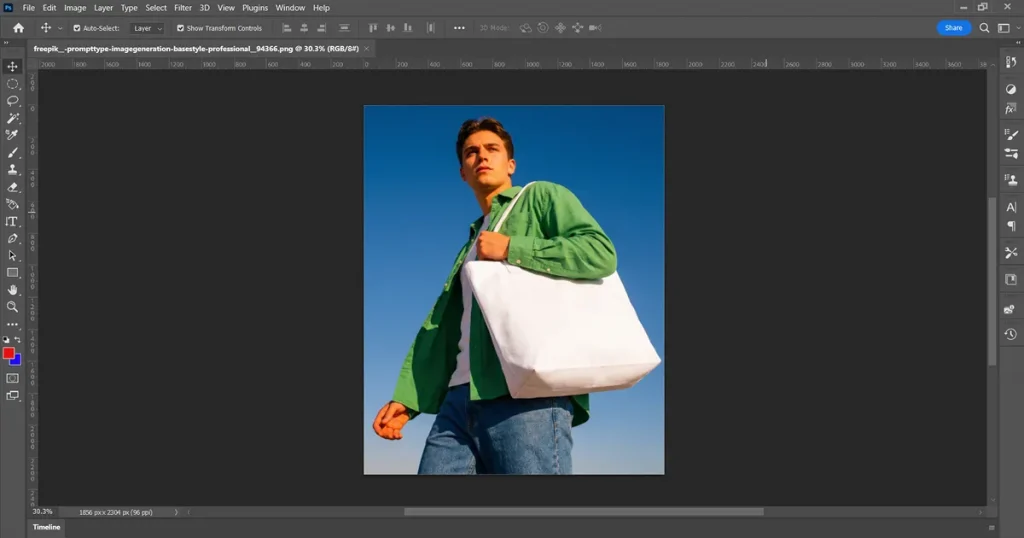
Photoshop is the most advanced tool for creating realistic product mockups that look indistinguishable from real product images. It is mainly used by professional designers and photographers who are well-versed in the tool to create visually appealing, realistic mockups.
Pros
Smart object placement: Photoshop lets you create a smart object for your mockups, so you can paste your designs and they will automatically be reflected in the overall design.
No resolution limit: Unlike other Modor alternatives, Photoshop allows you to download your mockups in any resolution size to create print-ready, extra-large, or billboard-sized mockups without losing quality.
Adobe Firefly: With Adobe Firefly integration, Photoshop now makes it much easier to create high-quality, realistic mockups with simple text prompts, AI-powered edits, and automated design enhancements.
Cons
Steep learning curve: Photoshop is extremely difficult for beginners to master, as its advanced tools, layers, masking, and editing workflows can feel overwhelming without prior design experience.
Costly subscription: This Modor alternative is not a free mockup generator and requires a subscription that may also include the full Creative Cloud, which seems like overkill for just creating product mockups.
High-end PC requirements: Another major drawback of Photoshop is that it runs smoothly only when your system meets high hardware requirements, such as a powerful processor, sufficient RAM, and dedicated graphics hardware.
Pricing
$22.99/month
7. Printify
Best for e-commerce sellers looking for fast product mockups
About the tool
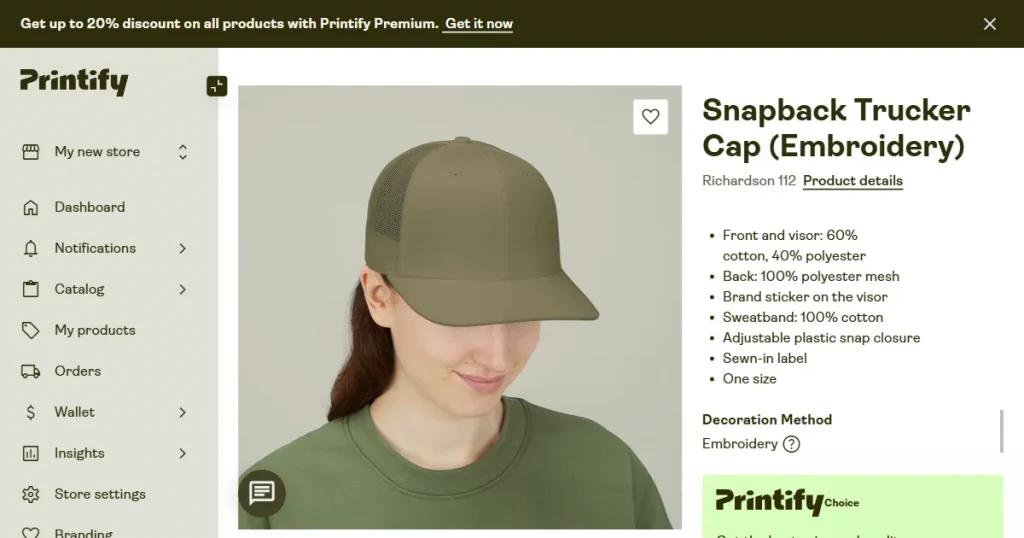
Printify is a print-on-demand platform that includes a built-in free mockup generator to create product previews for apparel, accessories, mugs, posters, and other merchandise categories. The tool is primarily designed for e-commerce sellers who want to quickly create store-ready mockups and publish products directly to platforms such as Shopify, Etsy, and Amazon.
Pros
Beginner-friendly: This Modor alternative lets users upload a design and generate product mockups instantly, even if they have no design experience.
Large product catalog: The platform supports mockups for hundreds of print-on-demand products across multiple categories.
Integrated ecommerce workflow: Users can create mockups, publish products, and automate fulfillment directly from the same dashboard.
Cons
Limited mockup customization: Compared to professional mockup tools, this Modor alternative offers limited control over shadows, backgrounds, object positioning, and scene composition.
Mockups look generic: Many templates are designed for basic e-commerce listings and do not feel premium or help your brand stand out.
Better features locked behind a paywall: If you don’t pay for Printify’s premium subscription, you won’t be able to use its AI features for creating product mockups.
Pricing
$39/month
Which Mockup Generator Tool is Best for You?
A realistic product mockup helps you instantly make a positive impression of your product in the customer’s mind, helping you convert store visitors into sales. That’s why it is crucial to choose the right mockup generator to make a strong first impression.
From this comparison between various Modor alternatives, we can come to the conclusion that most of the Modor alternatives are either lacking good quality mockup templates or are too complicated for beginners.
While the Modor mockup generator sits right at that intersection, it provides not only high-quality product mockup templates but also easy-to-use functionality and advanced customization options.
Final Verdict
We analyzed around 7 Modor alternatives in this blog, but they all have some major limitations, like online mockup generators having very generic-looking templates, whereas advanced tools like Photoshop have a steep learning curve, making it difficult for beginners to create good mockups.
That’s why Modor is the best mockup generator tool, as it allows you to create high-quality mockups easily, offering over 10,000+ mockup templates across 25+ categories, bulk export support, and high-resolution, watermark-free mockups even with the free PSD mockup templates.
FAQs
What is the best software to make mockups?
Modor is the best free mockup generator online as it allows you to create high-quality mockups with its beginner-friendly editor, a large quantity of templates, and high-resolution, watermark-free exports.
What is the best free mockup generator online without a watermark?
Modor is the best free mockup generator online because it offers high-quality exports with no watermarks on any template.
What are the best free mockup generator tools?
Some of the best free mockup generator tools include Modor, Canva, Mediamodifier, and MockupBro, as they offer a good quantity of free mockup templates.
Does the Modor mockup generator add a watermark to exported mockups?
No, the Modor mockup generator does not have a watermark, even on the free templates. You can download them in high-quality and use them for business purposes.
Which Modor alternative gives the most creative freedom?
Modor alternatives like Photoshop offer more creative freedom but have a steeper learning curve, whereas Modor provides a simpler workflow for creating fast, professional-looking mockups.