



30+ Best iPhone Mockup Templates Worth Trying
Looking for the right iPhone mockup template to fit your brand? Checkout our list of the best iPhone mockup templates worth trying.
Published Feb 20, 2026
Looking for the right mockup generator? See how MediaModifier and Placeit differ in templates, tools, pricing, and overall user experience.
14 min
The better choice in Mediamodifier vs Placeit is Placeit, as it offers a larger template library, an easier workflow, and more all-in-one design features. Mediamodifier, however, stands out for stronger editing controls and cleaner, branding-focused mockups. If you want a balanced option, Modor stands out as a powerful alternative thanks to its intuitive interface and wide selection of templates.
We tested both mockup generators across key features like templates, customization, performance, and pricing. We’ll break down the core differences and also explain why Modor is a good alternative to both mockup tools.
A mockup generator tool is an application that lets you place your design (like a website, app screen, logo, or artwork) onto a realistic or stylized product template automatically. These tools eliminate the need for manual editing and enable quick mockups at no extra cost.
These tools are mainly used to create product visuals that build instant trust with your audience. They answer the call of designers, marketers, and print-on-demand businesses to help present products, see things in context, and speed approvals.
Here’s a quick look at the differences in this Mediamodifier vs Placeit comparison.
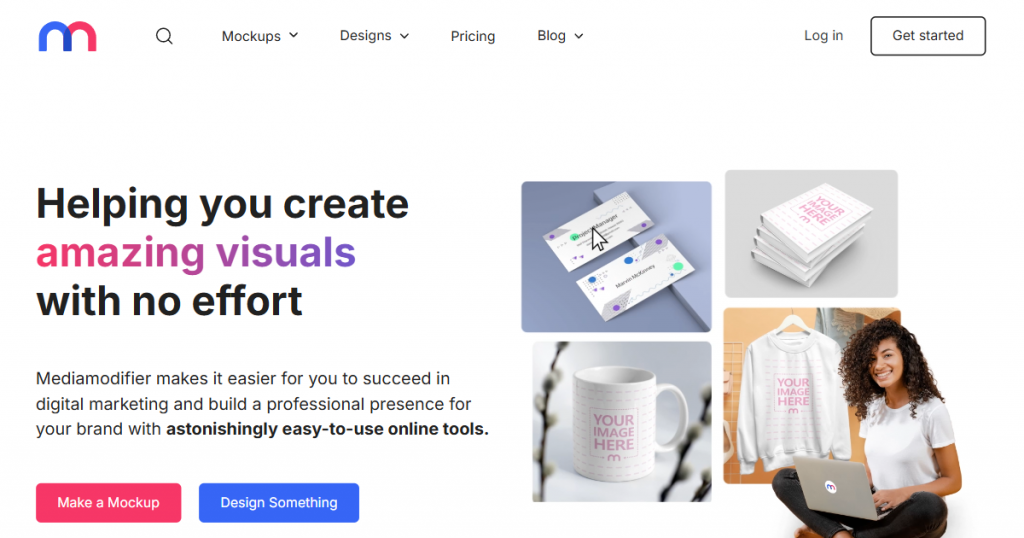
Mediamodifier is a web-based mockup tool focused mainly on product, device, and branding visuals. It offers clean mockup scenes, simple editing controls, and works well for e-commerce and product presentation needs, with no software installation needed.
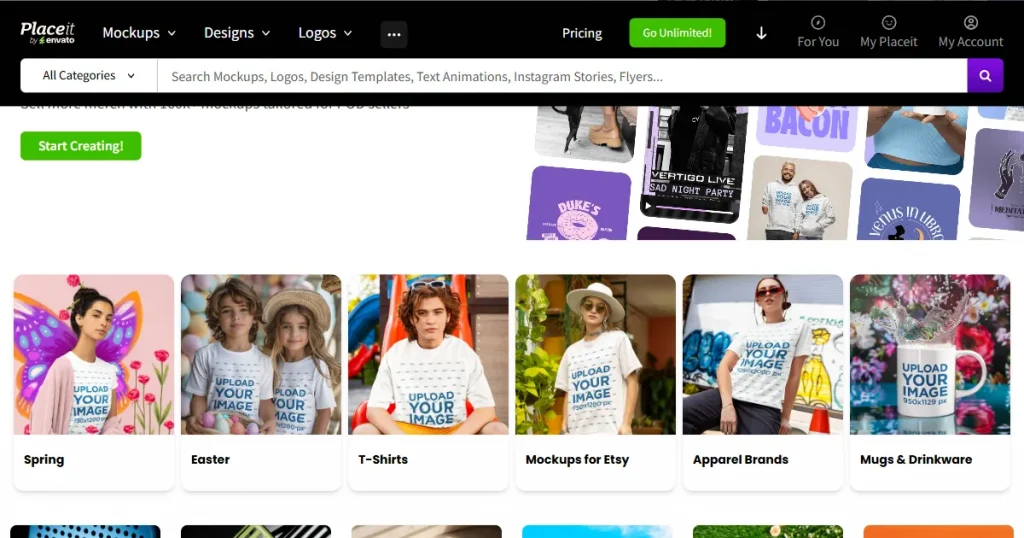
Placeit by Envato is a handy and versatile cloud-based design platform ideal for creating visual assets, like product mockups, logos, video or design templates, 3D videos, gaming tools, and more, using pre-made templates. It is widely used by beginners, marketers, and content creators who want an all-in-one tool with unlimited design resources.
A quick Mediamodifier vs Placeit comparison table across the key features.
| Feature | Mediamodifier | Placeit |
|---|---|---|
| Mockup Library Size | Over 14,000 online mockup templates | Over 40,000 pre-made mockup templates |
| Template Style | Clean, brand, and product-focused scenes | Modern and lifestyle-focused scenes |
| Ease of Use | Simple editor with quick placement and preview option | Very beginner-friendly with a guided layout and an easy upload flow |
| Mockup Content Focus | Strong on branding assets, packaging, and promotional visuals | Strong on apparel, POD products, and social media-ready scenes |
| Cloud-Based | Yes | Yes |
| PSD Mockups | Yes, provides PSD mockups for advanced editing in Photoshop | No PSD downloads, only online editor-based customization |
| Free Option | Limited free templates | More free options available |
| Best For | Brand mockups, packaging design, ads, and business visuals | Print-on-demand sellers, apparel brands, and marketing content |
| Design Tools | Mockups, basic image editing, branding visuals, and PSD mockups for advanced editing | Mockups, logos, videos, and design templates with multi-product editing in some apparel scenes |
| Template Variety | Technology, logos, marketing, print, products, apparel, and social media templates. | Apparel, lifestyle scenes, POD products, seasonal templates, videos, and model-based mockups. |
Below is a detailed Mediamodifier vs Placeit feature comparison covering customization, templates, and usability.
Placeit
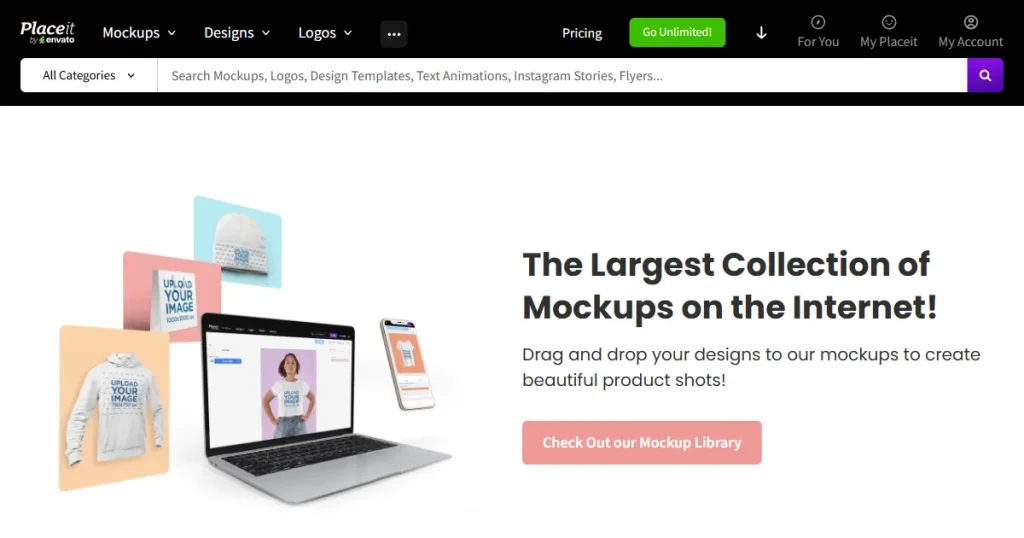
As mentioned above, Placeit houses a library of over 40,000 mockup design templates with a strong variety across apparel, device screens, print materials, product packaging, and social media scenes.
Mediamodifier
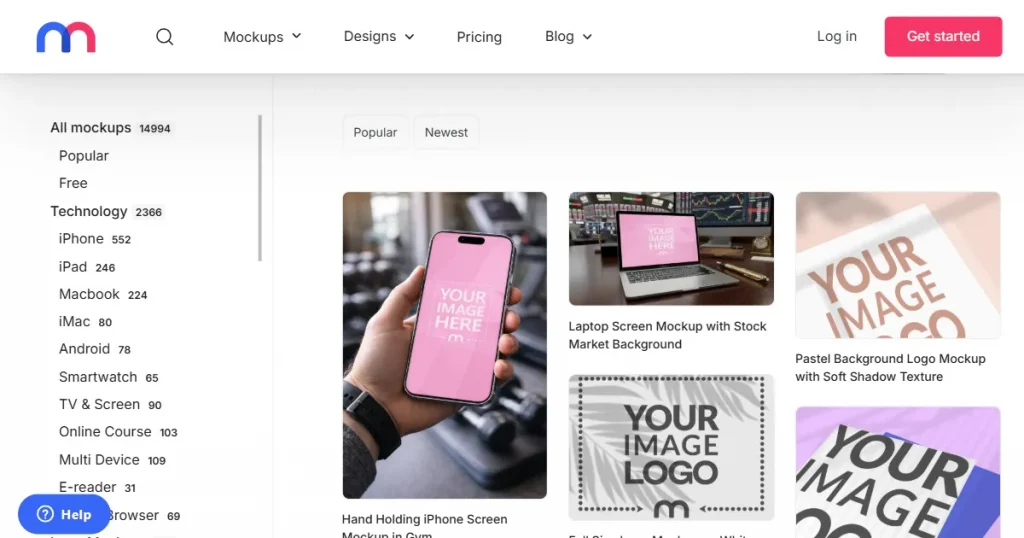
On the other hand, Mediamodifier has 14,000+ mockups and focuses more on product visuals, branding scenes, device mockups, and clean presentation layouts rather than marketing-heavy categories. Additionally, Mediamodifier provides PSD mockups, which give you much more editing power than Placeit.
Verdict
Placeit wins in total template volume and has broader category diversity than Mediamodifier, especially in apparel, promotional content, and the social media mockup niche. Mediamodifier is more structured around product, device, and branding mockups, which works well for e-commerce and product presentation needs.
This makes it a good fit for users who don’t need large template libraries and are exploring Mediamodifier alternatives with a more focused mockup style.
Let’s have a look at how both the tools compare when it comes to customization abilities and editing interface.
Placeit
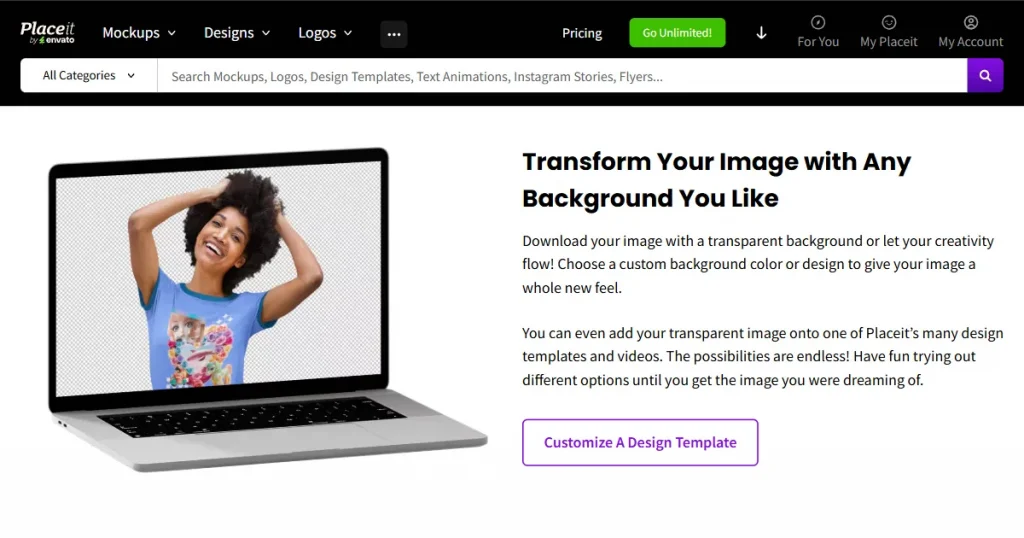
The customization and editing flow on Placeit is very simple and guided. Once you select the mockup template, the editor interface lets you customize graphics, text, uploads, and resizing elements in one place.
You can drag, crop, replace images, and make quick preview changes without manually adjusting layers or settings.
Mediamodifier
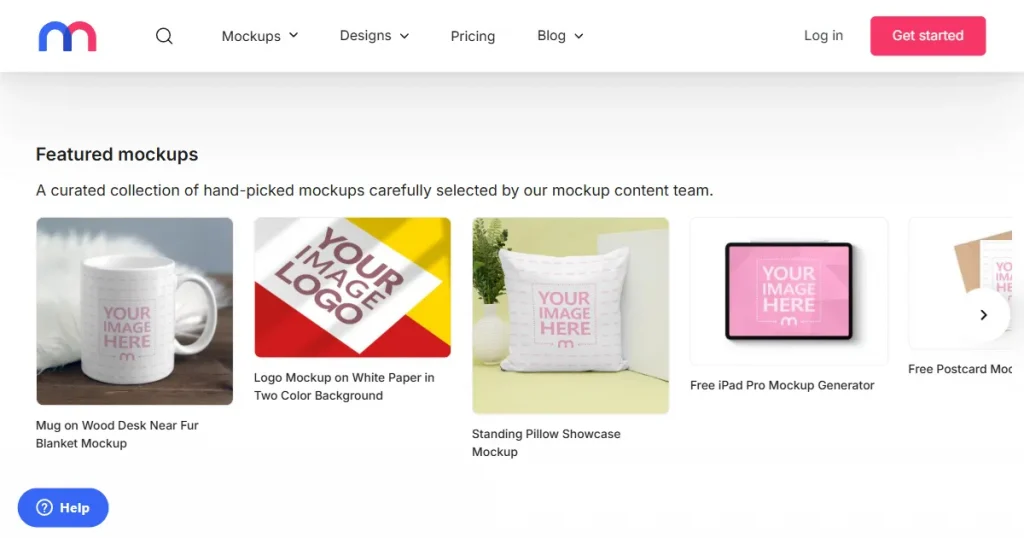
Mediamodifier offers more manual control inside the editor. The interface allows multiple settings to be adjusted at once, including image upload, crop, stretch, zoom, shadows/highlights, shirt color, and background color. It also supports saving brand assets for reuse.
Verdict
Mediamodifier delivers a stronger overall editing and customization experience. It provides more direct control over mockup design settings, making it suitable for users who want precise adjustments and for beginners. This is especially useful for users comparing different Mediamodifier alternatives based on editing control.
Let’s have a look at which tool among Mediamodifier vs Placeit offers better designing features.
Placeit
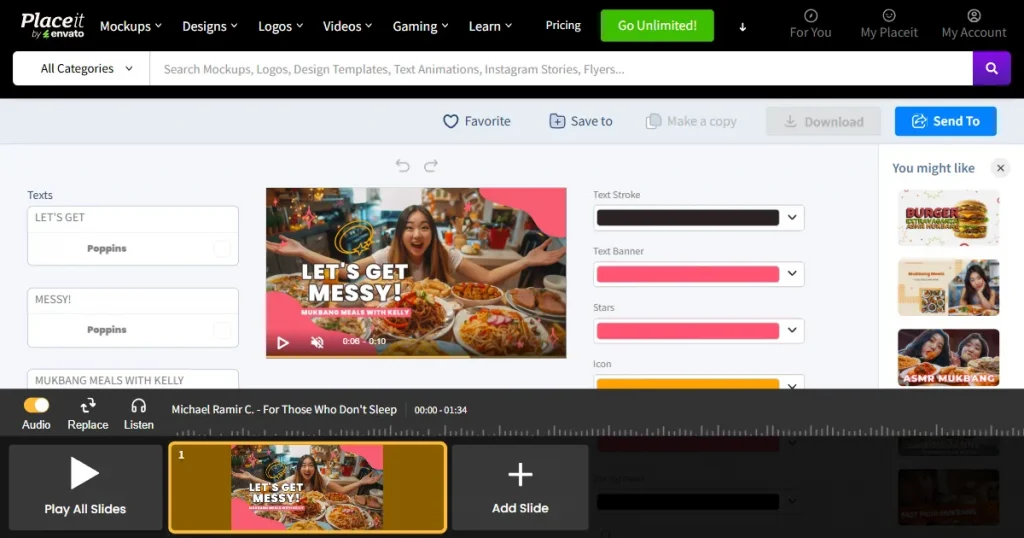
In addition to mockups, Placeit also offers logo makers, intro makers, and more design-related products. It also offers video-based mockups, introducing an additional dimension to marketing materials, such as product promos and social media posts. You can also directly share the finished mockup on platforms like Instagram, Facebook, Shopify, Etsy, and more.
Mediamodifier
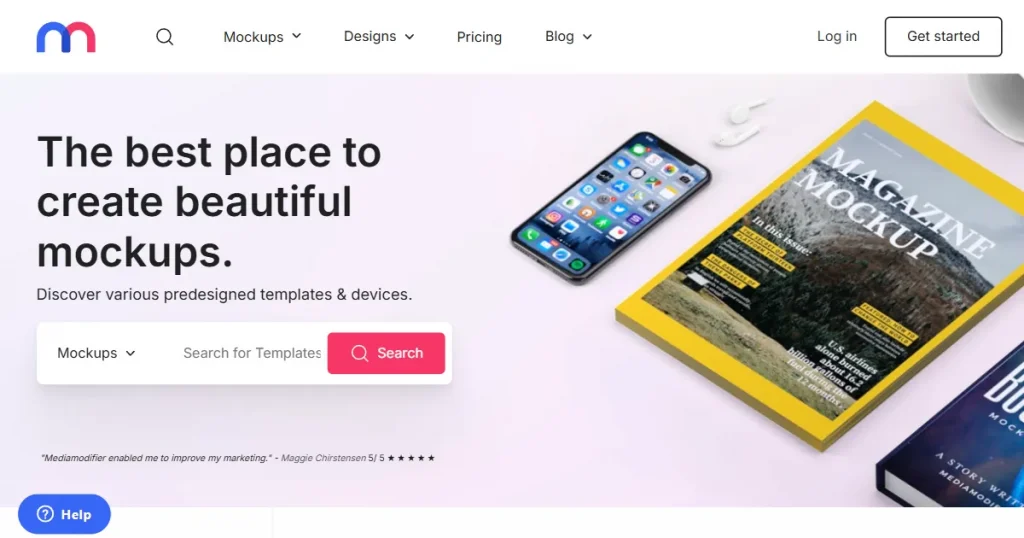
Mediamodifier also offers a rich set of customization options, allowing you to adjust shadows, highlights, the background color, and the image’s position. Users can also store brand assets and reuse uploaded assets when creating multiple mockups with the same visuals.
Verdict
Placeit offers more design features by combining mockups, logos, and ready-to-use design tools on a single platform. Mediamodifier has a stronger bias toward mockup editing and brand asset management. Additionally, Placeit offers video mockups, which are not available in Mediamodifier.
Placeit
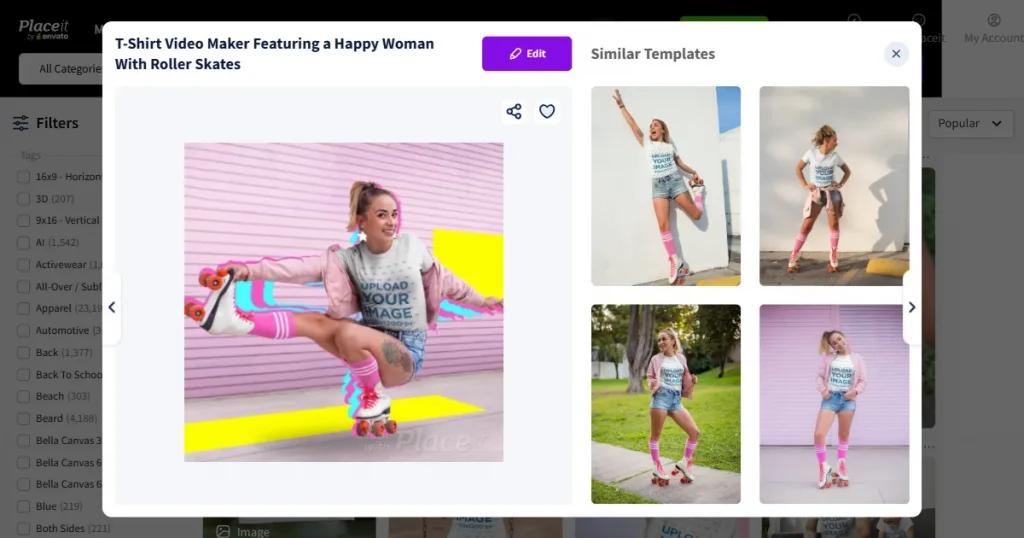
Placeit’s browser flow and mockup editor are smooth, with options to quickly replace images, switch templates, and preview designs. The output previews load quickly, and the mockup generator supports high-resolution PNGs (for logos and mockups) and MP4s (for video mockups).
Mediamodifier
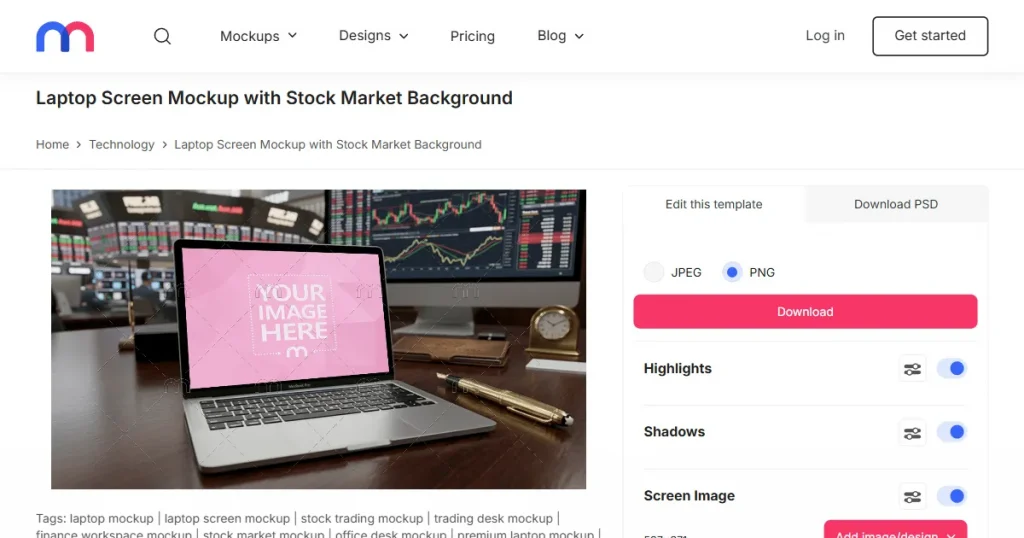
Mediamodifier provides high-quality outputs with export options for PNG or JPEG. Additionally, the color and background customization allow personalization, with an adjust-as-needed option, before you download the mockup. Its editor may be a bit slower to get used to than Placeit’s, but the results are more polished.
Verdict
Even though the output quality is no different, Placeit delivers slightly better performance because its interface and workflow are faster and more responsive. This is especially useful for quickly creating multiple mockups while also delivering premium outputs.
Now, let’s have a look at which one among Mediamodifier vs Placeit offers better customer support and integration.
Placeit
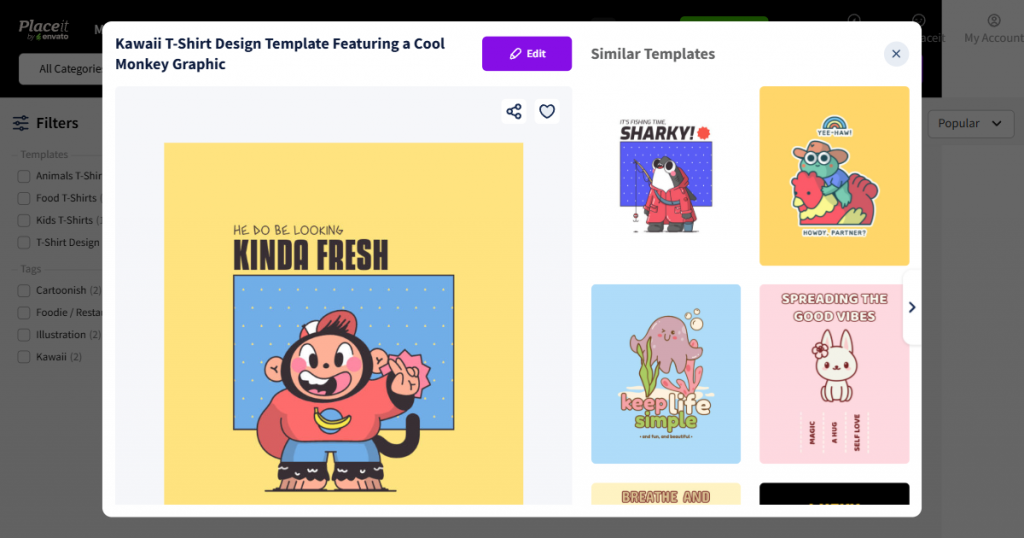
Placeit benefits from being part of the Envato ecosystem, which provides it with more platform support and greater visibility among users. It integrates seamlessly with standard content workflows, enabling users to create mockups, logos, and videos without switching tools.
Mediamodifier
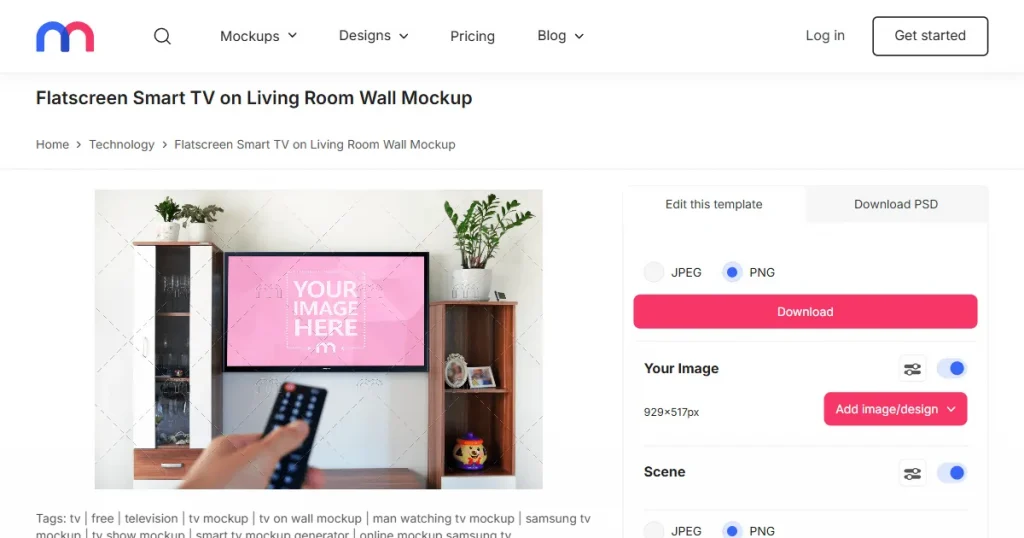
While Mediamodifier offers simple downloads, reusable brand assets, and fast mockup production, it has fewer ecosystem connections and integrated design services than Placeit.
Verdict
Placeit enjoys better platform support and a more expansive ecosystem. As it has Envato’s backing and integrates with a broader creative ecosystem, the mockup tool is much easier to use alongside other design and content tools.
Placeit
Mediamodifier
Verdict
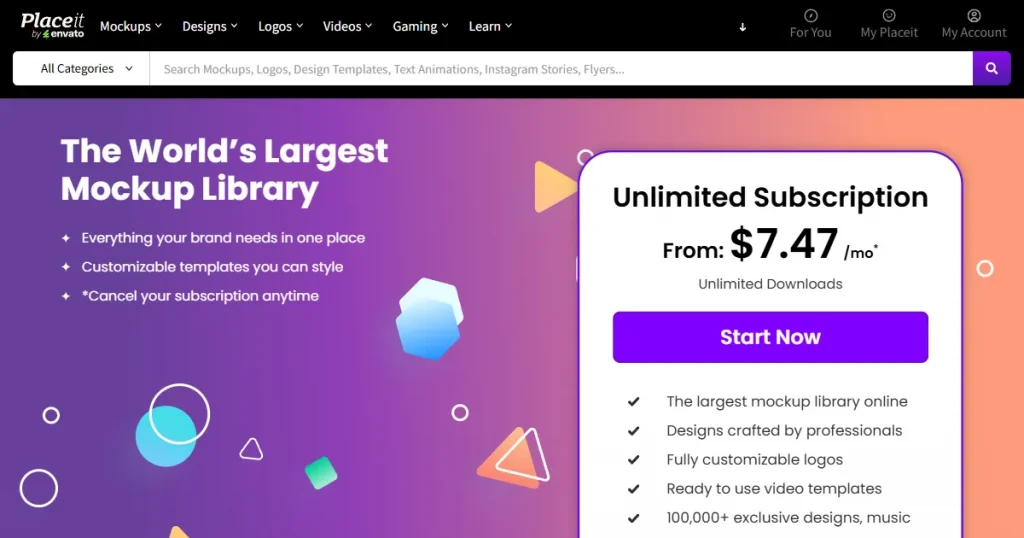
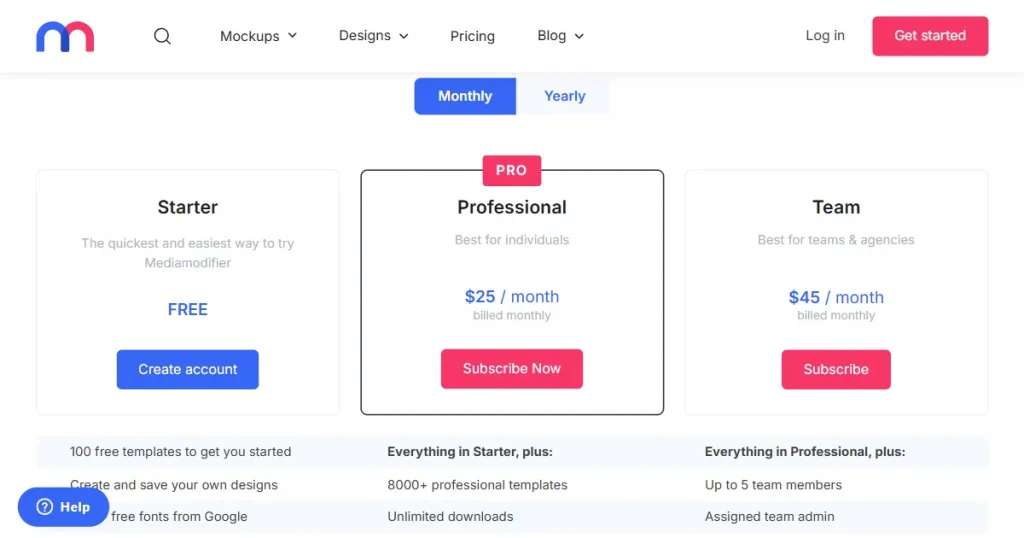
Placeit is more affordable, with lower monthly and yearly pricing and more features included in one plan. Mediamodifier costs more but focuses more on mockup editing, brand assets, and PSD files for deeper customization.
Here are the pros and cons of Mediamodifier and Placeit.
Placeit
Pros
Cons
Mediamodifier
Pros
Cons
For a more detailed comparison of Mediamodifier vs Placeit, we looked at real user reviews on sites like Trustpilot and Capterra.
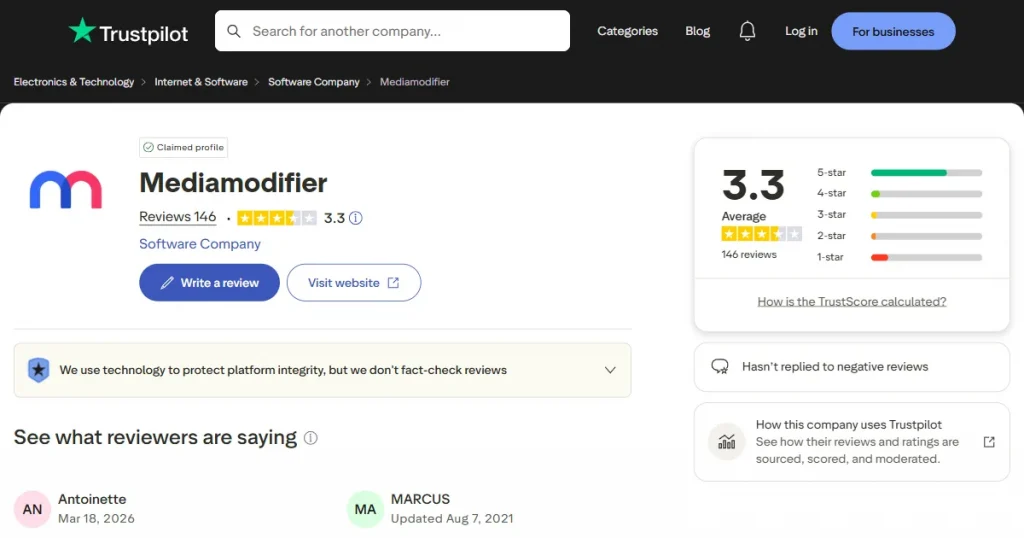
Trustpilot reviews indicate that many users find Mediamodifier useful for creating mockups in minutes without complex design software.
A reviewer noted that it makes the process “a lot easier, faster, and more beautiful” than using Photoshop or Illustrator. However, a few comments mention a limited template selection and unclear expectations for free downloads, which are why users start looking for Mediamodifier alternatives.
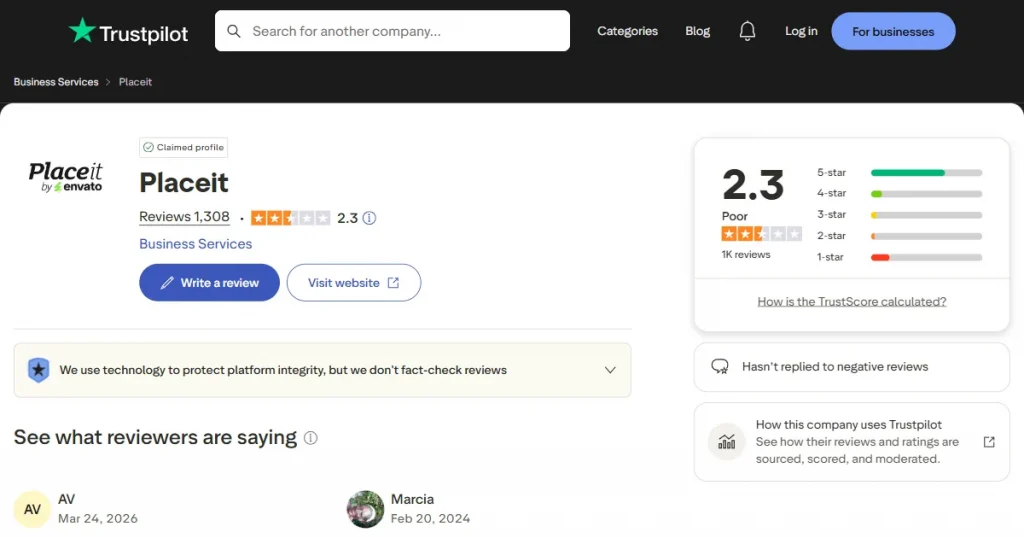
Placeit’s Trustpilot review highlights its ease of use and wide selection of templates. One user wrote, “So easy to use for both creating designs for POD products and for creating mockups for POD products.”
At the same time, some reviews mention issues with subscription renewals, search filters, and cancellation experience. Feedback like this often prompts users to compare options or try a free Placeit alternative tailored to their needs.
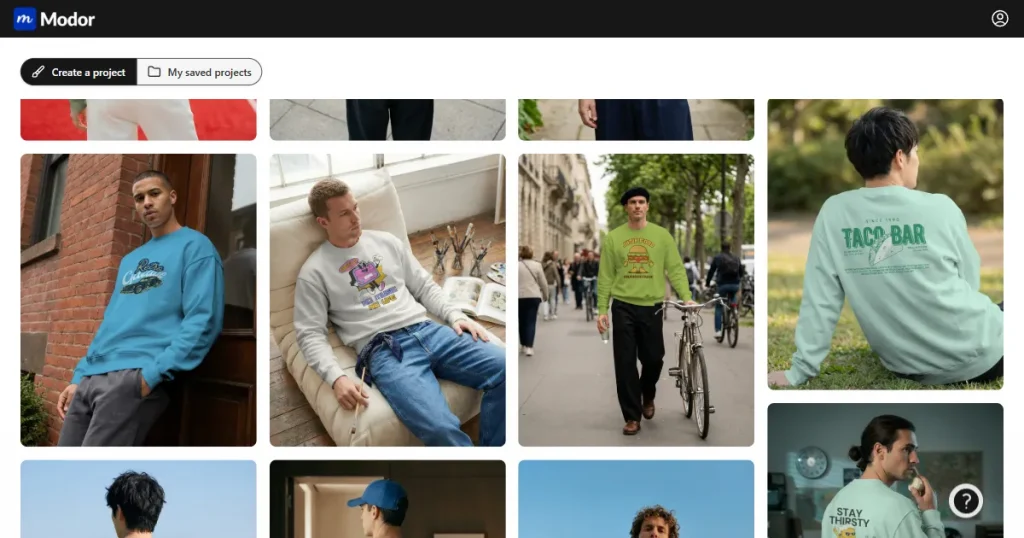
Modor is a freemium AI mockup generator that lets you create product visuals in minutes without complex design software.
It provides more than 10,000 mockup designs across categories like apparel, packaging, devices, and print materials, so you can add your designs and get a realistic mockup immediately.
Here are the core features of Modor that make it one of the best mockup tools.
Overall, Modor keeps the process focused on quick mockup creation without adding too many extra tools.
To create a billboard mockup in Modor, follow these steps.
Step-1: Go to Modor and create a new project by selecting the category for which you want to create a mockup.
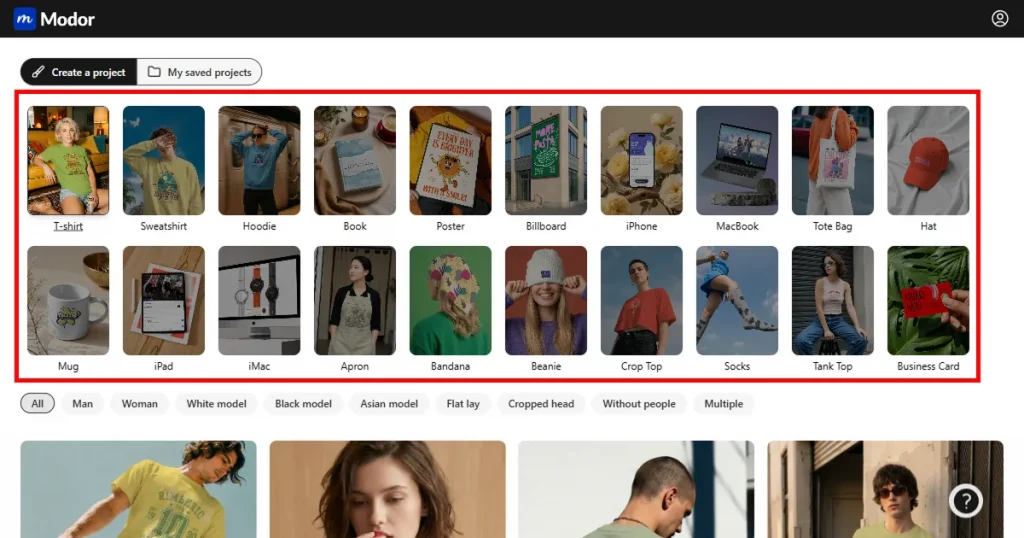
Step 2: Browse the collection and select the one you want to use.
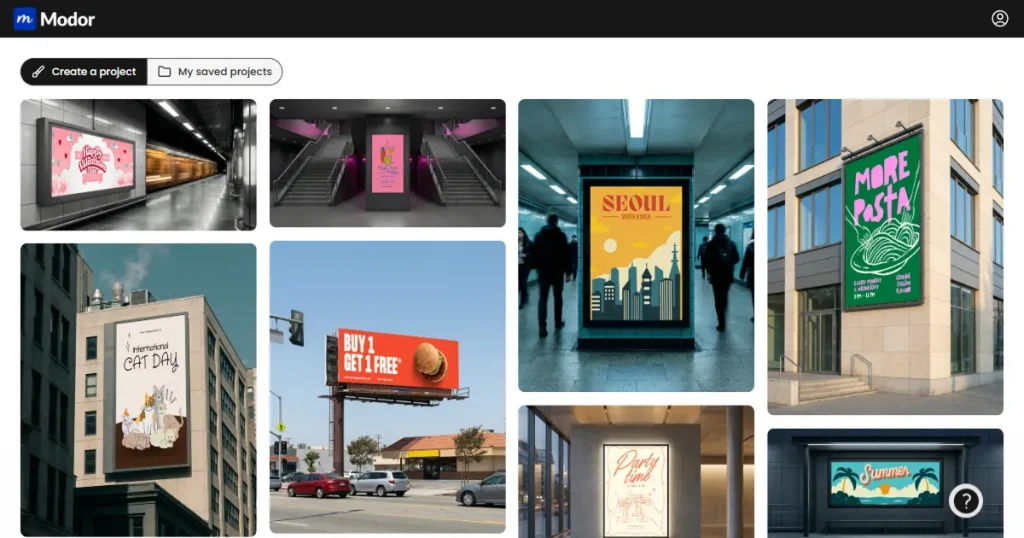
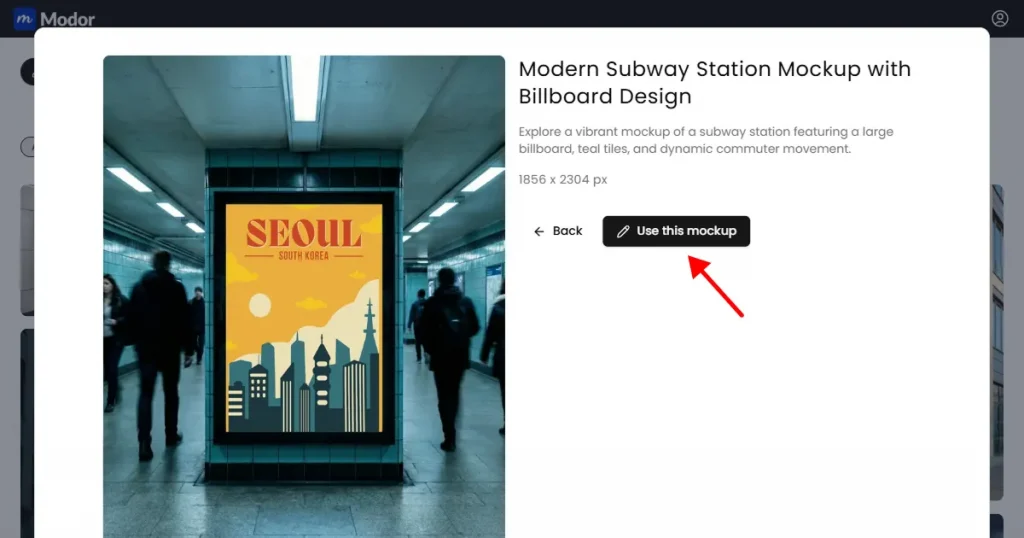
Step-3: Once you’re done selecting the mockup template, click on the Use this mockup button.
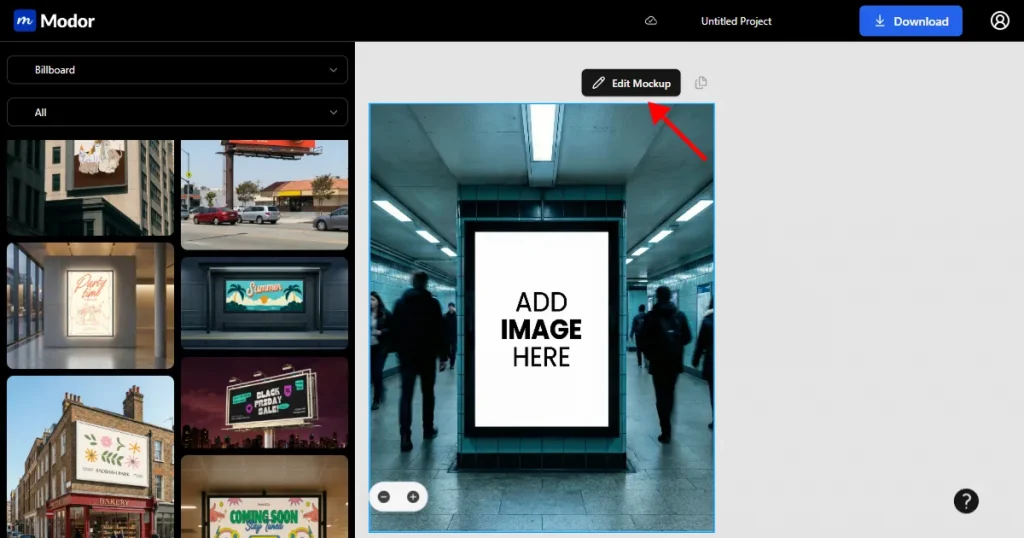
Step-4: To edit and customize the template, click on the Edit mockup button.
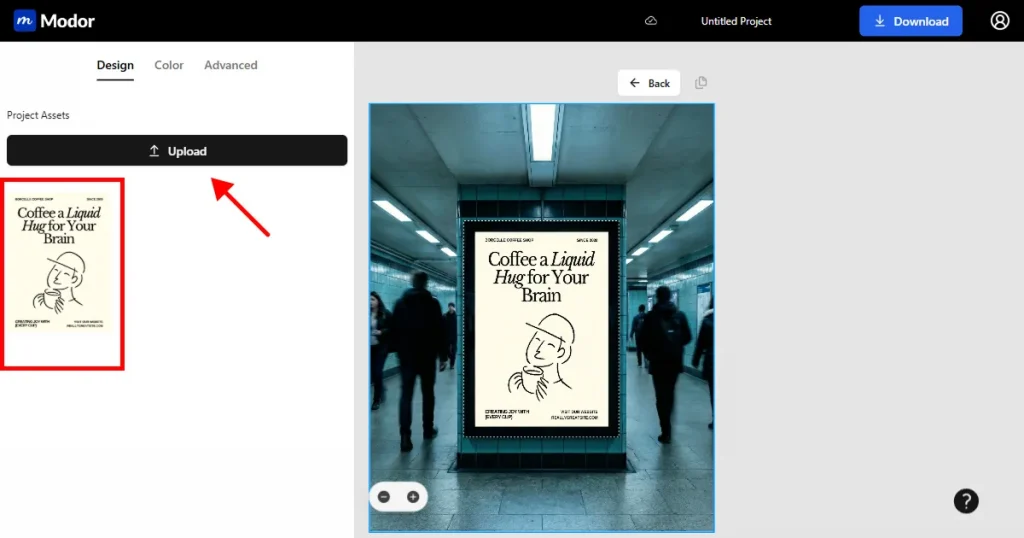
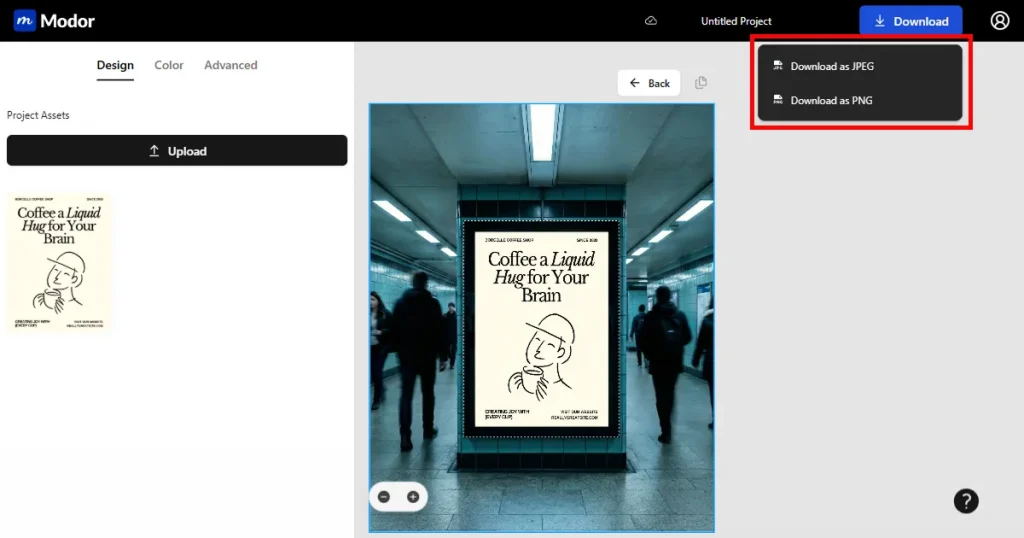
Step-5: You can add your design or image by clicking the Upload button.
Step-6: Once you’re done editing, you can download the mockup as a JPEG or PNG by clicking on the download button.
In this Mediamodifier vs Placeit comparison, Placeit is a strong choice if you want a large template library, simple editing, and extra tools like logos and video templates in one place. Mediamodifier is better suited to users who primarily need product, device, and branding mockups with greater editing control.
Modor is a great alternative for fast mockup making. With one-click image replacement, a neat editor, and quick downloads of PNG or JPEG files, the task is straightforward. If you are looking for an easy-to-use mockup generator without extra tools, this one is a good fit.
In the end, the right tool depends on whether you want variety, control, or speed in your workflow.
Modor is the best Placeit alternative, offering a wide selection of mockup templates with a simple editing flow.
Yes. You can use Placeit for free with limited templates and watermarked downloads. A paid plan is needed for full access and watermark-free files.
While both MediaModifier and Placeit are beginner-friendly, Placeit is often preferred by new users because of its cleaner interface and vast template library.
Yes. Placeit offers video mockups and animated templates, while MediaModifier mainly focuses on image mockups and does not provide video mockups.
Yes, both Mediamodifier and Placeit support device mockups, including iPhone, laptop, Android, and tablet.
In the Mediamodifier vs Placeit comparison, the biggest difference is the balance between control and convenience. MediaModifier gives users more flexibility to adjust elements such as backgrounds, colors, shadows, and image positioning, while Placeit offers a faster, more guided workflow with a much larger selection of ready-made templates.
Before choosing a free Placeit alternative, check how many mockups and downloads are included, whether exports contain watermarks, and what commercial usage rights are available.
You may want to explore Mediamodifier alternatives if you need a larger template library, video mockups, simpler editing, or a more affordable pricing structure. Different alternatives can offer a better fit depending on whether your priority is branding control, template variety, speed, or creating marketing content across multiple formats.


