Smartmockups is easy to use, but its reliance on Canva, limited advanced features, and lack of AI or 3D tools can slow you down.
Among the options, Modor is the best overall choice for its fast workflow, high-quality exports, and large ready-to-use mockup library. Mockey is a strong second option, with thousands of templates and built-in AI features.
In this article on Smartmockups alternative websites, we cover Modor, Mockey, Mockuuups Studio, Kittl, LS Graphics, Virtualthreads, and Morflax Studio, based on ease of use, features, and value, including a free Smartmockups alternative.
Key Takeaways
Smartmockups launched as a prominent online mockup tool in 2016. Today, it’s integrated right into Canva.
Smartmockups is ideal for Canva users looking for versatile templates that stay within the platform’s setup.
Easy-to-use tool, plus it offers a broad collection of tech, print, and clothing mockups, and it hooks up smoothly with Canva projects.
Premium templates are only available with Canva Pro, and if you use Figma or Sketch, this workflow may not be feasible.
Modor beats other Smartmockups alternatives. It’s totally free, covers more than 5,000 ready-to-use designs, exports 3000x2000px high-res images with clean output and zero watermarks.
What is Smartmockups?
Canva smartmockups templates
Smartmockups launched in 2016 as an online platform that lets anyone create realistic-looking product visuals, even if they’ve never used design software before. Thanks to its vast collection, you’ll find pretty much whatever a solo promoter might require.
The most significant change happened back in 2021 when Canva acquired Smartmockups. Since then, its core tech has been built right into the Canva editing tool. You’ll find it if you type ‘Mockups’ under the ‘Apps’ section inside Canva.
Why Look for Smartmockups Alternatives?
Designers and business owners are looking for Smartmockups alternatives for the following reasons.
The Canva Gilded Cage: This was its biggest strength, but it has now become a weakness. If you or your team use Figma, Sketch, or the Adobe ecosystem, pulling your designs into Canva just to make a mockup is a significant workflow disruption. This is one of the main reasons users start looking for Smartmockups alternatives that better fit their existing workflow.
Jack of all trades but master of none: Apart from the basic mockups, Smartmockups isn’t specialized enough to create 3D animated mockups, nor does it offer high-end, multi-layered PSD templates for professional designers.
The Free Tier Isn’t What It Used to Be: While many mockups are free within Canva, the premium ones are locked behind the Pro subscription. Because of this, many end up seeking a free Smartmockup alternative that also offers advanced features.
Missing the AI & 3D Wave: Today, the market is shifting to AI-powered generators like Modor and MediaModifier, capable of adding realistic shadows and effects, and to 3D-native tools like Morflax, which offer actual 3D manipulation, not just 2D images. These newer tools are often considered the best Smartmockups alternative free options for future-ready workflows.
How I Chose the Best Smartmockup Alternatives?
To put together this list, I kept a few points in mind.
Real Mockup Generators: I looked for tools that work fully online, with no Photoshop files or messy downloads. Just pure, browser-based mockup generation.
Library Quality & Size: Does the tool offer new and modern templates? Or barely a few hundred old-looking ones?
Unique Features: I gave extra points to tools doing something different, like AI mockup creation, 3D animation, or integrations with design tools like Figma. Those really stand out.
Ease of Use: A mockup tool has to move fast enough for marketers while still leaving some room for designers. I tried to find that middle ground, something easy to drag and drop, yet smart enough not to feel watered down.
Free Plan Value: Lastly, I checked what you can do for free. No fake Free plans with watermarks everywhere. I wanted actual HD exports, reasonable usage limits, and enough freedom to finish a project without being forced to pay. This is important when evaluating a Smartmockups alternative free option that’s actually usable.
Top 7 Smartmockups Alternatives: Detailed Comparison
1. Best Smartmockup Alternative: Modor
About Modor
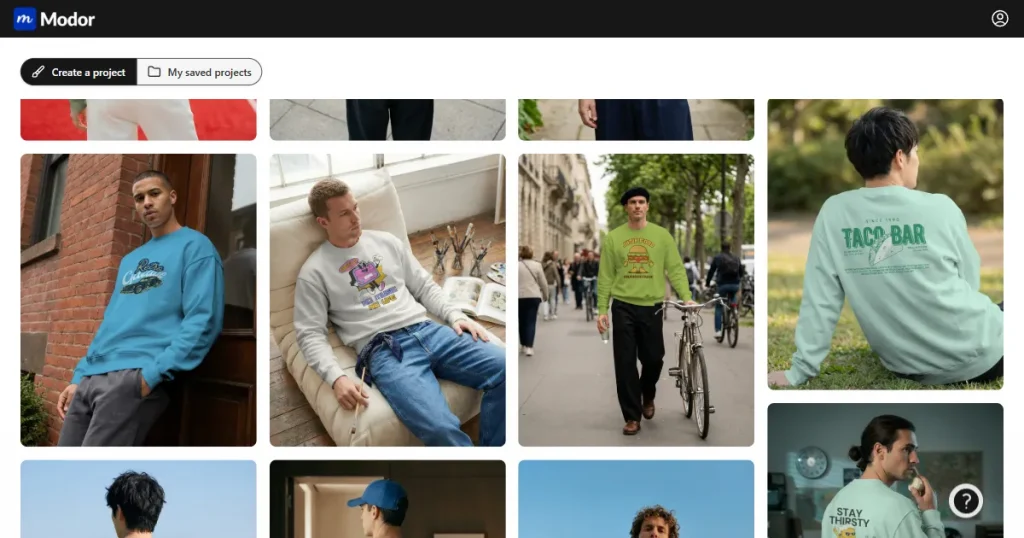
Modor is an AI-powered mockup generator that’s quickly rising to the top, not just because it’s powerful, but also because it’s completely free. Perfectly suitable if you’re looking for a Smartmockups alternative free option. It’s built for designers and marketers who miss the old “simple and free” days of Smartmockups, but want something more innovative, faster, and powered by AI.
What it does
AI-powered editing: AI handles everything from changing colors to dropping your design into place, even fixing lighting and shadows so everything looks real.
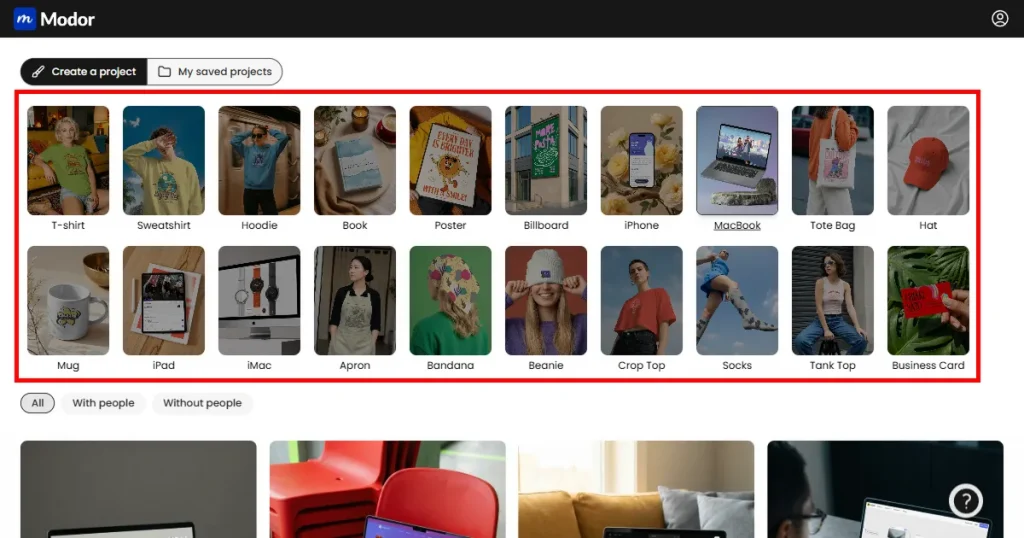
Massive Mockup Library: Over 10,000 templates cover just about every category you’d need: t-shirts, hoodies, hats, tote bags, iPhones, iPads, posters, billboards, and many more.
Plenty of Assets: You get more than 10,000 fonts and elements right into the editor.
Clean Interface: Just drag and drop, and you’re good. Upload transparent PNGs or standard JPGs; both work well.
Built for Marketers: You can resize mockups instantly within the platform for online stores, Instagram posts, or ad creatives. Every export is ready to use, no touch-up needed.
Pros & Cons
Pros:
It’s completely free, and that alone makes it a top choice as a Smartmockups alternative.
Every mockup is clean, with no watermarks, restrictions, or hidden limits.
You get full HD exports (3000x2000px) in both PNG and JPG formats.
Commercial use is wide open, which is huge if you’re running a business or client brand.
The library keeps expanding, expect to see new templates and designs every week.
Cons:
It’s still new, so you won’t find deep 3D or animation options yet.
Pricing
$10/month
Conclusion
This is what Smartmockups should’ve turned into: a proper upgrade. For most people, it’s the only replacement they’ll ever need. Many users would call it one of the best Smartmockups alternatives available right now. The mix of a massive high-res library, modern AI tools, and a genuinely free tool with zero watermarks just works.
If you’re a marketer, an online store owner, or a designer who wants something that looks pro without wasting time, this Smartmockups alternative should be on your list.
2. Mockey
About Mockey
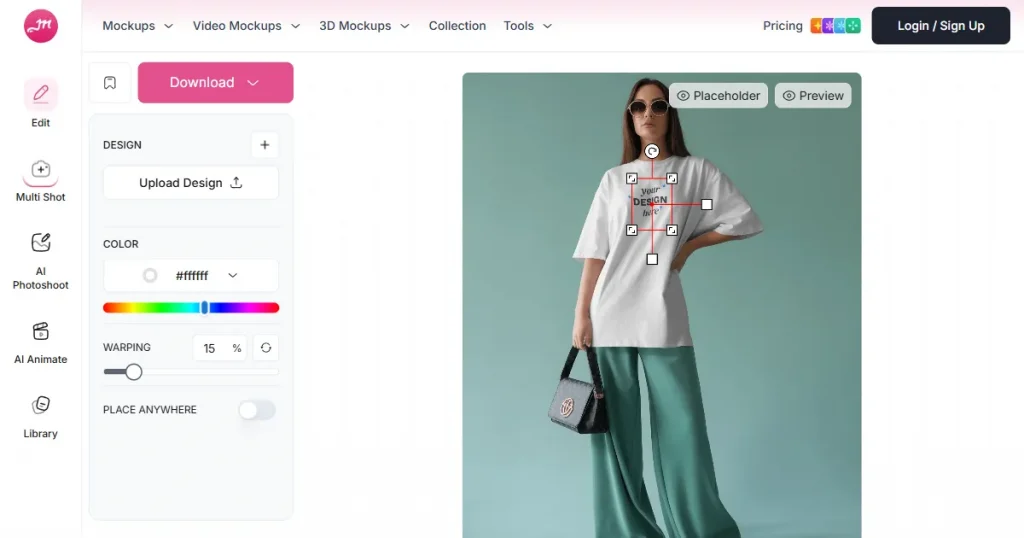
Mockey has built a name for itself in the AI mockup world, largely thanks to its massive library. It’s also frequently listed among popular Smartmockups alternative websites. It’s all online, but you can grab it on Android too, which makes it handy for creators who prefer working on their phones rather than a desk.
What it does
Massive library: thousands of mockups across apparel, packaging, books, and more.
Covers everything you’d expect: t-shirts, hoodies, tote bags, posters, product boxes, and many more.
3D and video mockups: Offers 3D and video mockups, not just flat images.
Frequently updated: New designs are added regularly.
Mockup collection: Lets you save and organize your favorite designs through a “Mockup Collection” tool.
Pros & Cons
Pros:
3D and video mockups give it an edge over static-only platforms.
There’s also an Android app, and honestly, that’s a nice bonus for quick edits or previews on the go.
Cons:
The free version is available, but it limits downloads to 3 per day in low-quality JPGs. This limitation makes it less ideal if you’re looking for a Smartmockups alternative free option.
If you need professional exports, you’ll have to pay for them.
The web version frequently lags, making long sessions annoying.
Pricing
A limited free plan is available; the paid plan starts at $19/month.
Conclusion
Mockey feels built to impress with its scale, and it does. But the paywall kicks in fast. It’s a classic freemium setup: flashy at the front, limited once you actually use it. If you need a lot of mockups, paying might make sense; otherwise, Modor is a better choice.
3. Mockuuups Studio
About Mockuuups Studio
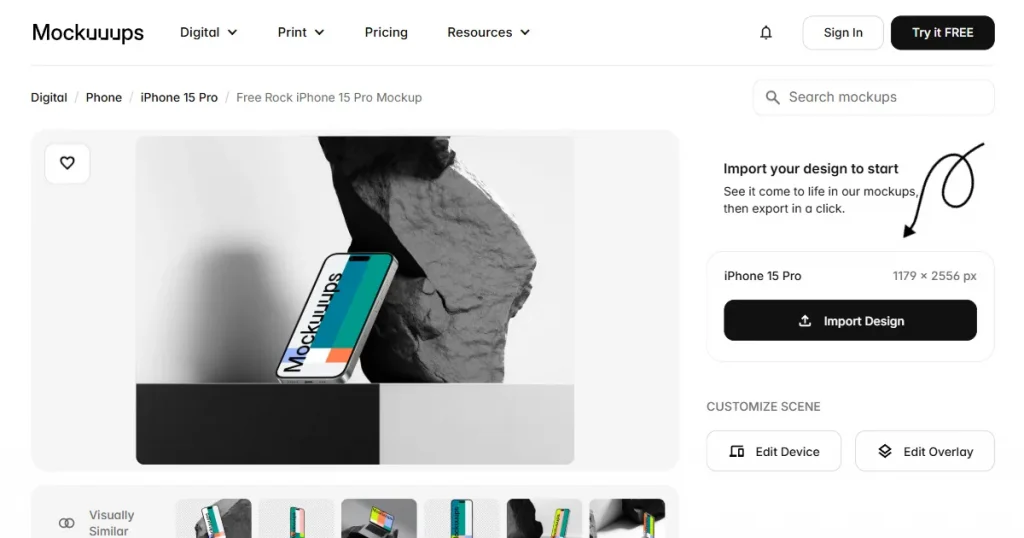
Mockuuups Studio is built for designers who use Figma, Sketch, or Adobe as a staple. It’s a niche pick among Smartmockups alternative websites focused on UI work.
What it does
Design plugins: Deep workflow integration with plugins for Figma, Sketch, and Adobe Express.
A complete desktop app for Mac, Windows, and even Linux, which is rare.
A curated library of over 5,000 mockups, mostly centered around devices such as phones, tablets, laptops, and smartwatches.
Instant preview: drop your design in once, and it shows up automatically on every device.
Offers PSD mockups too, so if you prefer offline editing, you’re covered.
Pros & Cons
Pros:
The Figma and Sketch integrations alone are worth talking about. They cut hours off repetitive UI work.
The library feels carefully chosen, not random stock photos thrown together.
The desktop app is great for teams that work offline or deal with sensitive projects.
Cons:
The free plan doesn’t give you much room to explore the tool.
Pricing is relatively higher than most mockup tools.
It’s built for screens, so if you want apparel, packaging, or anything physical, look elsewhere.
Pricing
Free plan available, paid plan starts around $20/month.
Conclusion
This Smartmockups alternative is made for designers. If your job is all about device screens and app mockups, this is worth every dollar. For marketing teams or e-commerce use, it’s pretty expensive for what you’d actually need.
4. Kittl
About Kittl
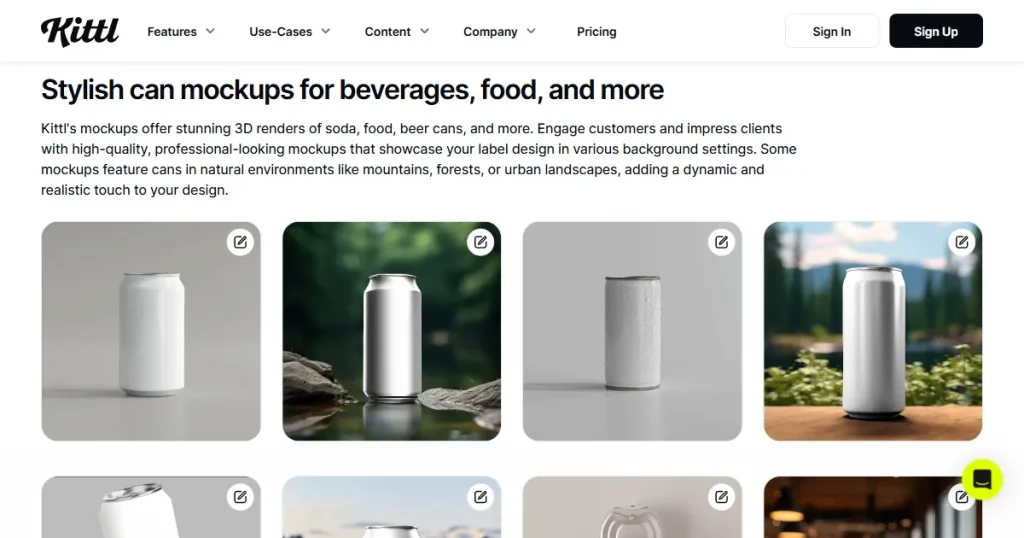
Kittl is a full-fledged design platform powered by AI. Think of it as Canva’s more creative, more technical version. The mockup feature is only a part of a much larger platform that leans heavily on typography, illustration, and vintage-style design.
What it does
Advanced text tools: warping, shading, textured effects, vintage lettering.
Magic recoloring: Magic recoloring for intricate illustrations.
Texture clipping: Texture clipping that makes flat art feel alive.
Extensive Asset library: A deep content library with thousands of fonts, icons, and photos.
Mockup templates: Templates for apparel, posters, branding, and stationery, all professionally built and easy to use.
Pros & Cons
Pros:
It’s unmatched for creating designs, especially if you’re into bold typography or retro shirt graphics.
Everything lives in one place. Design, mockup, export. It’s a closed loop. Fast and intuitive.
Cons:
The mockup library is smaller than what you’ll find in dedicated mockup tools.
Most of the mockups are simple flat product shots, not those glossy, photo-real setups.
The free version feels limited once you start using the tool.
Pricing
Free plan available, paid plan starts from $15/month.
Conclusion
This Smartmockups alternative shines if your real bottleneck is design creation. You can sketch out a complex graphic, style it beautifully, and mock it up in the same space. But if your designs are already done and you just need slick, realistic mockups, this won’t be your primary tool.
5. LS Graphics
About LS Graphics
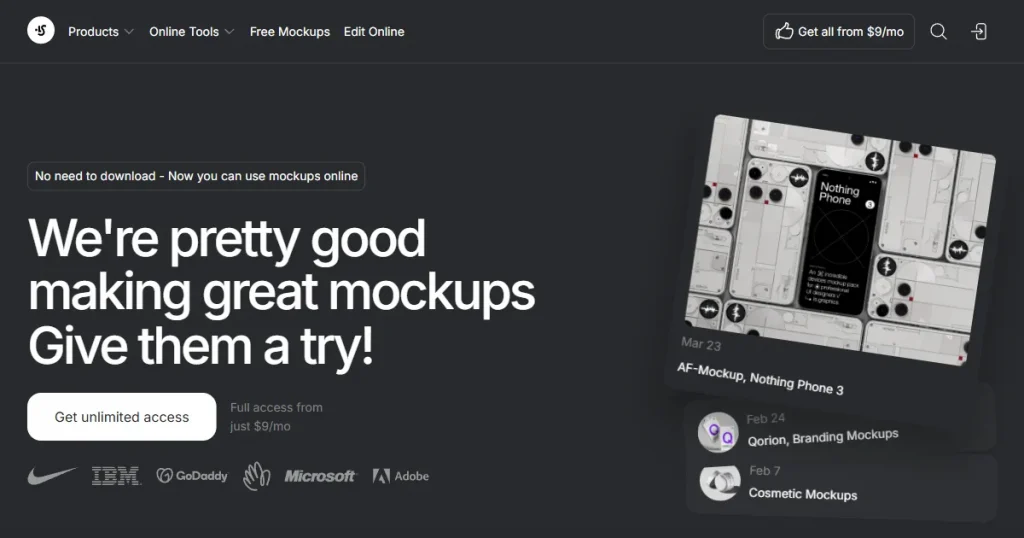
LS Graphics is a mockup tool built for professional designers, agencies, and people who obsess over super-realistic results. It’s one of the most premium Smartmockups alternative websites. The platform runs on a hybrid setup: some free PSDs, an online generator, and a massive collection of premium templates.
What it does
Premium PSD templates: Every file is layered, refined, and crafted for complete control. You can add shadows, lighting, reflections, everything.
Online mockup generator: Available through paid plans, handy for quick previews without diving into Photoshop.
Animated: Animated mockups for slick UI/UX presentations.
Apparel and promo: High-end apparel and merchandise.
Pros & Cons
Pros:
It’s arguably the best-looking mockup library on the internet. It’s photo-realistic, cinematic, and professional.
PSD mockup bundles for Photoshop users.
Animated mockups are excellent for presentation decks and client demos.
Cons:
To get the most out of this, you need to be comfortable working with complex PSD files and smart objects.
The pricing is premium, and the free options are sparse.
The online editor is only accessible through a paid subscription.
Pricing
Get access to everything for $9/month.
Conclusion
This Smartmockups alternative isn’t for beginners. It’s made for designers who work inside Photoshop all day long and care about every light bounce and texture fold. If “PSD layers” sounds like a headache, skip this one.
6. Virtualthreads
About Virtualthreads
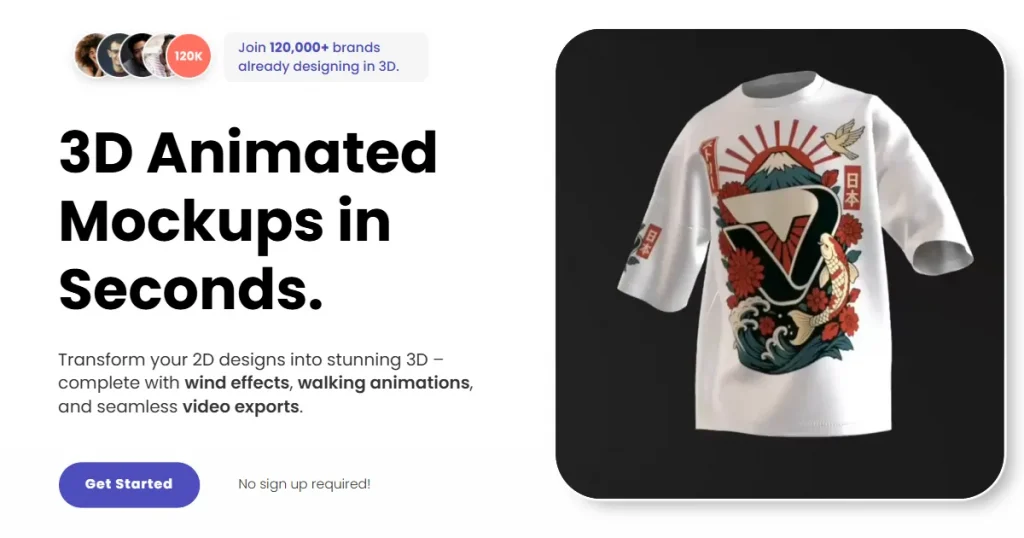
Virtualthreads is a hyper-specialized tool and Smartmockups alternative that does one thing and does it incredibly well: 3D animated apparel mockups. It’s designed to solve a major problem for modern fashion brands: static, plain t-shirt mockups.
What it does
2D to 3D: Transforms your 2D design into a 3D animated mockup.
Animation Effects: Creates a “walking style” 3D mockup with realistic wind and reflection effects.
Multiple Export Options: You can export your final mockup in video(MP4), Image (HD PNG), and 3D Model.
Real-Time Preview: The editor is easy to use and shows your changes in real time.
Advanced Editing: Offers advanced editing features for animation speed, lighting, and more.
Pros & Cons
Pros:
Creates stunning, dynamic video mockups which are ideal for social media.
An incredibly easy-to-use tool for complex 3D mockups.
Generous free plan for creating 3D image mockups.
Cons:
This tool is hyper-focused on apparel (mostly t-shirts): no devices, no print or other mockups.
The number of apparel models and templates is minimal.
You must upgrade to the Pro plan to export the animations as videos.
Pricing
Free Plan available for creating free image mockups. Pro Plan starts from $14.20/month.
Conclusion
If you run a clothing brand on Instagram or TikTok, this Smartmockups alternative is a secret weapon. A plain mockup gets ignored. A 3D animated mockup gets attention. It’s a niche-based, single-purpose tool, but for that purpose, it might be the best.
7. Morflax Studio
About Morflax Studio
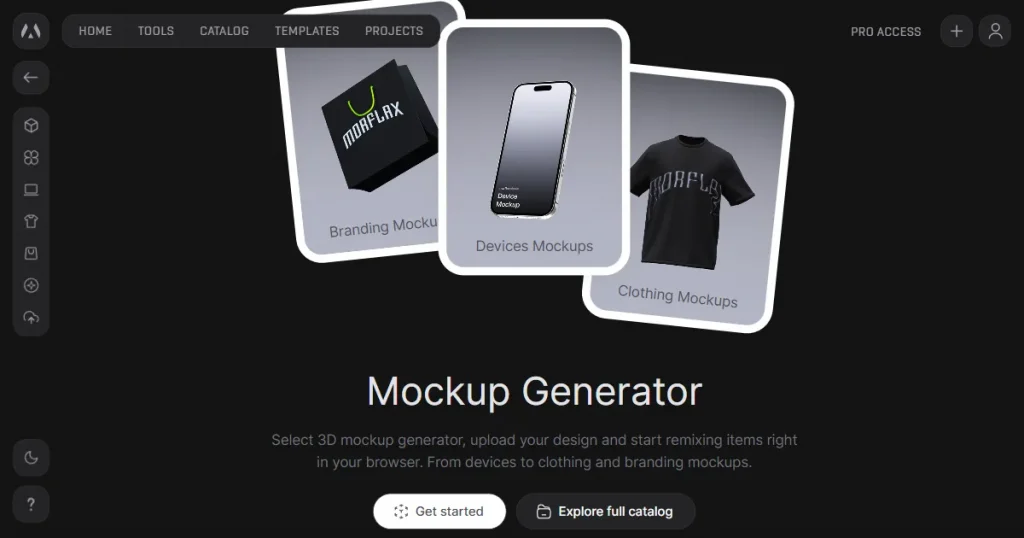
Morflax Studio is a complete 3D design studio that runs directly in your browser, making it one of the best Smartmockups alternatives for 3D mockup creation. You can build everything here: mockups, icons, full 3D scenes, even animated illustrations from scratch.
What it does
It offers two main modes:
Shift: turns 2D designs like logos or text into full 3D objects.
Mix: a 3D scene builder where you can drop assets, move lights, and build entire 3D compositions from the ground up.
3D customization: Get total control. Move, rotate, light, and animate your models exactly how you want.
Categories: covers devices, branding, apparel, icons, and illustrations.
Export options: You can export your final work as an image, a video, or a 3D model ready to publish.
Pros & Cons
Pros:
Gives you complete creative control. No templates holding you back.
The 2D-to-3D feature feels magical. It works and looks good.
Constant updates keep the tool alive and up to date.
Cons:
It’s complex. You’ll need patience; it’s a real 3D studio, not a simple drag-and-drop tool.
The editor can be slow and performance-heavy, especially with complex models.
The free plan only allows static image exports; video or animation requires an upgrade.
Pricing
Free plan available, Pro plan starts at $15/month.
Conclusion
This Smartmockups alternative is for the creative who finds “templates” too restrictive. If you want to build a whole 3D scene with the phone floating, animated, and exactly how you want, this is your tool. It’s a powerful studio for 3D artists, not a quick mockup tool.
Switch to the Best Smartmockups Alternative: Modor
The choice isn’t hard. Smartmockups now lives as a small feature buried within Canva Pro, a paid platform. Modor, on the other hand, stands alone, making it one of the best Smartmockups alternatives. It’s completely free and, honestly, outperforms Smartmockups free tier in every possible way.
You get more without paying a cent: over 10,000 templates, built-in AI tools, and high-res exports at 3000x2000px, all watermark-free and open for commercial use at no cost.
No subscriptions, no free trials, no hidden costs. You just go to the website, create your mockup, and download it.
Smartmockups VS Modor
FEATURE
SMARTMOCKUPS (VIA CANVA)
MODOR (RECOMMENDED)
Price
Free (Basic) / Paid (via Canva Pro)
Freemium tool ($15/month)
Watermarks
No
No
Free Exports
Low-Resolution
High-Resolution (3000×2000 px)
Library
Large, but the best templates are in Pro
5000+ templates (many are free)
AI Features
Basic Placement
AI-Powered Shadows & Effects
Commercial Use
Yes (Canva’s License)
Yes
Workflow
Locked into Canva
Web-based (Use Anywhere)
Automate Your Mockup Workflow Using Modor
Modor streamlines mockup creation into a fast, 4-step workflow that automates the most time-consuming parts. Let’s see how you can create a t-shirt mockup on Modor
1. Select Your Mockup
Select from a vast library of mockup categories like apparel, devices, and print. Use sub-category filters (e.g., ‘Men’/’Women’ or ‘Lifestyle’/’Studio’) to find the exact mockup you need instantly.
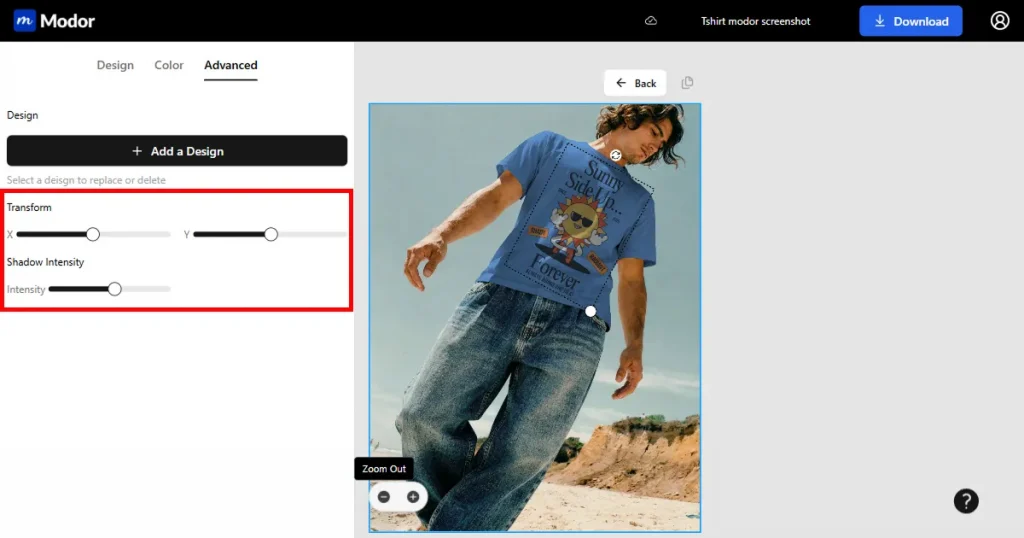
2. Upload, Customize, and Transform Your Design
Drag-and-drop your design. Customize your design by resizing, rotating, and positioning it. Change the item’s color using the built-in color picker. Use the “Transform” tool for advanced editing on angled or curved surfaces.
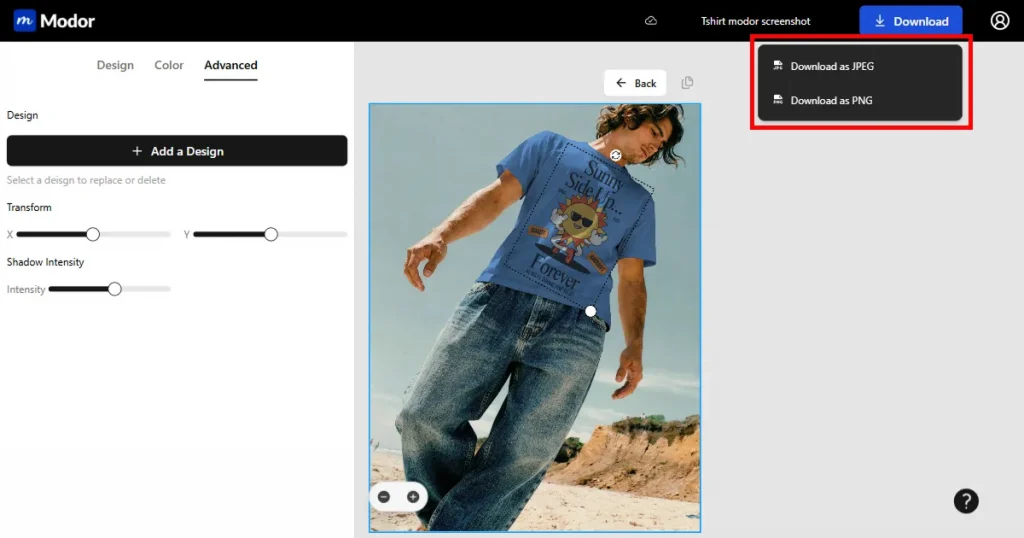
3. Save and Download Your Final Mockup
Finally, click on “Save your Mockup” to save your design changes and download them in high-resolution JPG or PNG format.
Frequently Asked Questions
What’s the best Smartmockups alternative free option?
Modor is the best Smartmockups alternative free. No paywalls, no restrictions. You get a huge library of mockups and HD exports, with not a single watermark in sight. Mockey has a “free” plan too, but it’s pretty restrictive. You only get three low-quality downloads a day, which makes it more of a tease than a usable tool if you’re doing real work.
Can you still use Smartmockups for free?
Yes. You can access many of its mockups for free inside the Canva editor by going to the “Apps” tab and searching “Mockups.” However, the best and most professional templates are reserved for Canva Pro subscribers.
Where did Smartmockups go?
Canva acquired Smartmockups back in 2021. Its core technology is no longer a standalone product but is now integrated directly into the Canva editor.
Which Smartmockups alternative gives the best export quality?
Modor offers the highest-quality exports among other alternatives. The exports are high-resolution (3000×2000 pixels) PNG/JPG format. Its AI-powered engine also ensures photorealistic results by automatically adjusting shadows and effects, all completely for free.
Smartmockups vs. Modor: which is better?
Honestly, Modor. Especially if you are tight on budget. Smartmockups is now entirely tied into Canva’s paid side, so the free version is very limited. Modor gives you the freedom to work without spending a dime. Over 5,000 templates, AI touch, HD exports, full commercial rights, no branding, no nonsense.
What are the best Smartmockups alternative websites for beginners?
The best Smartmockups alternative websites for beginners include Modor, Mockey, and Kittl. Modor is ideal for creating realistic mockups quickly, while Mockey and Kittl offer additional templates and design tools.