



25 Best Socks Mockup Templates for Creative Product…
A sock mockup template is a digital preview that shows how a sock design will look after printing. Designers, apparel […]
If you want to make socks mockups that look realistic, sign up for Modor, select a sock mockup template, upload your design, customize it, and export.
Modor lets you easily create professional mockups by selecting a sock mockup template, uploading your design, adjusting colors, and downloading high-quality images, without design expertise.
To understand how to make socks mockups in Modor, let’s dive into the detailed step-by-step method. We will also cover how to create different variations and optimize the mockup for platforms like Etsy and Shopify.
Realistic Texture and Fabric Details
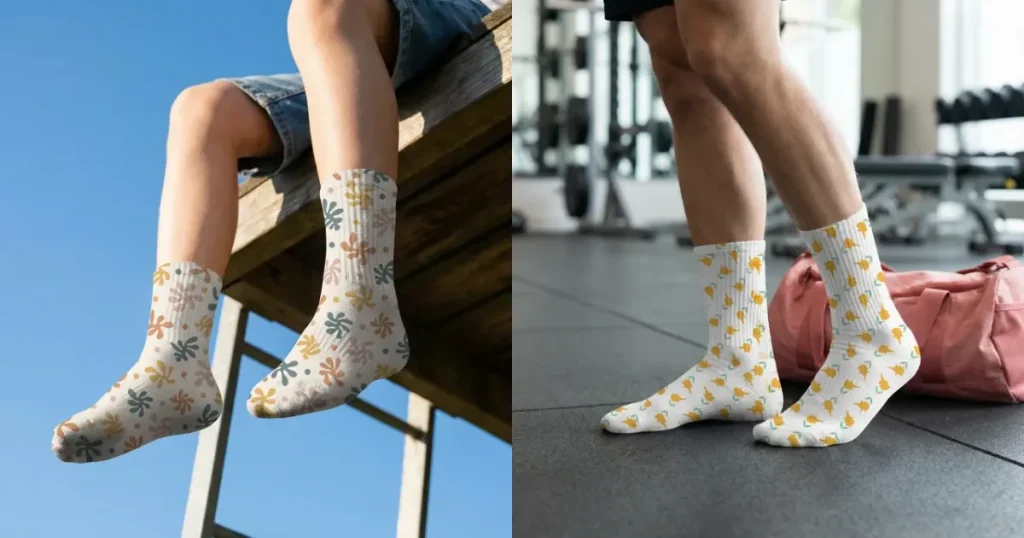
A good socks mockup should feel like a real product photo, with clear fabric texture and natural details.
Missing these will make the socks mockups look flat and unpolished, which can affect trust. So, pay close attention to subtle details, such as shadows and highlights, in the knit pattern. The goal is to make the fabric look as real as possible on screen.
A white socks mockup, in particular, should preserve these subtle details to make the fabric look clean, textured, and true to life.
Proper Fit and Form
A good sock mockup should fit the model properly. The cuff should sit at the correct height, the heel should fit cleanly without wrinkles, and the toe should follow the natural shape of the foot.
A good socks mockup should showcase that the socks are comfortable to wear and well-made, not stiff and artificial.
Accurate Color Representation
The color of your socks mockup should match the actual product as closely as possible. If the socks look different in real life or appear faded compared to the mockup, it can lead to disappointment and more returns.
Lifestyle Context and Styling
Socks are not a standalone clothing item. They are worn mostly to complement the outfits of your customers.
So, your socks mockup should cover a wide range of lifestyle activities, like reading, playing tennis, and working out, so customers can easily picture how the socks would look in real use.
Consistent Branding Elements
Your socks mockup should integrate your brand seamlessly. This might include branded tags, logo placement on the cuff, or color schemes that match your packaging. These details enhance brand recognition and make the product feel like a consistent, professional offering.
Let’s explore a few ways you can make socks mockups.
Photoshop
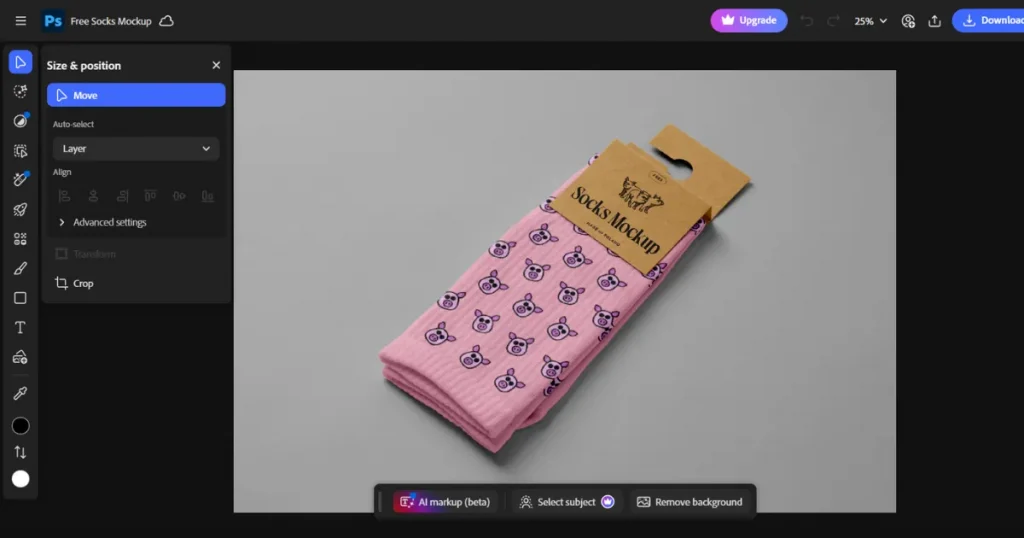
To make sock mockups using Photoshop, you need to download free sock mockup PSD files from PSD mockup sites like Mr Mockup or MockupWorld.
Then you will need to place your sock designs accurately within the smart objects in Photoshop and adjust the lighting and shadows to enhance realism.
The process might sound simple, but Photoshop has a steep learning curve, making it not beginner-friendly and requiring design skills to use. Even if you’re familiar with Photoshop, you can’t create mockups in bulk, and doing them one at a time is time-consuming and not scalable.
Modor
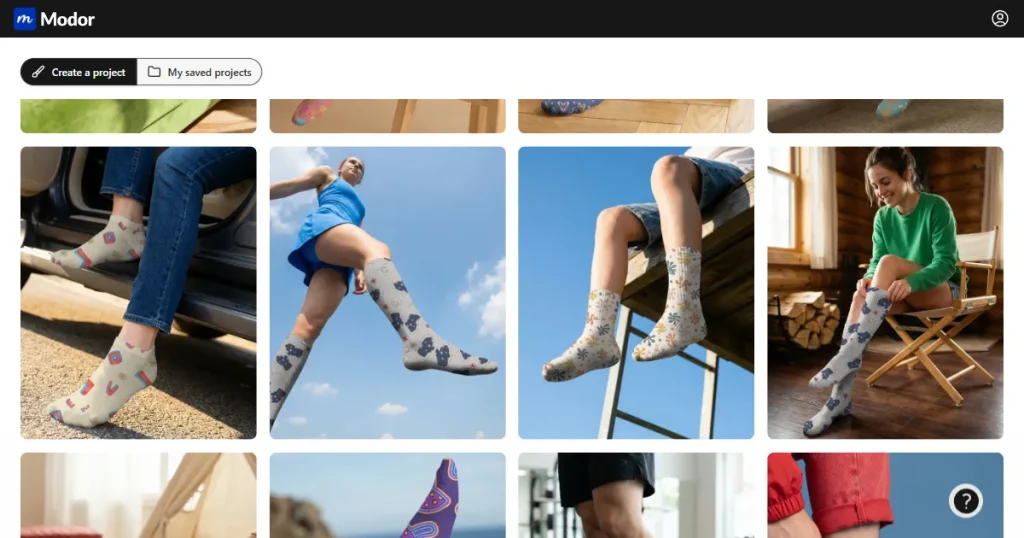
Modor is the best socks mockup generator for print-on-demand stores or small businesses. It lets you create studio-quality mockups in minutes with templates for knee-highs, ankle socks, crew socks, and more.
The process is very simple, you just need to choose a template, upload your design, customize it, and download the final mockup in high quality.
You can go from raw designs to professional, ready-to-post socks mockups in a matter of minutes. Also, every mockup that you create with Modor can be used for commercial purposes. So you can add them to your store without worrying about usage rights.
Printify
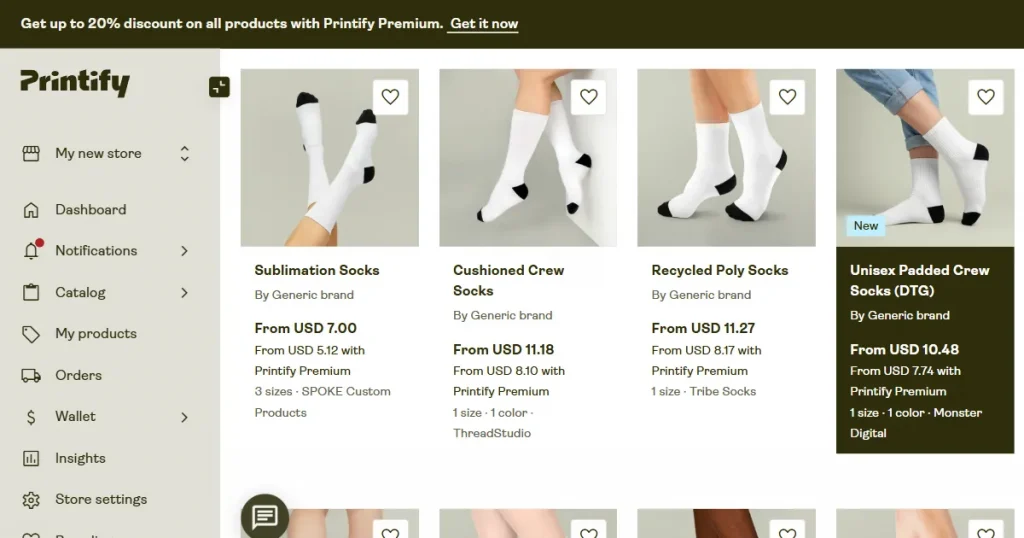
By using Printify, you can just upload your design, place it across multiple mockups, and publish directly to your Shopify store. No need for manual downloads.
But the biggest drawback is that most of its sock mockup templates look very generic. So, if you upload them to your store, your products won’t stand out or catch the buyer’s attention, and as a result, you will make fewer sales.
Here is the detailed step-by-step guide on how to make socks mockups using Modor.
Step 1: Create an Account and Log in to Modor
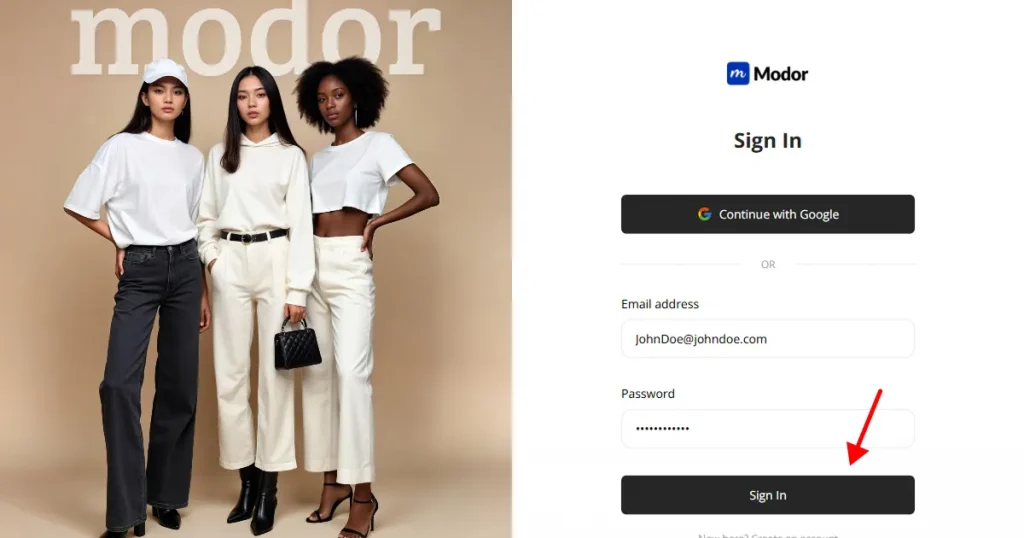
Create an account in Modor using Google login or Email login. Once the account is created, you can log in using the same method.
Step 2: Navigate to the Socks Mockup Section
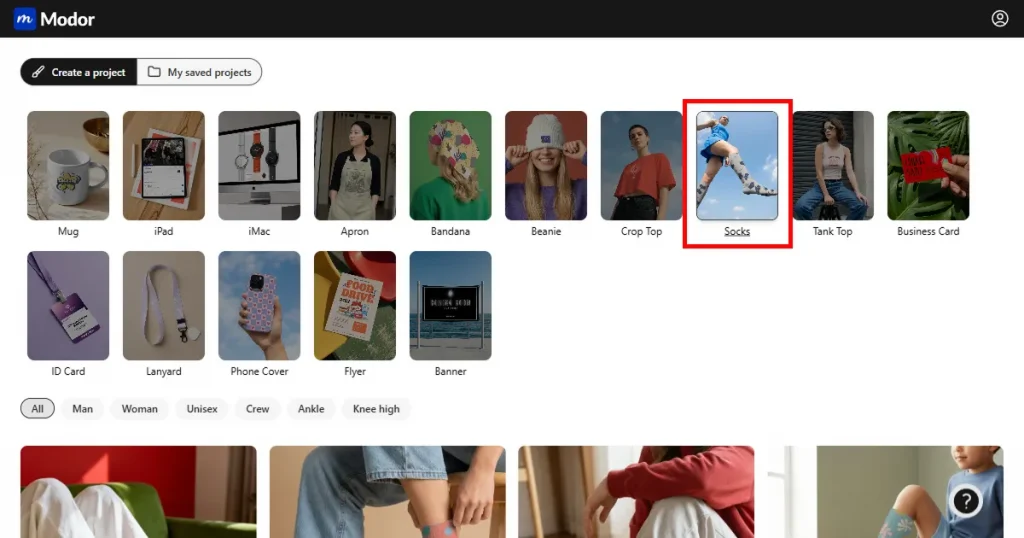
Once inside the tool, navigate through the 25+ mockup categories and select the Socks category.
Step 3: Find a Socks Template
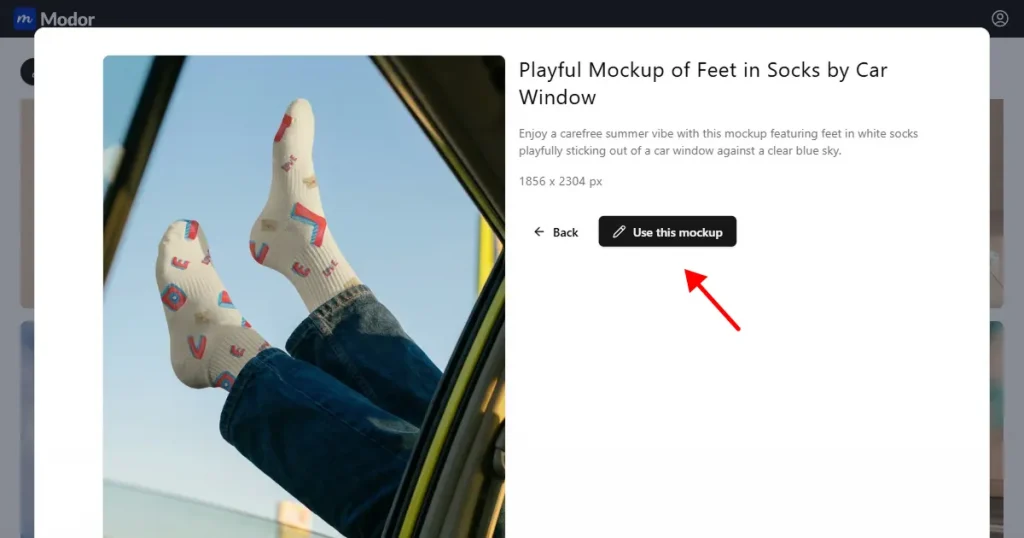
In the template section, you can browse the various sock templates or filter by model or sock type. Then, pick a template that fits your brand and click Use this mockup to start.
Step 4: Click on Edit this Template
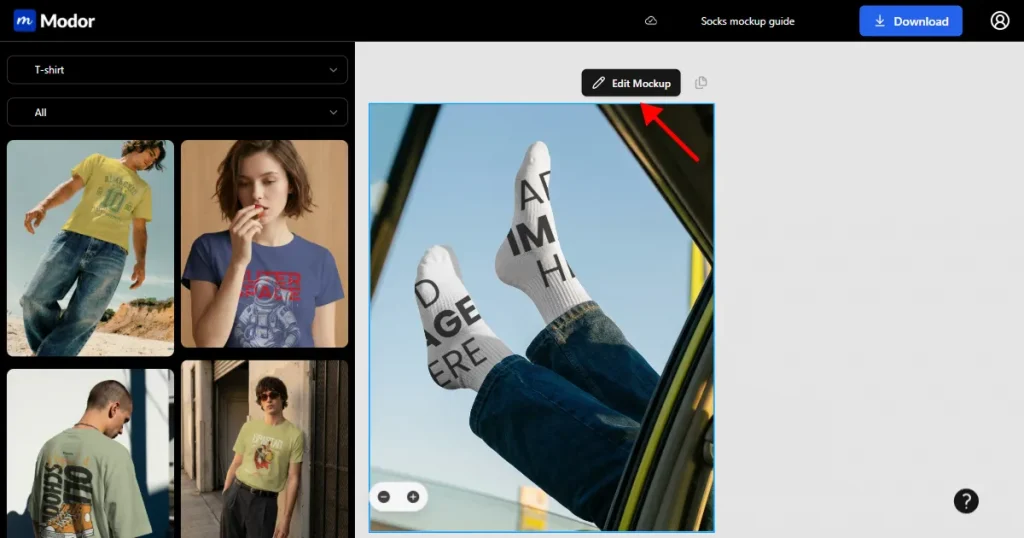
Inside the project, you can click on the Edit mockup button to enter the editing workspace.
Step 5: Upload your Design
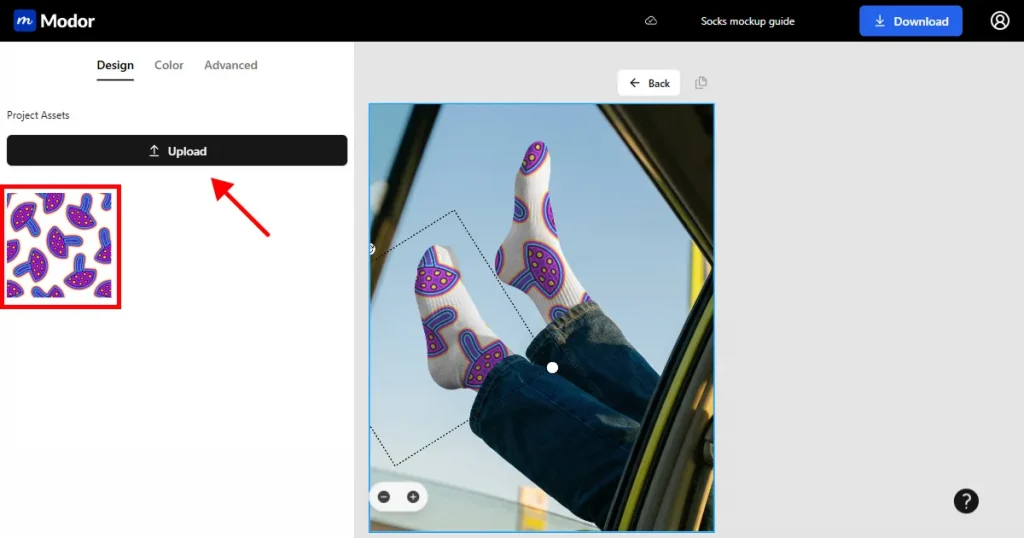
Once inside the workspace, you will find the option to upload your design on the left-hand side. Click Upload, then choose a template from your system to add it to the template.
Modor will automatically place the design on your mockup so it looks real, with no distortions.
Step 6: Change the Color
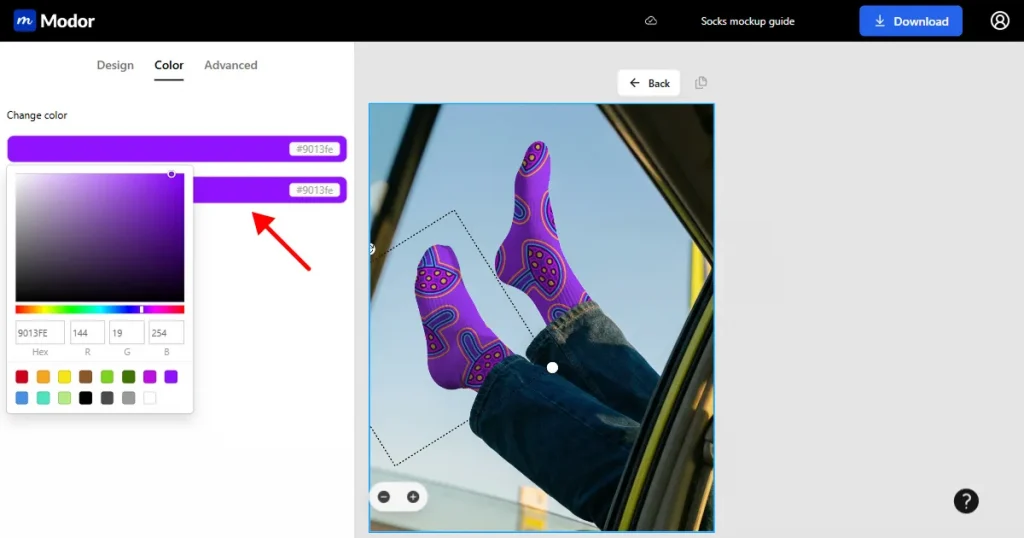
By default, you will have a white socks mockup. If a white socks mockup doesn’t work with your design, or you want to try different colors, click the color tab, then click the change color button to change the color of your sock mockup.
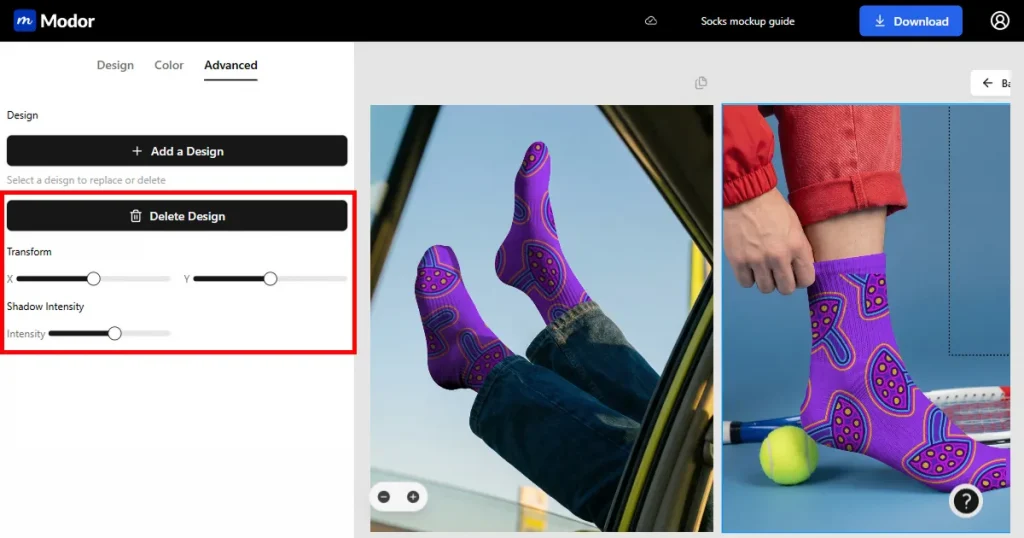
Step 7: Use Advanced Transform Tools
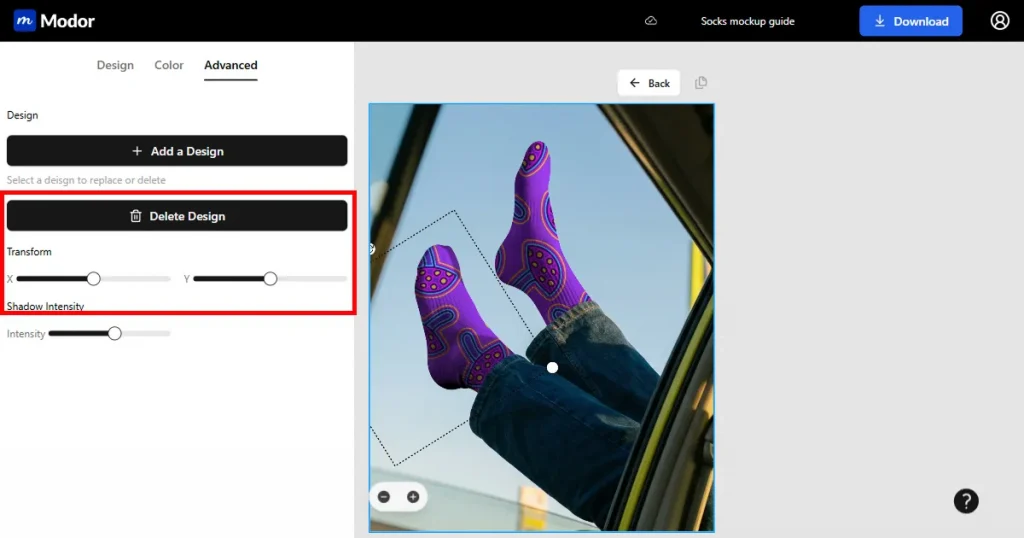
After changing the color, use the advanced transform tools inside the workspace to enhance the realism of your mockup.
You can use the Transform tool to reposition your design however you like, but if you don’t do it correctly, it might cause distortions.
You can also use the Shadow Intensity tool to enhance the mockup’s shadows, making it look like a real image.
Step 8: Export
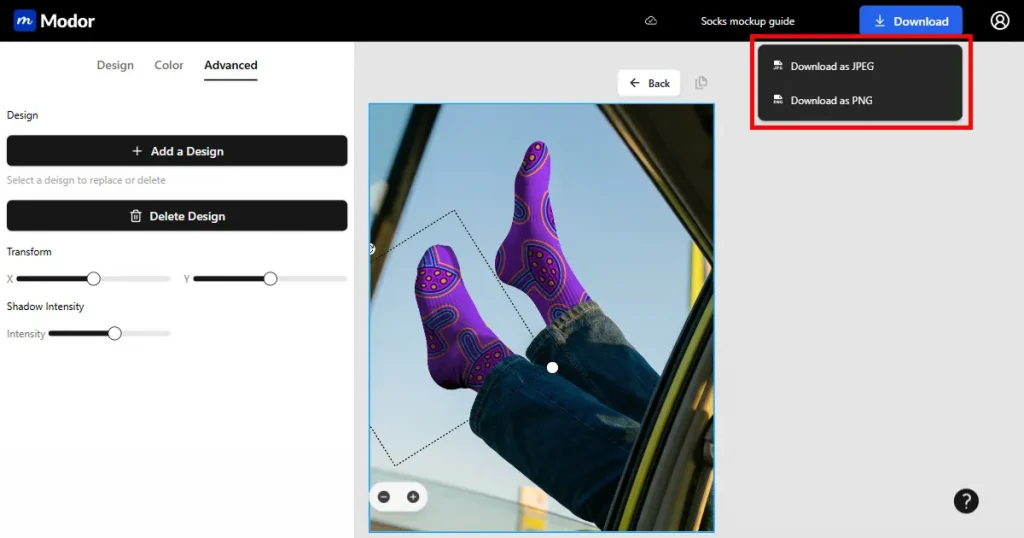
When everything looks good, you can export your mockup at the highest possible quality. You can download it in JPG or PNG. The final images would be downloaded as a ZIP file. You can export it and use it in your store.
Creating variations of sock mockups is essential to building customer trust in the product. To do that, you can follow the following steps.
Step 1: Click on Back
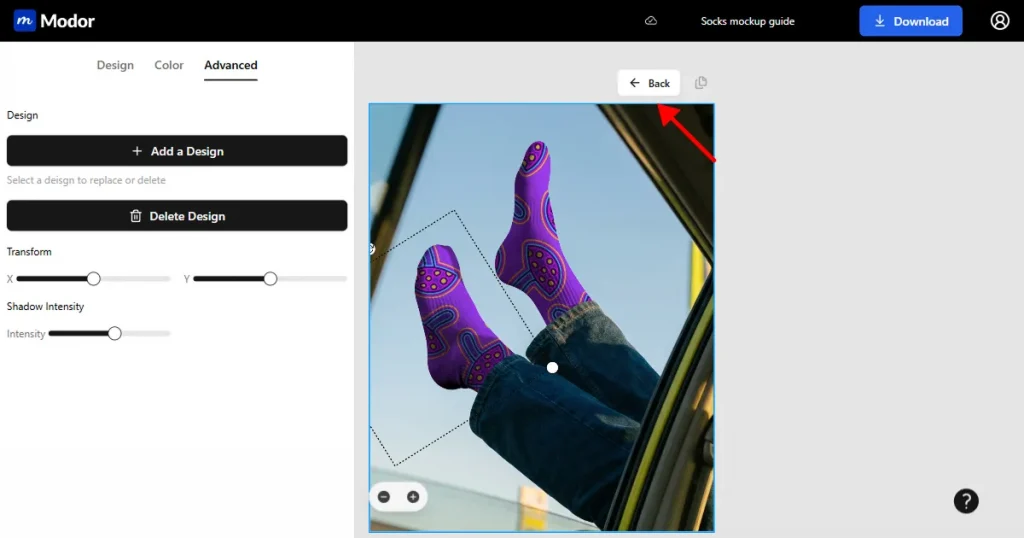
Click on Back, and you will be redirected to Modor’s workspace.
Step 2: Navigate to the Socks Mockup Templates
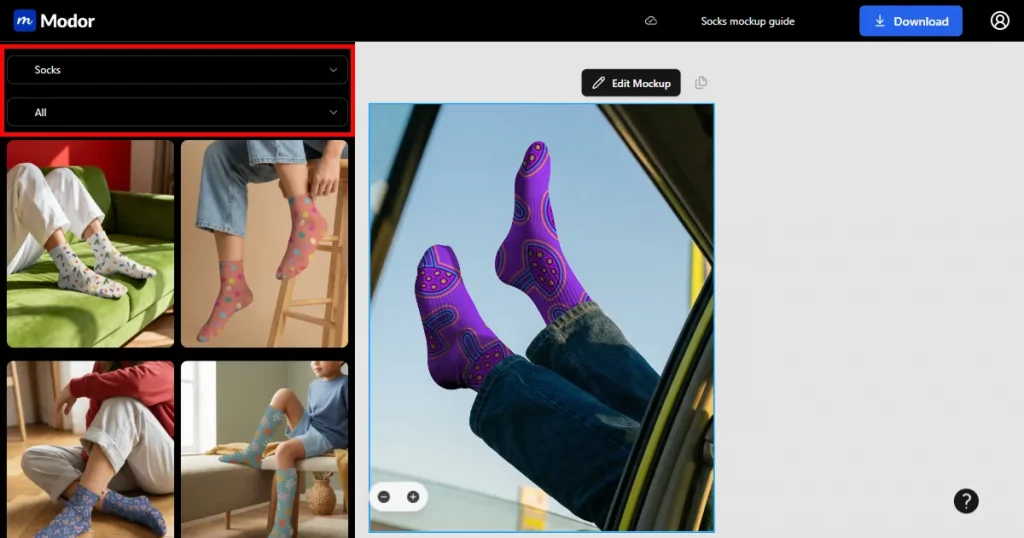
Once inside the project, navigate to the left side and choose socks again from the mockup category drop-down menu. Now you can see that there are multiple sock mockup templates you can use.
Step 3: Choose a Template
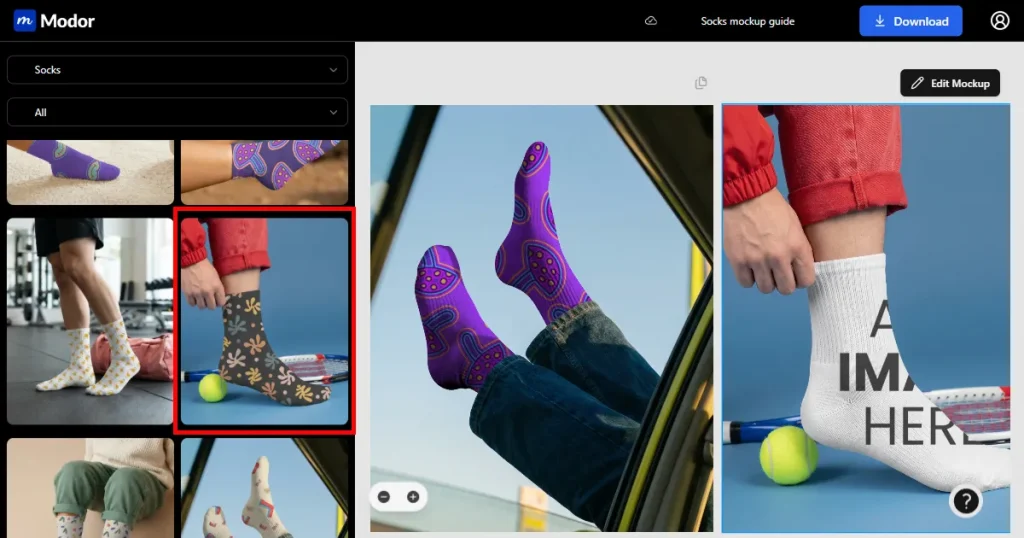
Once you click any of the sock mockup templates, the template will be added to your project workspace.
Step 4: Follow the Same Process You Used for the First Template
Now click Edit Mockup to add your designs to the template. The process is similar to the one we have discussed above.
Step 5: Repeat
If you are creating multiple mockups, keep adding the socks mockup templates to the project and edit them accordingly.
Step 6: Export
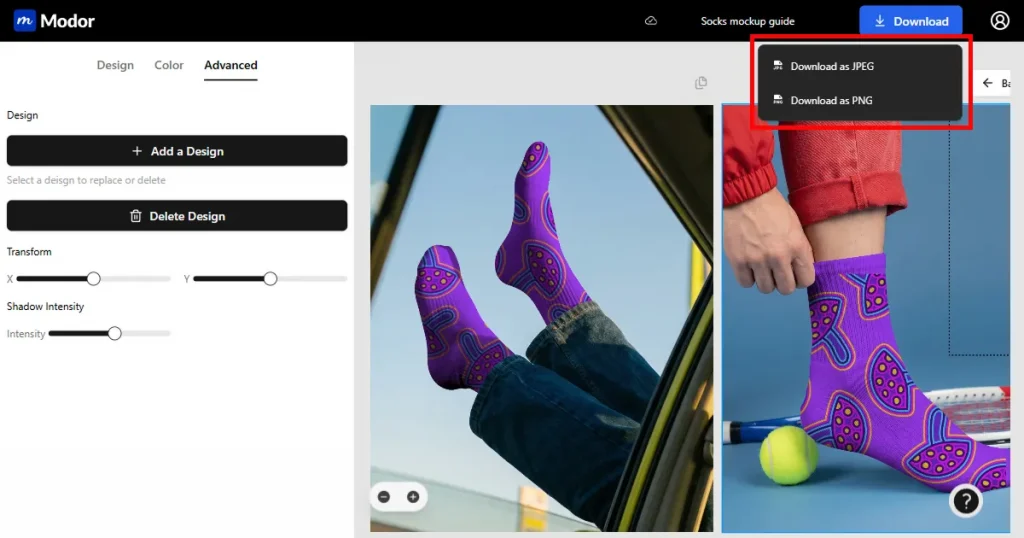
Once you have created all the mockup variations you need for your store, you can download the project. You can download the files in JPG or PNG format.
Once downloaded, you can extract the ZIP file to find all the mockup variations you just created, then post them to your store or use them for social media.
This bulk mockup feature makes the process very smooth, as you can create different variations of the same design in just a few minutes.
Here are a few things you need to keep in mind if you want to make socks mockups for different platforms.
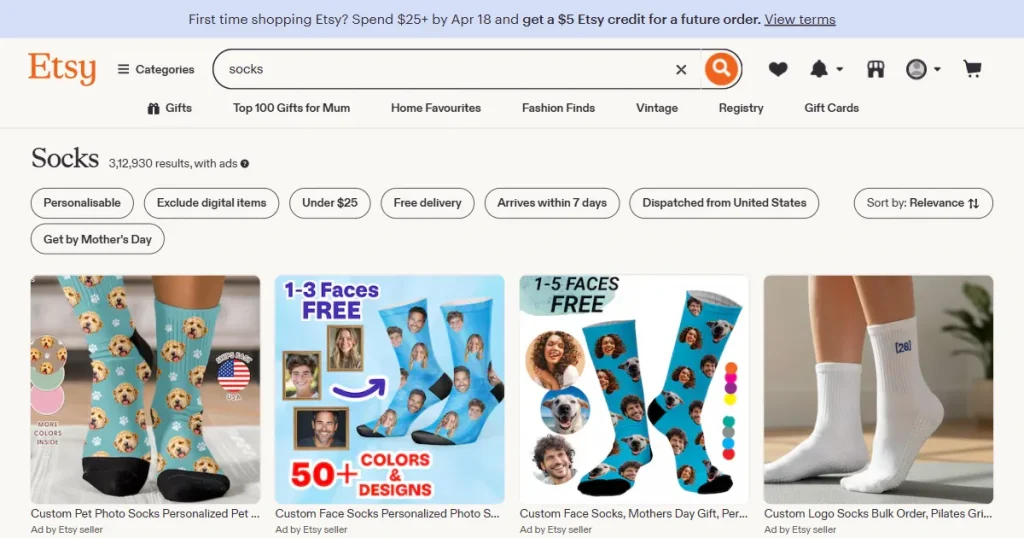
Etsy buyers have different preferences when it comes to buying socks than other store shoppers. They usually prefer products that feel real and authentic rather than overly polished, even with small imperfections.
So, make sure your socks mockup templates have real-looking folds, wrinkles, and structure that one would expect from real product images.
Shopify is your storefront, so consistency and brand control matter more than they do in Etsy. Here, your product images should reinforce your brand every time a customer sees your image.
So, integrating your logo, color palette, and packaging consistently across all your socks mockups is crucial here. This helps your customers recognize your products instantly even in a crowded marketplace.
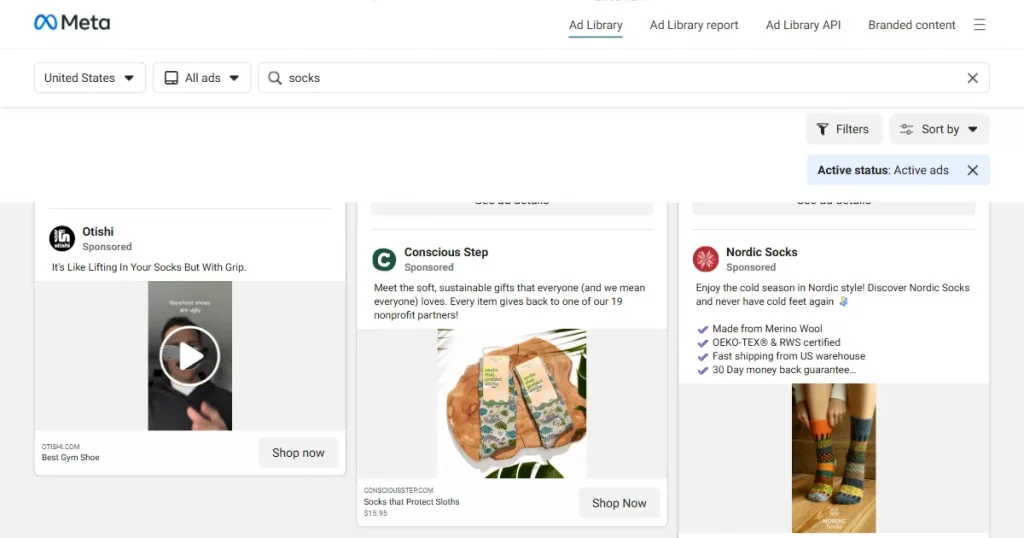
Social media ads work very differently from Etsy or Shopify. Here, people scroll through posts in seconds, so your mockups should catch their attention instantly, or they will move past them.
This is where you need to go aggressive and bold. Contrast matters a lot, so your images should pop against the background. If you want to make socks mockups that convert, use lifestyle mockups or model shots against clean white or lighter background to stop the scroll.
If you want to make socks mockups with Photoshop, there’s a risk of errors due to its steep learning curve, and it takes a lot of time. At the same time, if you make socks mockups with Printful, it produces low-quality mockups of socks that don’t stand out.
However, Modor handles sock mockups perfectly. Using it, you can just upload your design, and it will handle the placement with correct lighting, textures, and shadow. Plus, all the mockups can be used for commercial purposes, making it the perfect tool to make socks mockups.
To make socks mockups, use Modor. Choose a template that fits your branding, upload your design, and export it in the highest quality possible.
To make socks mockups in Blender, create a 3D sock model, apply your design as a texture, adjust lighting and materials, then render using Cycles for a realistic mockup.
You can find free sock mockup templates on Modor, where you can browse 2000+ options, including ankle, black, and crew socks mockups.
Yes. All mockups made with Modor can be used for your ecommerce store. Even the free sock mockup templates come with a commercial license.
You should stick to a white socks mockup if your design is darker, as it provides a better contrast and a minimal look. If you are creating lighter designs, try various colors to match the contrast.


