Pacdora is a web-based 3D packaging design platform that lets you create high-quality 3D product dielines and design templates across various categories, but it also has some drawbacks, such as a steep learning curve and a restrictive free tier.
That’s why Modor is the best Pacdora alternative, as it offers high-quality 3D mockup templates, 10,000+ mockup templates across 25+ categories, high-quality exports with a commercial license even on the free templates, and free PSD mockup templates.
This brings us to the question of whether Pacdora is worth it and whether you should use it. That’s what we’ll be talking about in this Pacdora review, where we’ll explore the features, pros and cons, and what real users say about this tool.
Key Insights
Web-based 3D packaging tools are making it easier for designers to create realistic product visuals without advanced 3D software.
Pacdora combines packaging design, dieline editing, 3D mockups, and AI tools into a single browser-based workflow.
Dieline templates help packaging designers reduce printing mistakes and create production-ready packaging designs more efficiently.
While Pacdora supports product mockups beyond packaging, its strongest features remain focused on packaging design and prototyping.
Commercial usage rights are only available on higher-tier plans, which may increase costs for businesses and POD sellers.
Businesses that require a broader range of product mockups, such as apparel and lifestyle mockups, may need to consider a Pacdora alternative.
Pacdora’s credit-based pricing system can become restrictive for users who rely heavily on AI-powered design features.
Modor stands out as a Pacdora alternative by offering easier mockup workflows, broader category coverage, and watermark-free exports.
What is Pacdora?
Pacdora is a browser-based packaging design tool that lets you create high-quality product visuals without having to download complex 3D software.
Apart from being a dedicated packaging design platform, it also offers a wide range of mockup categories, including apparel, devices, and books. Not only that, but Pacdora also provides a good selection of AI tools, where you can create an entire product design only with the use of prompts.
Pacdora Review: Key Features
Before we dive into the pros and cons in this Pacdora review, let’s first have a look at the key features of Pacdora.
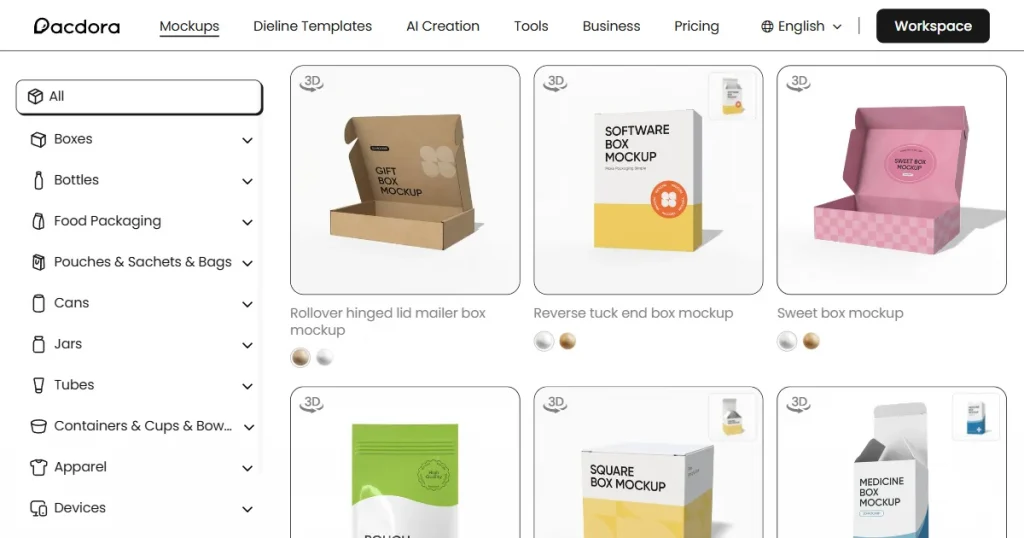
1. Large Number of Templates Across Multiple Categories
Pacdora offers a comprehensive library of templates covering a wide range of mockup categories, including apparel, packaging, devices, prints, and more.
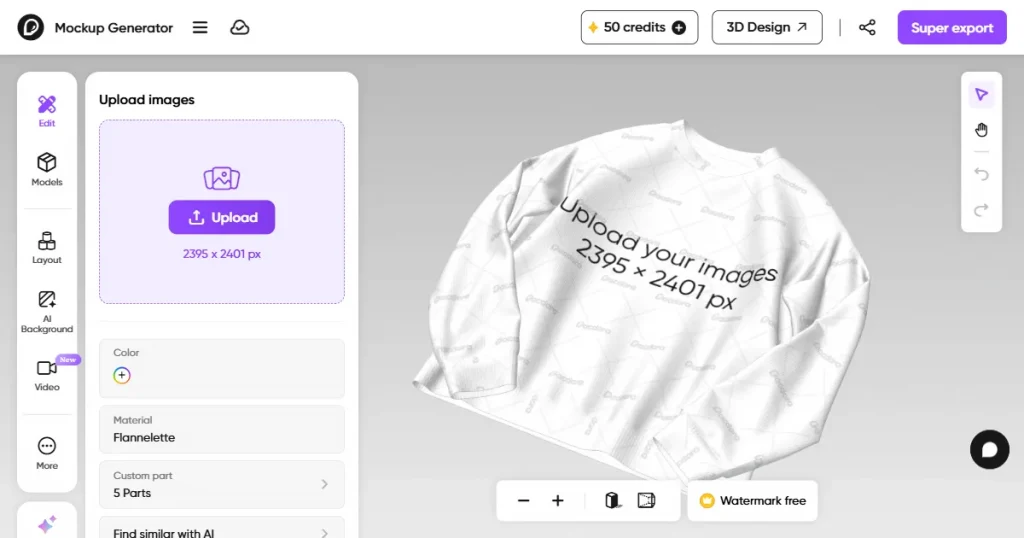
2. Advanced 3D Mockup Generator
With the help of Pacdora’s advanced 3D mockup generator, you can create realistic-looking 3D mockups in your browser without installing any design software.
3. AI Background Generator
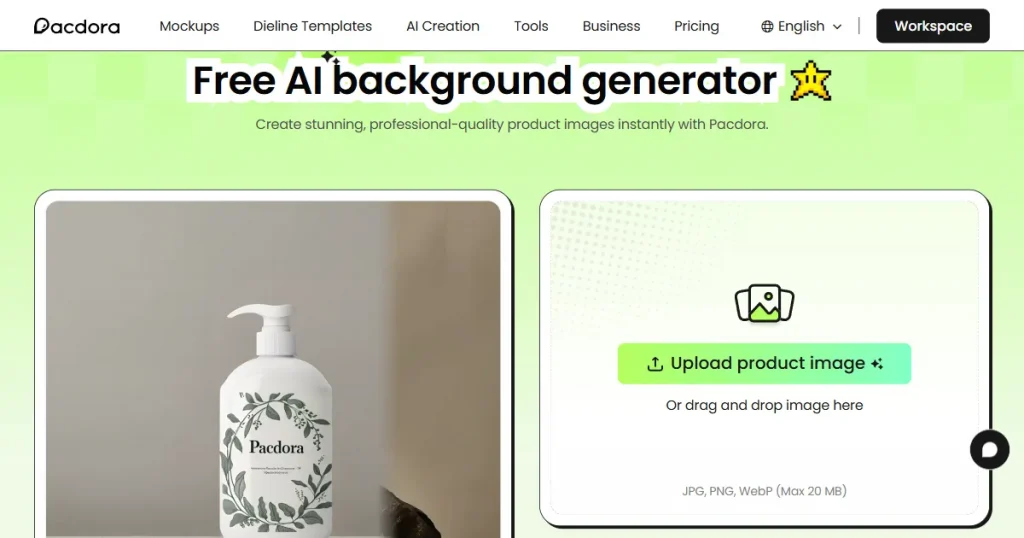
Pacdora AI automatically removes the background from your product image and replaces it with an AI-generated background that matches its design.
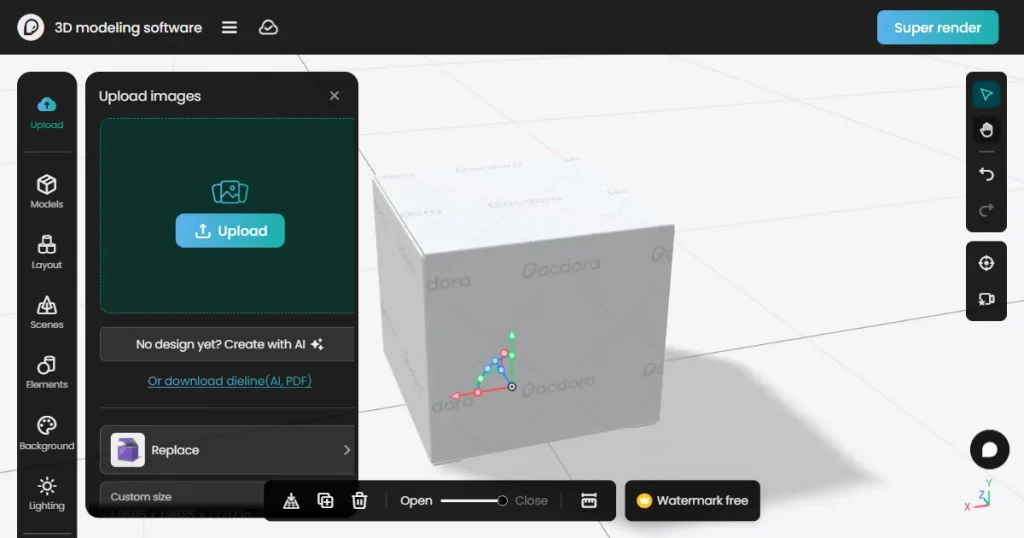
4. 3D Modeling Tool
The built-in tool allows users to create and edit packaging structures directly in Pacdora. This gives designers greater flexibility when developing custom packaging designs and prototypes.
5. Adobe Illustrator Plugin
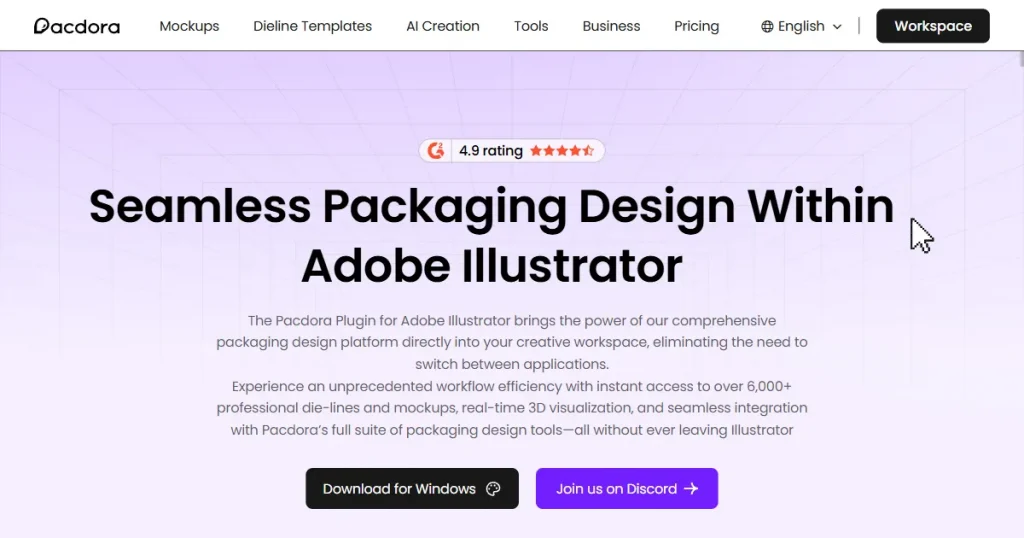
Pacdora’s Adobe Illustrator plugin makes it easier to sync designs directly from Illustrator into 3D mockups. This streamlines the workflow for designers who regularly use Adobe products.
Pacdora Review: Cons of the Tool
Steep learning curve: Although Pacdora is a browser-based tool, its features, like dieline editing, 3D modeling, and rendering, can take time to fully understand, especially for beginners with no prior packaging or design experience.
Expensive pricing: Its premium plan starts at $34 a month, which is extremely expensive compared to other mockup tools on the market.
Restrictive free tier: The free tier restricts the use of AI features, and you also can’t download your mockups without a watermark.
Credit-based pricing: The credit-based pricing system is unclear. You get a fixed number of credits each month, and different features use varying amounts. Also, you can’t carry forward your remaining credits to the next month.
No lifestyle or on-model mockups: Another major limitation is the lack of lifestyle or on-model mockups, which would allow you to showcase your designs more realistically.
Pacdora Review: Pros of the Tool
Covers multiple product categories: Pacdora offers a large collection of packaging and product mockup templates for boxes, cans, bottles, pouches, cups, cosmetics, and more.
AI product design tool: Pacdora AI product design tools simplify the creative process by letting users generate packaging concepts using simple text prompts.
Dieline templates: Pacdora’s dieline templates help designers create production-ready packaging with accurate cut lines, fold marks, glue tabs, and safe areas, reducing printing errors and simplifying the packaging design process.
Packaging inspiration hub: Pacdora includes a packaging inspiration section where users can browse trending designs, creative packaging styles, and real-world examples across different industries. This can help designers discover new ideas for branding, layouts, colors, and packaging structures.
Pacdora Review: Pricing Structure
Pricing is an important factor we evaluated in this Pacdora review. Pacdora offers both free and paid plans. While the free version provides access to core features, upgrading unlocks watermark-free exports, higher rendering quality, and additional AI tools.
Pacdora free tier only includes 50 AI credits per month, which is enough for basic testing but can feel restrictive for users who frequently use AI features.
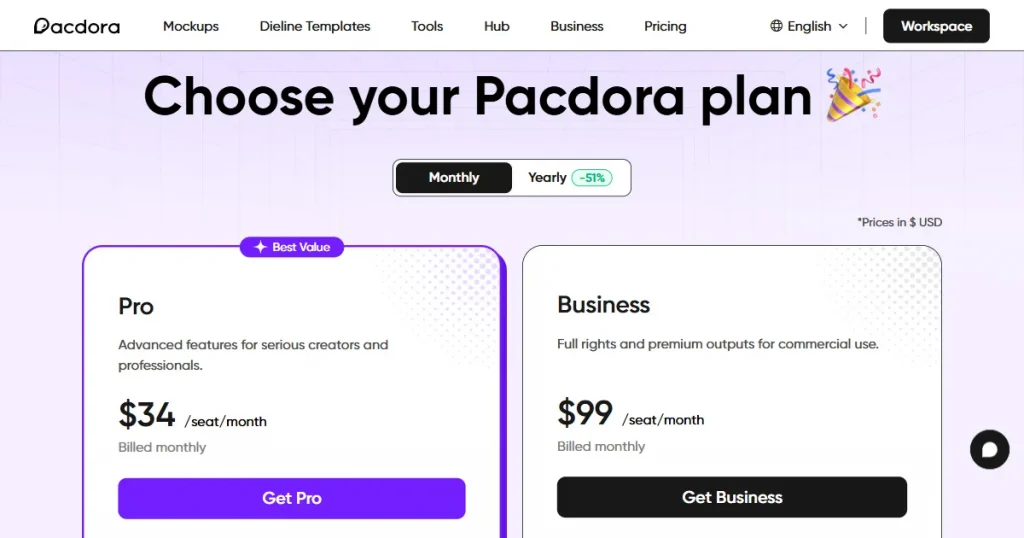
The Pro plan of Pacdora pricing starts at $34 per month and includes several major upgrades over the free version. Users can remove all watermarks, export unlimited dieline templates, generate 4K-rendered images, and export 1080p-rendered videos.
Pro users also receive 3,000 AI credits every month, but this plan limits users from using mockups generated with Pacdora for commercial purposes. Under this plan you can only use them for personal use.
Pacdora pricing also offers a Business plan that includes everything in the Pro tier, along with additional export and licensing benefits. Business users can export up to 8K rendered images and 2K rendered videos while also unlocking advanced dieline template features.
Unlike the Pro plan, the Business tier includes a commercial use and resale license, making it better suited for POD sellers and designers looking to use it for commercial purposes
What Real Users Say About Pacdora?
While researching Pacdora reviews, we found Trustpilot, G2, and Reddit reviews to be the most authentic.
What Users Say on Trustpilot?
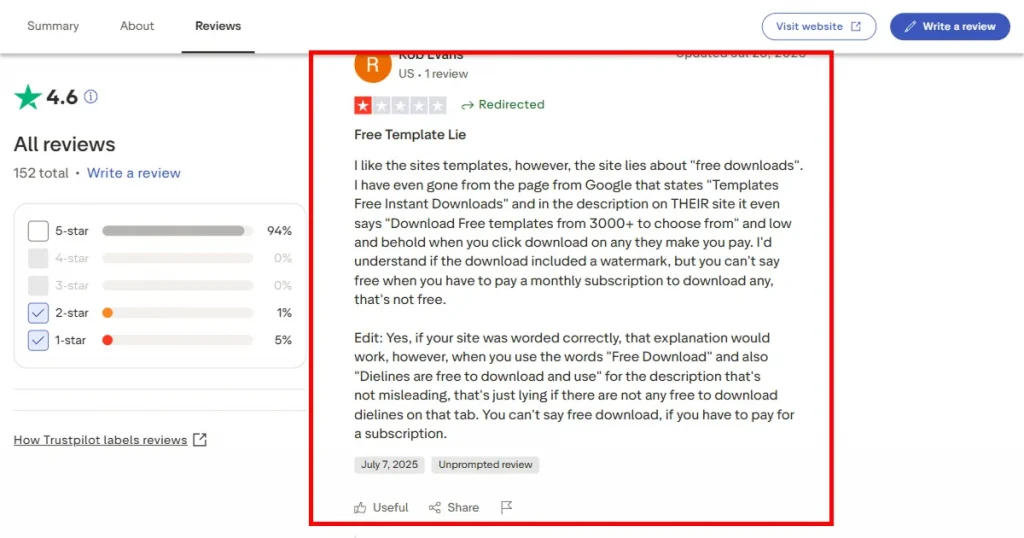
On Trustpilot, Pacdora has a rating of 4.6/5, with many of the Pacdora reviews praising its intuitive interface, realistic 3D rendering capabilities, customizable dielines, and high-quality packaging mockups for client presentations
That said, a few users mention that the platform markets itself as free, but many premium templates and download features require a paid plan. Others have reported billing-related frustrations, including charges after cancellation attempts or difficulties accessing paid accounts due to login issues.
What Users Say on G2?
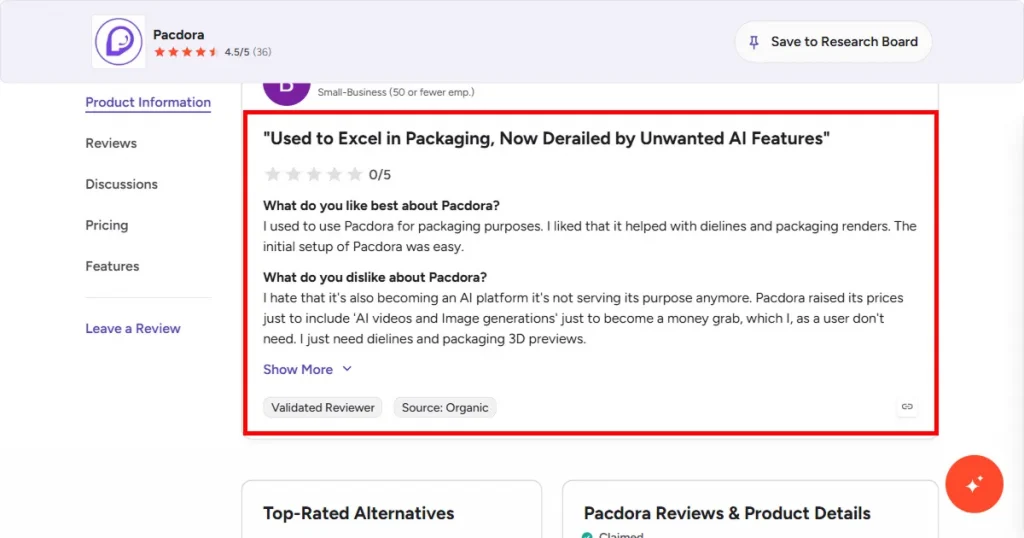
On G2, Pacdora holds a 4.5/5 rating, with many reviewers highlighting its realistic 3D rendering, user-friendly interface, and ability to quickly create professional packaging mockups in a browser.
At the same time, some Pacdora reviews feel the platform has become more complex with the addition of AI-focused features and tools that not every designer needs in their workflow.
What Users Say on Reddit?
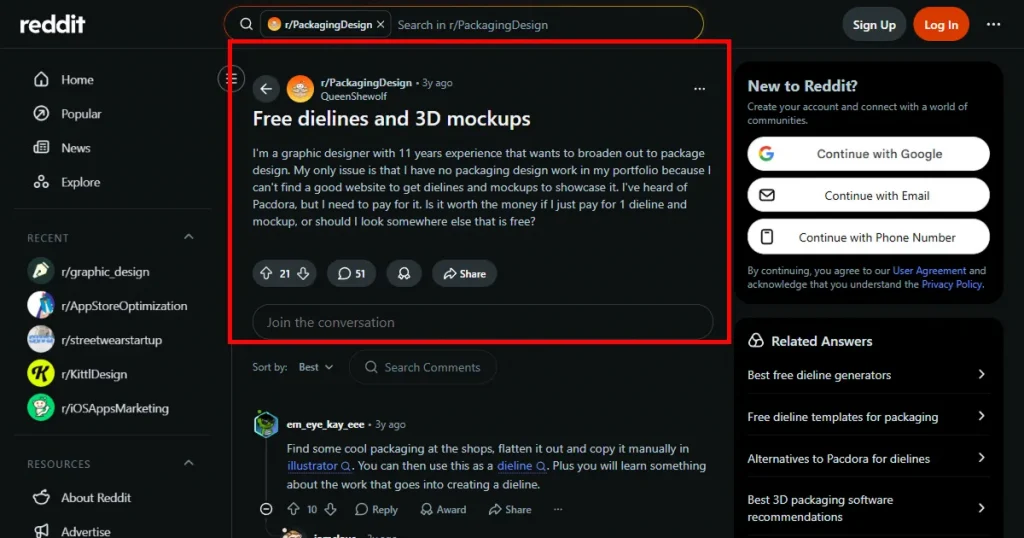
Pacdora gets a lot of praise on Reddit for helping designers quickly create realistic 3D packaging mockups without needing advanced 3D software skills.
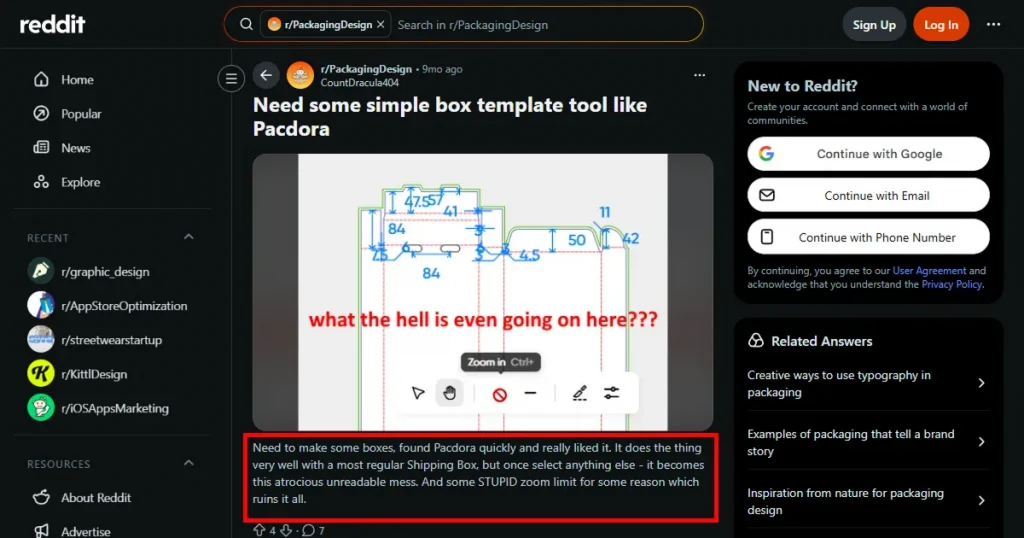
At the same time, several Pacdora reviews on Reddit criticize Pacdora for its heavy paywalls, subscription frustrations, and production limitations.
Some designers also report problems with the Pacdora free plan being unusable, inaccurate packaging templates, messy exports, limited zoom controls, and trouble canceling subscriptions after signing up.
Modor: The Best Pacdora Alternative
Pacdora is a strong choice for packaging designers, agencies, and brands that need realistic 3D packaging mockups, dieline templates, and packaging visualization tools in a browser-based platform.
However, users looking for a broader range of mockup categories may find some limitations. While Pacdora’s packaging library is extensive, its selection of apparel, lifestyle, and other ecommerce-focused mockups is more limited than that of dedicated mockup platforms.
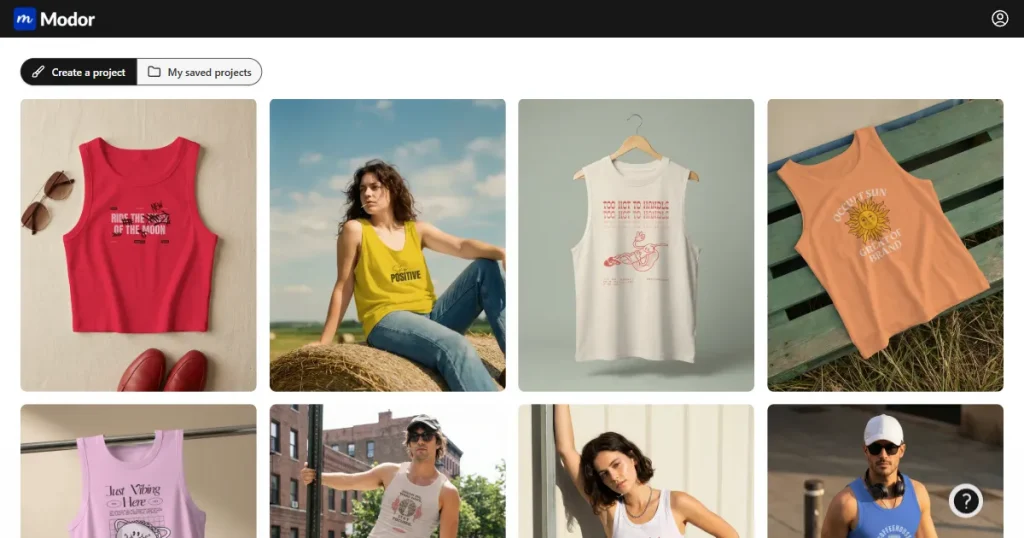
For users who need a wider variety of product mockups, Modor is a compelling Pacdora alternative. It offers more than 10,000 mockup templates across 25+ categories, along with bulk exports, advanced customization options, and watermark-free downloads.
Not only that, but Modor also supports bulk exports and lets you download mockups in the highest possible quality, watermark-free.
Top Features of Modor Mockup Generator
Now that we’ve discussed Modor as a Pacdora alternative, let’s explore its top features.
Easy to use: Modor features a drag-and-drop editor similar to Canva, making it easy for even beginners to create product mockups without design skills.
Massive template library: Modor mockup generator has one of the largest template libraries among mockup tools, with over 10,000 templates across 25+ categories, with more categories and templates being added regularly.
Advanced Customization: With Modor, you get a range of options to change mockup colors, add realistic shadows, and transform the design to fit the product naturally.
Bulk Mockup Creation: Modor also supports bulk mockup creation by allowing you to add multiple mockup templates to a single project, edit them simultaneously, and export them together.
High-Quality Downloads: Modor allows you to download your mockups watermark-free at the highest possible quality, even when using their free templates.
Commercial License: Modor clearly states that each mockup created with Modor can be used for commercial purposes, including the free mockup templates available in their library.
Modor Pricing
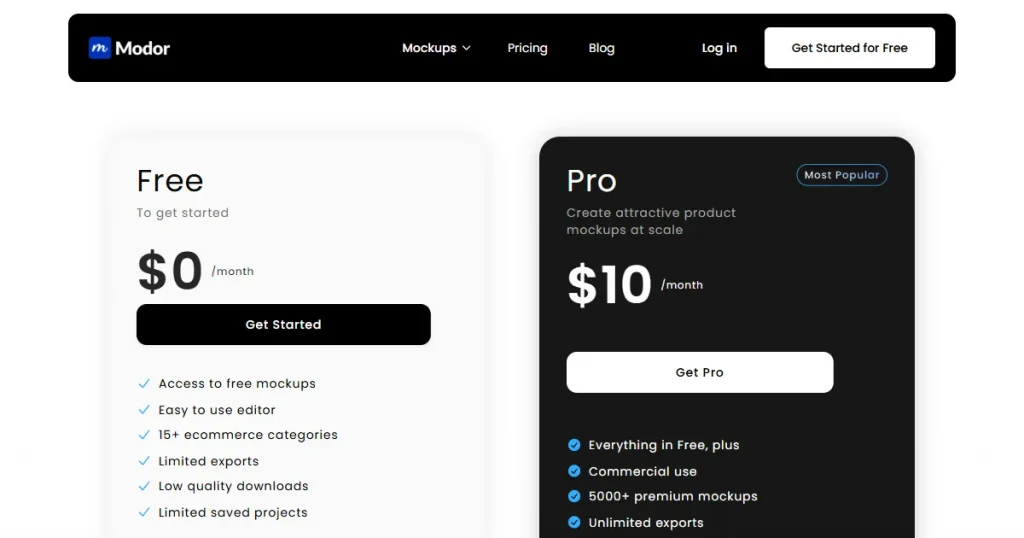
Modor is one of the best Pacdora alternatives because the tool follows a straightforward freemium model without confusing tier-based restrictions. Modor’s free plan includes a limited number of templates, but you still get access to features like high-quality downloads and can use it for business purposes.
Its premium plan starts at $10/month, while the yearly plan costs $60, bringing the price down to just $5/month. Upgrading unlocks Modor’s full mockup library across 25+ categories with unlimited high-quality exports.
Final Verdict
Pacdora is one of the best and easiest-to-use mockup and design tools for creating 3D packaging mockups. However, it starts to fall apart once you look beyond 3D mockups. Moreover, Pacdora free and pro tiers are both limiting, with only the Business plan usable.
Which is why Modor stands out as the best Pacdora alternative, providing access to 10,000+ mockup templates across 25+ categories and advanced customization options, making it the best mockup generator for POD sellers and ecommerce marketers.
FAQs
Is Pacdora free to use?
Yes, Pacdora offers a free plan, but exports are watermarked and cannot be used for commercial purposes.
How much does Pacdora cost?
Pacdora’s Pro plan starts at $34/month, but it is only for personal use. To use Pacdora for business purposes, you need to get the Business plan, which starts at $99/month.
What is Pacdora AI?
Pacdora AI is a set of tools that helps users generate packaging designs, mockups, and backgrounds using AI.
What are the benefits of using Pacdora?
Pacdora makes it easier to create realistic packaging mockups, dielines, and 3D product designs without advanced technical skills.
Which Pacdora alternative is best for apparel mockups?
Modor is one of the best Pacdora alternatives for apparel, as it is easy to use, offers thousands of apparel templates, supports bulk exports, and provides watermark-free exports at the highest quality, even on the free plan.
Does Pacdora pricing include AI credits every month?
Yes, all Pacdora pricing plans include monthly AI credits that refresh every billing cycle.
Is Pacdora worth using according to the Pacdora reviews on Reddit?
According to the Pacdora reviews on Reddit, the platform can be useful for packaging designers who value convenience, but users should consider its pricing and limitations before committing to a subscription.
Create packaging designs faster with the best Pacdora alternatives. This guide covers 7 powerful tools with realistic 3D mockups, customizable dielines, and simple workflows to help you find a more flexible and affordable packaging design solution.