12 Best Mediamodifier Alternatives for Your Mockups in 2026
Discover the 12 best Mediamodifier alternatives for 2026. Explore AI-powered mockup tools like Modor.
Published Sep 23, 2025
Learn how to create T-shirt mockups with Modor. Free, AI-powered mockup generator.
13 min
The initial impressions are essential, particularly in fashion and e-commerce. A study indicates that customers can determine whether they like a design in under 7 seconds. With this short span of time as your sales weapon, graphics become your most significant sales asset, and T-shirt mockups are the key element to draw attention.
In the past, making mockups would have involved design expertise in Photoshop or outsourcing. These techniques are effective, but they are also expensive and time-consuming. For small businesses or independent designers, testing out a design can lead to enormous start-up costs.
Mockup tools such as Modor have transformed all that. Modor is a drag-and-drop mockup tool with AI-powered rendering and professional templates, allowing everyone (from beginners to experienced users) to create realistic mockups in minutes. This saves you time, money, and effort while maintaining professional quality.
T-shirt mockups are no longer merely a design luxury; they are strategic assets. Whether it’s an online store, a print-on-demand line, or a client presentation, mockups can demonstrate products in a highly realistic and persuasive manner without printing a single shirt.
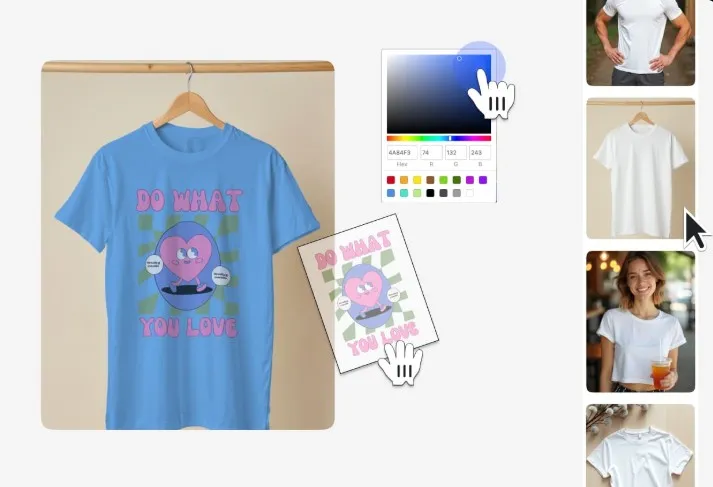
A T-shirt mockup is a digital representation of how your design would look when printed on a T-shirt. It renders real-world features such as texture, folds, and lighting, enabling you to showcase a virtual sample without investing in a physical production.
How about displaying 20 color options of a T-shirt design in real-time, instead of having to order several actual samples – that is what mockups can do.
Professional mockups are not merely pictures. They become trust builders by demonstrating to customers how your designs would look in reality. A visually appealing mockup can make the difference between someone scrolling past your listing and someone clicking Add to Cart.
The other significant advantage is time and cost cuts. Traditionally, sample production includes several print runs, which can be very costly. With online prototypes, you never even have to pass through this stage, and yet still make a sound design and marketing choice.
There’s also an indispensable impact on sales. Ads and product descriptions featuring lifestyle t-shirt mockups have been shown to be 30-50% more likely to convert than bare designs. This is because customers will find it easier to imagine themselves wearing the product.
Lastly, mockups provide ready-to-use marketing content, so you don’t have to wait for a photoshoot. You can easily generate visuals for your website, Etsy store, Shopify, or Amazon Merch uploads.
Before we dive deeper, you must understand a few basics of T-shirt Mockups.
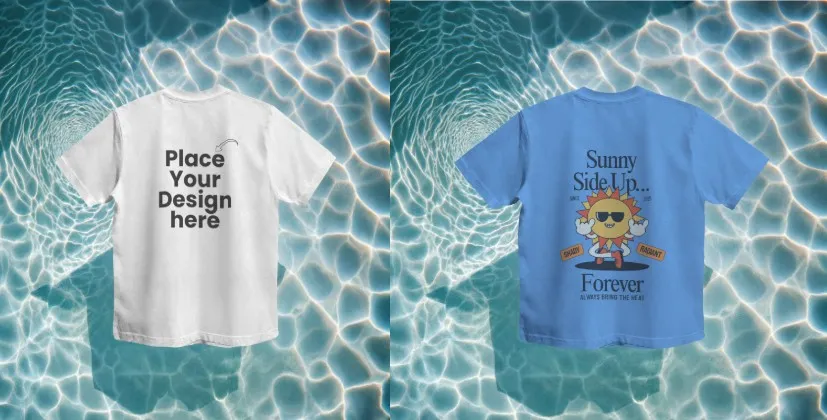
Flat lay t-shirt mockups are plain, no-frills depictions of t-shirts in a flat manner. They can be helpful on eCommerce product pages and catalogs where the design must be the focal point.
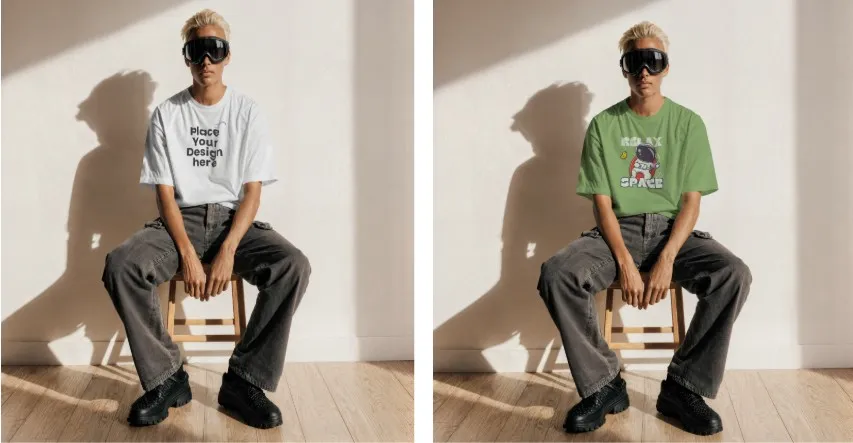
Lifestyle t-shirt mockups are used when models wear the t-shirt in real-life situations. Their strength is particularly high on social media, where customers seek relatability and authenticity.
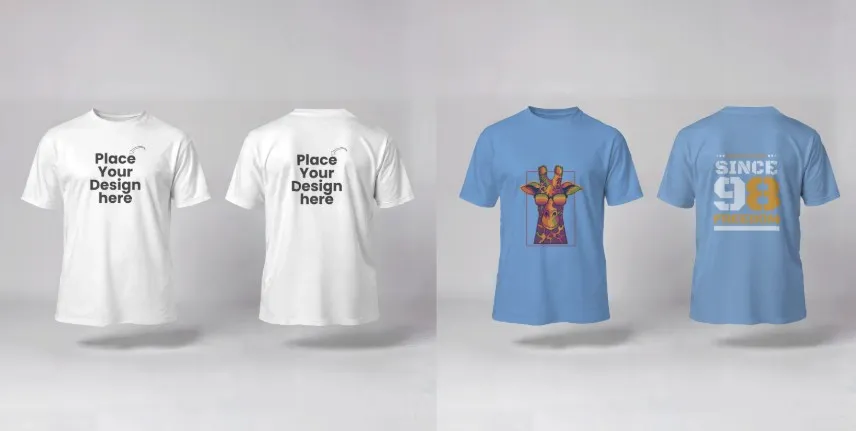
The look of 3D or AI-generated t-shirt mockups is hyper-realistic and may look almost like professional product photography. These will be good in premium branding campaigns.
While discussing T-shirt mockup basics, one cannot overlook the importance of quality standards. Here are a few points to note.
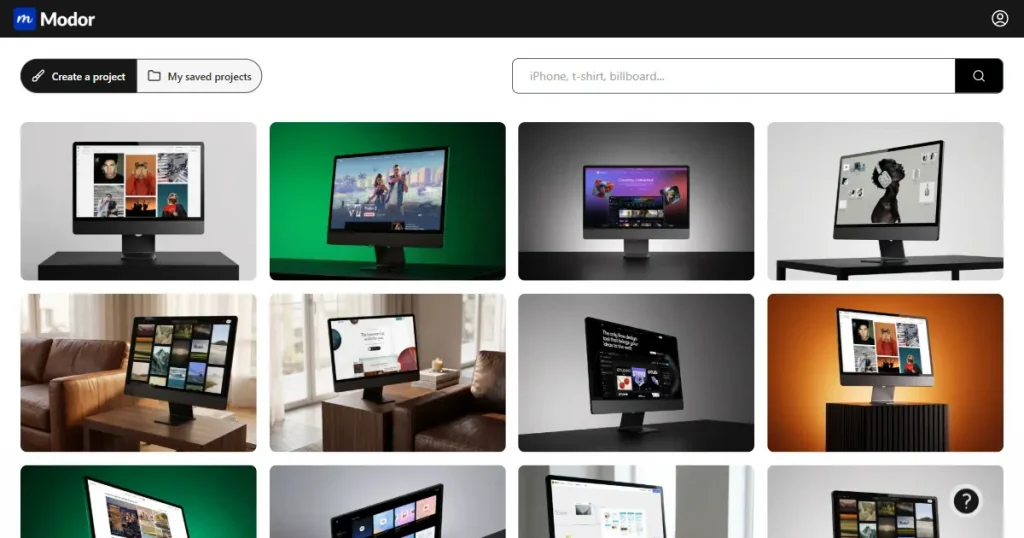
Modor is unique in that it is free to use and does not require complex software knowledge. You do not need Photoshop or Illustrator; all the actions take place in a browser.
The platform utilizes AI to add realistic folds, lighting, and shadows, making designs appear as though they are an integral part of the fabric. This makes it stand out from the just drag-and-drop editors that yield flat results.
Modor also offers a great variety of templates, not only for T-shirts but also for mugs, posters, and tech devices. This is priceless for businesses selling multiple product types.
Finally, unlimited mockup downloads let you download as many as you want without fear of unexpected charges.
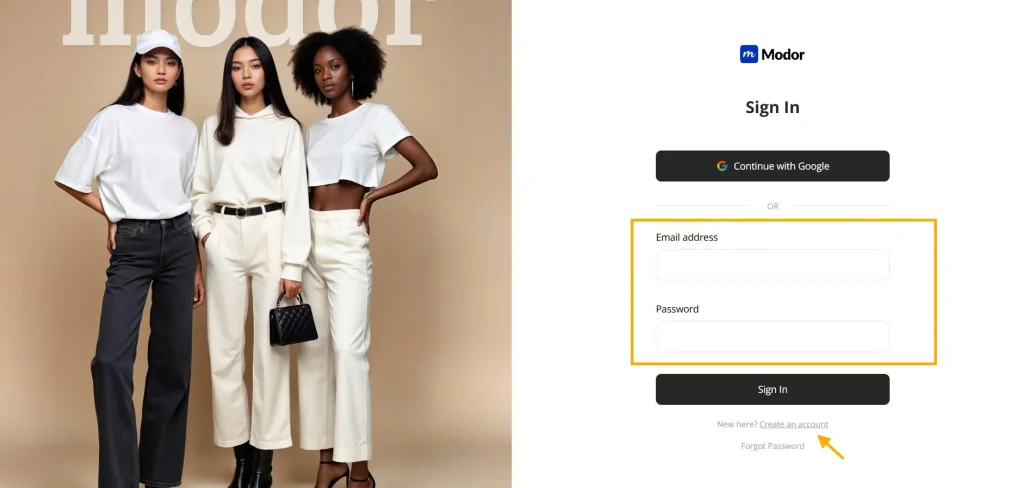
The start is as easy as can be. Just create an account (with your email or Google account), and you are set to use Modor in less than one minute.
Its free plan has most of the features of the mockup, so it is a good choice for beginners who are trying the waters. Modor offers exclusive t-shirt mockup templates and an extensive library of assets to those who want more sophisticated resources.
This mixed-level system is designed to accommodate both casual users and professional designers, catering to their individual needs.
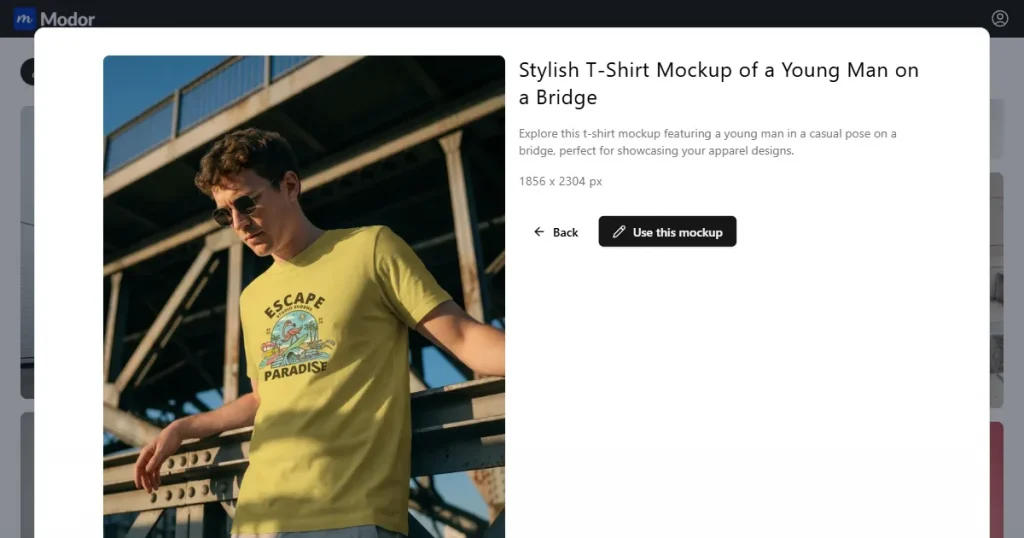
The dashboard is easy to use and clean, with clear navigation through categories. You will have flat, lifestyle, and trendy templates in the T-shirt section that can be customized. You can also create t-shirt mockup for free.
One notable characteristic is the built-in resizing tool. You can transform your mockup into an Instagram post, an Etsy product listing, a Pinterest pin, or a Facebook ad with a single click.
The preview mode is also handy. It enables you to test various backgrounds, lighting setups, and angles before you are satisfied with your mockup. This guarantees you quality in every export.
Here is the step-by-step process to create a T-shirt mockup for free using Modor.
The first step is to choose your T-Shirt Template.
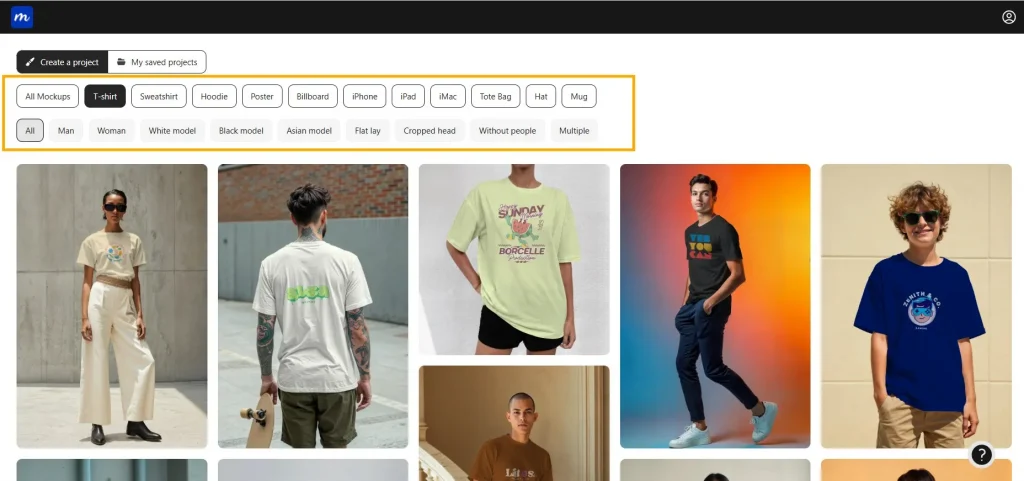
Begin by selecting a T-shirt template of your choice from Modor’s vast collection of 2000+ T-shirt mockup templates. Plain crewnecks, V-necks, or oversized tees; Either way, Modor has a variety of options to fit your brand style.
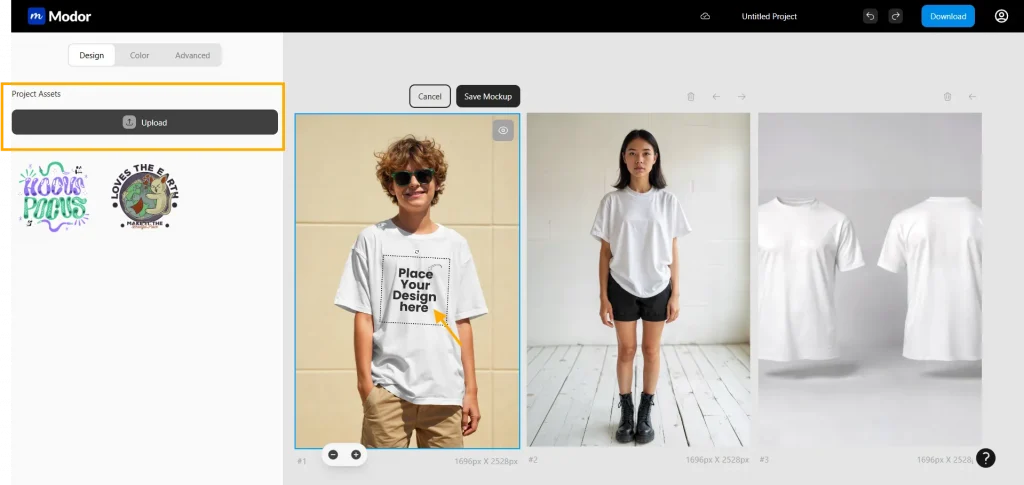
When you are ready with the base template, you just upload your design to Modor. The platform supports standard file formats, such as PNG and JPG, making it easy to import your artwork without loss of quality. Drop your design into the mockup editor, and you are ready to customize.
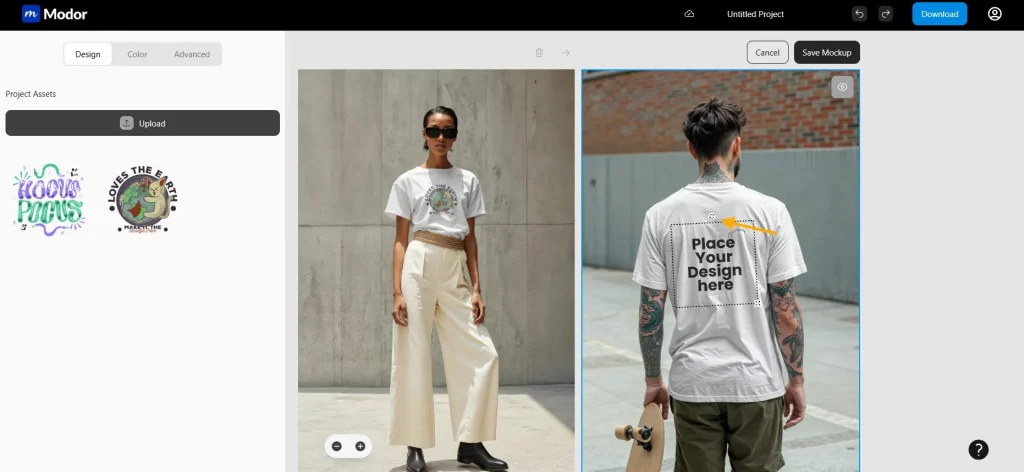
Then position your design on the shirt. You can use the intuitive editor to drag, rotate, and resize the artwork until it fits exactly where you wish it to be-whether front-center, pocket, or a large print on the back.
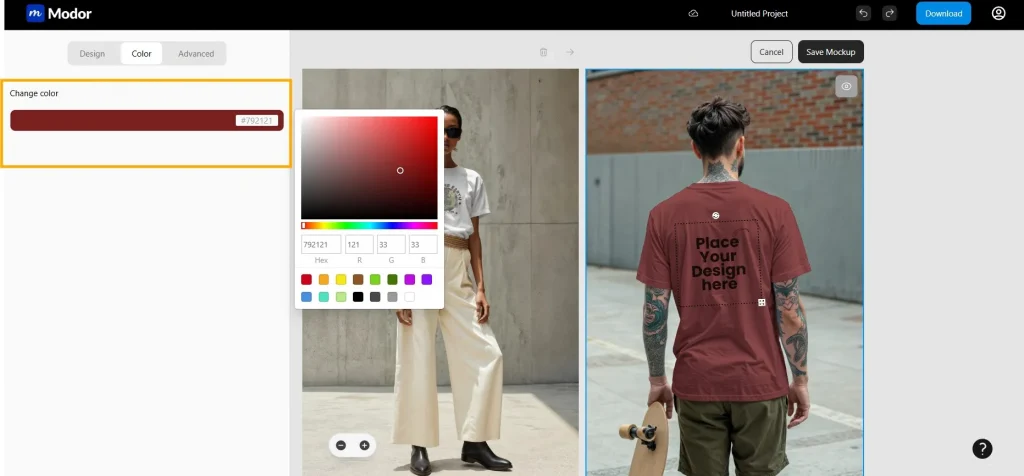
Modor lets you recreate the feel and appearance of your design across various colors, textures, and styles, helping you visualize how your idea will look in multiple iterations.
Test your design on black, white, and colored tees, or on other fabrics to get a more realistic preview.
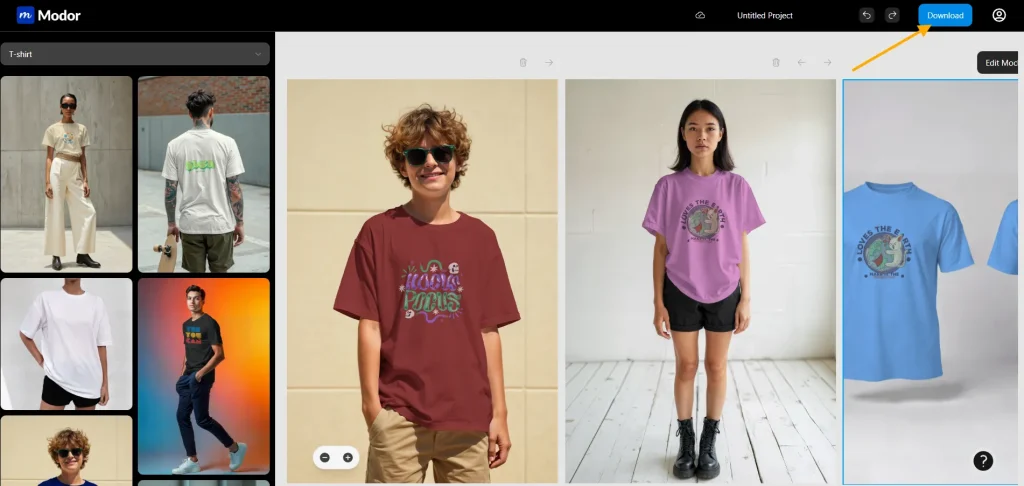
When you have the mockup perfect, export it in high-resolution JPG or PNG format. Modor lets you download photos for use in online shops, social sites, or print catalogs. Not only will your product launch speed up when you have a polished mockup available, but it will also help build customer trust, since you have realistic images.
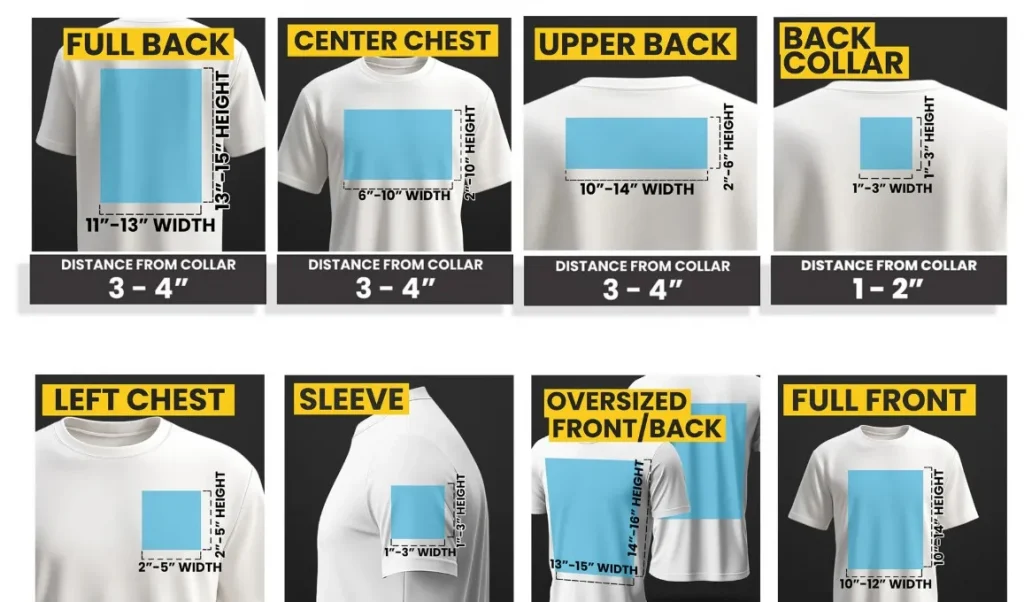
For full-front designs, adhere to the 12×16-inch industry-standard print area. This size makes graphics visible without overpowering the shirt.
Placing the left chest and sleeve is often more attractive than centering the logo or text when the logo or text is small. This is particularly true when discussing minimalist design or branded merchandise.
When laying large graphics, center them, but do not push them too close to the edges, as this can interfere with the printing seams.
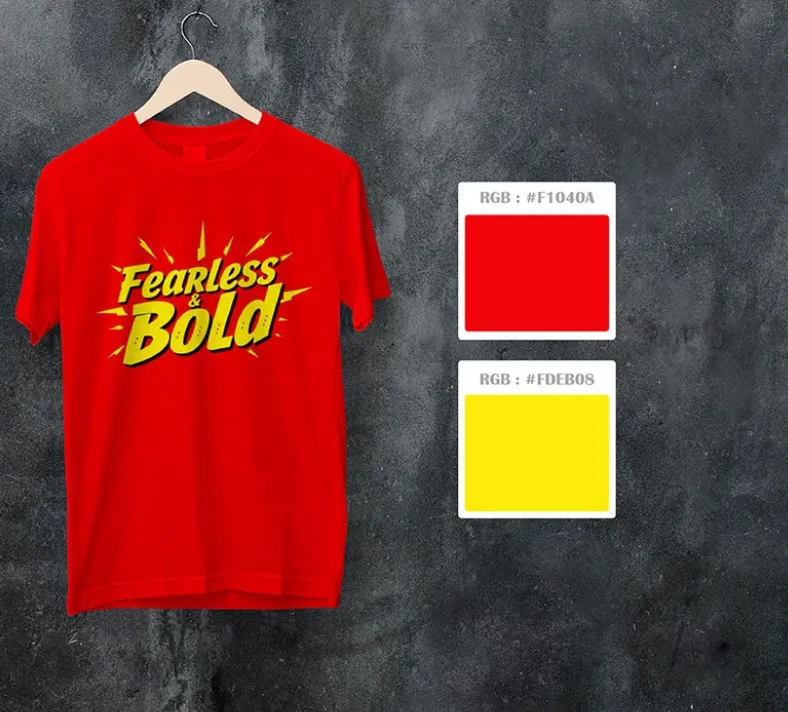
Always test your design on a light shirt and a dark shirt. The same color that is very stunning on black may be almost unnoticeable on white.
Neon colors, metallics, and overly complex gradients should only be used with a printer that expressly supports them. These do not always translate into real life.
Using your brand hex codes or Pantone colors will be consistent across all online listings and printed merchandise.
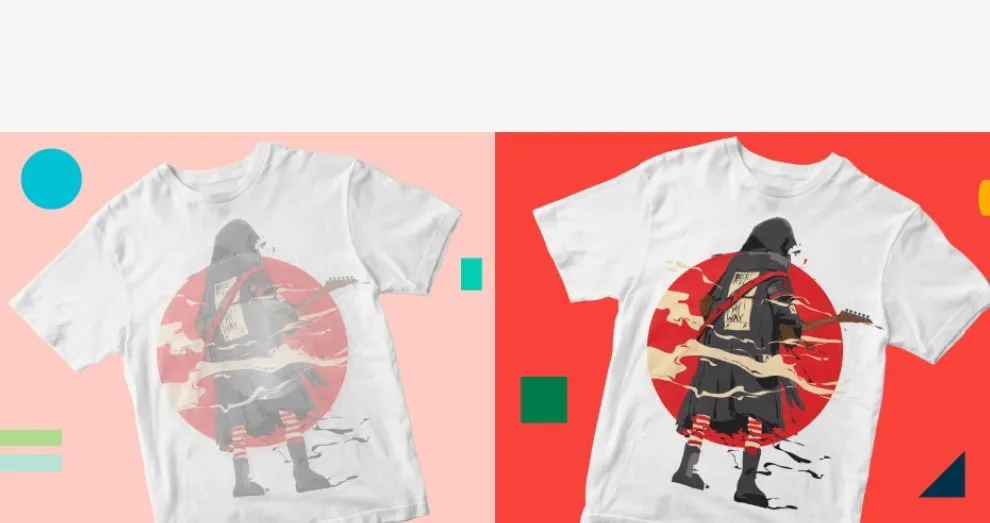
Flat, linear images often look unnatural. Adding shadows can enhance depth, making the mockup look more like a real photograph.
Lifestyle images perform better on social media, as they are more relatable to customers.
However, Shadows must enhance the design, not obscure it. Always make sure the lighting does not draw attention away from your graphic but leads to it.
Poor-resolution uploads or small image sizes often result in blurry or pixelated mockups. The most frequent error is exporting screenshots or compressed files that do not enlarge well.
To prevent this, one should always use PNG files at 300 DPI and at least 2000px wide. When dealing with client files, ask them to send vectors such as AI or SVG files that do not degrade in quality when scaled down.
Another option is to export the web and print versions separately. High-resolution images should be used for printing, and compressed versions should be used for faster loading on the web.
Even the best art can look unprofessional if it’s tilted or off-center. This usually occurs when a manual placement is performed without a placement guide.
In Modor, the gridlines and snapping tools are built in to achieve accurate positioning. Designs must begin at least 2 inches below the collar to remain balanced to the eye.
You should always preview your design in several templates. A layout centered on a flat-lay mockup may appear distorted on a lifestyle mockup with creases and wrinkles.
One of the most frequent irritations of designers is color differences between mockups and printed shirts. The difference between RGB (digital) and CMYK (print) color spaces is the root of the problem.
Use Pantone or web-safe colors whenever possible. Extreme gradients and metallic tones should be avoided unless you are sure that your printer can print them.
Another step that has not received much attention is calibrating your monitor. Colors can appear brighter or duller than their actual values on an uncalibrated screen. It is advisable to verify designs across multiple devices.
It is a clever idea to print a single sample first, then decide whether to produce in large quantities, avoiding expensive surprises.
T-shirt mockups by professionals are not merely design previews but marketing tools that build confidence and drive sales. Displaying your designs in real-world settings will help customers trust your brand and reduce the risk of costly production errors.
Modor is one of the best t-shirt mockup tools. It’s a free-to-use platform that offers drag-and-drop ease, AI-enhanced realism, and a wide range of export features, enabling amateurs and experts to produce studio-quality work in minutes.
You can create a T-shirt mockup by using online tools like Modor.io. Choose a template, upload your design, adjust placement and colors, and export a high-quality mockup – no design software required.
While Photoshop and Illustrator are traditional choices, Modor.io is one of the best free, AI-powered tools for T-shirt mockups. It offers a drag-and-drop simplicity, realistic rendering, unlimited downloads, AI-generated templates, Ultra-realistic mockups, and High-quality JPG and PNG exports, making it the best possible tool for all your product needs.
Mockups bridge the gap between sellers and buyers by helping customers visualize how the design will look in real life, increasing trust and boosting conversions. You can have great T-shirt designs, but it’s mockups that you need to showcase them effectively. Studies show lifestyle mockups can improve sales by up to 50% compared to flat designs.
For the best results, upload high-resolution PNG files (300 DPI, 2000px wide or more). This ensures clarity and prevents distortion when applied to templates.
Although many tools offer a free plan, they either have limited resources or do not provide watermark-free mockups. On Modor, you can make T-shirt mockup for free. It offers high-quality, realistic mockups for free, with no watermarks, and high-resolution downloads (JPG or PNG) – perfect for e-commerce listings, social media, and promotional campaigns.