Mockup tools are one of the easiest ways to create product visuals without dealing with complex software like Photoshop or Figma. Whether you’re looking for free mockup tools or the best mockup tools for designers, the right tool should be simple to use, offer a wide range of templates, and deliver high-quality exports.
The best mockup tool right now is Modor, mainly because of its fast workflow, built-in AI features, and consistently high-quality results. It works well for both beginners and professionals who want quick, polished mockups without extra effort.
We personally reviewed and picked 15 of the best mockup tools for designers, both free and paid, including Modor, Vexels, Placeit, and Mockey. Each tool was evaluated based on features, pros and cons, and pricing to help you choose the right one for your needs.
Key Takeaways
AI mockup generators like Modor can generate photo-realistic mockups within seconds. This makes it one of the best AI tools for mockups available today.
Free mockup tools like Modor operate without hidden paywalls and are therefore a good choice for starting. This is why many users consider it among the best mockup tools for designers starting out.
If you are an e-commerce seller, look for tools that integrate with e-commerce platforms.
Best mockup tools aren’t one-size-fits-all. They depend on what you’re trying to do and differ based on user needs.
What are Mockups?
A mockup is a preview of how your design will appear in the real world before it’s printed or manufactured. It might be your design on a coffee mug, your brand on a package, or a T-shirt on a model.
Think of raw ingredients as flat designs, while the plated dish is a mockup. Mockups add texture, shadows, and perspective, transforming an idea into reality.
Why Mockups Matter More Than Ever in 2026?
E-commerce is booming, with sales anticipated to exceed $7 trillion in 2026. That also implies that the competition has never been harder. All the product lists, advertisements, and social media posts must include images that immediately attract attention.
That’s where mockups shine:
AI & Automation: Photoshop hours? That’s old news. Today, AI-powered applications can put your design on a product and automatically add a photo-realistic touch, giving rise to AI mockups. This shift has made AI-driven platforms the best AI tool for mockups in many cases.
Customer Trust: Better graphics do not merely look good, but they also sell better. According toShopify research, conversion rates can increase by 30%with realistic imagery.
Scale: Customers want to see your product in 100 different setups? Only mockup tools can allow this. This is where the best mockup tools really stand out.
How I Chose the Best Mockup Tools?
When choosing the best mockup tool, I did not simply consider the number of templates available. I was interested in knowing how viable and practical they were in real life. Can I post a design and preview a polished mockup within five minutes or less? Do the outputs appear professional enough to be put on an Amazon product listing?
I asked myself these questions:
Usability: Is the tool for beginners or pros?
Export quality: Are the photos clear and high-quality?
Innovation: Is AI handy or does it stand in the way?
Another huge factor was pricing transparency. While searching for the best mockup tool, my priority was to try free mockup tools first, such as Modor. These tools are often the entry point before switching to paid ones.
Integrations also mattered. Direct export to Shopify or Etsy store listing can save e-commerce sellers hours of manual work with just a few clicks. For agencies, I considered whether these platforms offered team capabilities.
Modor
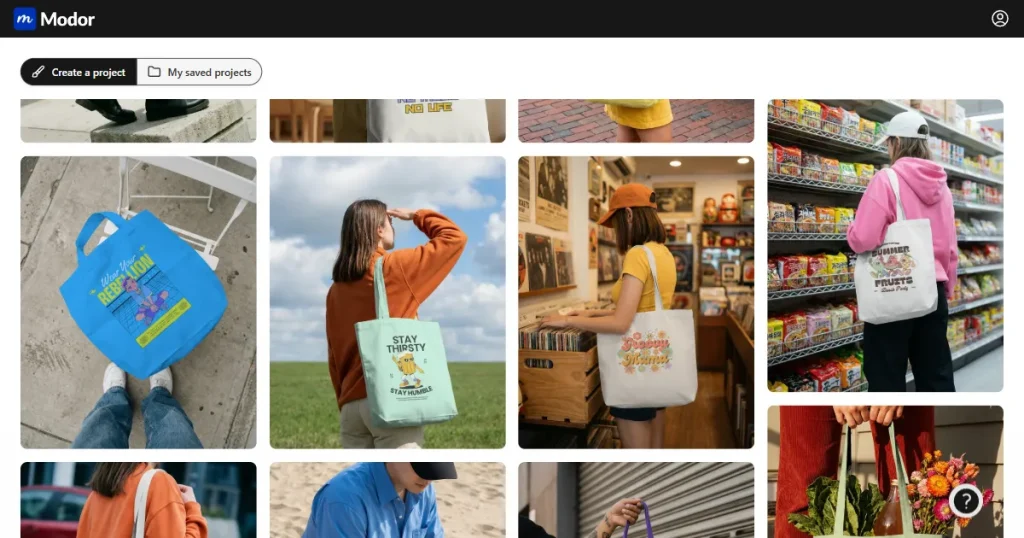
Modor has already become the favorite among small business owners and designers. Its biggest selling point? It is entirely free and comes with no hidden costs. This positions Modor as one of the best mockup tools in the market today.
Behind the scenes, their AI automation automatically adjusts shadows, folds, and lighting, making your design appear as though it were photographed in a professional studio. This also makes it a strong contender for the best AI tool for mockups.
Key Features
Extensive template library: 10,000+ pre-made designs in clothes, printing, and digital products.
Easy to use: Modor has a user-friendly interface and a drag-and-drop editor for fast mockup generation.
High-resolution exports: With Modor, you get unlimited HD downloads (3000×2000 pixels), no watermark.
Template variety: High-quality Templates across 25+ categories, including apparel, print, and tech devices.
Optimized mockups for e-commerce platforms: Modor automatically optimizes your mockups for Amazon, Shopify, Etsy, and social media platforms like Instagram and Facebook.
Pros
Easy-to-use drag-and-drop editor.
AI mockups with realistic imagery.
Streamlined to work in e-commerce platforms.
No design skills pre-requisite.
Completely free with unlimited free mockups and exports.
Cons
Less customization than sophisticated design tools.
Pricing Overview
Modor works on a Freemium model. The free plan is available, and the paid Pro plan starts at $10/month.
Vexels
Vexels is designed to serve print-on-demand (POD) vendors, providing thousands of pre-made printable templates and editable graphics. It is often listed among the best mockup tools for designers in POD businesses.
Key Features
Vast library: Access thousands of Stock vectors, PSDs, and editable templates.
Professional customization: Easily customize your mockups with the Merch Designer tool.
POD-friendly: Get access to POD-friendly licenses tailored for commercial use.
Integration: Seamless Integration with Amazon Merch, Printful, Printify, and many more.
Collaboration features: Team collaboration made easy with Vexels’s built-in team project management tools.
Pros
Extensive graphics library designed exclusively for POD businesses.
Non-designers save time using readily available templates.
Licensed to be used commercially.
Combines with mainstream POD.
Cons
No free plan, only paid tiers.
More oriented towards POD rather than general designers.
Pricing Overview
No free plan, Paid plan starts at $14/month
Renderforest
Renderforest is a simple design software that encompasses mockups, logos, videos, and websites. It is also versatile, offering built-in AI design capabilities for businesses that need more than mockups. It is one of the lightest options among the best AI tools for mockups.
Key Features
Diverse template collection: Explore a wide range of mockup templates across categories such as apparel, packaging, and digital products.
Build brand identity: Revamp your brand with an AI-powered logo, color, and design kit.
Media assets: Enhance your mockup with embedded stock objects (images, icons, and fonts).
Pros
Offers a lot more than just mockups.
Ideal for startups that require a one-stop solution.
Simple online editor with AI mockups.
Adequate design depth/ simplicity.
Cons
Free mockups with low-resolution watermarked exports.
Limited Mockup library compared to other popular tools.
Pricing Overview
A free plan is available with watermarked free mockups; the paid plan starts at $14.72/month.
Artboard Studio
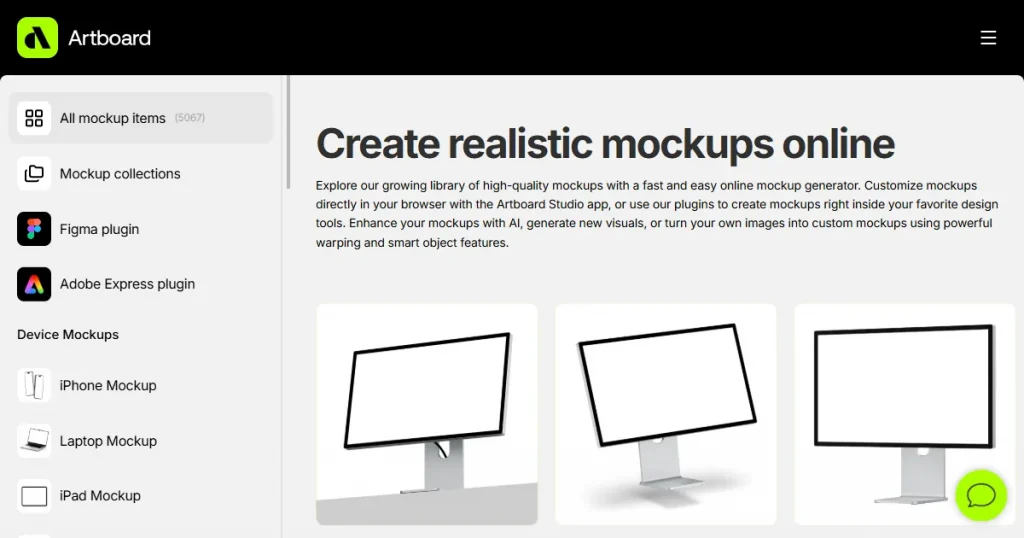
Artboard Studio is a web-based mockup and design tool that helps professionals gain greater control over layered designs. It has an interface similar to Adobe Photoshop but is easier for the team to adopt. It is ideal for professional workflows and among the best mockup tools for designers who need control.
Key Features
Multidimensional editing: Unlike a drag-and-drop editor, Multidimensional editing lets you adjust angles, depth, shadows, lighting, and layer objects in your mockups.
Template variety: Thousands of Templates for packaging, clothes, and tech devices.
HD Exports: Download your designs in high-definition PNG/JPEG and overlayed PSD formats.
Seamless integrations: Connect easily with Figma and Adobe Express.
Pros
Photoshop-like editing within the browser.
Advanced layer support to control advanced designs.
Built-in collaboration tools.
Great with professional designers and agencies.
Cons
More costly than entry-level mockup tools.
Pricing Overview
Free Trial with limited features, paid plans start from $19/month.
Mockup World
Mockup World is a vast, free library of PSD mockups featuring high-quality templates contributed by designers worldwide. Photoshop enthusiasts can find great creative opportunities here. This makes it one of the most trusted free mockup tools for PSD users.
Key Features
PSD mockups: Access a wide range of free mockups and premium PSD mockups.
Broad spectrum: Explore designs under clothing, wrapping, stationery, technology, and billboards.
Photoshop-ready files: Get Access to fully layered PSD mockups for complete Photoshop editing.
Commercial use: Many of the files are licensed for commercial use.
Pros
Free trial and advanced features.
Immense diversity across industries.
Customizable high-quality layered PSD mockups.
Perfect for Photoshop users
Cons
Needs Photoshop skills.
No drag-and-drop editor (must manually edit)
Pricing Overview
60-day Free trial includes thousands of free PSD mockups.
Mr. Mockup
Mr. Mockup is a PSD mockup specialist for branding agencies, specializing in high-end, detail-oriented realism. It has contemporary, high-quality templates in its marketplace. Suitable for high-end branding work, it is one of the best mockup tools for creating marketing product visuals.
Key Features
Professional PSD mockups: Perfect for high-quality branding projects.
Realistic details: Each file features detailed textures, shadows, and perspectives, giving it an ultra-realistic look.
Diverse categories: Mockups under various categories, including packaging, stationery, apparel, and outdoor ads.
Flexible pricing: Pay for specific templates or buy a whole bundle with multiple templates.
Pros
Super realistic graphics.
Excellent for branding and client presentation.
Flexibility with a one-time payment.
Frequently updated collection.
Great for Photoshop enthusiasts.
Cons
No online editor for mockups
No free tier available.
The library size is relatively small compared to other tools.
Pricing Overview
No free plan, Premium mockups and bundles start from $10.
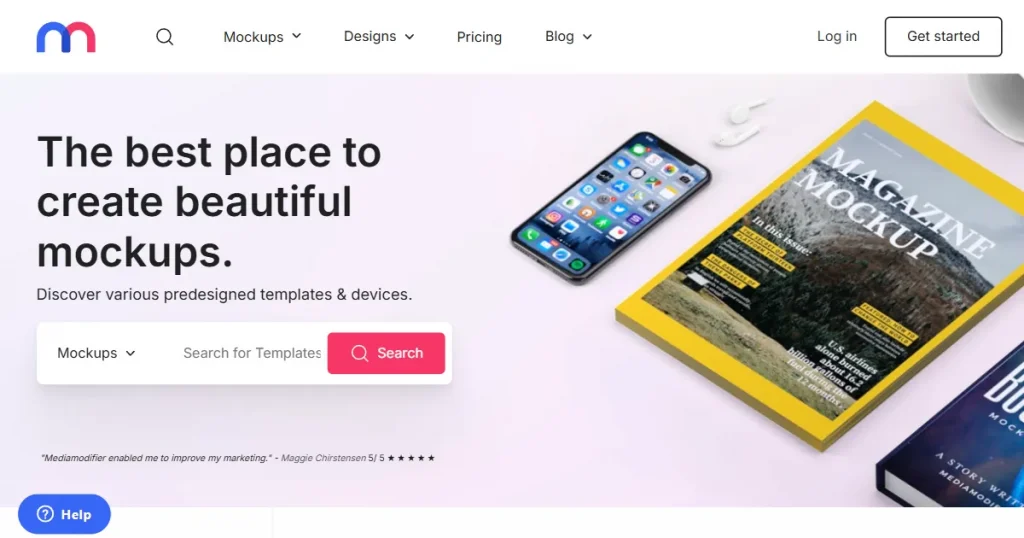
Mediamodifier
Mediamodifier is a web-based editor with thousands of templates, and the design interface is easy to use. It offers both static and animated mockups.
Key Features
Vast library: Explore an extensive library of templates covering clothing, equipment, and packaging.
Easy to use: Drag-and-drop editor with instant previews for quick customization.
Instant resizing: Resize your designs across multiple mockups in a single step.
Built-in Assets: Enhance your mockups with built-in design elements, including shapes and icons.
Pros
Easy-to-use online platform
No Photoshop needed
Perfect with marketers and social media campaigns.
Cons
Free plan with limited free mockups and low-resolution exports.
Limited mockup library compared to established platforms.
Pricing Overview
Free Plan includes low-resolution mockups with a watermark. Paid plans start from $11.32/month.
Mockuuups Studio
Mockuuups Studio is a desktop mockup generator that designers adore, offering complete control without a browser. This makes it a strong option amazon the best mockup tools for designers working offline. It integrates seamlessly with Figma, Sketch, and Photoshop, making it a favorite for professional workflows.
Key Features
High-quality Templates: High-quality mockups, including devices, packaging, and apparel.
Integration: Seamless integration with Figma and Sketch.
Easy to use: A drag-and-drop online editor for quick previews and fast customization.
High-resolution exports: Download your designs in HD PNG and JPG format.
Desktop version: Explore the offline Desktop version for macOS and Windows.
Pros & Cons
Compatible with professional design software like Figma and Sketch.
Offline access through the desktop app.
Wide range of devices and lifestyle mockups.
User-friendly interface with instant previews.
Cons
The free version offers a limited number of free mockups.
Smaller library than Placeit or Envato Elements.
Pricing Overview
Free Plan with limited free mockups, Pro Plan starts at $24/month.
Placeit
Placeit by Envato is one of the largest mockup libraries online. it has 40,000+ templates. It’s best suited for businesses needing endless variety with professional-grade mockups.
Key Features
Largest template library: Access the most extensive template library across all products.
Highly customizable: Advanced customization with custom background, text, graphics, and elements.
Wide Variety: Extensive coverage on apparel, digital, and branding mockups.
Commercial use: All mockups generated on Placeit are licensed for commercial use.
Integration: Seamlessly integrates with Printify.
Pros
Biggest template library in existence.
Beginner-friendly UI.
All-in-one subscription
Commercial license.
Cons
The free tier includes limited, watermarked free mockups.
Subscription-based.
It can be daunting due to its sheer size.
Pricing Overview
Free tier available with limited watermarked free mockups; unlimited subscriptions start at $14.95/month.
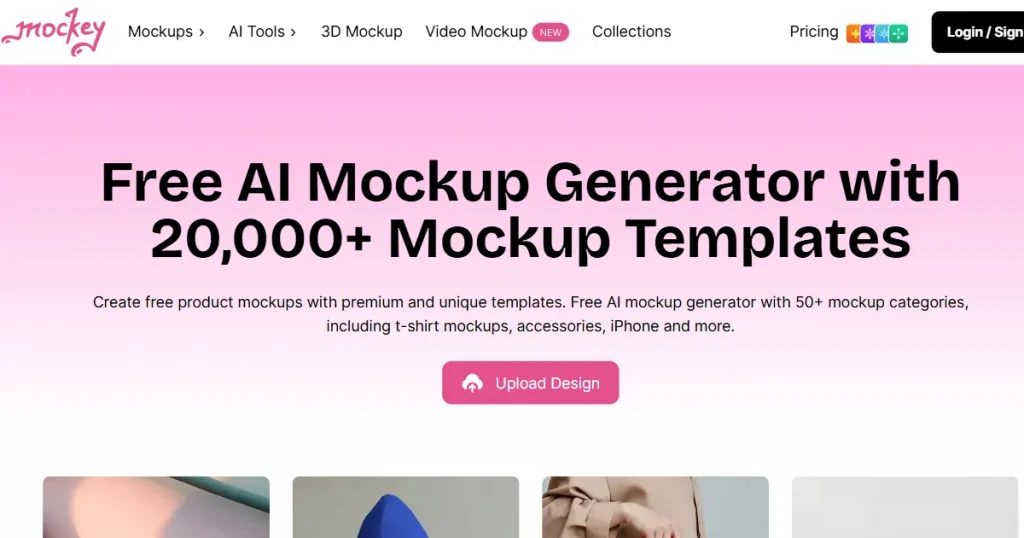
Mockey
Mockey is a free AI-powered mockup tool built for speed and simplicity. It’s especially popular among small businesses and Etsy sellers. This places Mockey AI as both a free mockup tool and one of the best AI tools for mockups.
Key Features
AI-powered realism: Create Photorealistic mockups rendered by AI.
Template library: Mockey boasts a vast collection of templates across multiple mockup categories.
Modern editor: Easy to use Drag and drop editor with real-time preview.
High-resolution exports: Paid HD downloads in PNG/JPG format without a watermark.
Mobile-accessible: A Play Store app is available for Android users.
Pros
Easy-to-use AI interface.
Play Store app for Android users.
AI mockup generator.
Cons
Poor customization capabilities.
The free plan offers low-resolution mockups in only JPG format, with limited free mockups.
Pricing Overview
Free tier available with limited, low-resolution free mockups. Pro plan starts at $7/month.
Envato Elements Mockups
Envato Elements is a subscription-based marketplace that provides unlimited downloads of mockups, templates, and other creative assets.
Key Features
PSD mockups: Use thousands of PSD templates for easy Photoshop editing.
Diverse templates: High-quality professional mockups covering clothing, packaging, labels, and branding templates.
Envato ecosystem: Part of the larger Envato marketplace of design resources.
Commercial use: Most mockups include a Commercial-use license.
Pros
One subscription includes unlimited downloads.
Megabuilds of creative assets, excluding mockups.
Regularly updated with new content.
Lifetime commercial license.
Cons
Most of the mockups need Photoshop.
Not ideal for non-designers.
Subscription-only model
Pricing Overview
Unlimited downloads start at $16.50/month.
Yellow Images
Yellow Images is known for high-quality, ultra-realistic 3D mockups. Ideal for Big brands and professional designers.
Key Features
Premium templates: Access a vast collection of premium 3D mockup templates.
Hyper-realistic quality: Designed with ultra-realistic lighting and shadows.
Complete customization: Adjust colors, textures, and angles of your mockups to match your brand.
Versatile categories: Premium templates covering packaging, clothing, and advertising mockups.
Pros
Super realistic 3D effects.
Wide variety of premium templates.
Best suited for branding agencies.
Cons
Costly compared to most tools.
Not the best one to start with if you are on a tight budget.
Pricing Overview
Premium membership plans start at $59/month.
Pixeden
Pixeden offers high-quality PSD mockups. It has been a long-time favorite among Photoshop enthusiasts. It remains a solid choice among free mockup tools and premium hybrids.
Key Features
PSD mockups library: Explore thousands of high-quality PSD mockups.
Wide variety: High-quality mockup templates under various categories like print, digital, branding, and packaging mockups.
Layered PSDs: Get Access to fully layered Photoshop files for custom editing.
Regularly updated: New templates and collections are added frequently.
Pros
Professional-quality PSD mockups
Affordable prices for individual designers.
Entirely customizable using Photoshop.
Cons
Requires Photoshop skills.
No drag-and-drop editor.
Pricing Overview
Free Access with Limited free PSD mockups, premium plan starts at $9/month.
Freepik Mockups
Freepik is a go-to hub for high-quality mockups. With thousands of free mockups and premium PSD mockups. Whether you need quick mockups for a presentation or polished visuals for commercial use, Freepik offers versatility, variety, and professional-grade results.
Key Features
Template hub: Freepik offers access to a massive collection of templates.
PSD mockups: Explore templates for apparel, branding, and packaging.
New mockup additions: New designs are added regularly, and AI-generated assets are updated frequently.
Commercial use: Freepik offers a commercial-use license to its free and premium users, depending on their plan.
Pros
Massive collection of free mockups.
Frequently updated
Commercial license available.
Highly customizable PSD mockups.
Cons
Photoshop is needed for most mockups.
Downloads from the free plan require attribution for commercial use.
Pricing Overview
A free tier is available, with paid plans starting at $6.13/month.
Canva Mockups
Canva has also added a mockup tool to its design toolkit, enabling any non-designer to create a mockup directly within the Canva design environment. It is often recommended as one of the best mockup tools for beginners.
Key Features
Mockups collection: Mockups across multiple categories, including tech, print, packaging, apparel, and more
Full integration with Canva: Complete integration with design tools in the Canva environment.
AI-generated mockups: Generate content and media with AI.
High-resolution exports: Download and share high-quality mockups easily.
Pros
Beginner-friendly and fast tool.
Full integration with Canva.
Both desktop and mobile-friendly.
Cons
Smaller library compared to other tools.
Some mockups need a Pro subscription.
Pricing Overview
A free plan is available with limited free mockups, and the Canva Pro plan starts from $18/month.
Final Thoughts: Finding the Right Mockup Tool
The best mockup tools, at the end of the day, are not the ones with the most templates and the cheapest plans. The best mockup tools are those that can be easily integrated into your workflow.
For small businesses needing quick results, creating mockups on Modor will be helpful. An agency looking for advanced control may be inclined toward Artboard Studio or Yellow Images. eBay, Etsy, or Amazon sellers will love Vexels’s POD-ready approach.
The golden rule? Don’t overcomplicate it. Select a tool that will enable you to move quickly from an idea to a polished visual. Because the faster you can showcase your designs, the quicker you can test, sell, and scale your business.
FAQs
Which are the best mockup tools in 2026?
Modor is the way to go if you are looking for something totally free and hassle-free. Modor offers high-quality, realistic mockups in seconds, with high-resolution JPEG or PNG exports. It has an extensive template library dedicated to apparel, print, and even tech devices.
Which is the best AI tool for mockups?
Modor is the best AI tool for mockups, powered by AI and capable of creating professional mockups in seconds, so you can launch more products and spend less time on design.
Is Canva good for mockups?
Yes, Canva is an excellent option if you need quick, beginner-friendly designs and generic mockups. Canva offers over 8,000 templates and integrates with stock photos, icons, and fonts, making it easy to create polished visuals.
Are free mockup tools good enough for professional use?
Yes, many free mockup tools, such as Modor and Freepik, offer high-quality outputs suitable for professional and e-commerce use.
What’s the difference between PSD-based and browser-based mockup tools?
PSD-based libraries allow complete customization within Photoshop, but they require design skills and could be time-consuming. Whereas browser-based tools such as Modor prioritize speed and automation. Unlike PSD mockups, you can edit and export your mockup in one step here.
What should designers look for in the best mockup tools for designers?
The best mockup tools for designers should match your workflow and level of creative control. Browser-based tools like Modor are ideal for creating fast, realistic mockups, while tools such as Artboard Studio, Mockuuups Studio, and PSD-based platforms offer more advanced customization for professional design workflows.
Discover 30+ professional t-shirt mockup templates for ecommerce, POD, and branding. Learn how realistic mockups boost conversions and save photoshoot costs
Discover the best sweatshirt mockup templates to showcase your designs with realistic detail. Perfect for designers, Etsy sellers, and eCommerce brands