PSD mockup generator tools are design platforms that provide Photoshop (PSD) mockup files you can download and edit in Photoshop for greater customization flexibility.
The best PSD mockup generator tools include Modor, Mr Mockups, Mockup World, and Good Mockups, as they provide PSD mockup templates with smart objects and extensive customization options. But the catch is that most of the best PSD mockup generator tools available in the market have limited collections of high-quality templates, while free PSD mockups can be particularly difficult to find.
So, to help you find the right tool for your needs, we have narrowed down the best PSD mockup generator tools on the market, including what they offer, where they fall short, and who they’re best suited for.
Key Insights
The best PSD mockup generator tools help designers and ecommerce sellers create professional product visuals using editable Photoshop templates with Smart Object layers.
Choosing the best PSD mockup generator tools is important because low-quality mockups can make product listings look unprofessional and reduce customer trust.
Modor stands out as one of the strongest options because it offers free PSD mockup downloads without requiring a login, along with well-layered PSD files and clear commercial licensing.
For creators looking for variety, Modor provides templates across multiple categories, including iPhone PSD mockups, apparel mockups, and packaging templates in one platform.
Platforms like Mockup World and Good Mockups are useful sources of free PSD mockup files, but they often redirect users to external sites, and licensing terms can vary significantly.
Mockup Maison offers highly realistic, photography-based templates, but its high price and Photoshop dependency make it better suited for professional designers.
Tools like Unblast and Yellow Images offer large template libraries covering categories such as hoodie PSD mockups, devices, branding, and packaging design assets.
Unlike most competitors, Modor combines browser-based mockup generation with downloadable PSD templates, making the workflow faster for both beginners and advanced designers.
What are PSD Mockup Generator Tools?
PSD mockup generator tools are design platforms that provide professional designers and print-on-demand store owners with editable Photoshop Document (PSD) templates to create product mockups for their online stores, social media, or product listings.
The best PSD mockup generator tools typically come with smart object layers that allow users to insert designs directly inside pre-built product mockups, making it easy to create high-quality product mockups fast.
Factors Considered While Choosing the Best PSD Mockup Generator Tools
When choosing the best PSD mockup generator tools for you, we evaluated the tools on the following factors.
Editable smart object layers: We looked for the best PSD mockup generator tools that include properly labeled, editable smart object layers, which make it easy to create mockups in Photoshop.
PSD file quality and resolution: Next, we focused on the quality and resolution of the PSD mockup templates being offered, as low-quality mockups can distort the design when printed.
Mockup template variety: The best PSD mockup generator tools should offer mockups across categories, such as t-shirt, MacBook, and iPhone PSD mockups, so POD sellers can create product listings for different items without switching tools.
Clear commercial license: We also prioritized tools with a clear commercial license, as some designers need PSD mockup templates for client presentations, others for product presentations, and others for their portfolios.
Pricing and value for money: We also analyzed each of the best PSD mockup generator tools based on the price of PSD mockup templates and ensured that the tool’s price matched the value users receive.
PSD Mockup Generator Tools vs. Web-Based Mockup Generator Tools
Feature
PSD Mockup Generator Tools
Web-Based Mockup Generator Tools
Ease of Use
Requires design knowledge and manual editing
Beginner-friendly with simple drag-and-drop editing
Software Requirement
Needs software like Adobe Photoshop
Works directly in a web browser without installation
Customization Options
Offers advanced layer-based customization
Limited customization compared to PSD files
Speed of Workflow
Slower due to downloading and manual editing
Faster with instant editing and real-time preview
Accessibility
Restricted to devices with compatible software
Can be accessed from almost any device with internet
File Management
Users need to manage and store PSD files locally
Files are usually stored and managed in the cloud
Cost
Premium PSD templates and software can be expensive
Many tools offer free plans with affordable subscriptions
7 Best PSD Mockup Generator Tools in 2026
Let’s have a detailed look at some of the best PSD mockup generator tools.
1. Modor
Modor is an AI-powered mockup generator that helps creators turn simple designs into realistic product mockups in seconds. It is mainly used by designers, print-on-demand sellers, and social media creators who want professional-looking visuals without using complex design software.
Key Features
Free PSD mockup downloads: Modor offers free PSD mockup templates that don’t require you to log in to the tool. Anyone can download them for free.
Neatly layered PSD files: Each PSD file comes with neatly labeled Smart Object layers, so you can double-click the right layer, place your design, and it will be automatically applied across the mockup in the correct perspective and shadows.
Covers multiple categories: Modor offers free mockup templates across categories, including iPhone PSD mockups, t-shirt PSD mockups, and hoodie PSD mockups, making it easier for POD sellers to find everything they need in one place.
AI-powered browser-based mockup generator tool: Apart from providing free PSD mockup templates, Modor is a dedicated mockup generator tool that allows users to create high-quality mockups right in their browser without using any expensive software like Photoshop.
Pros
You can download free PSD mockup files without logging in.
Since it covers multiple categories, it’s best for POD designers, who can create mockups across categories without switching tools.
Provides multiple template variations, including flat-lay, on-model, and lifestyle mockups.
Includes a clear commercial license.
Cons
Needs prior knowledge of Photoshop to work with.
Best For
Print-on-demand sellers, professional designers, ecommerce businesses, and creators who need free, realistic product mockups without sacrificing quality.
Pricing
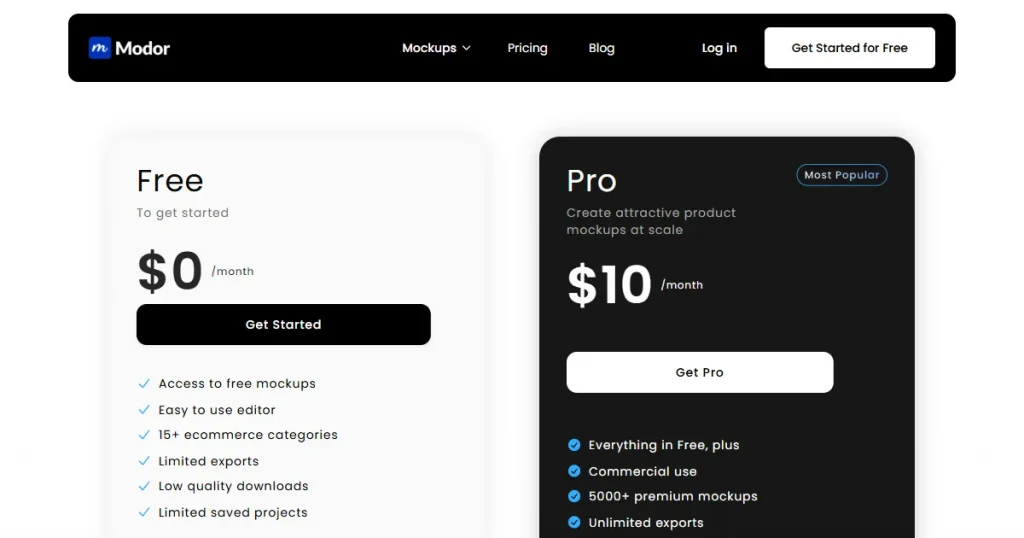
$10/month
2. Mockup World
Mockup World is one of the best PSD mockup generator tools, offering free PSD mockup templates available online on a single platform. However, it redirects you to external websites where you might have to enter your email address to download the mockups.
Key Features
Curated PSD collection: Mockup World is a curation website that gathers the best PSD mockup templates from across the internet and provides them to its users.
Only free PSD mockup templates: The best part is that Mockup World collects only free PSD mockup templates from the internet, making it a very useful resource for beginner designers.
Covers multiple categories: Despite being a free resource, Mockup World offers a large number of mockup templates across categories such as iPhone PSD mockups, t-shirt PSD mockups, hoodie PSD mockups, and more.
The library is updated regularly: Mockup World also keeps its library current, adding new PSD mockup templates, making it easy to find mockups that match current trends.
Pros
Completely free tool with no login or sign-up required.
Covers only the best resources available on the internet.
High-quality, print-ready PSD files available.
Cons
Requires Photoshop knowledge.
Manual license verification is required before use, as licensing varies across templates.
Redirects you to external sites that require you to enter your email, making the process lengthy and increasing the risk of privacy issues.
Best For
Designers, freelancers, and creators who are looking for free PSD mockup templates, regardless of quality.
Pricing
Free
3. Good Mockups
Good Mockups is a curated platform that offers a wide collection of high-quality PSD mockups sourced from independent designers and from its in-house creations.
Key Features
High-quality mockup templates: Unlike Mockup World, Good Mockups has an in-house team of designers who personally curate the best free PSD mockups online, ensuring only high-quality mockups are available on the platform.
In-house free mockup templates: In addition to curating, Good Mockups also provides original PSD mockup templates to its users for free.
Commercial usage rights: All the mockup templates available on Good Mockups come with clearly mentioned commercial licensing, so you know exactly where you can use each mockup template.
Provides mockups across multiple categories: Covers a wide range of categories like devices, branding, packaging, print ads, and outdoor mockups, making it versatile for different use cases
Pros
Provides only high-quality, curated free PSD mockup templates.
Completely free resources make it easy for beginners to create mockups without paying a premium.
Covers a wide variety of categories, so users can find exactly what they are looking for without switching to other tools.
Cons
Requires Photoshop and design skills to work with the PSD templates.
Inconsistent licensing across PSD, so manual checking is required before using.
Not ideal if you want to generate high-quality mockups fast.
Best For
Graphic designers, branding professionals, and creators looking for high-quality free PSD mockups for portfolios, presentations, and client projects.
Pricing
Free
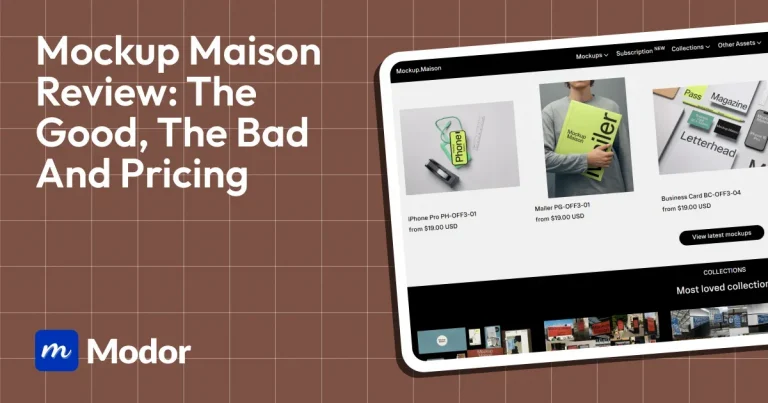
4. Mockup Maison
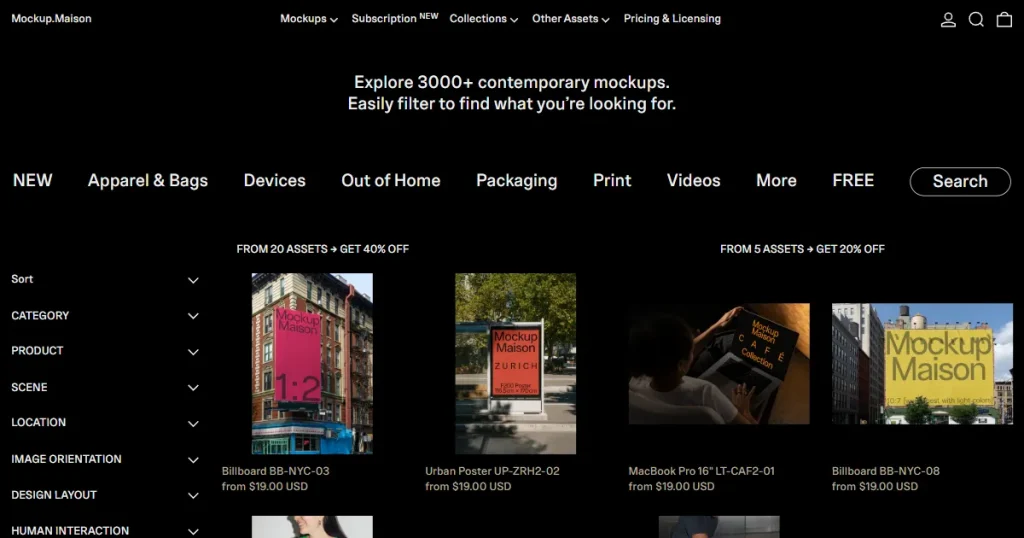
Mockup Maison is a premium, photography-based mockup platform that provides highly realistic PSD templates built with real product photography rather than digitally rendered assets.
Key Features
Real-photography-based PSD mockups: Instead of digitally rendering PSD mockup templates like other tools, Mockup Maison uses real-world photography from its in-house team to create PSD files with smart objects.
Smart Object support: Each PSD file available on Mockup Maison comes with Smart Objects, making it easy to locate and place your design in Adobe Photoshop.
Video mockups available: In addition to product mockups, Mockup Maison offers a wide selection of video mockup templates for animated product presentations.
Supports multiple categories: Mockup Maison also covers a wide range of categories like t-shirt PSD mockups, hoodie PSD mockups, iPhone PSD mockups, and MacBook PSD mockups.
Pros
Uses real product photography instead of artificial digital renderings.
Delivers highly realistic results through meticulous attention to reflections, shadows, and texture depth.
Theme-based collections help maintain visual consistency across branding projects.
Flexible pricing options for both professionals and casual users.
Cons
Expensive platform, with some bundles costing more than the starter subscription plan.
Requires Photoshop knowledge, making it less beginner-friendly.
Free mockups require an email signup, with limited clarity on how many templates are included.
Best For
Professional designers, creative agencies, and branding teams looking for premium-quality, realistic PSD mockups with photography-based visuals for commercial projects.
Pricing
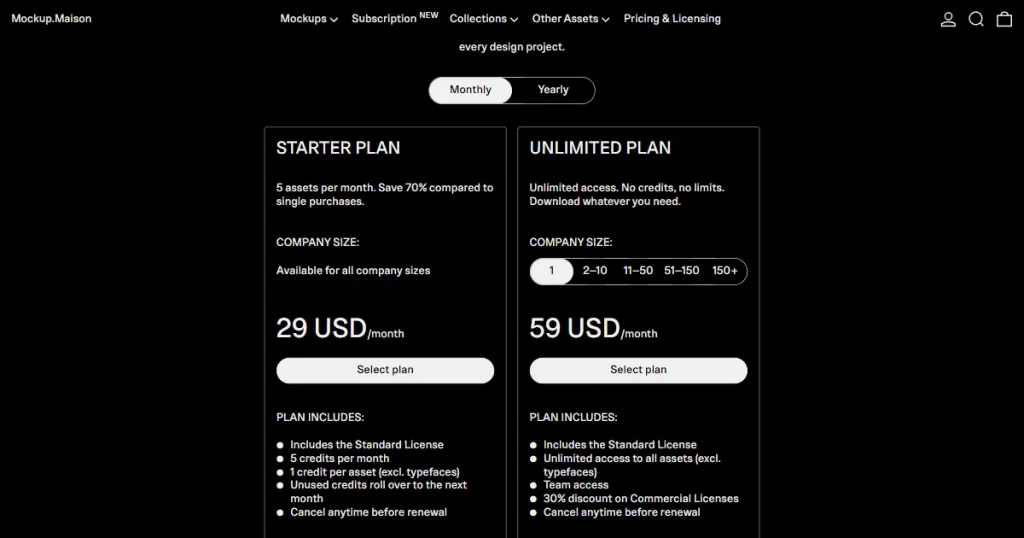
$29/month
5. Unblast
Unblast is also one of the best PSD mockup generator tools, offering a large collection of free PSD mockups, fonts, templates, and other creative assets curated for designers, marketers, and branding professionals.
Key Features
Large library of free PSD mockups: Unblast stands out for its extensive template library, giving creators access to design assets ranging from iPhone and hoodie PSD mockups to mugs, packaging, and more.
Smart Object layers included: Each PSD mockup template within Unblast comes with Smart Object layers for easy design replacement in Adobe Photoshop
Provides additional design resources: Apart from mockups, Unblast offers fonts, icons, templates, and 3D assets, making it a go-to resource for designers.
Provides in-house mockup templates: Many are free for both personal and commercial use, subject to licensing terms.
Pros
Completely free platform with thousands of downloadable mockups.
A wide variety of categories makes it useful for multiple design projects.
Simple customization through organized PSD layers and Smart Objects.
Offers additional design assets beyond just mockups, making it a versatile resource hub.
Cons
Quality can be inconsistent because some assets are contributed by third-party creators.
No advanced editing or browser-based customization tools available.
Licensing terms vary across assets, so commercial usage rights need to be checked carefully
Best For
Freelance designers, students, marketers, and small businesses looking for free high-quality PSD mockups and additional design resources without paying for premium subscriptions.
Pricing
Completely free to use
6. Envato Elements
Envato Elements is a large creative asset marketplace that provides access to thousands of premium PSD mockup templates for packaging, apparel, branding, and product design.
Key Features
Massive template library: Envato Elements offers a vast library of premium PSD mockup templates across categories such as iPhones, hoodies, t-shirts, and books.
Smart object support: All the PSD mockup templates available on Envato Elements include Smart Object support, making it easy to place your designs in the correct PSD layer and create product mockups quickly.
Includes commercial license: Envato Elements includes a clear commercial license with instructions on which mockups can be used for personal use and which for client projects.
Access to other creative assets: Envato Elements not only covers PSD mockup templates but also provides a range of other creative assets, including fonts, graphics, and templates.
Pros
Huge collection of professionally designed PSD mockups for different industries.
High-quality mockup templates suitable for branding and ecommerce projects.
The subscription includes additional creative assets beyond PSD mockups.
Cons
No free plan available for casual users.
The subscription model can be expensive for users needing only occasional downloads.
Finding niche PSD mockups sometimes requires extensive searching.
Best For
Design agencies, ecommerce businesses, freelancers, and creative professionals who need unlimited access to premium PSD mockups and other design assets.
Pricing
$16.50/month
7. Yellow Images
Yellow Images is one of the best PSD mockup generator tools, offering a massive collection of premium PSD mockups. In addition to PSD mockups, the tool offers stock images, fonts, design templates, and illustrations.
Key Features
3D PSD mockup template: One of the biggest highlights of the tool is its high-quality 3D PSD mockup templates, which help your customers visualize the product from multiple angles.
Free PSD mockup templates: Despite being a premium tool, Yellow Images offers free PSD mockups designers can use without a subscription.
Covers multiple categories: Yellow Images offers PSD templates for use cases ranging from iPhone PSD mockups to apparel assets like t-shirt PSD mockups and hoodie PSD mockups.
Provides additional creative assets: In addition to mockups, Yellow Images offers stock images, illustrations, fonts, and design templates within the same subscription plan.
AI-powered creative suite: Yellow Images also offers AI tools, including an image generator, an image upscaler, and a background remover, to streamline workflows.
Pros
Provides free mockups for easy access for beginners who are on a tight budget.
Commercial license included, which means the templates can be used for business purposes.
They also provide a custom mockup service, where you can create your own mockups if you can’t find the category you’re looking for.
Cons
Most of the mockups look AI-generated, which reduces trust as customers value authenticity.
Free PSD mockups require attribution when being used.
Very expensive when compared with other mockup generators.
The platform interface can feel overwhelming because of the large asset library.
Limited value for casual designers who only need occasional mockups.
Best For
Professional designers, branding agencies, and businesses that need premium PSD mockups, custom mockup creation, and access to additional AI-powered design tools.
Pricing
$59/month
How To Choose The Right PSD Mockup Generator Tool?
Now that we have discussed the best PSD mockup generator tools, let’s look at the factors you should consider to choose the right PSD mockup generator tool for your needs.
PSD and Smart Object compatibility: Always choose PSD mockup generators that provide organized PSD files with clearly named Smart Object layers. This lets you double-click the layer, paste your design, save it, and have it automatically wrap to the product’s curves and shadows.
Customization over speed: If you need speed, online mockup generator tools like Modor are a better choice. Only go for the best PSD mockup generator tools if you prefer customization more than speed.
Select tools based on product categories: Some PSD mockup generator tools focus on only selected categories. That’s why choose only the best PSD mockup generator tools that support a wide range of categories, so you don’t have to switch tools.
Based on budget: Most of the best PSD mockup generator tools come with a massive price tag, so choose tools that match your budget or go for tools that offer free templates.
How To Use PSD Files To Create Mockups in Photoshop?
Step 1: Download a Free PSD Mockup Template from Modor
To create mockups, visit modor.io, browse to the Free mockups section, and download any of the free PSD mockup templates available on the tool.
Step 2: Import the T-shirt PSD Mockup
Import the T-shirt PSD mockup template into Photoshop by opening it and copying and pasting it.
Step 3: Locate the Layers
Open the Layers panel on the right, where you’ll see layers like T-shirt, Light Effects, and Background. Simply edit these pre-made layers, and the changes will automatically appear on the T-shirt PSD mockup.
Step 4: Change the Color of the T-shirt
Go to the Layers panel and click the T-shirt layer. Double-click Color Fill T-shirt, then choose your preferred color using the color picker, RGB, or Hex code.
Step 5: Change the Design on the T-shirt PSD Mockup
To change the design on the T-shirt, go to the Layers panel, select the T-shirt layer, and from the toggle menu options, double-click the Change Design Here layer.
A new window will open in your Photoshop file.
Copy your new t-shirt design and paste it into the window.
Delete the older design from the PSD t-shirt mockup file. Save the new t-shirt design using Ctrl+S.
The new t-shirt design will be automatically updated on the main PSD t-shirt mockup file.
Step 6: Change Shadow and Light settings
Go to the Layers panel, select the Light effects layer, and a toggle menu will appear, select the Shadow layer. Next, go to the Fill option on the right side of the Layers panel and set a value.
Similarly, select the Shadows layer and set an appropriate Fill value.
Step 7: Save the T-shirt PSD Mockup File
To save the PSD t-shirt mockup, go to File from the top menu bar, then click Save As or Press Shift+Ctrl+S, and with this last step, the process of how to create a t-shirt mockup in Photoshop ends.
Limitations of PSD Mockup Generator Tools
Although we have looked into the many advantages of the best PSD mockup generator tools and how to use them. Now, let’s look at the limitations of using PSD mockup generator tools.
Needs design software know-how: Most PSD mockups require Adobe Photoshop, which can be difficult to learn and use, especially for beginners.
Large files may slow down your computer: High-resolution PSD files tend to be large and can slow it down, which interferes with your workflow.
Not the best for quick mockup creation: In contrast to online mockup generators running on a browser, PSD files require you to download the file and edit it within Photoshop, which means more time.
Premium mockups are not cheap: Many photorealistic, professional PSD mockup templates are available only on paid marketplaces or through premium subscription services, which makes them less ideal for beginners.
Conclusion
The biggest issues with PSD mockup generator tools are that they are either very expensive or the free ones lack the quality for high-quality product presentation.
That’s why Modor stands out as the best PSD mockup generator tool, as each and every mockup template is free to use, has clear licensing, and proper smart object-layered PSD files that make the workflow easier.
FAQs
What is a PSD mockup file?
A PSD mockup file is an editable Photoshop template that helps designers showcase designs in realistic product or branding presentations.
How do I use a PSD file?
You can use a PSD file by opening it in Photoshop and replacing the smart object layer with your own design.
What are the best PSD mockup generator tools in 2026?
Modor is the best PSD mockup generator tool in 2026, as each mockup template is free to use, has clear licensing, and provides properly layered PSD files, which makes the workflow smoother.
Where can I download a free PSD mockup online?
You can download a free PSD mockup online by going to modor.io and navigating to the free mockups section, where you will find a bunch of free PSD mockups.
Which website offers the best iPhone PSD mockup templates?
Modor provides some of the best iPhone PSD mockup templates and also has a good collection of device mockup templates.
Can I customize a t-shirt PSD mockup in Photoshop?
Yes, you can customize a t-shirt PSD mockup in Photoshop by editing smart object layers, changing colors, and replacing the design with your own artwork.
Are hoodie PSD mockup templates suitable for print-on-demand businesses?
Yes, hoodie PSD mockup templates are ideal for print-on-demand businesses because they help create realistic product previews for ecommerce listings and marketing.
Discover 30+ professional t-shirt mockup templates for ecommerce, POD, and branding. Learn how realistic mockups boost conversions and save photoshoot costs