Top 9 Mockey AI Alternatives to Try Out in 2026
Top 9 Mockey AI Alternatives to Try Out in 2026: Features, pros & cons, and pricing.
Mockey AI is a popular mockup generator thanks to its ease of use, wide variety of templates, and AI features. But like every other tool, it has limitations, such as a lack of advanced customization options, a limited free tier, and too many AI-looking mockups.
This is where alternatives like Modor come into the picture. It offers a simple editor, a large template library, bulk export, greater customization control, and a free plan that includes high-quality mockup downloads with a commercial license.
That being said, this Mockey AI review breaks down its features, pricing, and overall experience, and how it compares with tools like Modor to help you decide what fits your needs in 2026.
Before we dive deeper into this Mockey AI review, let’s understand what Mockey AI does.
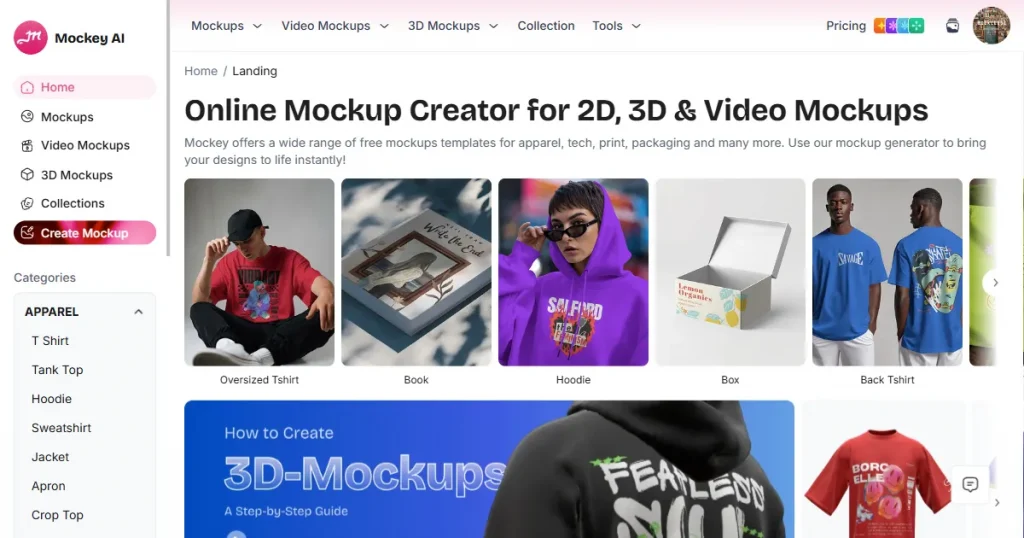
Mockey AI is a browser-based mockup generator that lets users create product mockups by simply placing their designs on realistic product mockup templates.
Launched in 2023, it quickly gained traction among ecommerce and print-on-demand sellers who wanted to create realistic product images without needing photography or design skills.
The platform currently offers thousands of mockup templates across a wide range of categories, including apparel, devices, packaging, and more. Moreover, its workflow is very smooth, you just upload your design, select a template, customize it, and export.
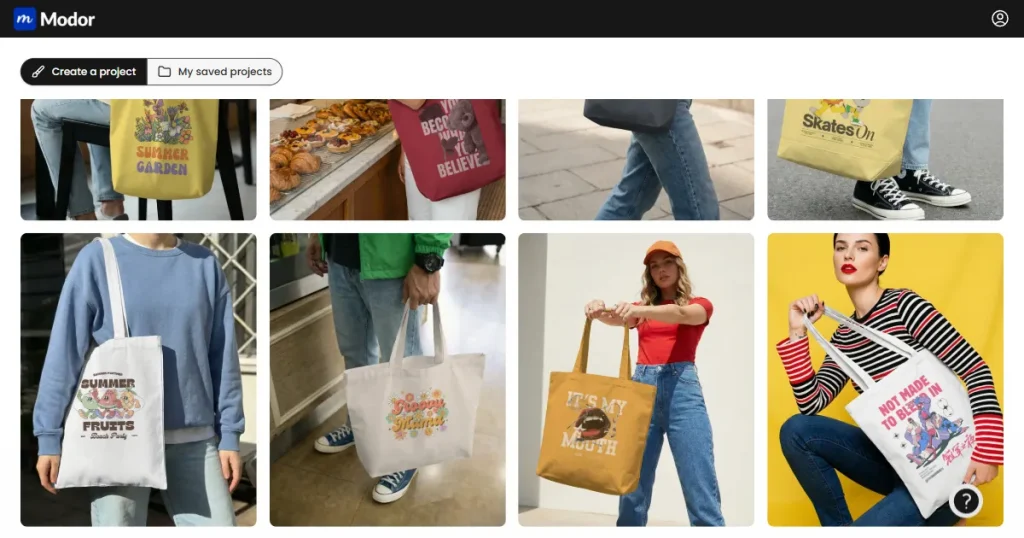
Modor is an AI-powered, free mockup generator that runs directly in your browser, so there’s no need to install any software. It also offers 10,000+ professional mockup templates across 20+ categories, with new categories and templates being added regularly.
What sets Modor apart from Mockey AI is its focus on offering only high-quality templates, ensuring each mockup template is optimized for e-commerce platforms like Amazon, Etsy, and Shopify.
Apart from these, all mockups you create with Modor, even the free ones, can be downloaded in the highest possible quality and used for commercial purposes.
To give you a more detailed Mockey AI review, we compared Mockey AI and Modor side by side against various features.
| Features | Mockey AI | Modor |
| Template Quality and Variety | Covers a wide variety of templates along with excellent quality | Covers more than 20+ categories, with new categories being added every day |
| Export Quality | Low-resolution exports on the Free plan | High resolution exports even on the free plan |
| Customization and Editing | Limited customization options, like changing colors and backgrounds | Advanced options like adjusting shadows |
| Realism of Mockups | Most of the templates look AI-generated. | Most of the templates look like professional photoshoot images. |
| Ease of Use | Easy to use, but overwhelms you with too many options | Easy to use, but only provides high-quality templates |
| Advanced Features | AI Photoshoot, Multishot to create multiple variations of the same mockup | Adjust shadows and positioning to enhance the realism. |
| Pricing | Starter: $9.90/monthAdvanced: $19/month | $10/month |
| Best Use Case | Ideal for beginners, testing ideas, and creating quick mockups | Ideal for serious sellers focused on branding, conversions, and scaling |
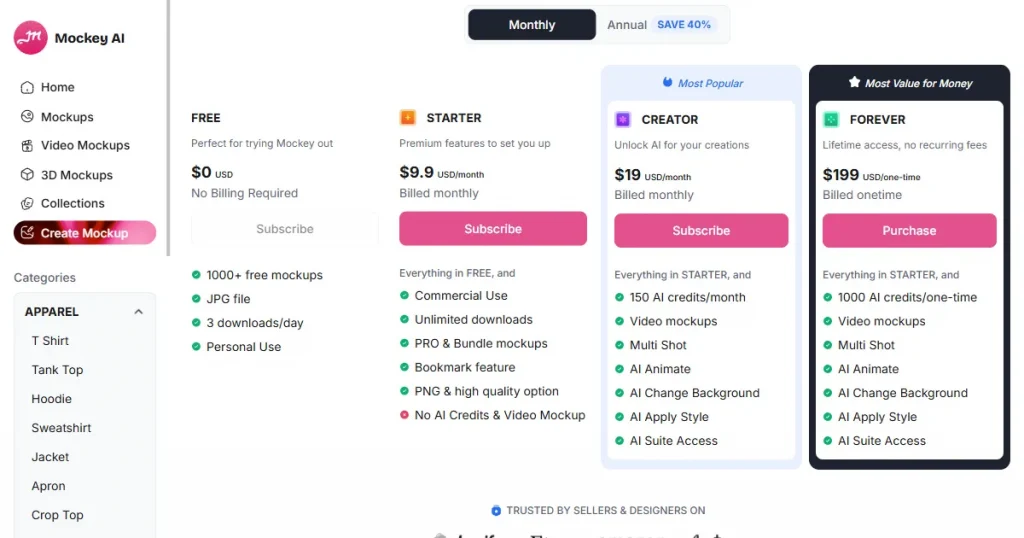
Mockey AI pricing uses a freemium model with 4 different tiers designed for users at different commitment levels.
The first level is the free tier, where you have limited access to templates, with downloads restricted to 400 × 500 pixels and available only in JPG format. Moreover, a maximum of three downloads per day is allowed, and commercial use is not permitted.
The second level of Mockey AI pricing is the starter tier, which costs $9.90/month and gives you access to all templates on the platform for commercial use. But here, you can’t use their AI features or video mockup features, since no AI credits are included.
The next level is the creator tier, which you can upgrade to by paying $19 a month. Here, you get all the features offered in the starter pack, along with 150 AI credits, through which you can use their AI features.
The final level of Mockey AI pricing is called the forever tier. Here, you get everything you get in the creator tier, along with 1000 AI credits per month by paying $199 as a one-time fee, after which you can use their platform an unlimited number of times.
Now, let’s dive into a detailed Mockey AI review and talk about all its features and how it compares with Modor.
What Mockey AI Offers?
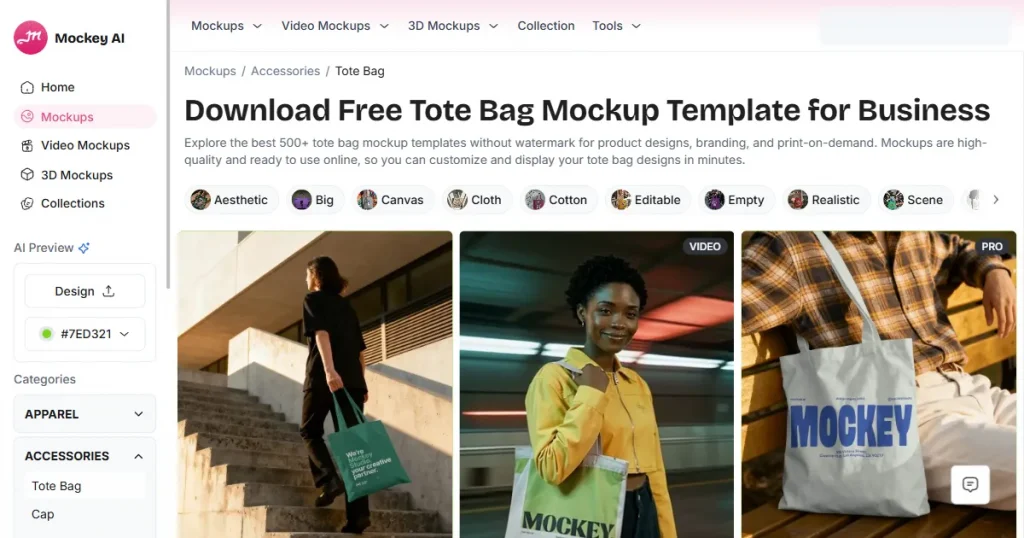
When it comes to the template library, Mockey offers a lot of variety. It has thousands of templates across categories such as t-shirts, iPhone, tank tops, and mug mockups. If you can think of the category, it is very likely that Mockey AI already has it.
What Modor Offers?
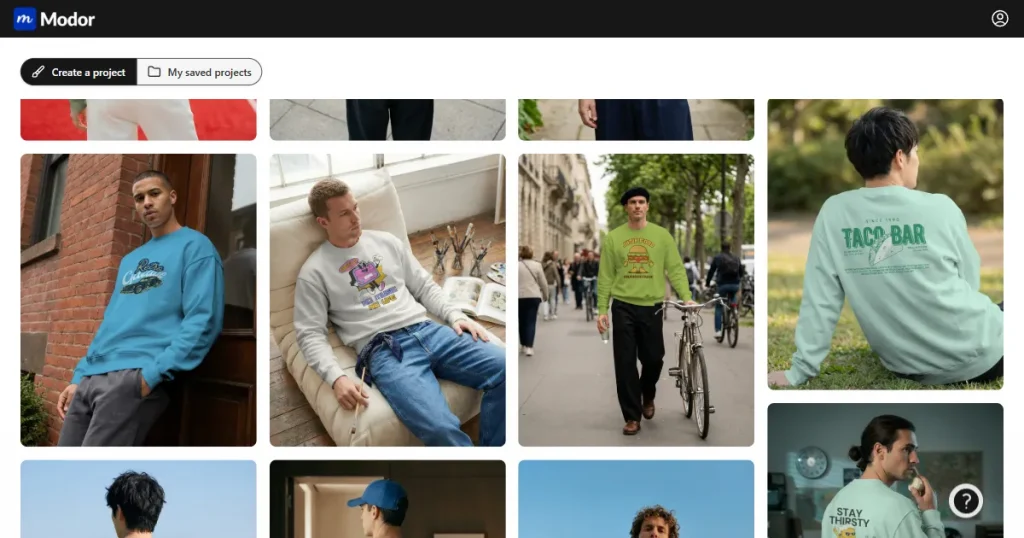
Even though Modor is a newly launched mockup tool, it currently offers 10,000+ templates across more than 25 categories, including sweatshirts, t-shirts, iPhones, and business cards, with new templates and categories added regularly.
Modor has a strict quality control mechanism, which means they only offer high-quality mockup templates, with no misalignment or errors.
What Mockey AI Offers?
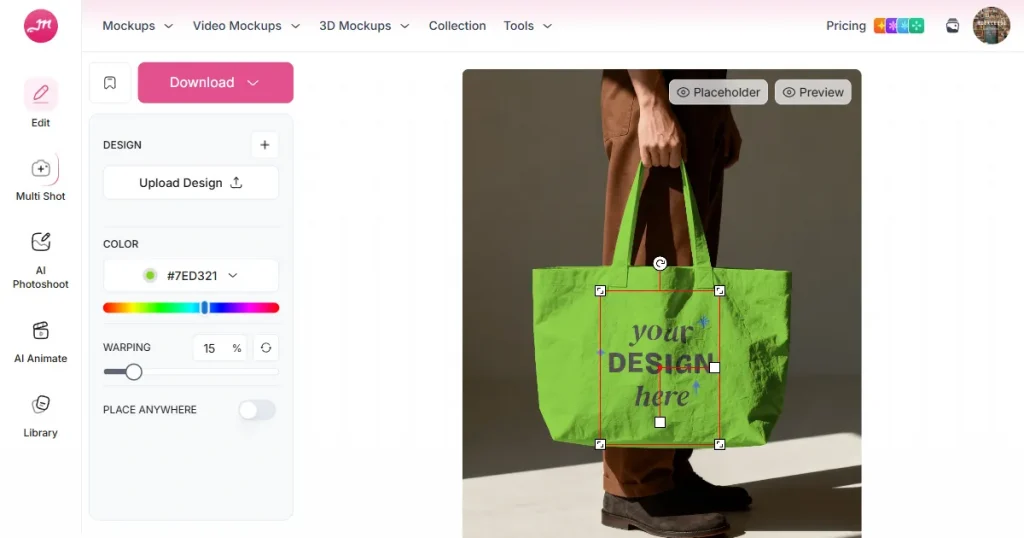
Once you upload a design to Mockey AI, it automatically applies that design across all its templates. You can now change the color, background, and even change the design placement across the mockup.
What Modor Offers?
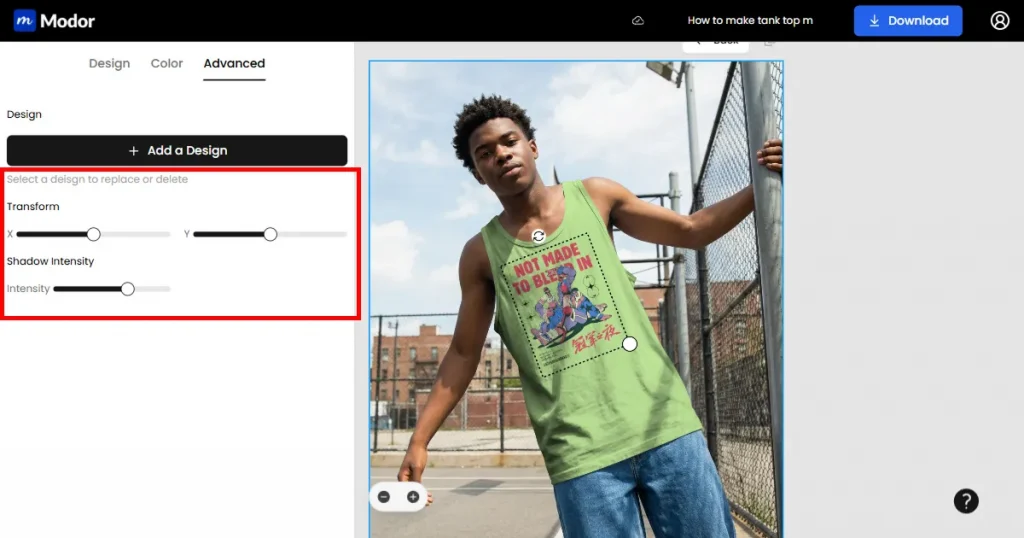
Modor also operates similarly to Mockey AI. When you upload a design, AI automatically applies the right perspective, lighting, and scale so it looks like a real photograph.
What differentiates Modor is the added control over realism. You can adjust shadow intensity to add depth, and use advanced transform tools to fine-tune the position and scale of your design.
What Mockey AI Offers?
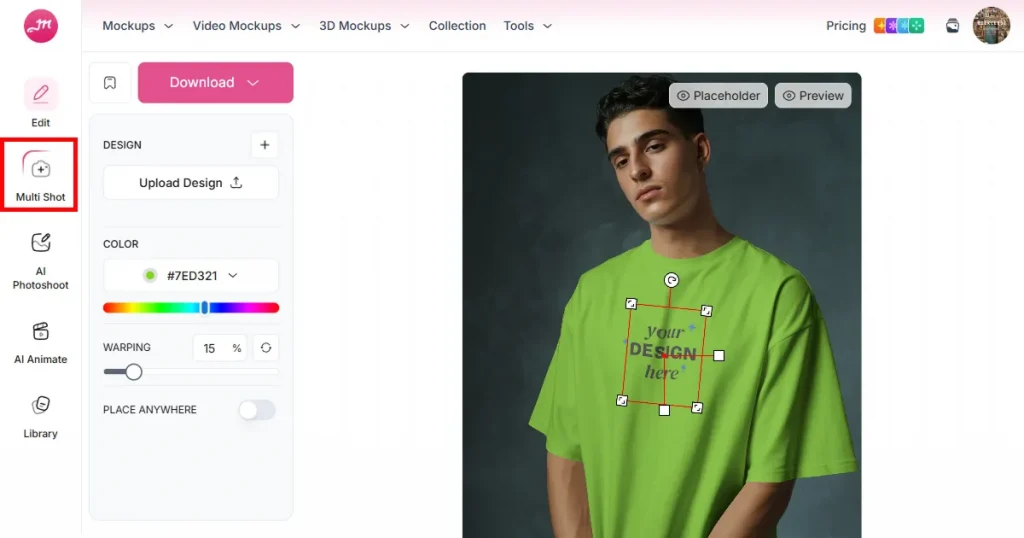
Mockey AI offers basic and AI-powered editing tools. With it, you can change the color of your garments and mockup backgrounds, crop, resize, and reposition your designs.
It also has some AI features, like Multi-shot, which generates multiple views of the same mockup while keeping the model and style consistent. This helps you show your product from multiple angles without having to create each image manually.
What Modor Offers?
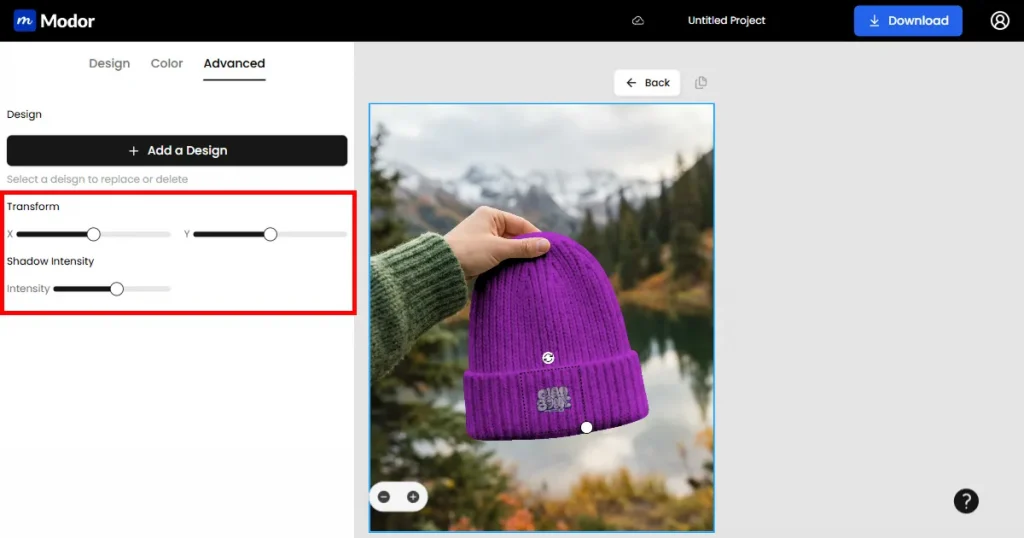
When it comes to Modor, it offers all the basic editing features that Mockey AI does, like repositioning your designs or changing the color of your mockups.
Apart from that, it offers two advanced customization options, such as the shadow intensity tool, which lets you increase the depth and realism of your mockup.
It also offers an advanced transformation tool that lets you adjust the scaling and placement of your mockup by dragging the X and Y coordinates of your design. This helps you blend your design more realistically in the mockup.
What Mockey AI Offers?
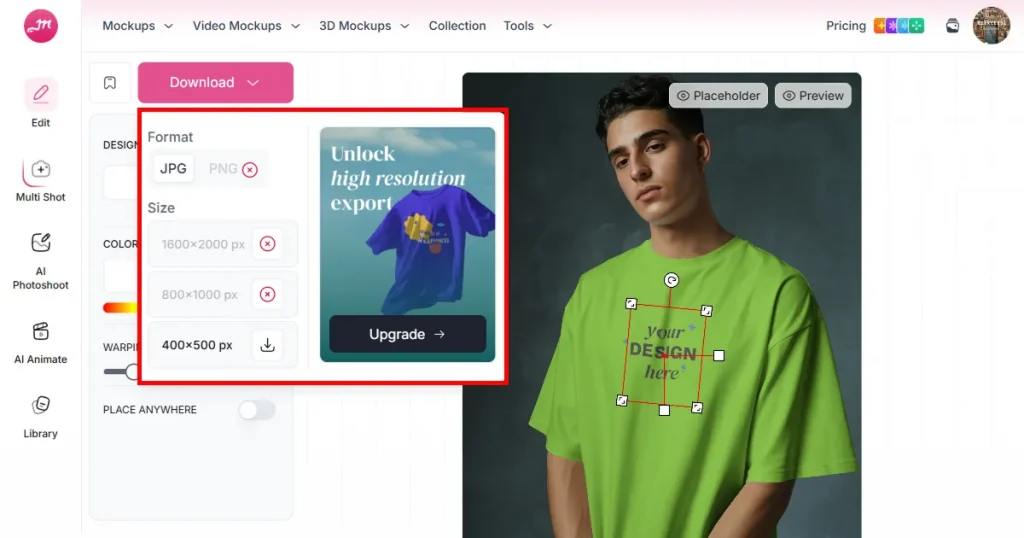
When it comes to Mockey AI, their free plan limits downloads to lower-quality exports. Downloads are limited to 400 × 500 pixels, which is too low for most use cases. It also doesn’t include commercial rights.
In terms of realism, many templates, models, and backgrounds can feel overly artificial. This can affect how customers perceive your product and reduce trust in your listings.
What Modor Offers?
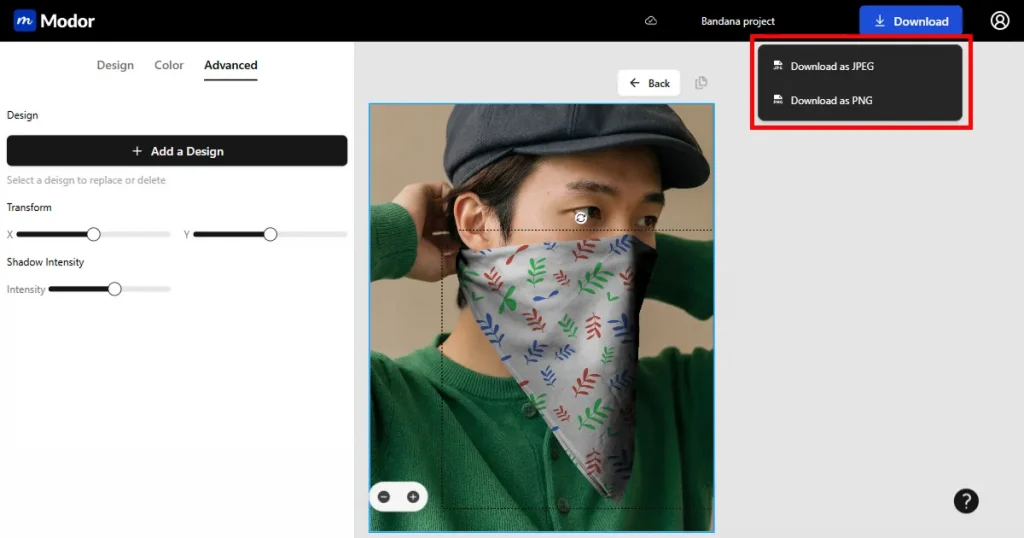
Modor offers the same output for both free and paid users. You can download mockups in full resolution, and they come with a commercial license, so they’re ready for use in your store.
What Mockey AI Offers?
Mockey AI speeds up mockup creation since it runs online and lets you apply your design across multiple templates quickly. However, each template still needs to be edited separately, which can slow things down.
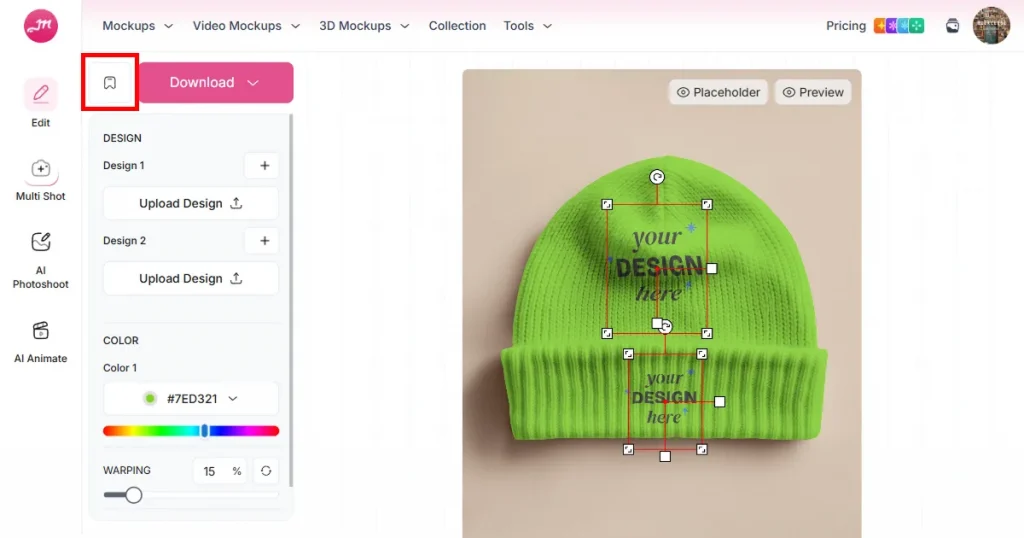
Moreover, your projects are not saved automatically, which means if you forget to bookmark your project, you will have to start from scratch.
What Modor Offers?
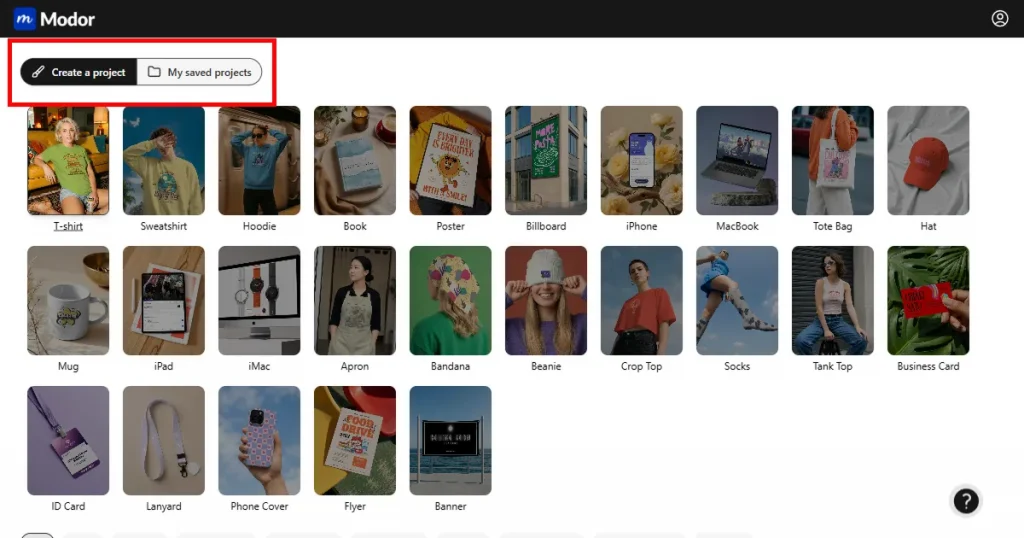
When it comes to Modor, things work differently. With Modor, you can add multiple mockup templates to the same project, eliminating manual editing.
It also saves all your designs to My Saved Projects, where you can access all the projects you have created in Modor.
This streamlines your workflow if your daily schedule involves creating multiple mockups across different categories. You no longer have to create them from scratch. Create one project, add all your mockups inside it, and download it to your system.
In this Mockey AI review, we looked into the features that it offers, the Mockey AI pricing model, and how it compares to the Modor mockup generator. So, it should be clear that, despite both Modor and Mockey AI offering similar features, Modor is a better free mockup generator.
It does not limit export resolution, even if you use only the free templates. It also lets you download their free mockups in the highest quality, watermark-free, and grants a commercial license so you can use them for your store listings.
So, if you want to use Mockey AI, use it only to validate product ideas and get started quickly. But if you want store-ready mockup templates, go for Modor.
Mockey AI is used to create mockup images across categories like apparel, packaging, and devices, which can be used for various use cases, such as uploading them to your Etsy, Amazon, and Shopify stores or using them for Social Media ads.
Yes, Mockey AI offers a free plan. However, it has limitations, including low-resolution downloads (400 × 500 pixels), a limit of 3 downloads per day, and no commercial use rights.
Yes, Mockey AI is a legit tool that you can use to create product mockups. It is used by many e-commerce sellers, print-on-demand sellers, and small business owners.
Mockey AI has 4 different pricing tiers. To get started, you need to pay $9.90/month, but you don’t get to use AI features or video mockups. So, the only way to actually use them is to get their Creator model priced at $19/month.
If you use Product Hunt, Trustpilot, or Reddit to find Mockey AI reviews, then they are very reliable, as these websites only allow real human reviews.
Modor is the best free mockup generator because it doesn’t require you to purchase a premium plan. Their free templates can be used for commercial purposes, they can be downloaded at the highest possible quality and are watermark-free.
Mockey AI free plan limits you from downloading your mockups at the highest possible quality, imposes a daily download cap of only 3, and doesn’t allow you to use its free templates for commercial purposes.
Mockey AI pricing is a bit confusing when compared to Modor because they offer 4 different pricing models. While Modor has clear pricing, where you pay only $10/month to use all their premium templates and features.