

30+ Best iPhone Mockup Templates Worth Trying
Looking for the right iPhone mockup template to fit your brand? Checkout our list of the best iPhone mockup templates worth trying.
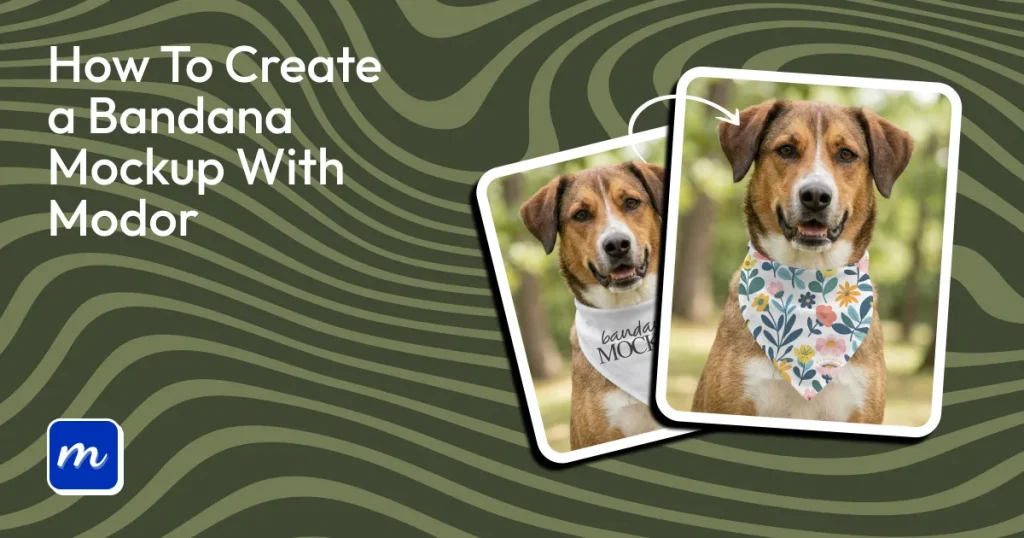
If you’re wondering how to create a bandana mockup, you need to sign up for a free bandana mockup generator like Modor, select a mockup template, place your design, and export it.
The biggest challenge in creating a bandana mockup isn’t the process, it’s making it look realistic. Most mockups miss small details like fabric folds, stitching, and lighting. As a result, even good designs can look flat and less appealing to buyers.
The right approach helps you create mockups that feel natural and more convincing. Modor makes this easier by letting you start with ready-made templates, add your design, and adjust details like color, placement, and shadows in just a few steps.
In this guide, you will find a comprehensive step-by-step tutorial on how to create a bandana mockup with Modor, along with best practices and design trends to help enhance your sales performance.
A bandana mockup is a digital preview that shows how your design will look on a bandana before it’s printed. Instead of creating a physical sample, you place your design on a realistic template that includes fabric texture, folds, and lighting. This helps you see how the final product will appear in real life.
There are multiple use cases for Bandana mockups. First, it can be used for ecommerce listings, social media ads, and product reviews before you start printing.
This removes the need to hire models or run a photoshoot. It also lets you test multiple designs quickly without physical inventory, making it easy to try different colors, patterns, and placements.
Before learning how to create a bandana mockup, let’s learn the different kinds of bandanas that exist.
Cotton
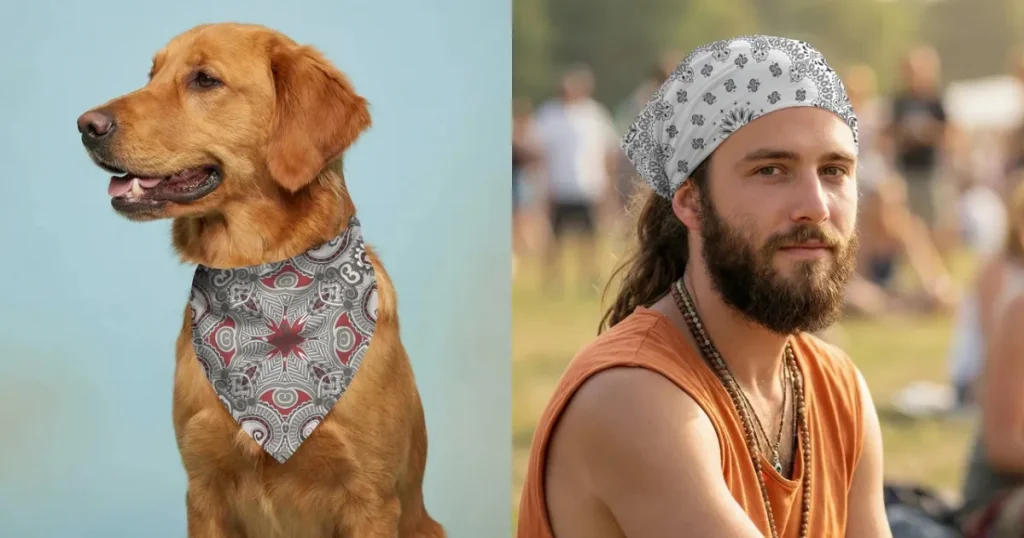
Cotton is the most commonly used bandana fabric due to its breathability, softness, and high absorbency. It is also easy to print on, making it ideal for print-on-demand sellers who create pet bandana mockups with vibrant designs.
Linen
Linen is also highly breathable and moisture-wicking, making it ideal for hot climates. It also has some naturally antibacterial and odor-resistant properties, making it suitable for sweat-intensive activities.
Bamboo
Bamboo fabric is another extremely popular choice for a bandana. They are extremely soft, breathable, and naturally moisture-wicking fabric. They are preferred over cotton because they can absorb more moisture while still remaining cooler on the skin.
Bamboo fabric also offers antibacterial properties and UV protection, balancing style with protection.
Silk
Silk bandanas are known for their smooth texture, lightness, natural shine, and premium feel. They have excellent drape and temperature regulation, making them ideal for fashion-focused bandanas on Etsy.
However, they are less absorbent and less durable under heavy use compared to cotton. So, it’s best suited for luxury dog bandana mockups and high-end product positioning.
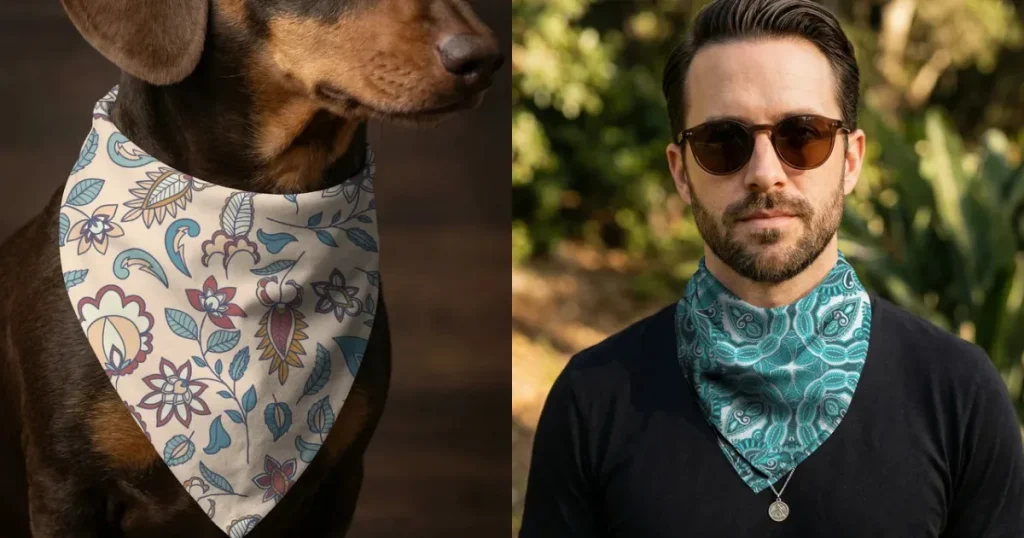
Dust Mask
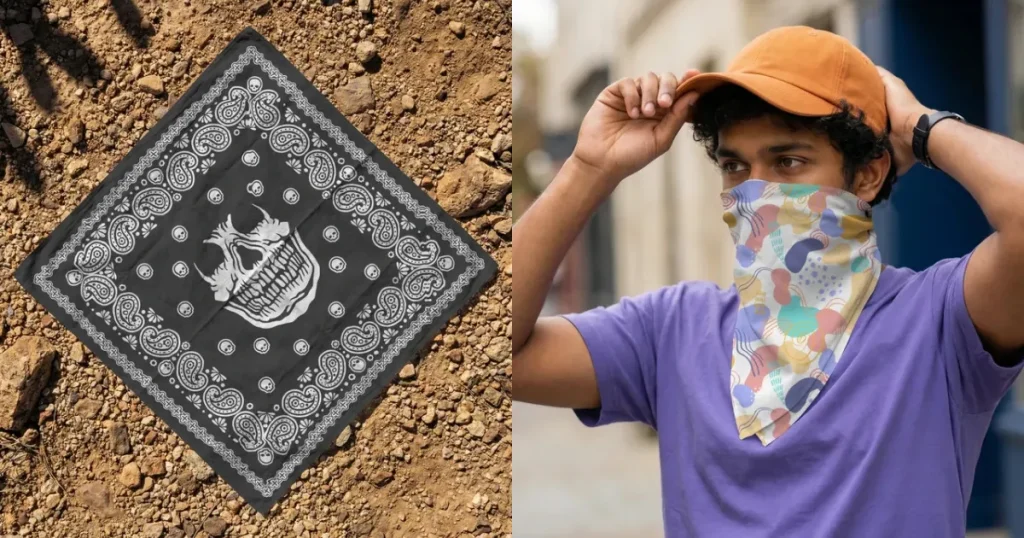
Using bandanas as dust masks was very common during the Old West. Bandanas were used as a dust mask by tying them across the nose and mouth. This made them famous among cowboys and workers who were mostly involved in physical labor in dusty areas.
Sweatband
Bandanas can also be used as sweatbands by wearing them across the head. This prevents sweat from entering the eyes. And keeps you cool during workouts. It also helps keep your hair out of your face while hiking, biking, or gardening.
First Aid
This is not a strong use case, but Bandanas can be very useful in emergency situations. They can be used as a bandage, sling, or tourniquet in case of an accident, and because of their absorbent material, can also be used to clean wounds.
Pet Accesory
Recently, bandanas have become a very popular and safe pet accessory among pet owners. This not only makes their pets look stylish but also makes it easier to find them if they are lost.
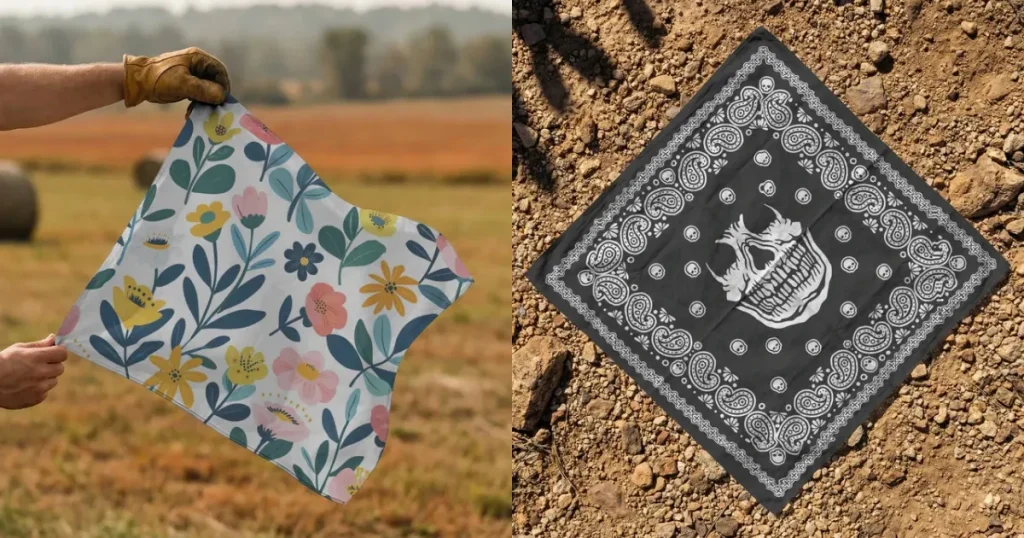
Bandanas made from the same fabric can vary significantly in quality based on edge construction. Here are a few ways to find high-quality bandanas.
Let’s look at the complete process of how to create a bandana mockup with Modor.
Step 1: Create an Account and Log in to Modor
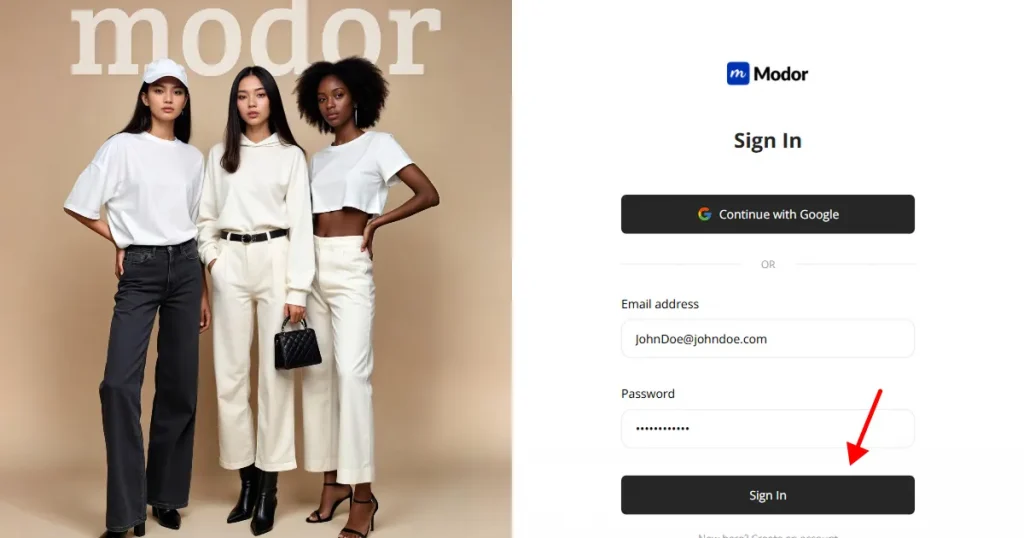
Create an account and log in to Modor using your login credentials, or log in directly with your Gmail account.
Step 2: Select the Bandana category
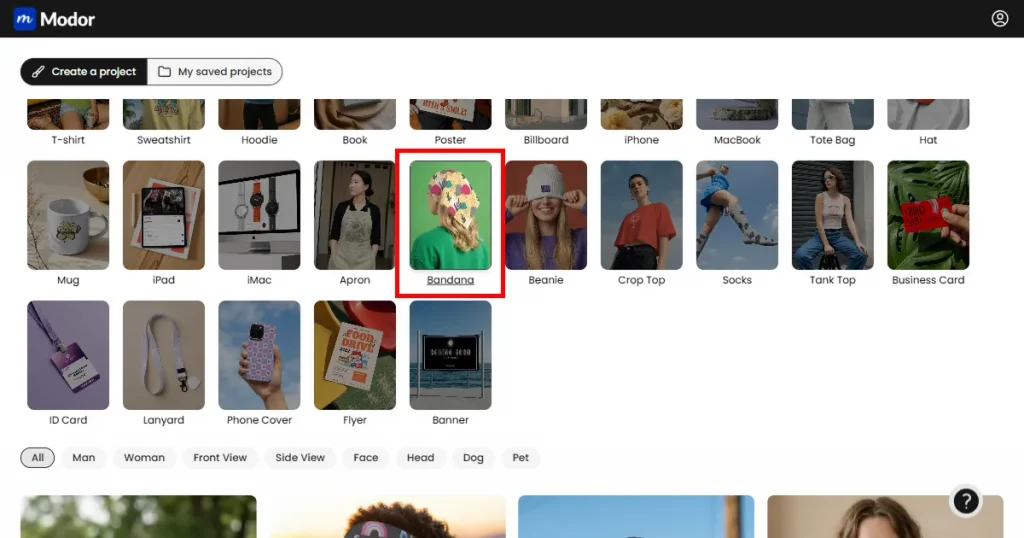
Select the bandana category to find the bandana mockup template that fits your style and needs. You can also filter the templates by gender, pets, and front view or side view.
Step 3: Click on Use This Mockup
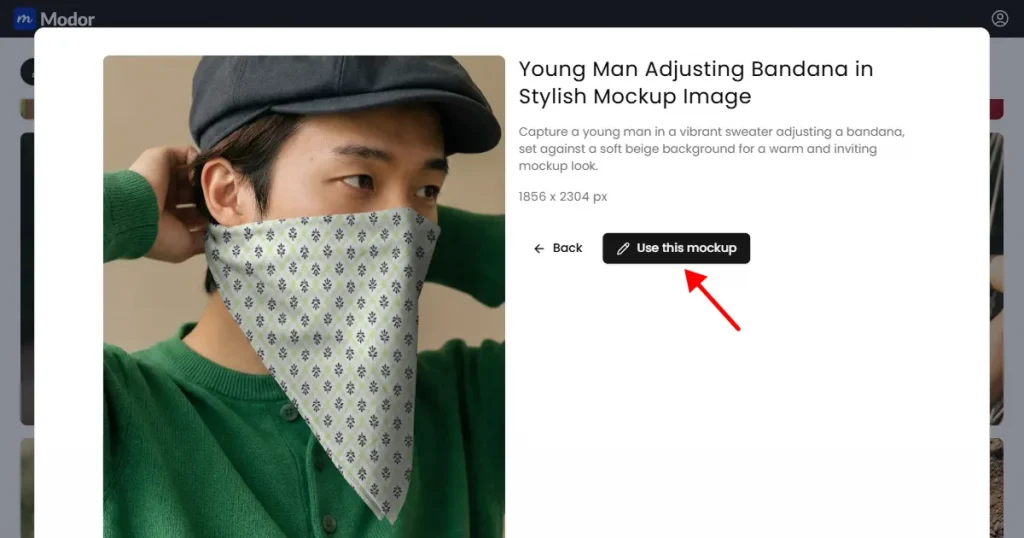
Once you have found a template that aligns with your brand. Click on Use this mockup to enter a project where you can start creating the mockups.
Step 4: Upload Your Design
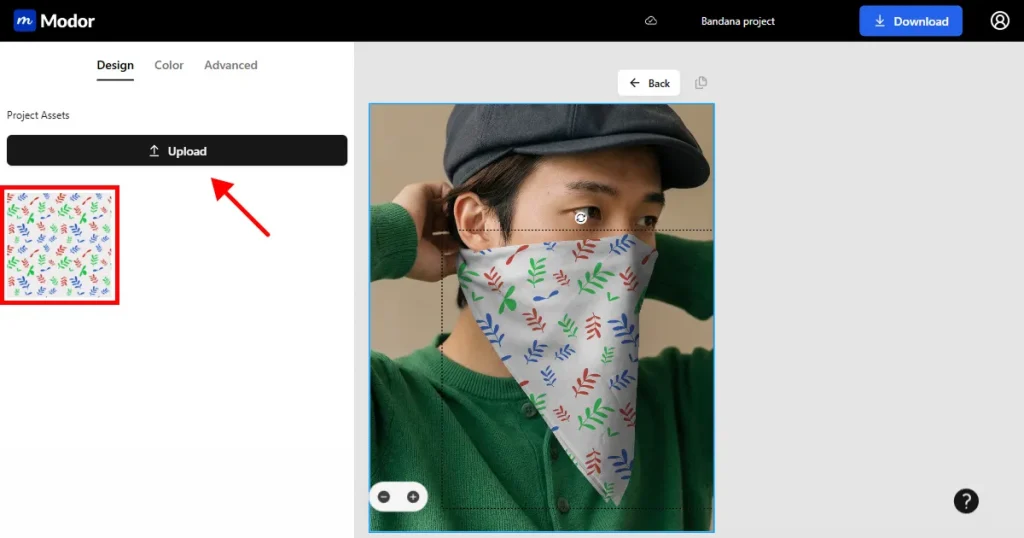
Once you are inside the project. Upload your design, and Modor’s AI-powered editor will automatically place it in the correct perspective, scale, and lighting.
Step 5: Use Advanced Customization
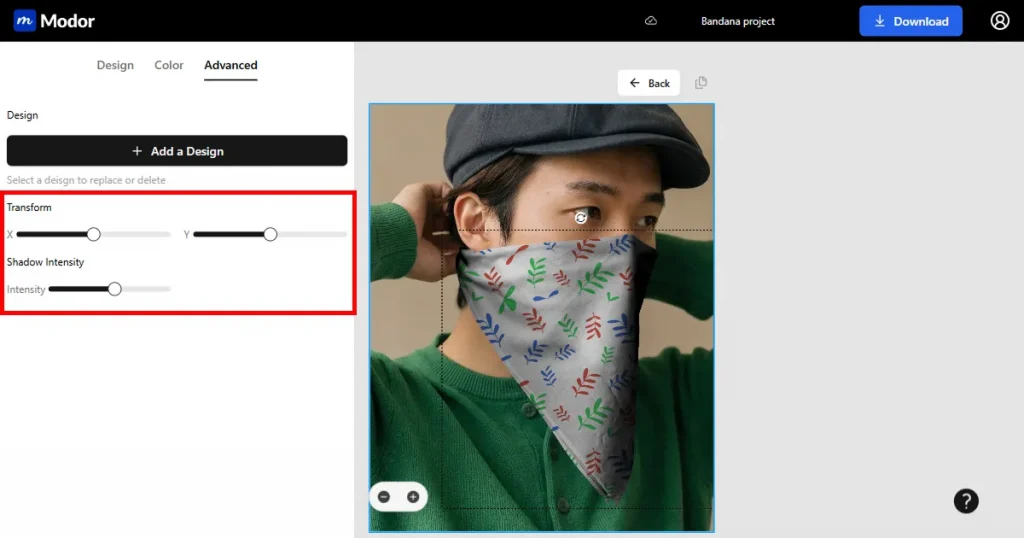
You can also adjust the design’s placement using the position sliders and change the mockup’s depth using the shadow intensity tool.
Step 6: Export
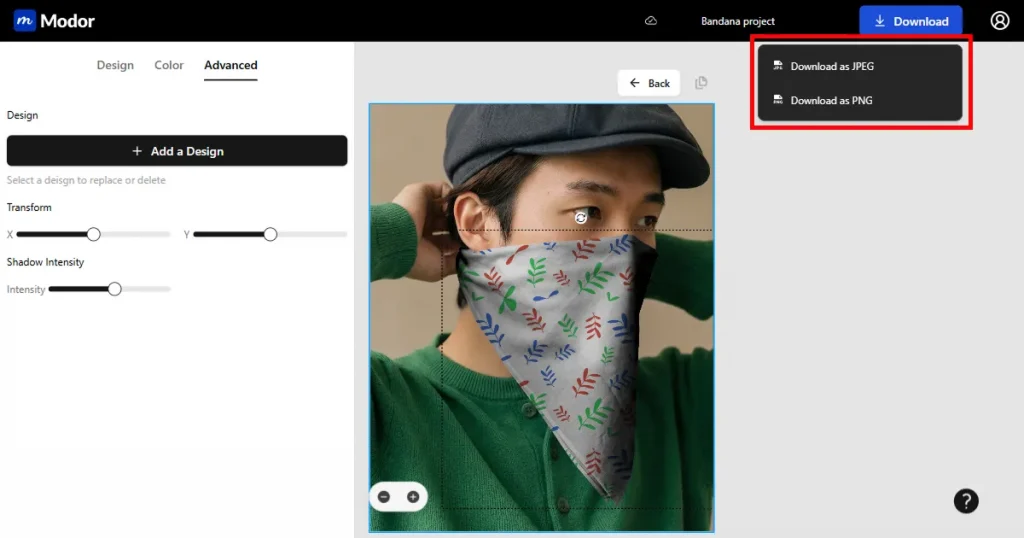
Once your mockups are ready, you can download them in 2 formats, JPG or PNG. Choose whatever works best for you. The mockups will be downloaded as a ZIP file, you can extract it and use it for your product listings.
Now that you know how to create a bandana mockup in Modor, here are a few design styles that pair well with bandanas.
1. Tie-dye Bandana
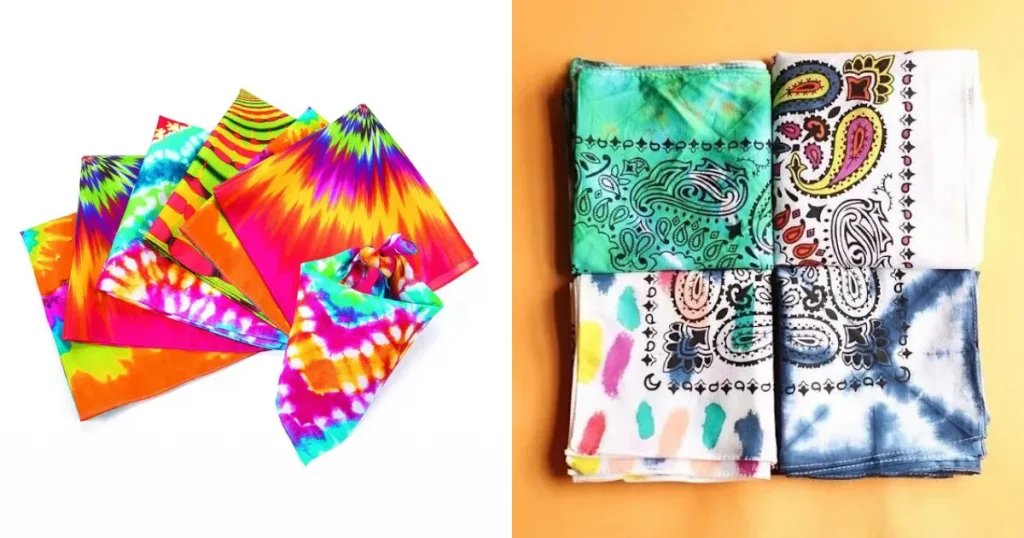
Tie-dye is a traditional fabric decoration technique using a resist-dyeing process. In this method, parts of the fabric are tied or folded to prevent dye from reaching those areas, creating unique, colorful, one-of-a-kind patterns by hand.
This is highly sought after for its artistic appeal and is sold by small business owners. Since this is a DIY craft, people can charge premium prices for it.
2. Pet Bandana Mockups
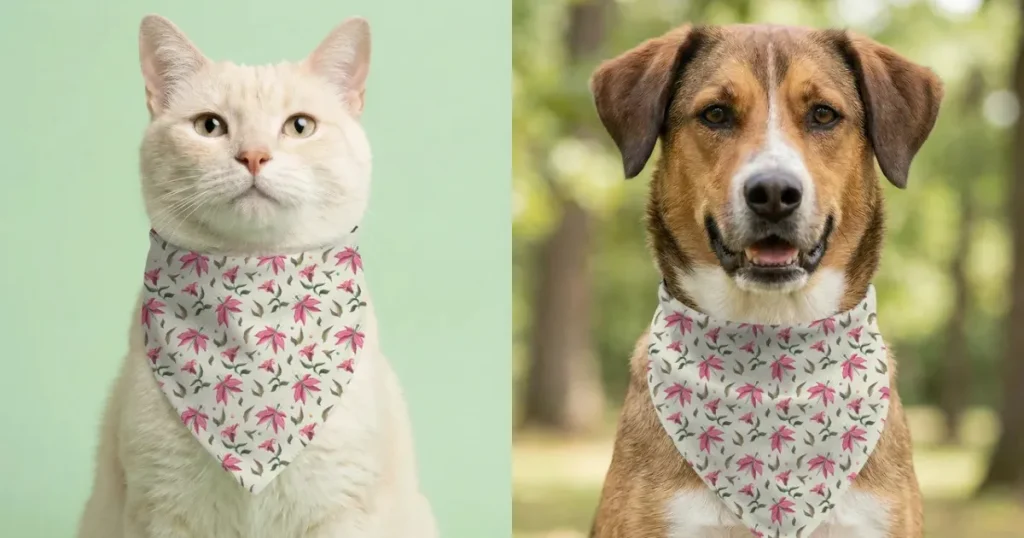
Pet bandana mockups are blowing up right now. So, if you are a POD seller, focus on creating cute, minimal, and readable designs. Use bright colors and playful illustrations. And ensure designs are visible even when folded.
3. Classic Paisley and Boho
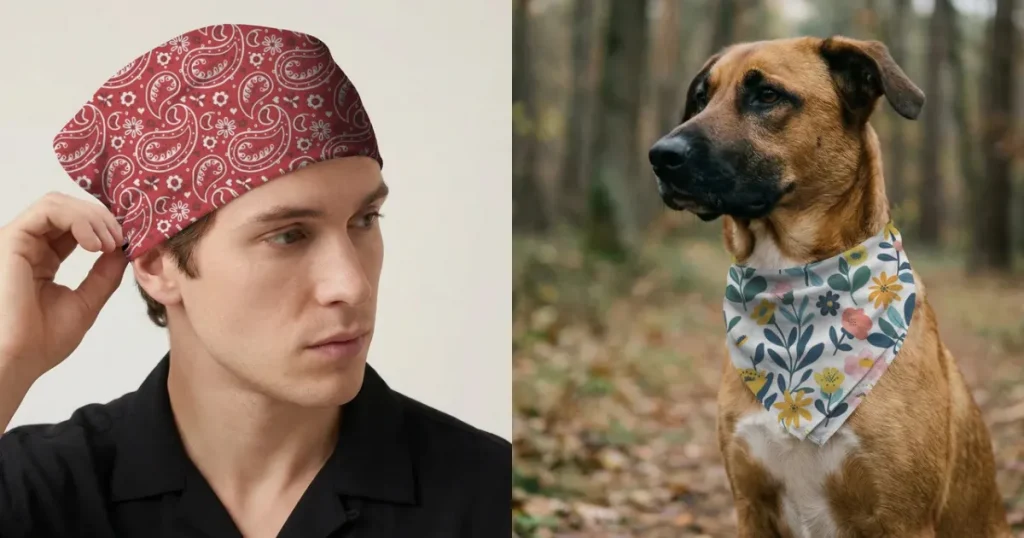
Bandanas are known for vibrant colors and bold designs, with paisley being the most iconic pattern. Paisley features a curved, teardrop-shaped motif with centuries-old cultural roots.
It gained popularity in the mid-to-late 20th century through counterculture movements. It is still widely popular today for its vintage appeal and strong fashion identity.
4. Solid Color Bandana
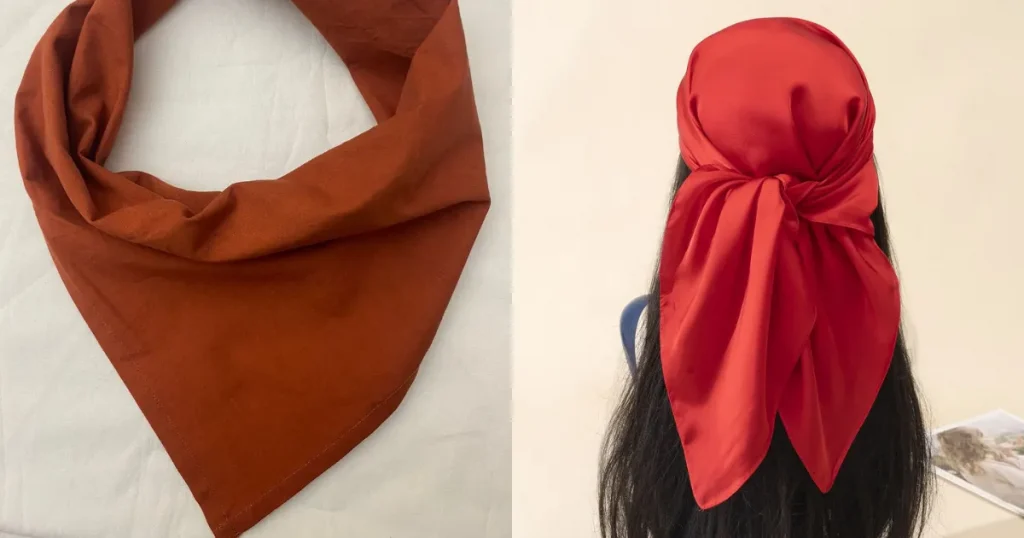
Solid-color bandanas never go out of style. They offer a clean, minimal look, making them a safe choice for formal outfits or beginners. Even without patterns, the color plays a key role in enhancing the overall outfit.
Matching the bandana to the same color family creates a balanced, elegant appearance. Using contrasting colors creates a bold, eye-catching effect.
Creating a bandana mockup is not just about placing a design on a template. What matters is how real it looks.
Small details like fabric folds, texture, and lighting can change how your product is perceived. When done right, your mockups feel more natural and help customers trust what they see.
Modor simplifies this process by providing ready-made templates and the ability to fine-tune details such as placement and shadows. This makes it easier to create clean, realistic mockups without spending too much time.
Also, keep in mind the points we discussed on how to spot high-quality bandanas and the trending designs in the market, as they are crucial for improving your store’s sales. Focus on clarity, test different variations, and keep improving your visuals. Better mockups lead to better product perception and stronger results.
You can create a bandana mockup by using Modor. Simply choose a template, upload your design to Modor, adjust placement and shadows, and export a high-quality preview for your store.
Yes, you can make your own bandanas with the help of Modor. All you need to do is create a bandana design and upload it to Modor.
You can choose from a wide variety of bandana mockup templates in Modor, based on the folds and textures you are looking for. Once you find a template, you just upload the design, customize it as you want, and download it for use.
You can use Modor to create a mockup of a pet bandana. Choose the right template from Modor, then upload your design. Customize it by changing colors and adding more depth. Then export it.
Most free bandana mockup tools don’t clarify their commercial licensing. So, you need to check them individually. But all bandana mockups created with Modor can be used for ecommerce purposes, with no exceptions, so you can even use the free templates.
A good dog bandana mockup should clearly display the design while using realistic lighting, fabric textures, and a pet pose that helps customers visualize the final product.