Published Aug 11, 2026

Best AI Mockup Generator Tools in 2026

Best AI mockup generator tools

AI mockup generator tools are platforms that use artificial intelligence to automatically apply your designs to product templates, making it easy to create product images.

Some of the best AI mockup generator tools are Modor, Pixelcut, and Recraft AI, as they allow quick placement of designs in mockup templates using artificial intelligence. But the AI mockup market is extremely crowded, making it difficult to make an informed decision.

That’s why we will share some of the best AI mockup generator tools, what we loved about them, their pros and cons, and the features you need to consider before choosing an AI mockup generator tool for your workflow.
Key Insights

  • Selecting a high-quality AI mockup tool is essential for maintaining realistic visuals and protecting customer trust.
  • The best AI mockup generator tools help e-commerce sellers create bulk mockups quickly, making it easier to scale large print-on-demand product catalogs.
  • While tools like Renderforest and Canva Smartmockups are fast to use, their mockup templates often look generic and offer limited customization options.
  • Flair AI works well for product photography and ad creatives, but it lacks the large mockup library that growing ecommerce brands need.
  • Modor stands out as the best AI mockup generator with 10,000+ templates, AI-assisted placement, bulk exports, free PSD mockups, and watermark-free downloads.

What are AI Mockup Generator Tools?

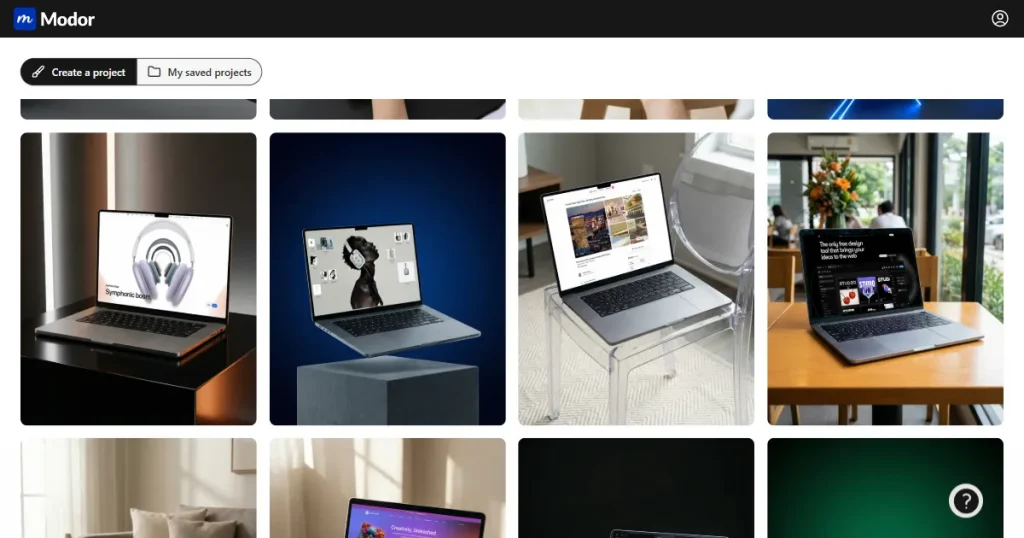
Modor MacBook templates

AI mockup generator tools are design platforms that use artificial intelligence to simplify mockup creation by applying your designs to pre-designed templates. Instead of manually editing, you can generate photorealistic product visuals for apparel, packaging, posters, devices, and more in just a few clicks.

They are the perfect tool for e-commerce store owners and social media creators, as they remove the need to learn complex tools like Photoshop to create professional product mockups.

How We Evaluated and Selected The Best AI Mockup Generator Tools?

To select the best AI mockup generator tool for you, we evaluated all of them on the following criteria.

  • Ease of use: We tested whether the AI mockup generator is easy to use, so even beginners with no design experience can create high-quality mockups.
  • Mockup quality: We evaluated the quality of AI-generated mockups to determine whether they looked realistic or artificial.
  • Customization options: We assessed the level of customization each tool offers, including editing backgrounds, repositioning designs, and adjusting design angles to create distinctive mockups.
  • Template variety: We compared the diversity of each tool’s mockup library, looking for a range of templates, including flat-lay, lifestyle, and on-model mockups.
  • Pricing and value: Finally, we checked whether the AI mockup generator tool offers a free plan, what its subscription costs, and whether its features justify the price.

Features to Consider in the Best AI Mockup Generator Tool

Before we move forward and discuss the best AI mockup generator tools, let’s first discuss the features you can consider in the best AI mockup generator tools.

  • Realistic lighting and textures: Prioritize tools with realistic lighting, textures, and shadows, as they create more lifelike mockups that appeal to customers.
  • Bulk mockup generation: AI mockup generator tools with Bulk mockup creation make it easy to scale by allowing you to place your design into multiple mockups at once.
  • Multiple category support: Look for tools that support multiple categories, as this allows you to pivot to a different category without switching tools.
  • Commercial usage rights: Prioritize tools that clearly state their terms of use. There are free AI mockup generators that don’t allow their mockups to be used for business purposes on the free plan.
  • Regular updates: Choose an AI mockup generator that updates its library frequently with trending mockup templates.

9 Best AI Mockup Generator Tools

Now, let’s have a look at some of the best AI mockup generator tools available in the market.
1. Modor

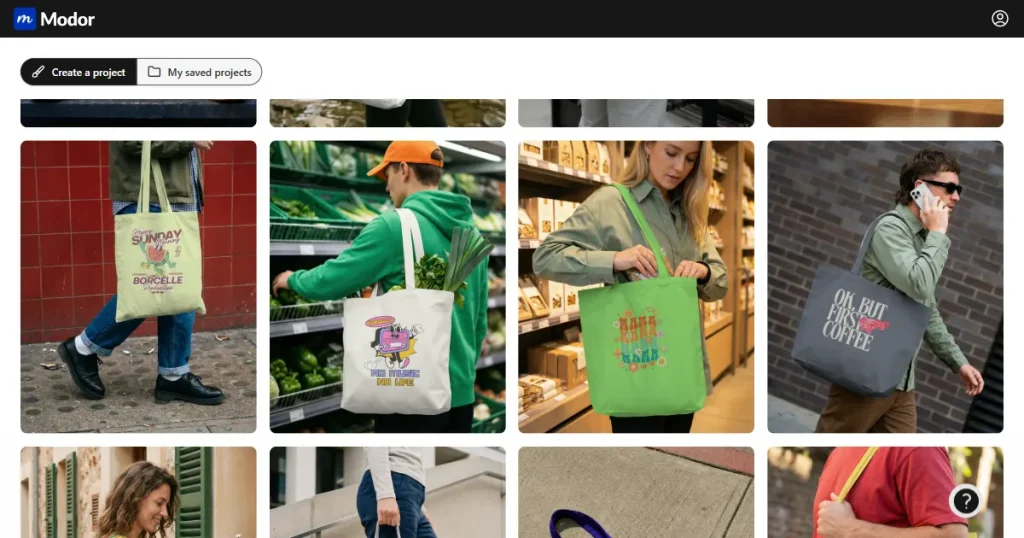
Modor tote bag mockup template page

Modor is an easy-to-use, web-based AI mockup generator tool that offers automated AI-driven placement and bulk export workflows to streamline your product visualization.

What we love

We loved the ease of use, the AI-assisted placement, the advanced editing options, and the ability to download a bunch of free PSD mockups to edit in Photoshop.

Pros

  • 10,000+ mockup templates across 25+ categories.
  • HD exports ranging from 2000px to 3000px. 
  • Allows advanced customization to improve realism.
  • Commercial license included, even with the free templates.
  • Mockup sizes and styles optimized for e-commerce listings.
  • Bulk mockup creation in one project.

Cons

  • Requires an active internet connection.
  • Requires a subscription to use it frequently.

Pricing

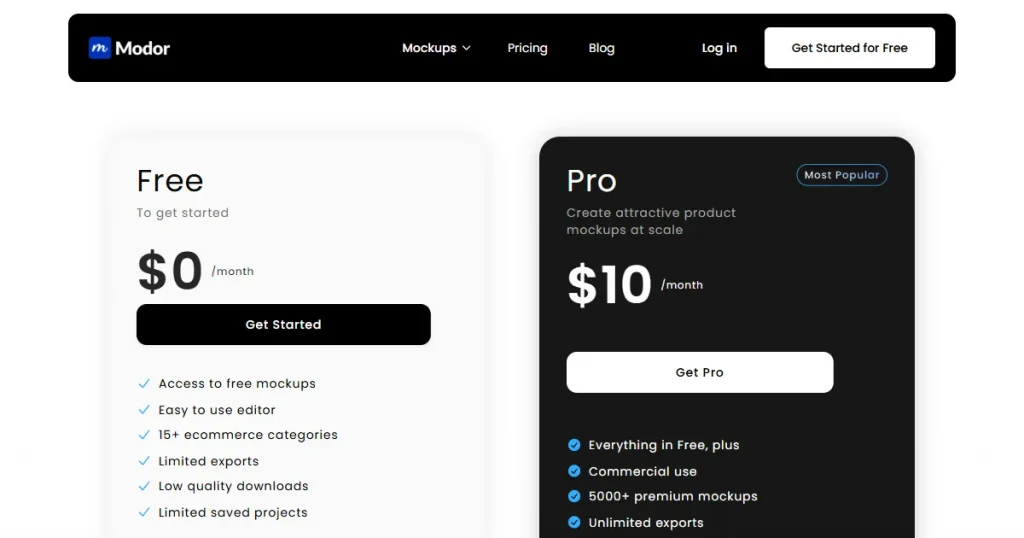
  • $10/month
Modor’s pricing page

2. Canva Smartmockups

Canva iPad mockup template

While Canva is not a dedicated mockup generator, it offers many mockup templates across various categories via the Smartmockups integration. That said, these mockups are best utilized as supporting elements within comprehensive design projects, such as a pitch deck, social media post, or marketing asset.

What we loved

The best part is that you can take the mockups directly into Canva AI Magic Studio, where you can use AI features like AI expand and AI erase to create unique, high-converting mockups.

Pros

  • All-in-one design platform with multiple design tools.
  • A useful free plan with unlimited high-quality downloads.
  • Quick mockup creation.

Cons

  • Generic mockup templates.
  • Can’t reposition designs outside template zones.
  • A lot of categories are missing.
  • Most of the good-looking templates are locked behind paywalls.

Pricing

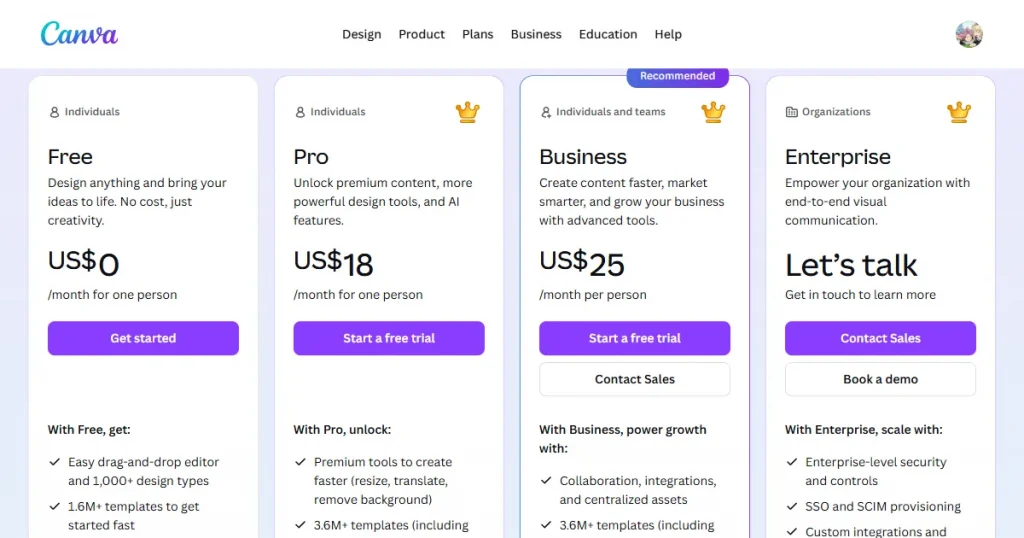
  • $18/month
Canva pricing page

3. Recraft AI

Recraft AI Hat mockup generator

Recraft AI is an all-in-one AI design platform that helps users generate images, vectors, and realistic product mockups and offers advanced editing tools, making it ideal for designers and print-on-demand sellers.

What we love

Recraft AI integrates mockup creation with versatile AI image generation, streamlining your end-to-end design workflow.

Pros

  • Creates highly realistic product mockups automatically.
  • Can generate custom mockups from prompts instead of fixed templates.
  • Strong print-ready export support for e-commerce and POD sellers.
  • Allows editing and repositioning designs directly on mockups.

Cons

  • More focused on AI generation rather than large template libraries.
  • Advanced mockup generation requires paid credits.
  • Beginners may need time to learn the prompt-based workflow.

Pricing

  • $12/month
Recraft AI pricing page

4. Pacdora

Pacdora Sweatshirt mockup editor

Pacdora is an all-in-one, browser-based packaging design platform. It eliminates the need for heavy 3D software by allowing users to generate dielines, customize 3D mockups, and create AI-driven visual assets directly in their web browser. Pacdora is not a dedicated mockup generator and is best suited for packaging.

What we love

We loved the ability to create high-quality 3D mockups that can be viewed from any angle, and the advanced customization options that let us edit them without learning professional tools like Blender.

Pros

  • Complete 3D mockup creator with multiple mockup templates and categories to choose from.
  • AI product design makes it easier to create product mockups with just one prompt.
  • An AI background generator to create a realistic background for your products.

Cons

  • The tool has a steep learning curve, making it not a great option for beginners.
  • Also, the tool’s pricing is quite expensive compared to other options.
  • Its credit-based pricing system makes it difficult to create multiple mockups on the starter plan.
  • It also lacks lifestyle and model mockups, focusing only on flat-lay mockups.

Pricing

  • $34/month
Pacdora pricing page

5. Dynamic Mockups

Dynamic Mockups Mockanything AI

Dynamic Mockups is a browser-based mockup generator that helps e-commerce sellers create realistic product and lifestyle mockups with AI prompts, customizable templates, and bulk automation.

What we love

The best part about Dynamic Mockups is Mockanything AI, which creates product mockups from just one prompt, lets you make additional changes, and downloads them in 2K quality.

Pros

  • Creates realistic lifestyle mockups quickly.
  • Bulk editing saves time for large product catalogs.
  • Works well with Shopify, Etsy, and eCommerce workflows.

Cons

  • Limited advanced editing compared to full design tools.
  • Some templates and automation features require higher-tier plans.
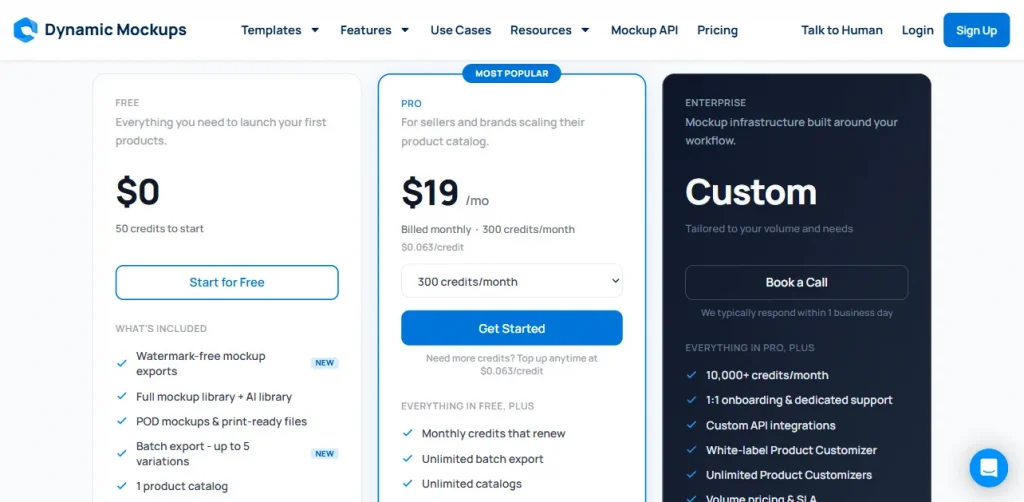
  • Only 3 mockup generations on the free plan.

Pricing

  • $19/month

6. Pixelcut

Pixelcut mockup categories page

Pixelcut is an AI-powered design platform primarily for professional photographers and designers, but it also offers a dedicated Product Studio for creating high-quality product mockups. It combines AI background generation, image editing, and product visualization tools to help users create studio-quality product images without advanced design skills.

What we love

Apart from AI image generation capabilities from multiple models like Nana Banana Pro, ChatGPT Image 2, and more, Pixelcut also offers a dedicated Product Studio with a bunch of templates that let you create product mockups by simply uploading your images.

Pros

  • AI background remover and background generator help create clean product images instantly.
  • Dedicated product studio for product mockup creation.
  • Simple and beginner-friendly interface that requires no design experience.
  • Includes additional AI editing tools like image upscaling, retouching, and object cleanup.

Cons

  • The platform focuses more on product photography than advanced mockup customization.
  • Limited mockup template variety compared to dedicated mockup generator tools.
  • Advanced AI features are locked behind paid subscription plans.
  • Not ideal for users looking for complex apparel or packaging mockup generation.

Pricing

  • $10/month
Pixelcut pricing page

7. Renderforest

Renderforest mockup editor tool

Renderforest offers an online mockup creation platform where users can upload designs, apply them to professionally designed product scenes, and generate polished visuals without advanced editing software.

What we loved

The best part about Renderforest is that it offers templates in bundles, which let you create consistent branding with multiple mockups of the same model across different poses.

Pros

  • Covers a wide range of product categories.
  • Fast setup with minimal design effort.
  • Good option for creating marketing-ready product visuals.

Cons

  • Template customization options can feel restrictive.
  • Better mockups are locked behind paid tiers.
  • Not ideal for highly custom product presentations.

Pricing

  • $9/month
Renderforest pricing page

8. Picsart

Picsart product mockup templates

Picsart is an AI-powered design platform with 150+ AI models that lets users create high-quality images, videos, comic strips, and more in just a few clicks. Although it is not a dedicated AI mockup generator, it can still be used to create high-quality product images.

What we loved

We were impressed by the platform’s prompt-to-image generation capabilities, which allow users to visualize products in specific scenarios without requiring professional design skills.

Pros

  • Easy-to-use interface for beginners.
  • The AI background remover is useful for removing and adding new backgrounds.
  • Includes multiple AI image editing tools for a smoother workflow.

Cons

  • Limited advanced mockup customization.
  • Better for editing than dedicated mockups.
  • Some premium tools require paid plans.
  • Can feel cluttered for first-time users.

Pricing

  • $15/month
Picsart pricing page

9. Flair AI

Flair AI product mockup tools

Flair AI is an AI-powered platform for product photography and mockup generation, designed primarily for e-commerce brands and marketers. It helps users create realistic on-model mockups, AI ads, product videos, and images without needing traditional product photography setups.

What we love

What makes Flair AI stand out from other tools is its focus on the needs of print-on-demand sellers. It has only a handful of AI features, but all of them are dedicated to product visualization, making it ideal for POD sellers to create product mockups, videos, and ads in a single platform.

Pros

  • Strong AI product photography features.
  • Realistic background generation tools.
  • Easy drag-and-drop scene editor.
  • Great for ecommerce product images.

Cons

  • Limited mockup templates available.
  • Not ideal for bulk mockup creation.
  • Advanced features require paid plans.

Pricing

  • $10/month
Flair AI pricing page

Why Modor Stands Out as the Best Mockup Generator Tool in 2026?

Modor PSD mockups page

While many generic AI mockup generator tools often struggle to provide the level of customization needed to help your product stand out, Modor overcomes these common limitations by providing high-quality mockup templates, making it one of the best AI mockup generator tools for creating realistic and unique product visuals.

Let’s look at a few features of the tool.

  • Easy to use: Modor comes with a drag-and-drop editor that lets anyone create high-quality product mockups without design experience.
  • AI-assisted placement: Modor’s AI automatically positions your design with the correct perspective, lighting, and shadows.
  • Largest template library: Modor has one of the largest template libraries among mockup tools, with over 10,000 templates and more added regularly.
  • Advanced customization features: With Modor, you can change the color of the mockups, realistically wrap your designs around the product, and enhance their shadows to make them look more lifelike.
  • Wide category coverage: Modor covers nearly 25 product categories, including apparel, devices, print, packaging, and advertising mockups.
  • Bulk mockup creation: You don’t need to create them one by one. You can add all your mockups to a single project, edit them as needed, and export them.
  • Constant updates: Modor is consistently adding new mockup categories and templates across its library, so there’s something for every kind of POD seller.
  • High-quality downloads: With Modor, you can download mockups in the highest possible quality, even with their free templates.
  • Commercial license: Every mockup you create inside Modor can be used for business purposes.
  • Automatically saves projects: Modor automatically saves all the projects that you create inside it, so you can access them anytime you want and make further edits.
  • Free PSD mockup templates: For designers looking for more customization options, Modor also provides free PSD mockup templates that you can edit in Photoshop.

FAQs

What is the best AI mockup generator free?

Modor is one of the best free AI mockup generator tools because it offers free PSD mockups, AI-assisted placement, and commercial usage rights.

How to use AI to generate mockups?

You can generate AI mockups by uploading your design, selecting a product template, and letting the tool automatically place it with realistic effects.

Which is the best AI mockup generator tool for product design?

Modor is one of the best AI mockup generator tools for product design due to its large template library and advanced customization options.

Can an AI mockup generator create realistic product previews?

Yes, AI mockup generators can create realistic product previews by automatically adjusting perspective, lighting, shadows, and design placement.

Are free AI mockup generator tools good enough for ecommerce stores?

Free AI mockup generator tools are useful for testing, but paid plans are usually better for watermark-free and high-quality ecommerce visuals.

What makes the best AI mockup generator different from traditional mockup tools?

The best AI mockup generator automates design placement and product visualization, making mockup creation faster than traditional manual tools like Photoshop.

Related Posts

Scroll to Top