


31 Best T-Shirt Mockup Ideas for Apparel Brands
Discover 30+ professional t-shirt mockup templates for ecommerce, POD, and branding. Learn how realistic mockups boost conversions and save photoshoot costs
Published Dec 5, 2025
Learn how to create realistic sweatshirt mockups using Modor and showcase your designs with studio-quality visuals that boost trust, clarity, and sales.
10 min
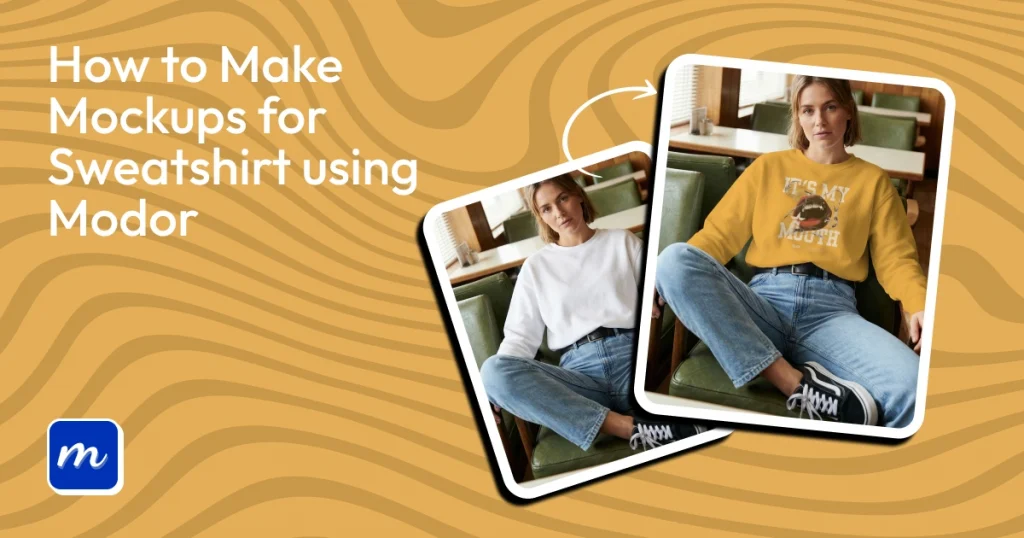
A sweatshirt mockup is a realistic digital preview that shows how your design will look on an actual sweatshirt, including its fabric, folds, stitching, and natural shape. Getting sweatshirt mockups right is difficult because stretched graphics, unnatural shadows, poor placement, or flat fabric textures can make a design look unprofessional.
Modor simplifies the process with realistic sweatshirt mockup templates, AI assistance, and a beginner-friendly editor that lets you create polished visuals without advanced design skills.
From choosing the right mockup tool to refining the final visual and keeping up with the sweatshirt styles shaping 2026, this guide covers everything you need to know to create sweatshirt mockups.
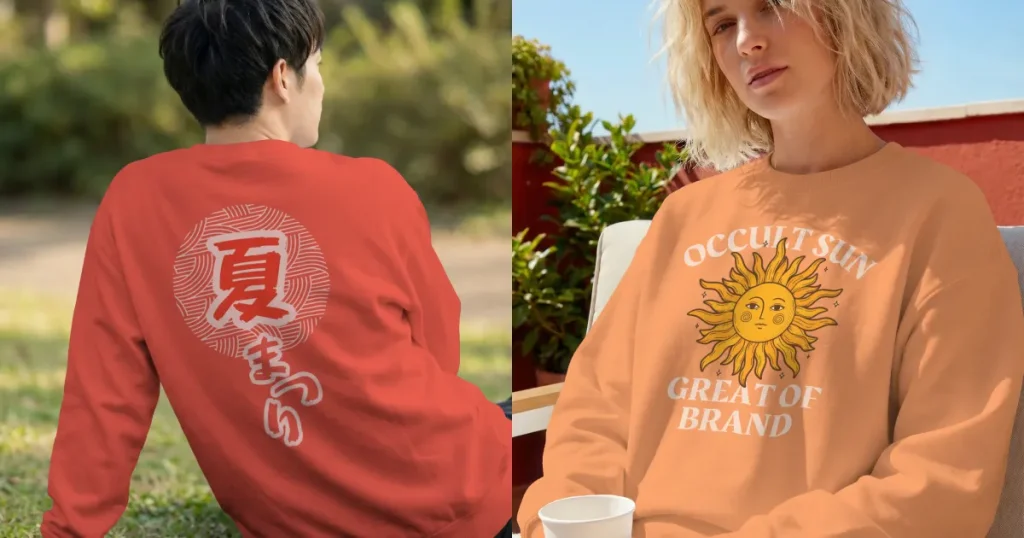
Sweatshirt mockups are digital visuals that show how your design appears on a realistic sweatshirt without needing a physical sample. These visuals show color depth, natural folds, stitching, and overall design placement so each sweatshirt design feels real before production. A hooded sweatshirt mockup can also help you show how the design fits around hoods and pockets.
Follow the steps below to understand why mockups are essential and how they help both beginners and experienced sellers communicate quality.
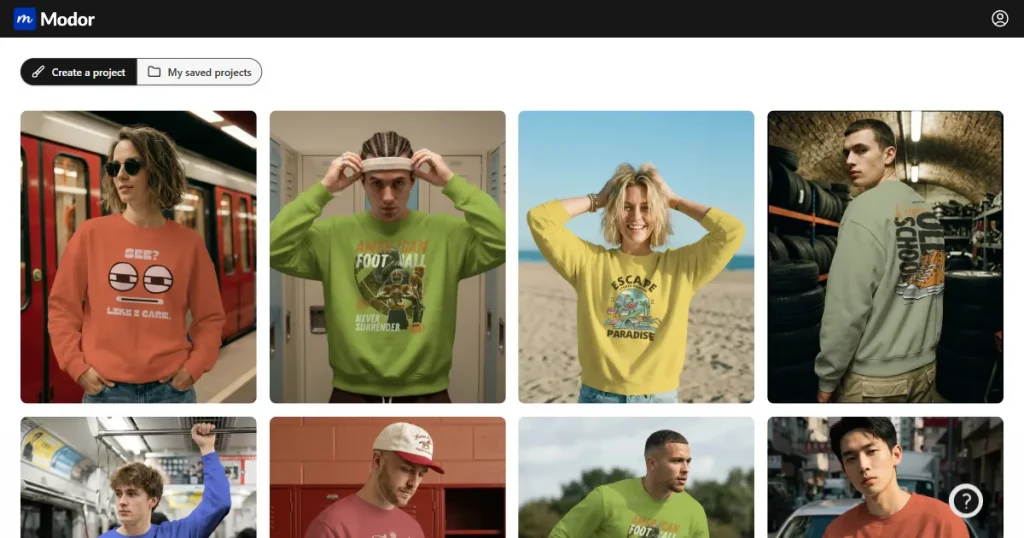
Modor sweatshirt mockup generator focuses entirely on hyper-realistic quality. The templates use natural lighting, accurate fabric, and inclusive models to help creators generate consistent mockups for e-commerce and marketing. Modor also offers smooth cloud saving and detailed controls tailored for every sweatshirt design. It also supports hooded sweatshirt mockup variations for different style options.
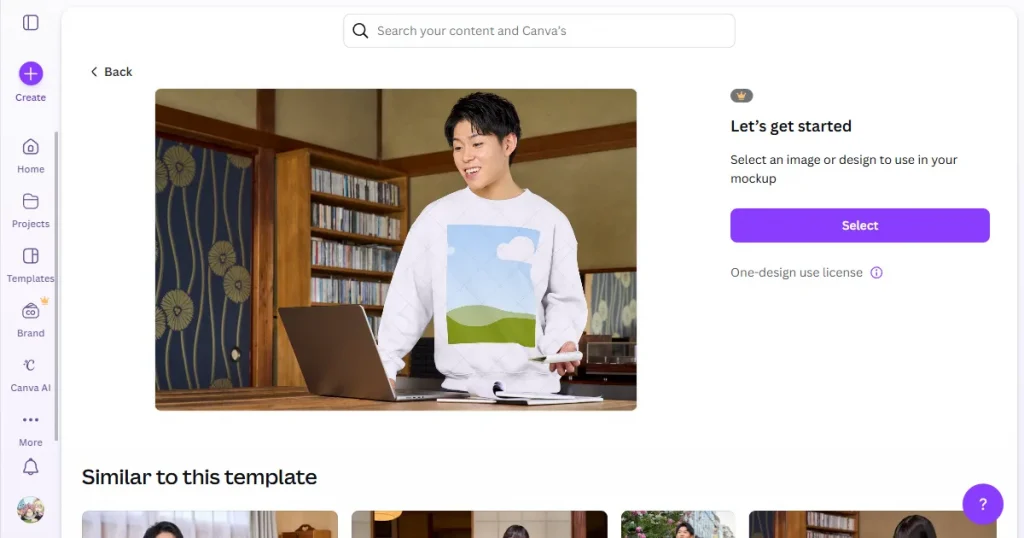
Canva works well for quick aesthetic scenes, but the quality is lacking. Sweatshirt mockups sometimes feel flat due to basic shadows and fewer fabric details, making them less useful for professional product listings. However, it can still work as a sweatshirt mockup free option for beginners.
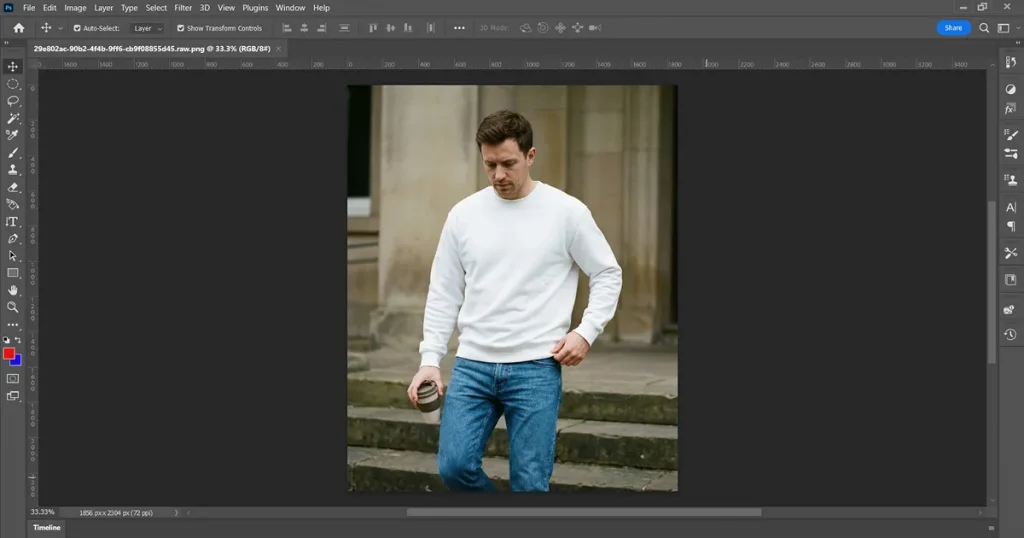
Photoshop offers complete creative freedom and advanced layer control, but demands experience and time. Many users find the setup slow when creating simple sweatshirt mockups.
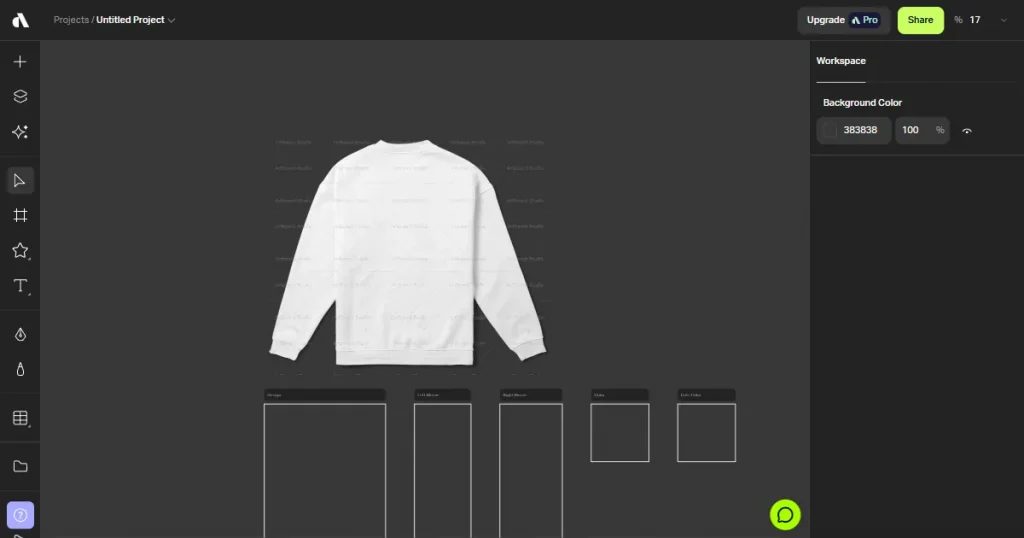
Artboard Studio produces striking lifestyle visuals with cinematic lighting, but requires stronger hardware. Some scenes feel heavily stylized, which can shift focus away from the sweatshirt design itself. Still, it can create the best mockup sweatshirt for high-end presentations.
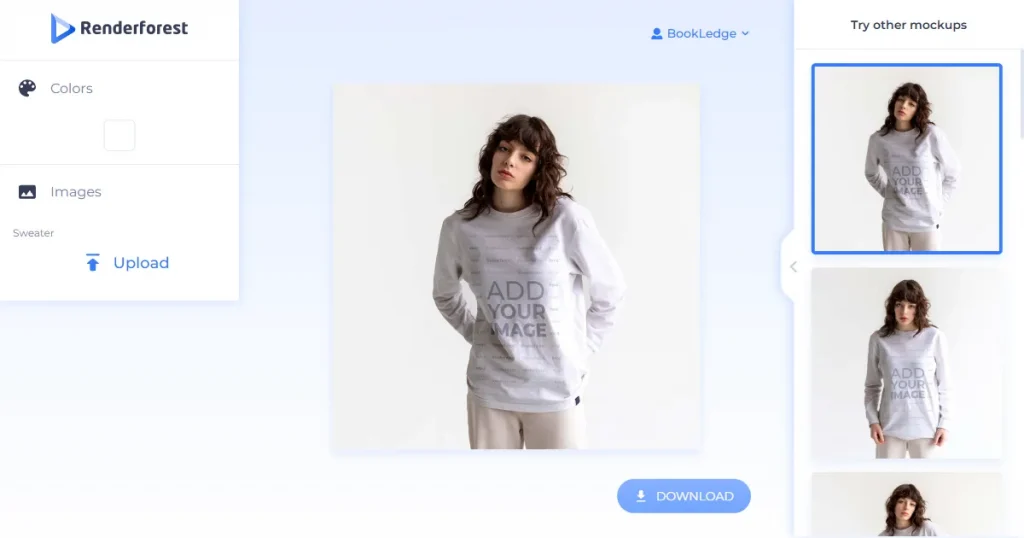
Renderforest offers simple mockups, but templates are limited. Sweatshirt mockups may not accurately reflect detailed fabric curves, reducing realism and consistency for brand-focused creators. It can be used as a free alternative when a sweatshirt mockup free tool is needed.
Step 1: Visit Modor and choose your preferred sign-up method. Email works fine, but signing up with Google makes it easier to sync your designs across devices.
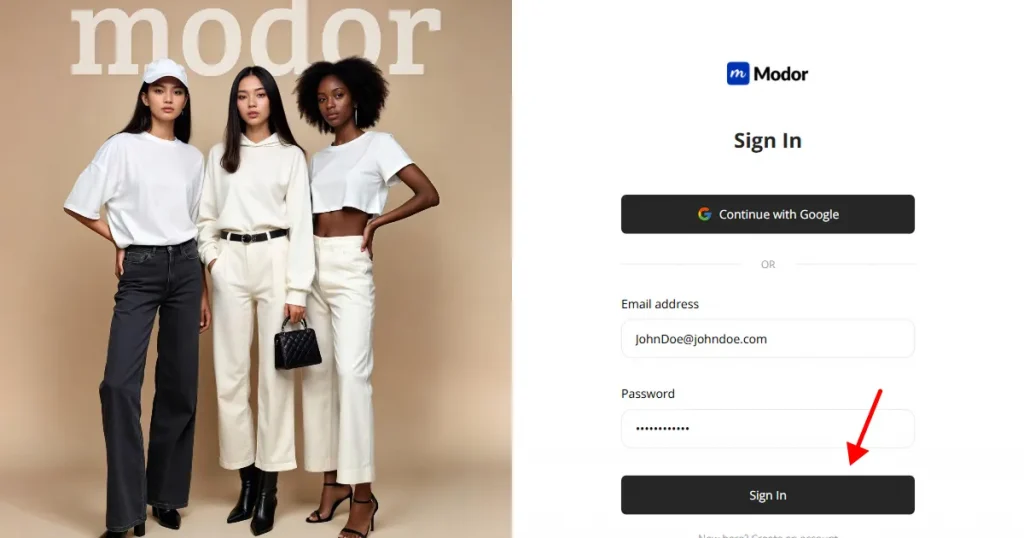
The dashboard interface guides you clearly. You will see recent templates, suggested styles, and tutorial prompts. Everything is laid out to help beginners create mockups.
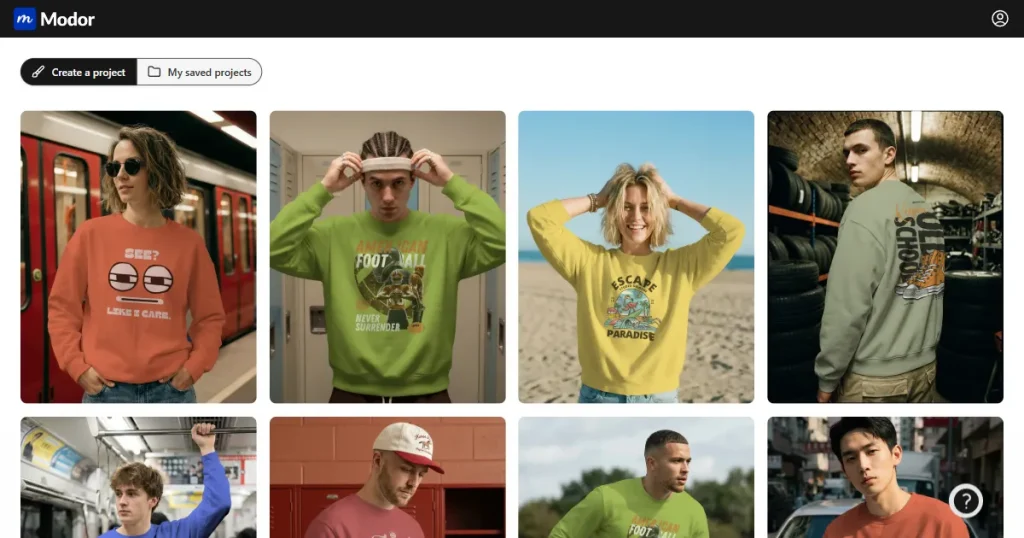
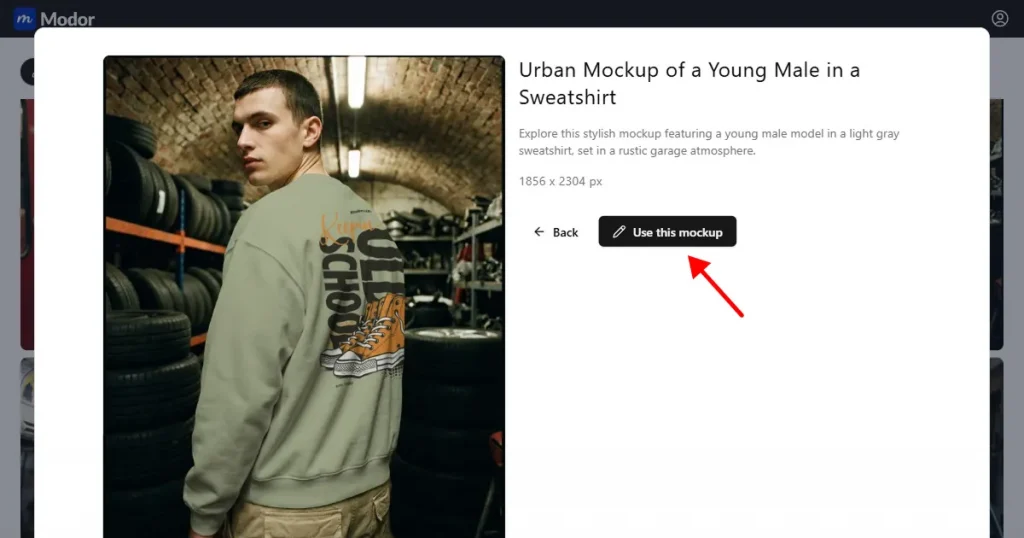
Step 2: Choose the Sweatshirt category from a wide range of mockup options, then browse the available sweatshirt mockup templates. You can filter by model type (Asian, White, Black, etc.), background, gender (men or women), and style (flat lay, multiple, etc.). Click on Use this Mockup to open the editor. Look for hooded sweatshirt mockup options if your design includes hood details.
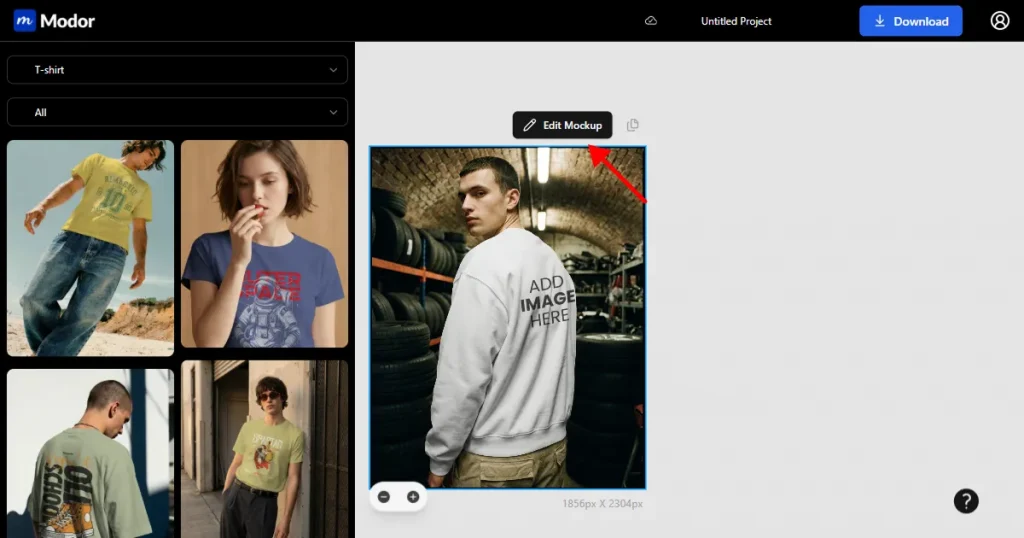
Step 3: Click on Edit Mockup to unlock the editing toolkit.
Step 4: Upload a high-resolution, transparent PNG or SVG file. Modor reads clean edges well, which helps fabric folds blend naturally with the design.
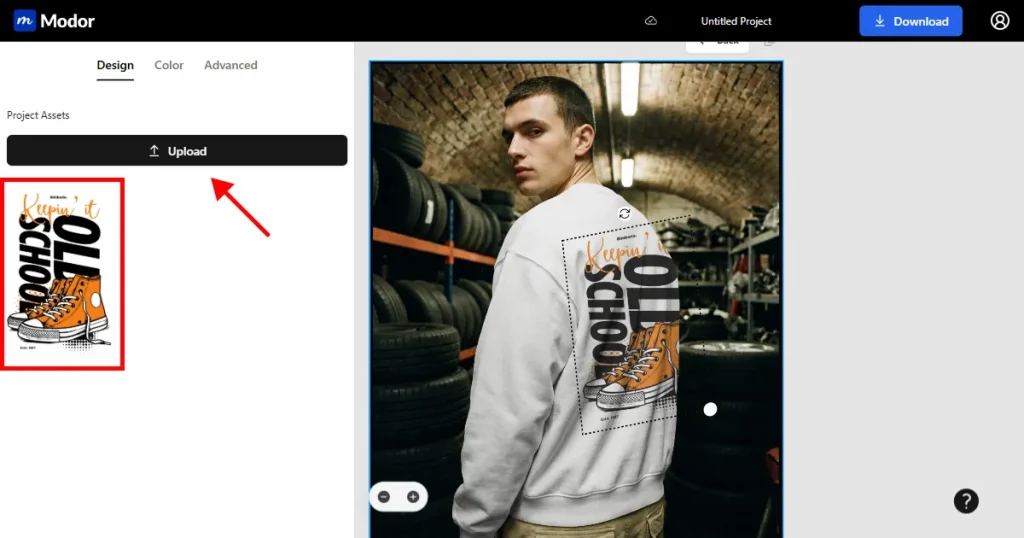
You can resize, rotate, or reposition the design. You can also add multiple designs for sleeve details or back prints.
Step 5: After all edits, download your mockup in JPG or PNG. JPG loads quickly on e-commerce sites, while PNG preserves transparency for layered designs.
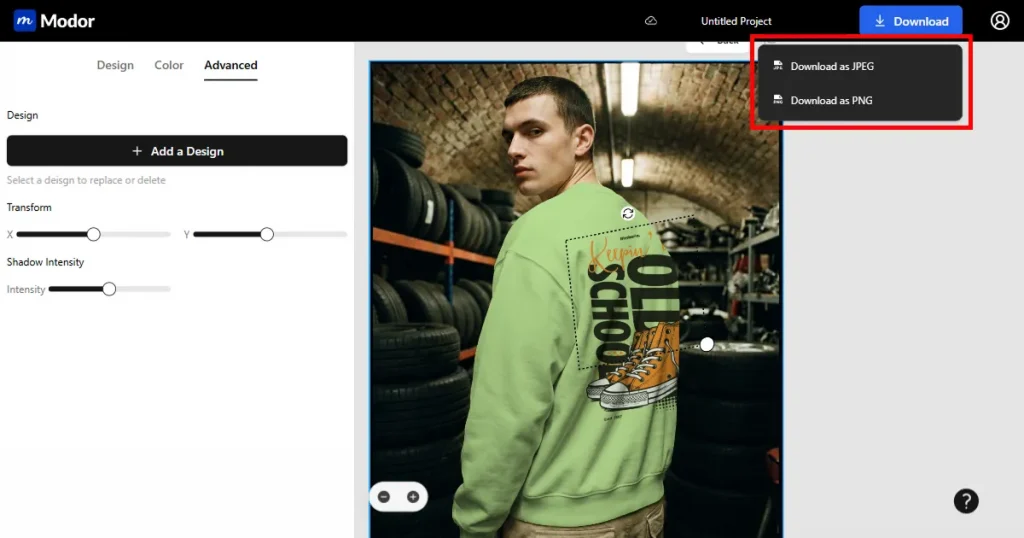
Use these tips to make your mockups look more polished and to help each sweatshirt design feel professional across online platforms.
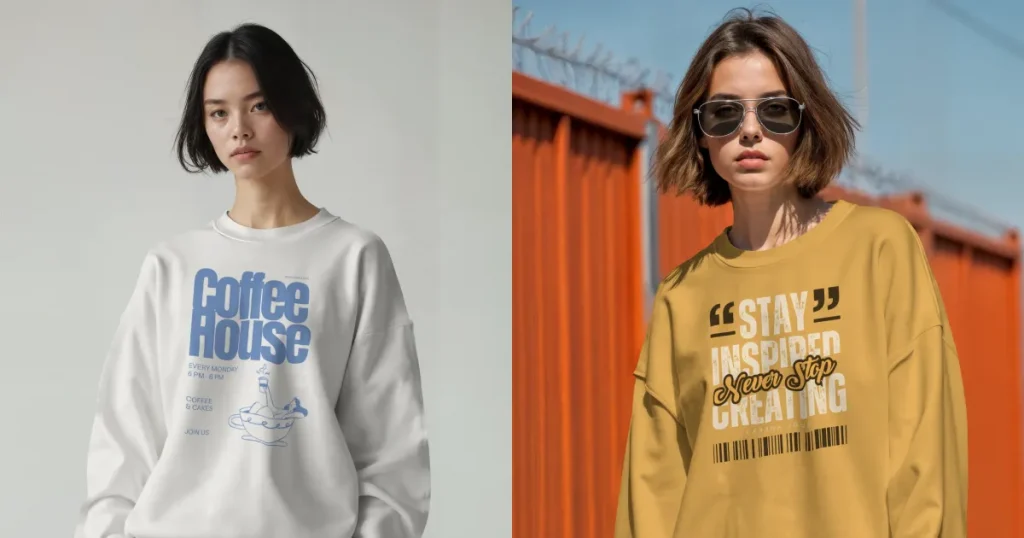
Oversized sweatshirt mockups bring a laid-back streetwear feel, blending comfort with expressive graphics. The style emphasizes relaxed silhouettes and appeals strongly to young shoppers who enjoy bold design.
Use case: Oversized fits attract customers who want a standout design with modern visuals. Oversized fits work well in a lifestyle-focused sweatshirt mockup where models are visible.
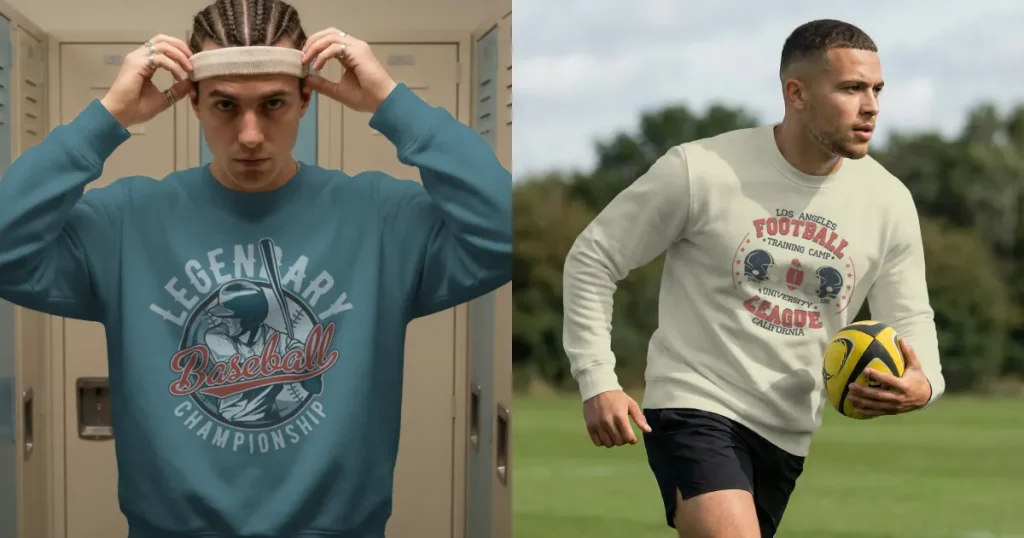
Vintage athletic styles lean into retro badges, varsity sweatshirts, and warm, washed tones that feel nostalgic. The vibe recalls classic sportswear and gives each sweatshirt design a timeless look.
Use case: These designs appeal to customers who enjoy older college-inspired themes and work well in a sweatshirt mockup with muted or warm backgrounds.
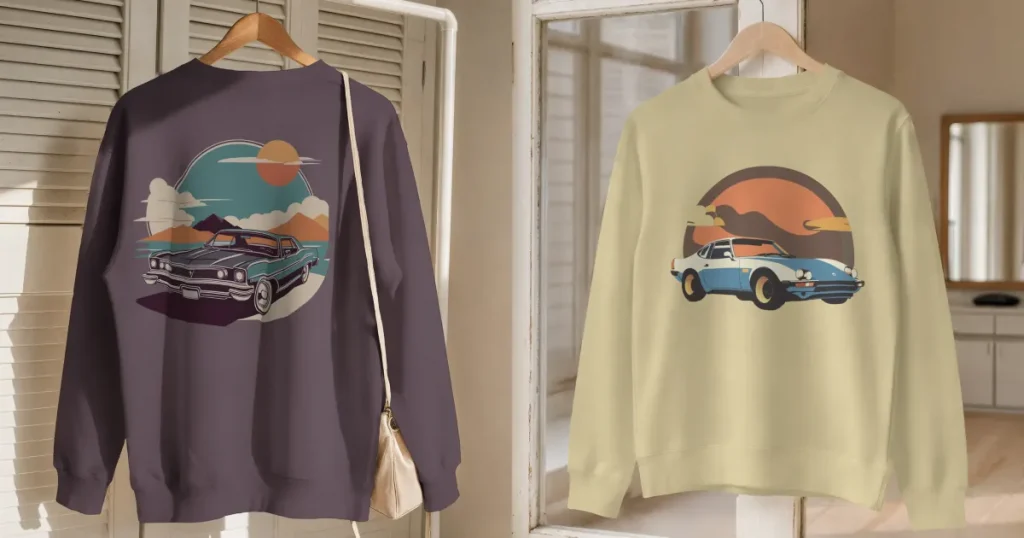
Graphic prints capture expressive energy with designs inspired by pop culture, abstract styles, or playful illustrations. They bring a strong personality to each sweatshirt design and remain a significant trend among younger audiences.
Use case: These prints perform best in a clean studio sweatshirt mockup, where the artwork is the primary focus, with no visual distractions.
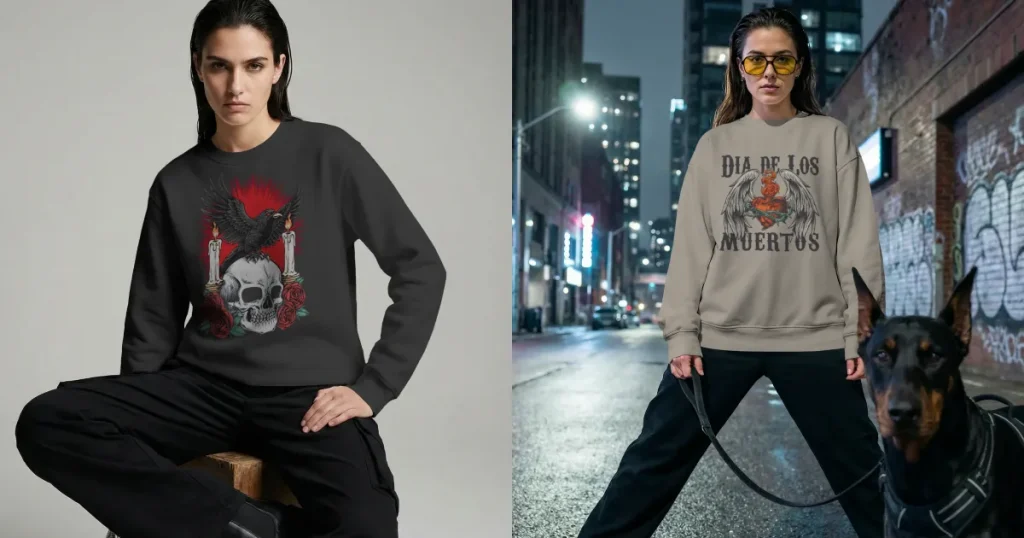
Gothic themes use bold lettering, darker palettes, and expressive motifs to create an intense visual. This design direction carries a strong alternative identity that stands out on darker sweatshirts.
Use case: These styles look strongest in a sweatshirt mockup with low-toned settings that enhance the dramatic artwork.
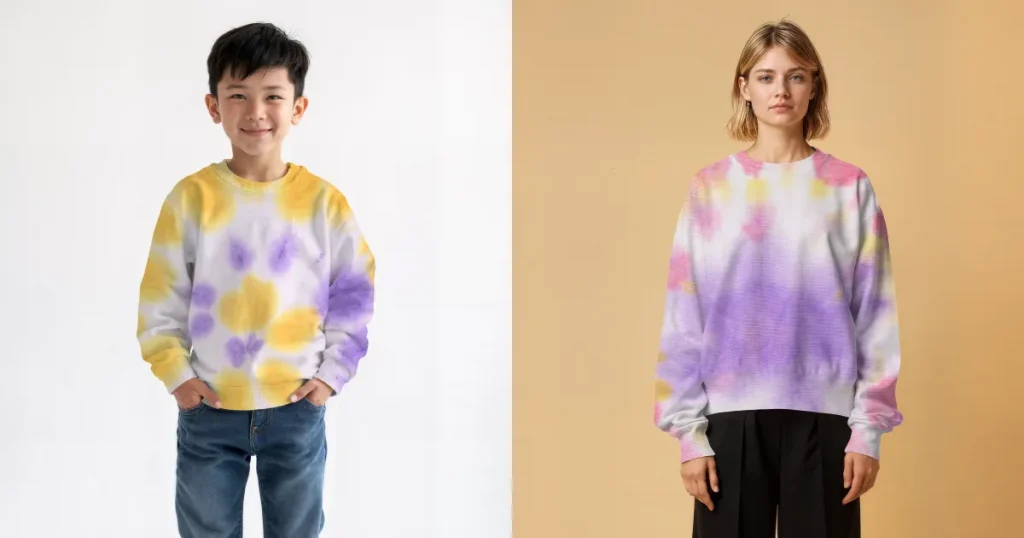
Tie dye blends, brush aesthetic, and soft gradients that feel artistic and free-spirited. This design remains popular for its colorful, playful mood across youth-focused niches.
Use case: These pieces work well in a sweatshirt mockup, lit softly so the gradients appear smooth and natural.
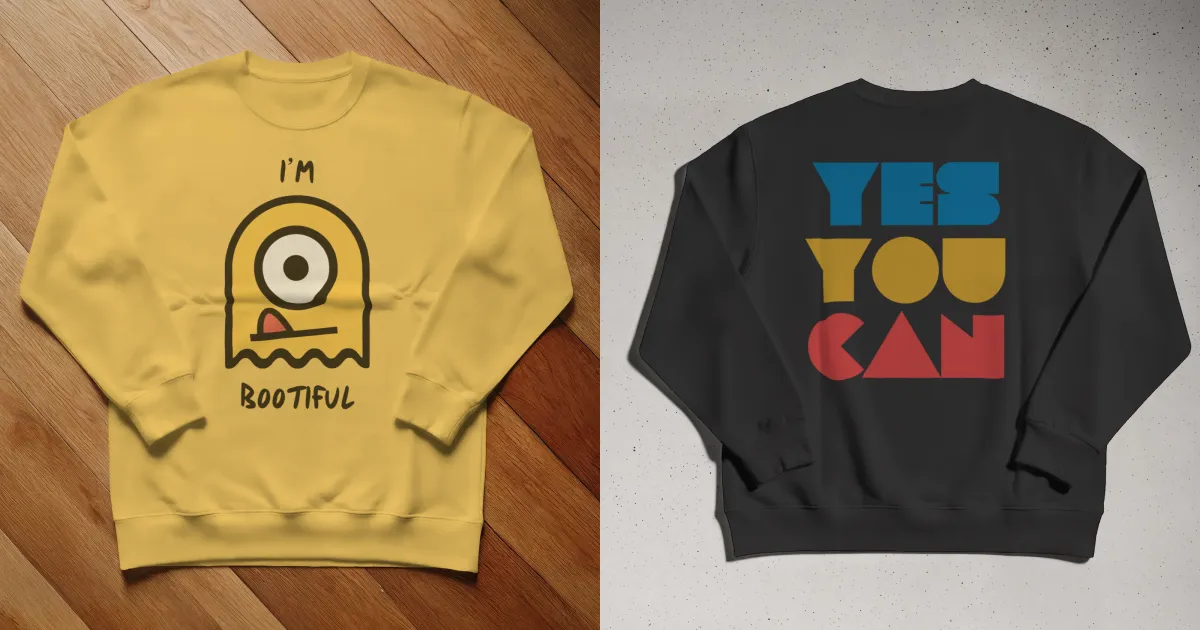
Minimalist designs keep things clean with small placements and calm tones that reflect modern simplicity. This style suits lifestyle brands that focus on subtle messaging and premium identity.
Use case: Minimalist designs work best in a studio-based sweatshirt mockup where neutral backgrounds highlight the soft detail.
Everything in this guide comes down to one simple idea. When people shop online, they believe what they see. If your sweatshirt design looks clear and real, it works. If it seems confusing, it fails. Sweatshirt mockups are the middle ground that turn a design into something people actually imagine wearing.
If you’re here, chances are you have a sweatshirt design sitting somewhere on your computer. Modor takes that idea out of the past and brings it into the present, where creators move fast and publish even faster.
Yes, definitely. Export your finalized mockup from Modor in high-resolution JPG or PNG format. For e-commerce, JPG is a better option as it loads faster and doesn’t lose quality. Make sure to keep the correct aspect ratio for Amazon, Shopify, or Etsy. Upload your product image along with a keyword-optimized title and description for better visibility.
You can create a sweatshirt mockup on Modor for free by choosing available templates and uploading your design for basic editing. The free plan allows testing, color changes, and simple adjustments. You can upgrade if you need higher resolution exports or expanded template access.
Modor, Canva, Artboard Studio, and Renderforest all offer tools for creating sweatshirt mockups. Each one serves different needs depending on experience and style. Modor is preferred for those who want high realism without deep editing knowledge.
Common mistakes include blurry designs, incorrect placement, unbalanced lighting, and color mismatch between print and mockups. These issues reduce clarity and create uncertainty for buyers. Using accurate colors and a clear design helps avoid such problems.
The industry standard is basically using high-resolution design, natural shadows, careful alignment, and consistent lighting across all sweatshirt mockups. Designers also check previews on multiple screens for accuracy. These steps help ensure the sweatshirt design looks true to its final printed form.
A good hooded sweatshirt mockup should show realistic fabric folds, hood shape, stitching, and natural shadows. Choose a template where your design sits clearly without being distorted by seams or pockets.
Choose the best mockup sweatshirt based on your design style, target audience, and intended use. Lifestyle scenes work well for streetwear, while clean studio mockups are better for minimalist or premium brands.


