

30 Powerful Billboard Mockup Templates for Outdoor Campaigns
Boost your ad designs with 30 stunning billboard mockups. Test visuals, impress clients, and create high-impact outdoor advertising faster.
Published Dec 15, 2025
Learn how to create realistic Poster mockups using Modor with easy steps, expert tips, common mistakes, and latest mockup styles for 2026.
10 min
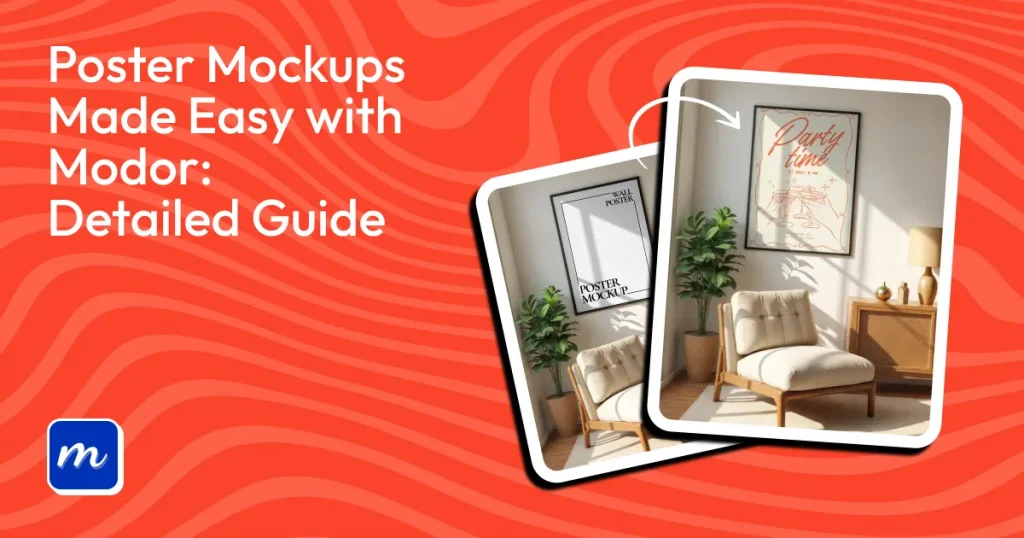
A poster mockup is a digital preview template. It lets you place a flat 2D poster design into a realistic photo or 3D scene. This shows how the artwork looks in real life, like hanging on a room wall, framed in an office, or pasted on a city street.
However, the process to create poster mockups can be slow. You either deal with PSD files that need manual editing or end up with design layouts that don’t match your design. And Modor solves these problems by offering a wide range of ready-made templates. You can choose from indoor scenes, such as wall frames and room setups, or outdoor placements, such as street posters, and create poster mockups within minutes.
Now that we have discussed the basics, let’s look at the step-by-step process of how to create poster mockups using Modor, which is the best poster mockup generator, and some trending poster designs.
Before diving into how to create poster mockups, let’s have a look at what a Poster mockup is.
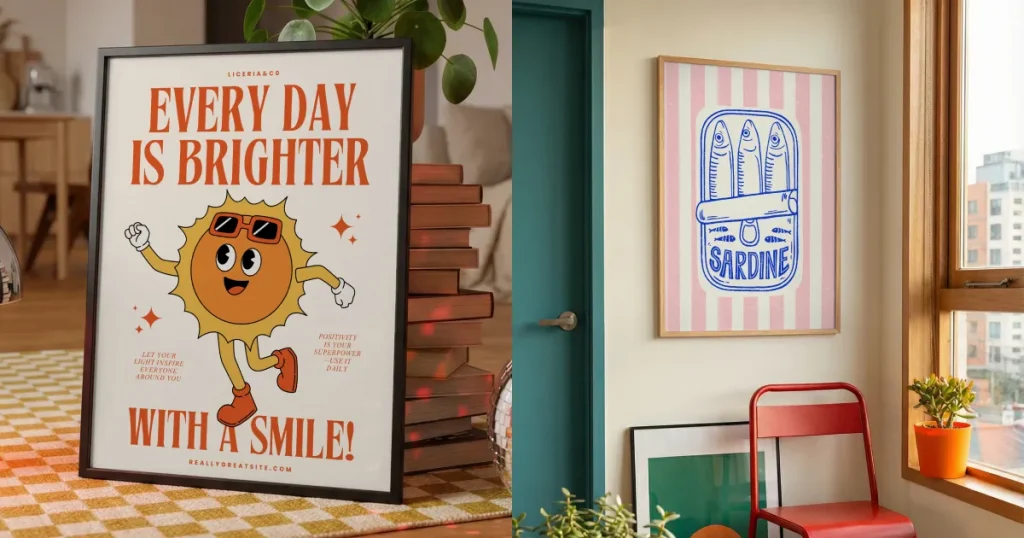
A Poster mockup shows your artwork in a real-world environment. Your poster may appear inside a bedroom, an office, an art gallery, or on a street wall. The goal is simple. It helps viewers visualize the Poster design in real life, reducing uncertainty and increasing buyer confidence.
Poster mockups are commonly used in online stores, portfolio projects, client presentations, and print-on-demand platforms.
Nowe, let’s have a look at a few tools to help you create poster mockups.
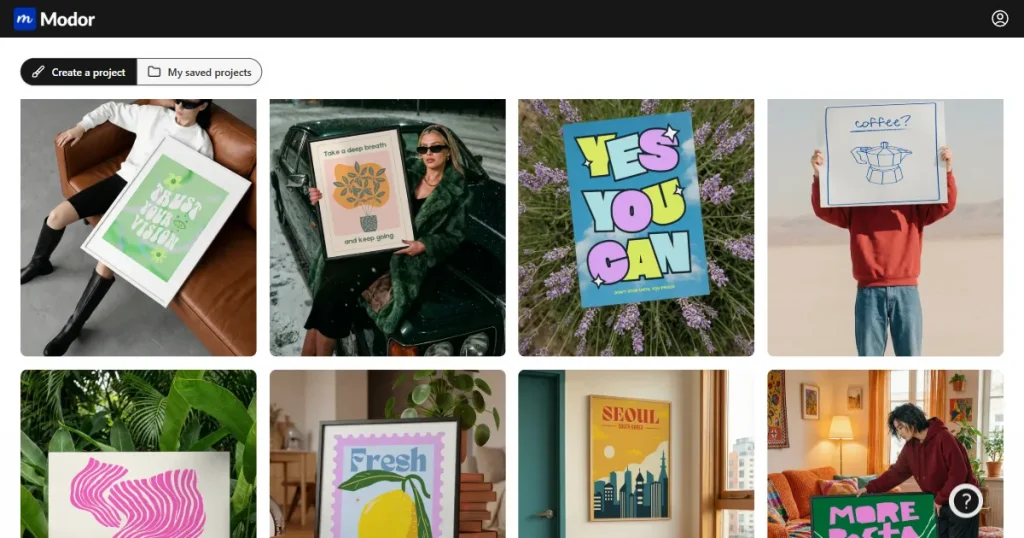
Modor uses smart AI to place your design precisely in the frame and seamlessly blend it into the scene. You can explore various poster mockup templates for both indoor and outdoor settings. The tool is simple to use and delivers smooth, reliable results for beginners and professionals alike to create poster mockups.
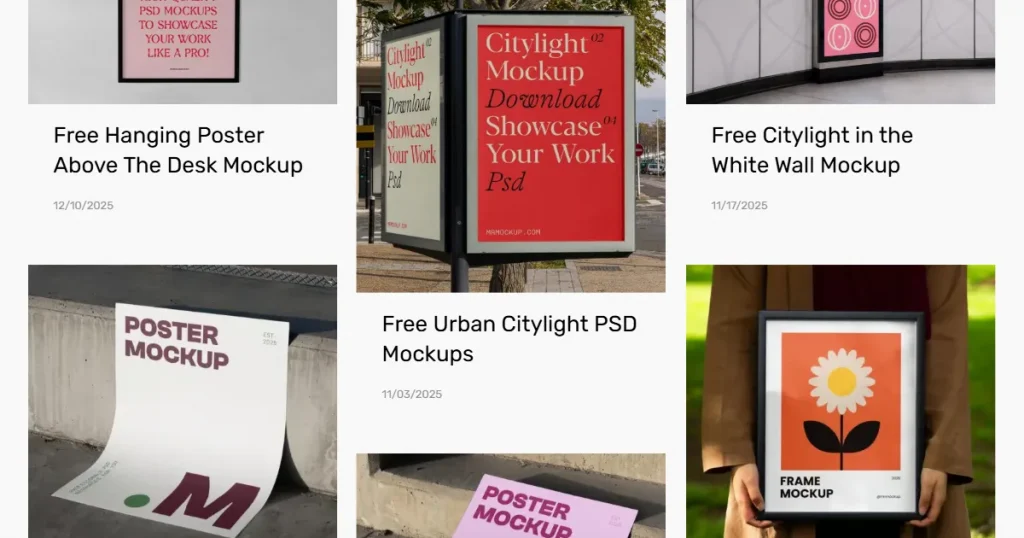
Mr. Mockup offers premium scene-based PSD templates to easily create poster mockups. The tool works well for branding agencies that want refined visuals. However, most templates require payment, and beginners might struggle because they require editing PSD files.
Each poster mockup on this platform offers limited variations, and PSD mockups require external software for customization.
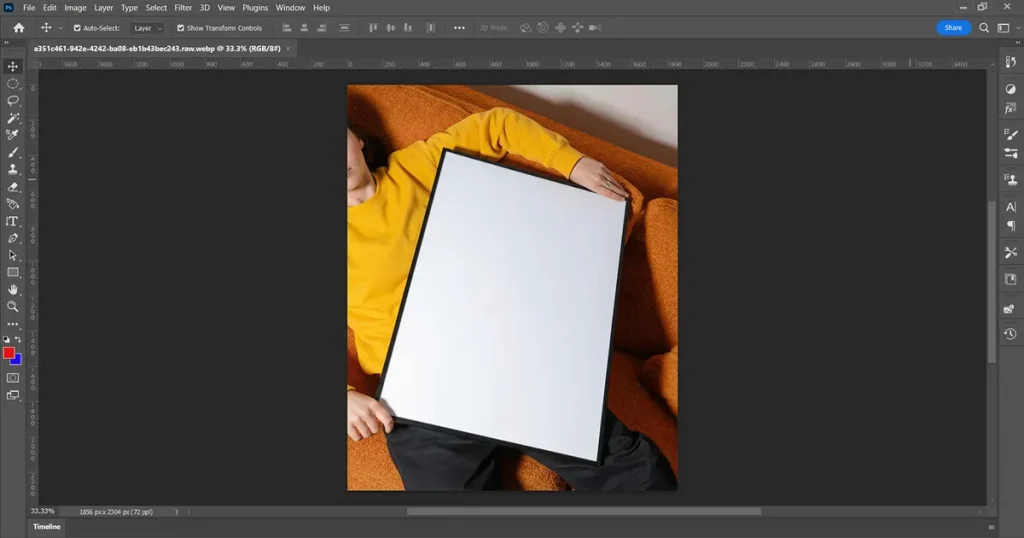
Photoshop remains a powerful choice to create poster mockups due to its complete control over shadows, layers, and texture blending. It is used widely for commercial Poster design projects where precision matters.
The only downside is that Photoshop takes more time to master. It requires a paid subscription and is not suitable for fast workflows. Creating multiple Poster mockups can become slow and demanding, which is why many creators prefer a Poster mockup tool designed specifically for speed.
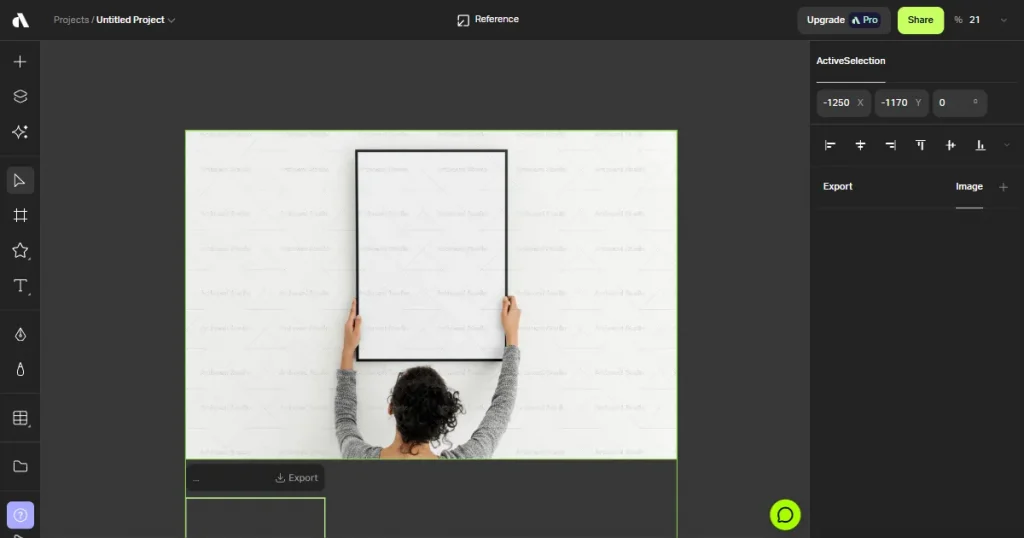
Artboard Studio is a web-based mockup generator with animations and layered scenes. It has a vast template library, which is helpful for creators and brand designers.
The downside is that the tool can feel overwhelming when too many layers are added. Export quality depends on correct settings, and many advanced features require a Pro plan.
Most people either choose design software like Photoshop or Mockup generators to create poster mockups. We have compiled a table of key differences between Photoshop and mockup generators so you can decide which is right for you.
| Feature | Mockup Generators | Photoshop |
|---|---|---|
| Skill Level | Beginner-friendly and easy to learn | Requires intermediate or advanced skills |
| Speed | Fast results in minutes | Slow because of manual editing |
| Scene Variety | An extensive library of ready-made templates | Depends on imported PSD mockups |
| Realism | High realism with automatic lighting and shadows | Highest realism but fully manual |
| Customization | Limited to template controls | Full creative control |
| Workflow Convenience | Simple drag and drop experience | Complex multi-layer editing |
| Cost | Mostly free or low cost | Paid subscription |
| Best For | Quick Poster mockups and bulk creation | Detailed Poster design work and custom scenes |
Below are a few expert tips for creating the best Poster mockups and improving the overall impact of your Poster design.
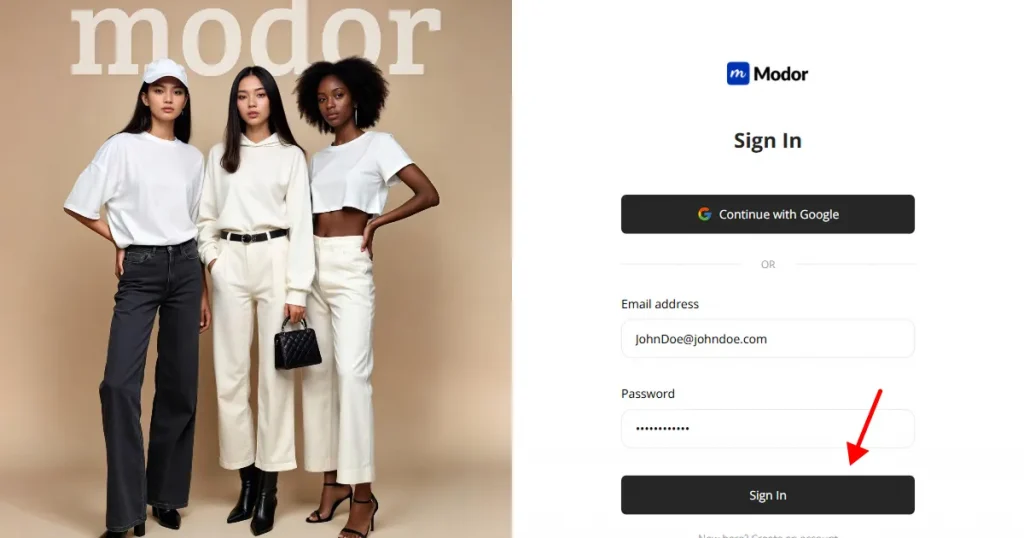
Step 1: Sign up on Modor using Google or email. Most users choose Google because it offers instant setup and a smooth onboarding. If you already have an account, log in with your saved credentials and move to the main dashboard.
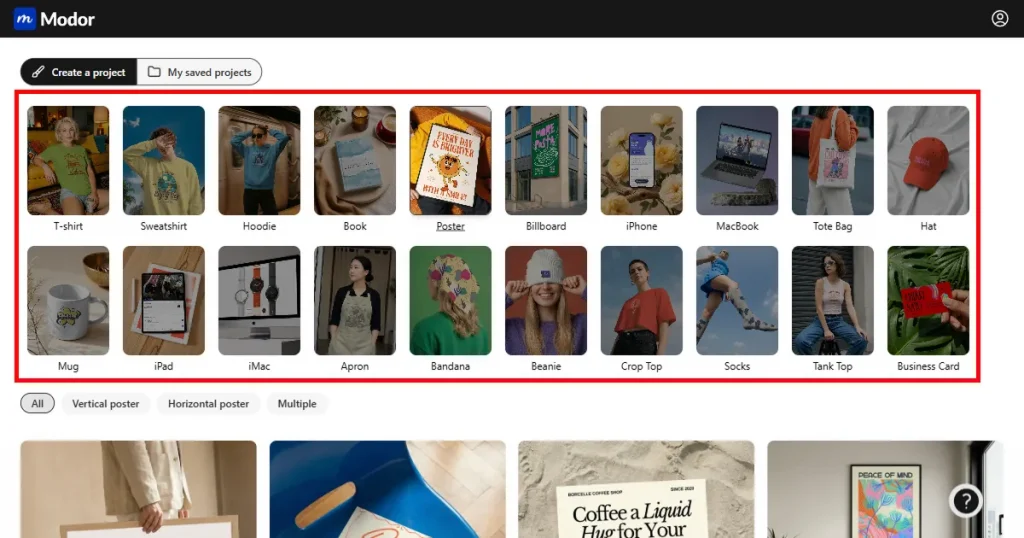
Step 2: Select the Poster category from the available options, such as t-shirt, hoodie, billboard, etc. Filter further by vertical or horizontal orientation and by different style groups, such as minimal, lifestyle, multiple, or framed.
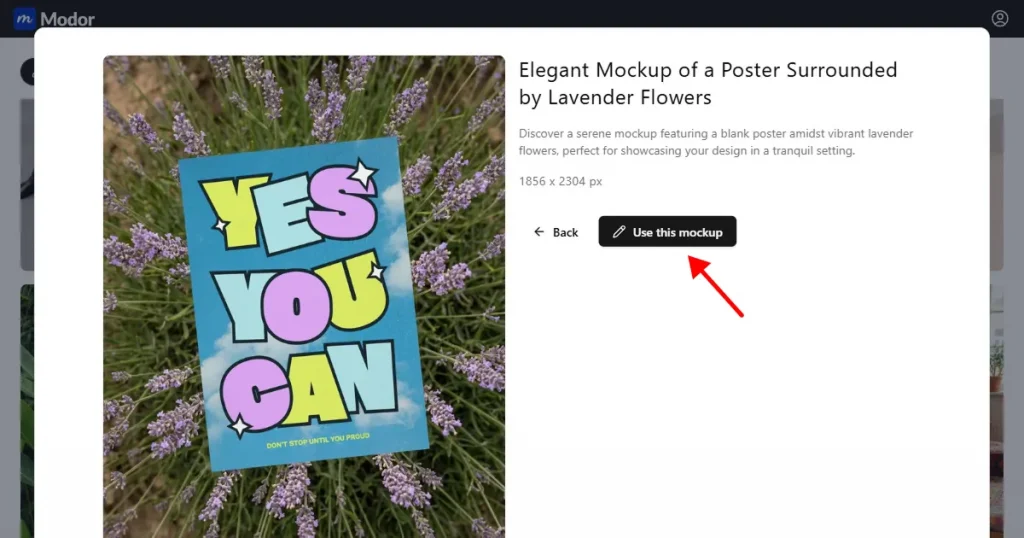
Step 3: After selecting a template, click Use This Mockup to load the scene in the editor.
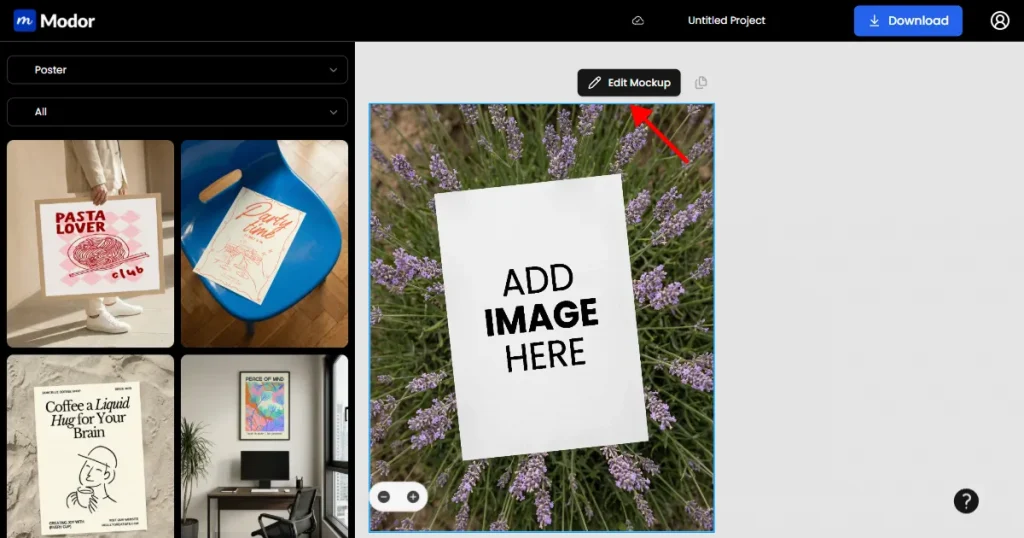
Step 4: Once inside the editor, click on Edit Mockup to unlock editing features.
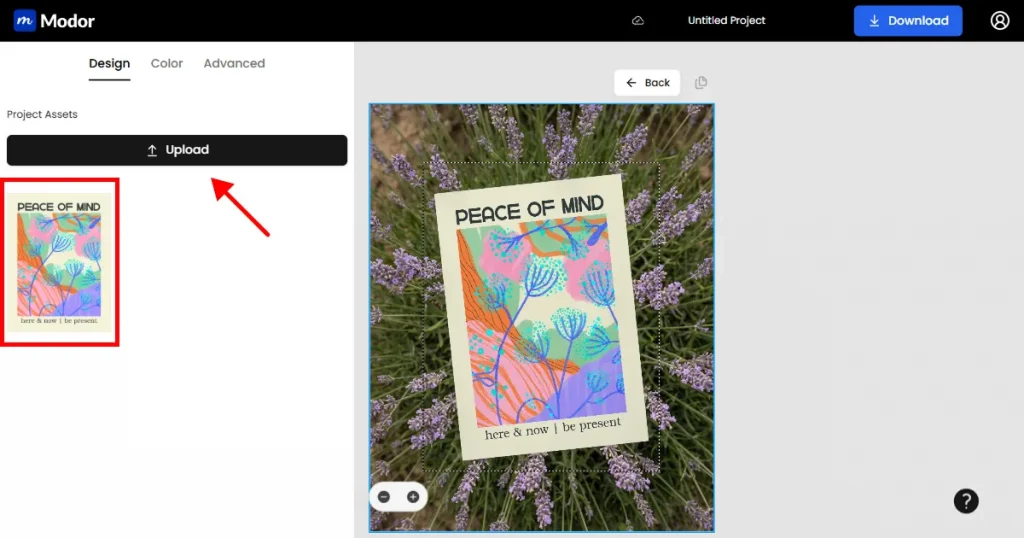
Step 5: Upload your Poster design and place it in the provided slot.
Step 6: When the mockup for the poster looks ready, download it as a JPG or PNG. PNG works well for sharp edges and transparent layouts, while JPG is better for smaller file sizes.
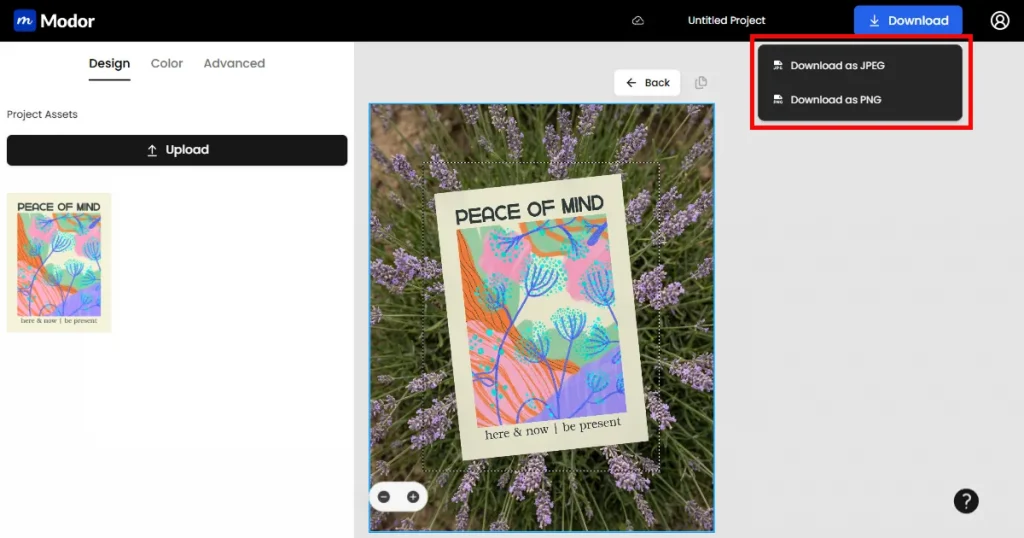
Note: Before downloading, don’t forget to give a name to your project. This helps later when you need to go back to an old project.
Below are common mistakes that reduce the quality of Poster mockups. Avoiding these can drastically improve your overall output.
Now that we have covered the process of how to create poster mockups using Modor. Let’s have a look at the trending poster mockup designs in 2026.
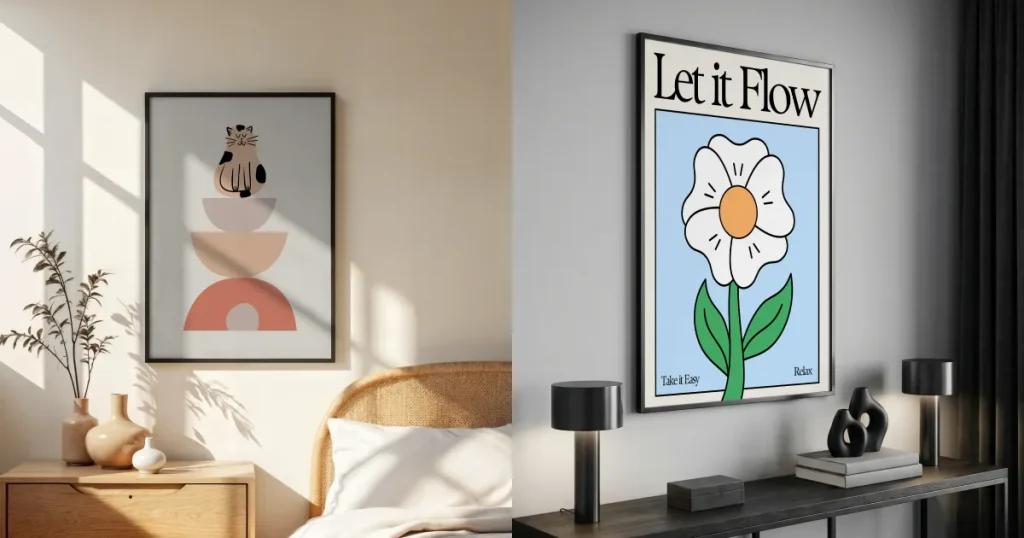
Minimalist interior Poster mockups feature clean rooms, soft light, and neutral colors. They highlight the Poster design without distractions and are often associated with modern home decor.
Use case: These scenes work best for typography, art, and calm, aesthetic designs.
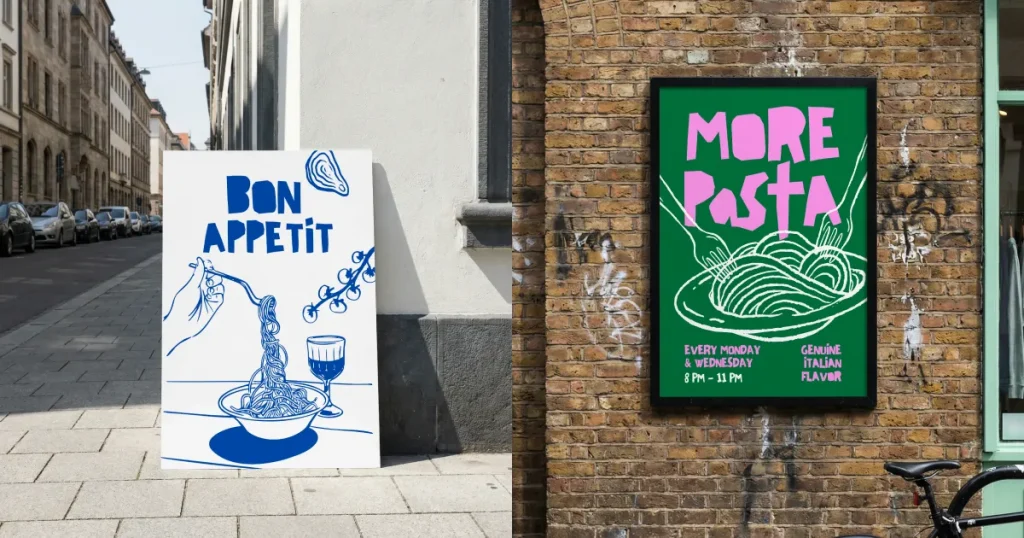
Urban and outdoor poster mockups include brick walls, subway panels, city boards, and realistic street settings. These Poster mockups feel bold and modern.
Use case: Ideal for music events, streetwear visuals, movie promotions, and posters with strong graphic elements.
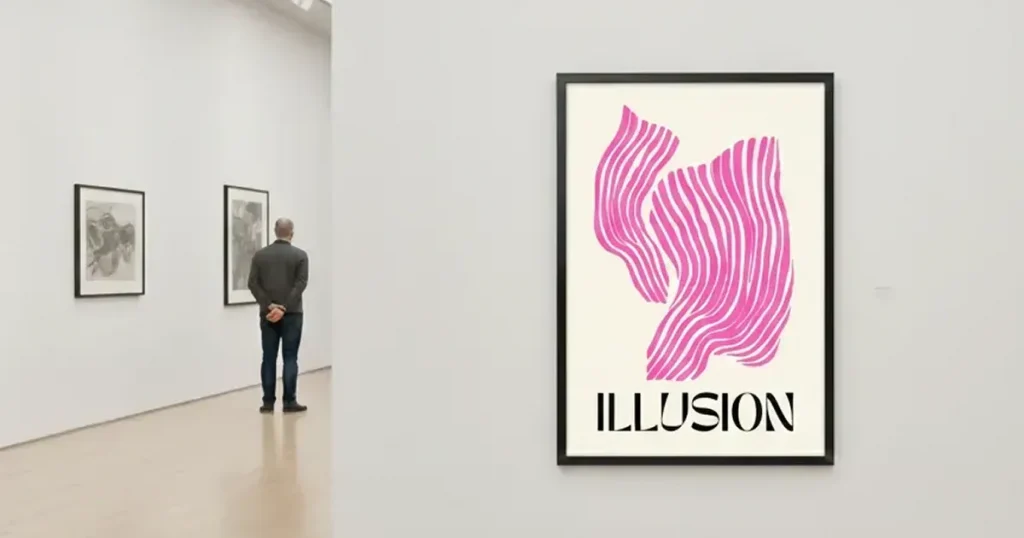
Gallery-style poster mockups feature premium frames and soft spotlighting, creating a high-end atmosphere. These Poster mockups resemble curated art displays.
Use case: Ideal for photographers, fine art sellers, or premium Poster design collections.
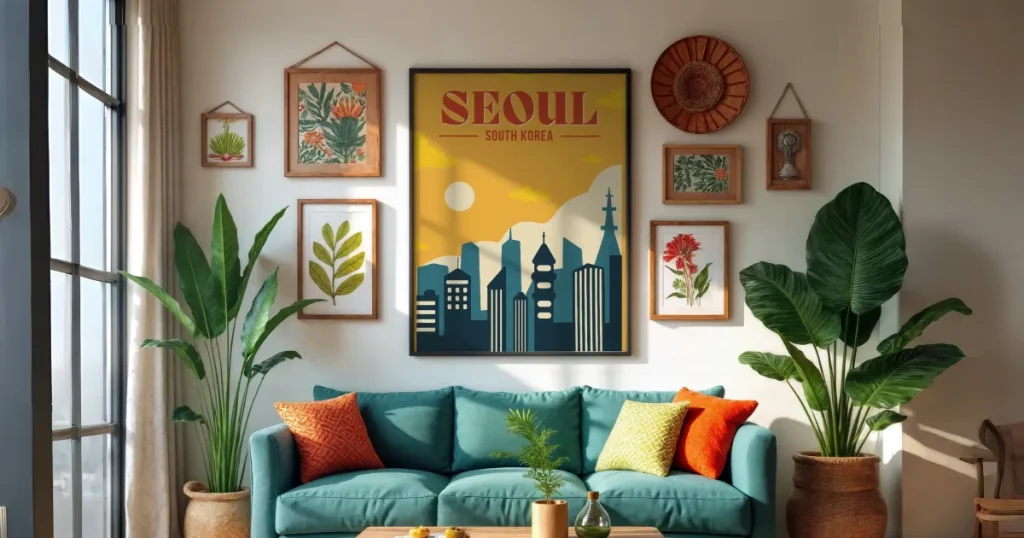
Lifestyle poster mockups show posters in real-world settings such as living rooms, offices, or cafes. They help buyers imagine how the artwork fits into everyday life.
Use case: Perfect for Etsy sellers and home decor brands seeking relatable, warm scenes.
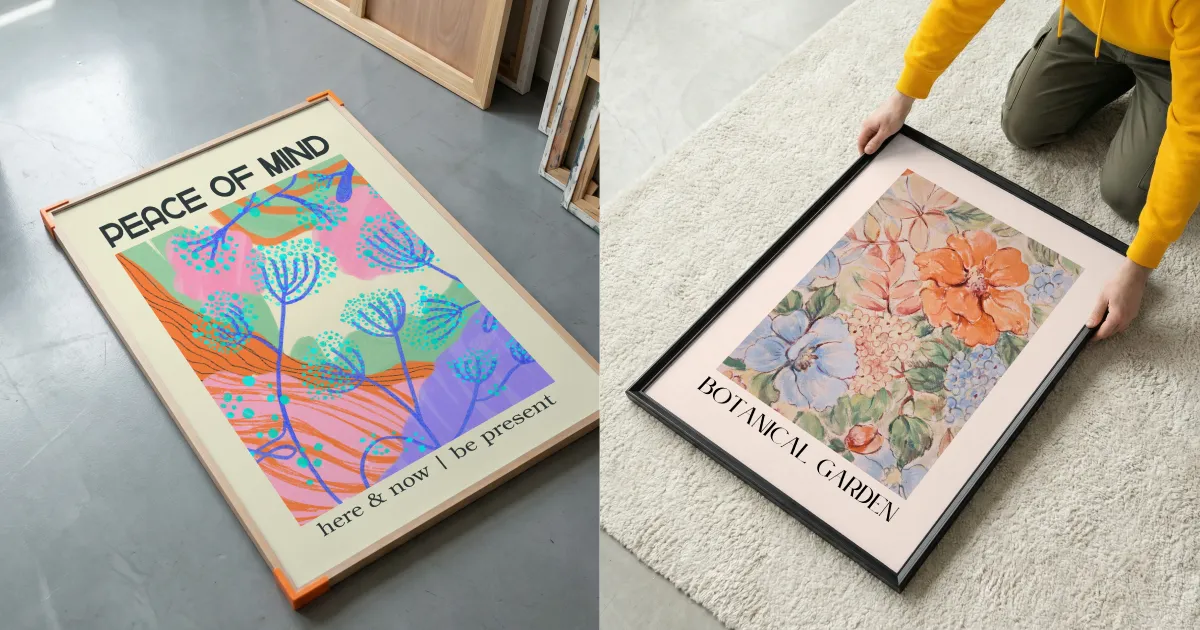
Studio flat lay poster mockups show posters placed on plain surfaces with minimal elements. They create a clean and professional look while keeping the Poster design in focus.
Use case: They work well for branding presentations, portfolios, design agencies, and print-ready previews.
If you want to create poster mockups for your designs, you have the choice of an online mockup generator or Photoshop. Photoshop requires you to learn the design tool, and some of the free poster mockup generators like Artboard Studio offer only generic templates.
That’s why you can use Modor to create poster mockups, as it makes it easy to create poster mockups in minutes and only provides the best poster mockup templates.
However, the right tool for your need depends on your specific use-case. So, test each tool with your designs before making a final decision.
Modor is the best tool for both beginners and experienced creators, giving you a fast workflow and multiple templates to choose from. The realistic rendering makes your Poster mockups look clean and photo-realistic across different scenes.
A high-resolution file is always recommended, especially around 300 DPI or at least 3500 pixels on the longest side, which keeps your Poster design sharp.
You can explore Modor’s free mockup poster templates, as well as platforms like PixelBuddha, Unblast, and Mockups Design, which offer free versions suitable for creating mockups of posters in different styles.
You can use Modor as a Poster mockup tool, as it removes the need for complex editing. You can create a poster mockup in a few simple steps, with natural lighting and easy placement, with minimal effort.
A poster mockup is a visual representation of how your poster design will look in a real setting, such as on a wall, in a frame, or on a billboard. It helps you present your design more realistically before printing or sharing it with clients.