
Smartmockups Vs Placeit: Which Mockup Tool Should You Use in 2026?
Smartmockups Vs Placeit: Which Mockup Tool Should You Use in 2026?
Confused between Smartmockups and Placeit? Our guide will help you decide which tool to go for.

You can work on a design for weeks. But if you fail to present it well, then it's more likely to be ignored. This is the reality that many designers, marketers, and e-commerce sellers face today. A static image rarely conveys an idea. But a realistic mockup definitely does.
This is how mockup tools are directly shaping the graphic landscape today. These mockup tools enable you to turn plain designs into visuals that mimic real products. And although there are a bunch of mockup tools out there to create those visuals, two names that repeatedly come up in this space are Smartmockups and Placeit.
Popular among users, these two mockup design tools share a common goal: creating realistic, practical mockups. To better understand the key differences, we will compare Smartmockups and Placeit, examine their features, and determine which mockup design tool is best for you.
Key Highlights
Mockups help present designs more realistically, making it easier for users, clients, and teams to understand how a product will look in the real world.
Smartmockups is ideal for quick and simple device or product previews, especially for app screens, websites, and client presentations.
Placeit stands out for its large template library, video mockups, and branding tools, making it useful for marketers and content creators who need variety.
Choosing between tools depends on your main goal, product presentation, frequent marketing content, and brand-focused visuals.
Modor offers a practical middle option by focusing on fast, photo-realistic mockup creation while keeping the process simple and cost-friendly.
Quick Comparison
| Feature | Smartmockups (Canva mockups) | Placeit |
|---|---|---|
| Template Library | 8000+ templates within the Canva ecosystem | 40,000+ mockups and design templates |
| Video Mockups | Available | Available with ready-made video templates |
| AI Features | Available | Available |
| Branding Tools | Branding through Canva tools | Built-in logo maker and branding kit tools |
| Cloud Storage | Up to 1TB (based on Canva Business plan) | Personal design library and saved assets |
| Pricing (Monthly) | $15 (Pro), $20 (Business) | $14.95 |
| Export Options | Static image and video exports | PNG image and video exports |
| Commercial Use | Supported with paid plans | Supported with paid plans |
Smartmockups Vs Placeit at a Glance
To make the comparison clearer, let’s first understand what each platform is, how it works, and who it is built for.
What is Smartmockups (Canva mockups)?
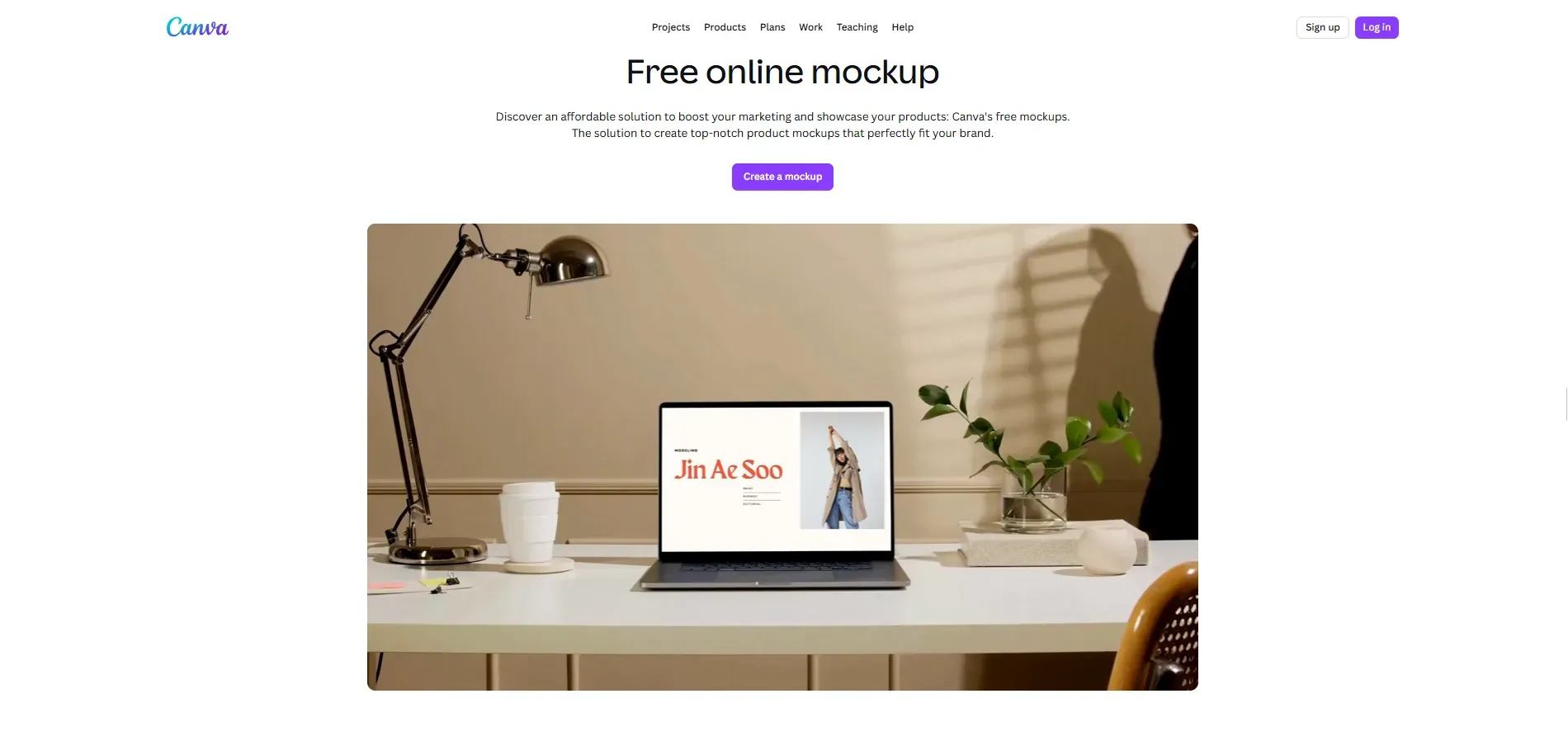
Smartmockups (Canva mockups) is an online mockup design tool integrated within Canva that lets you create visually appealing mockups with just one click without using advanced design tools. You can locate the feature in the Apps tab of the Canva editor sidebar. It's best known for creating simple, realistic design mockups with an intuitive interface and a very low learning curve.
Who is Smartmockups for?
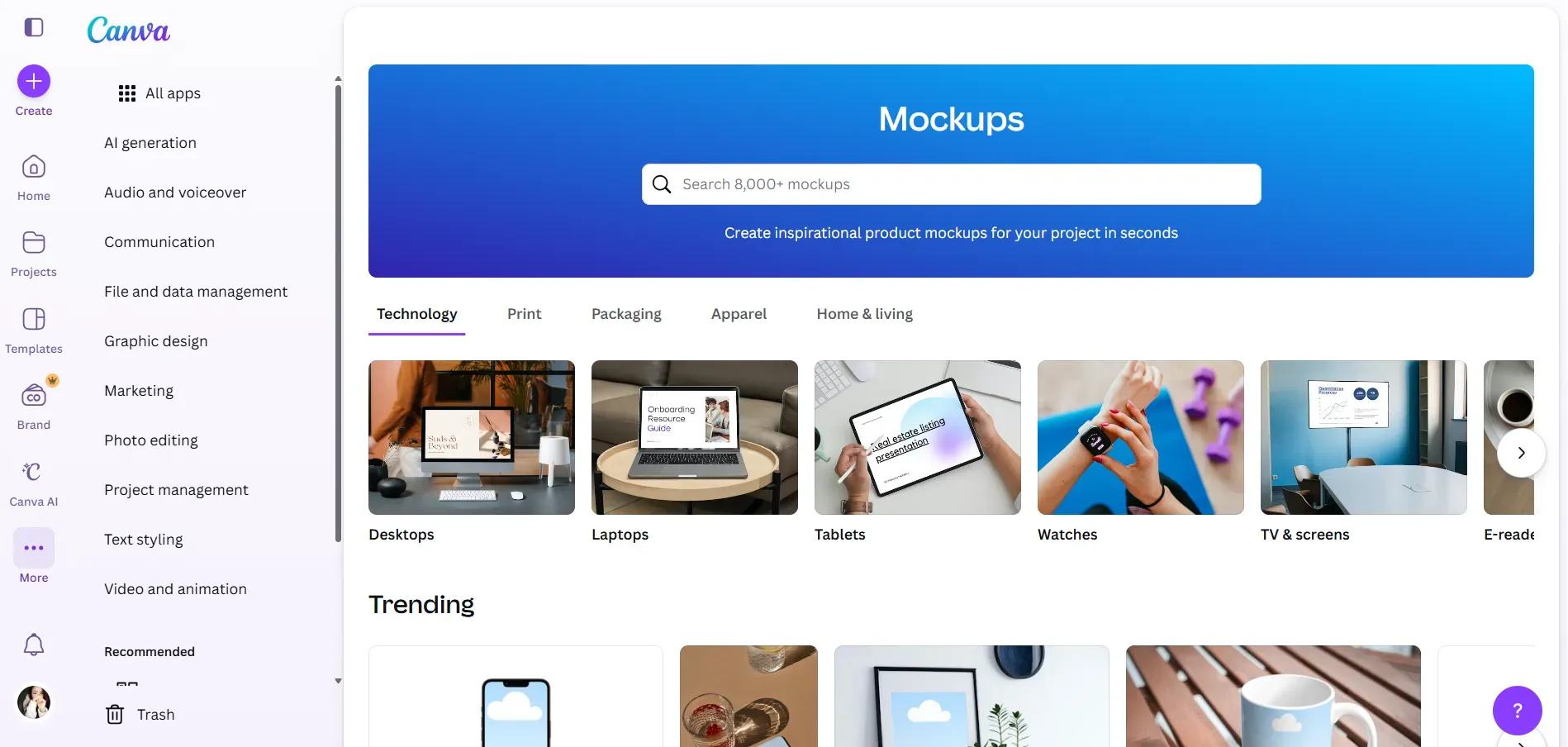
With over 8,000 mockups, Canva Smartmockups is perfect for e-commerce sellers, designers, marketers, and content creators looking to create high-quality product mockups in minutes. It is best for generating commercial-grade marketing materials in a snap for print, devices, packaging, apparel, and home & living, with easy web-based editing.
What is Placeit?
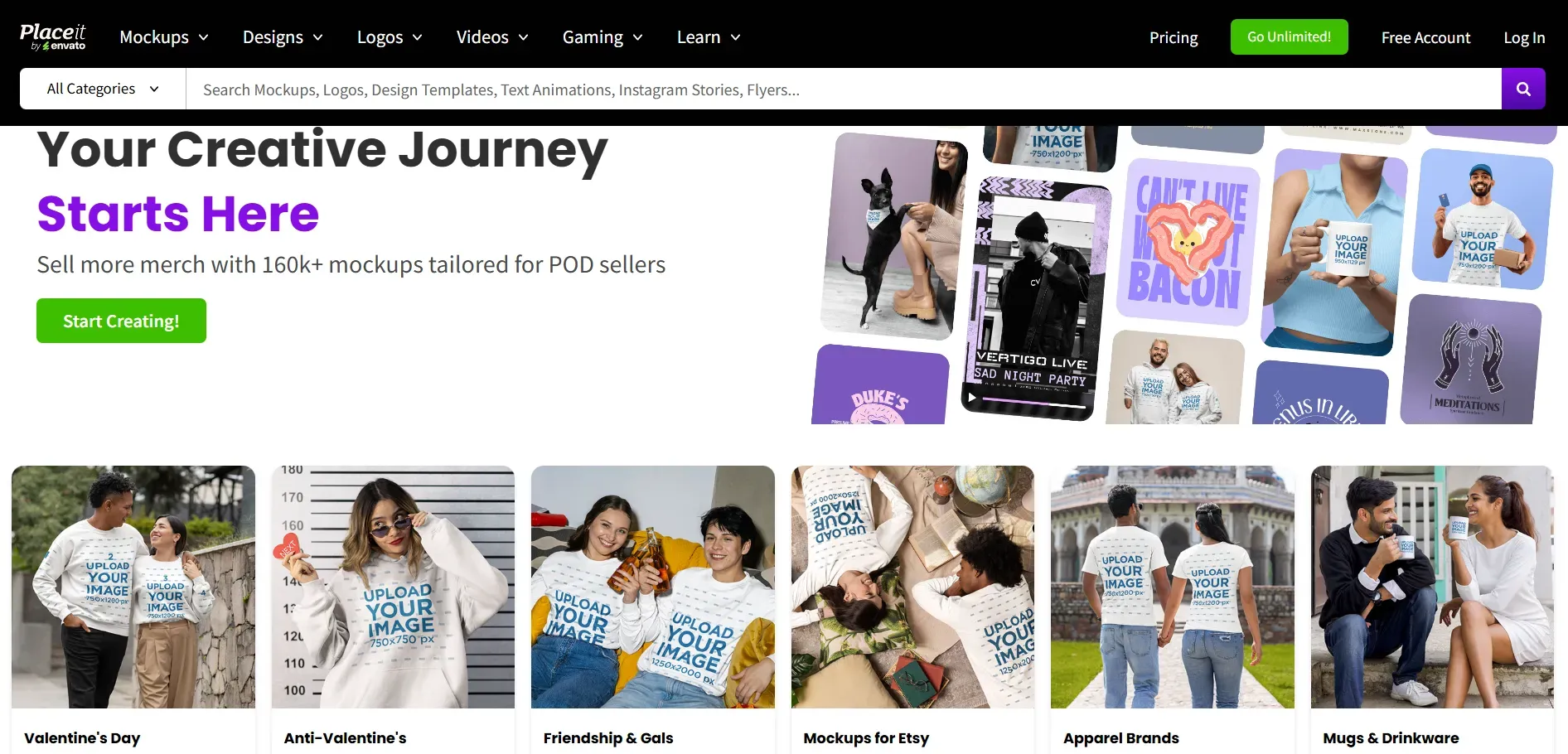
Developed by Envato, Placeit is an online platform for mockups. It offers the largest mockup library, logo makers, and video templates, useful in print-on-demand and social media marketing. It's a well-loved tool by marketers, e-commerce sellers, and content teams thanks to its simple, beginner-friendly interface.
Who is Placeit for?
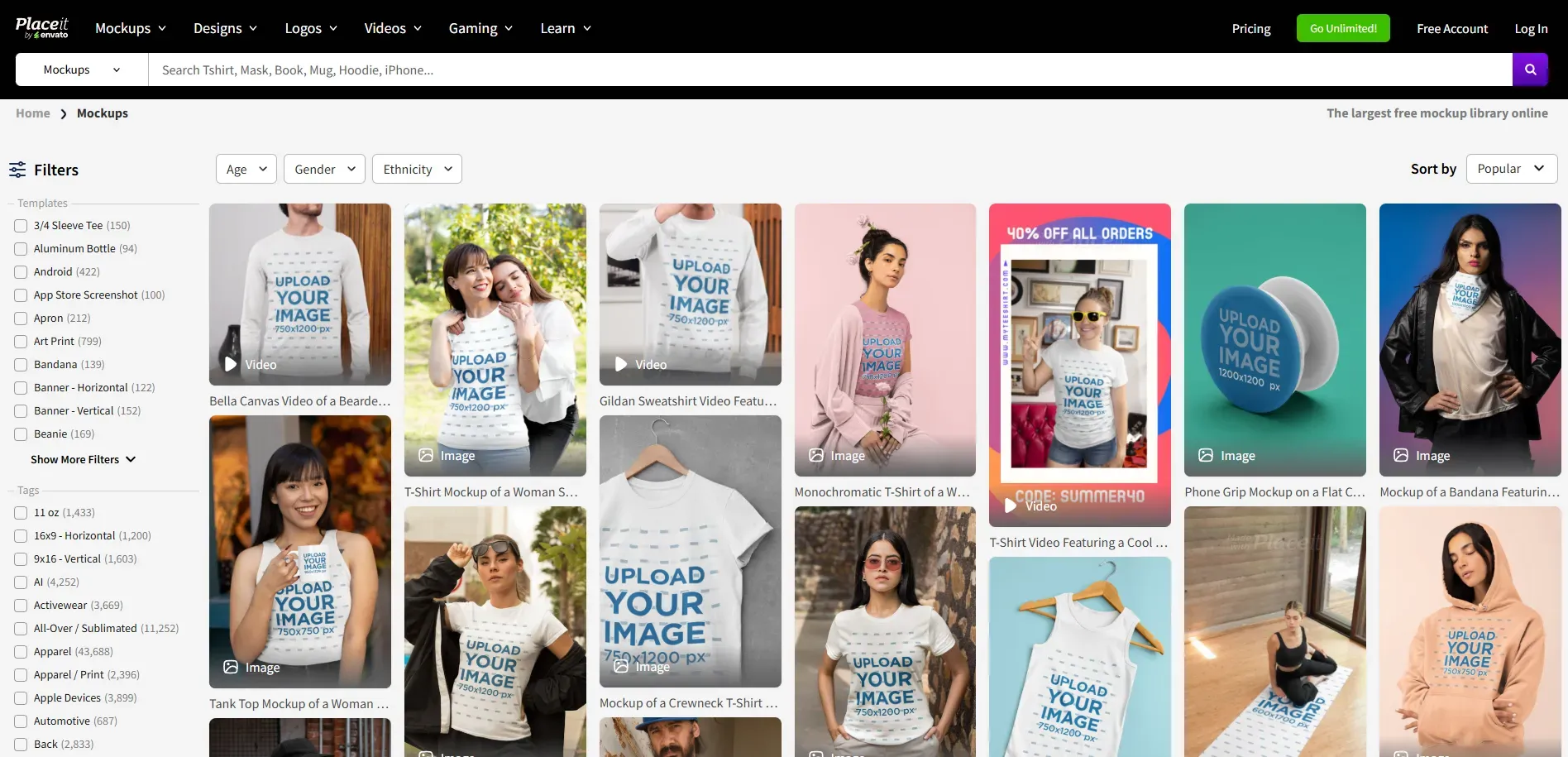
Placeit is ideal for online store owners, marketers, and creatives, including POD, Etsy, or social media, who need high-quality, customizable mockups, logos, and video templates that are fast and easy to use. It’s excellent for non-designers who need to create professional branding without using complex software, and it's one of the best mockup tools for designers.
Smartmockups Vs Placeit: Comparing 5 Key Features
Here’s how both platforms compare in mockup library size, mockup categories, design flexibility, and pricing.
Mockup Library and Categories
Smartmockups
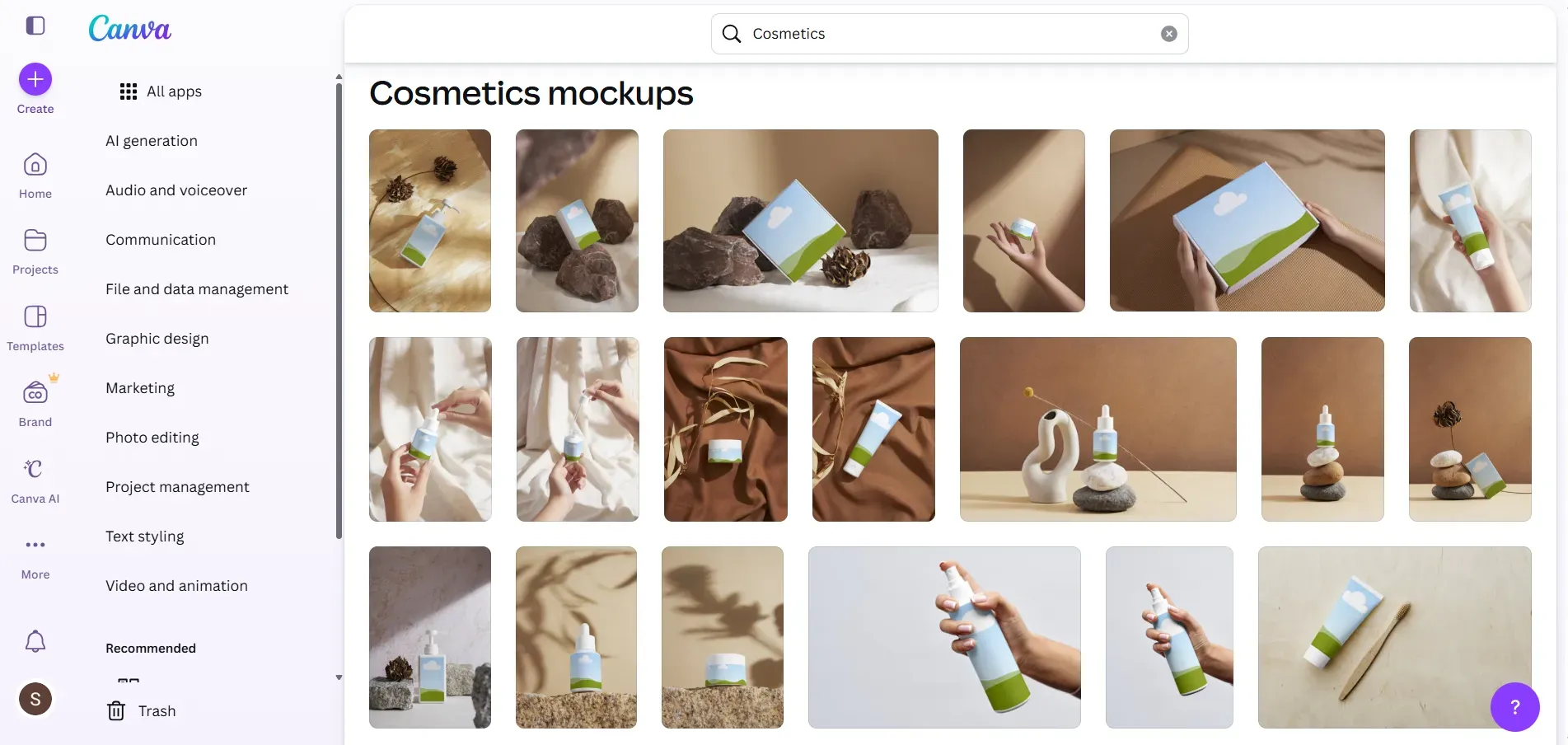
Smartmockups offers more than 8,000 templates for phones, laptops, desktops, tablets, watches, and product packaging. Canva mockups also have templates grouped into categories like Technology, Print, Packaging, Apparel, and Home & Living, making it easy to find popular and new mockups by product type.
Placeit

The Placeit mockup collection covers a wide range of categories, including apparel mockups (and covers specific brands like Bella Canvas), branding templates, posters, packaging, and videos.
It has a library with more than 40,000 mockup templates and a filter that lets you filter by age, gender, ethnicity, and other attributes. Templates can be sorted by Popular, Newest, or Best Sellers, allowing you to quickly find the content you need.
Tip: Choose Placeit if you need to create daily, varied marketing content. Choose Smartmockups if your main goal is a high-quality presentation of an app or website.
User Interface and Ease of Use
Smartmockups
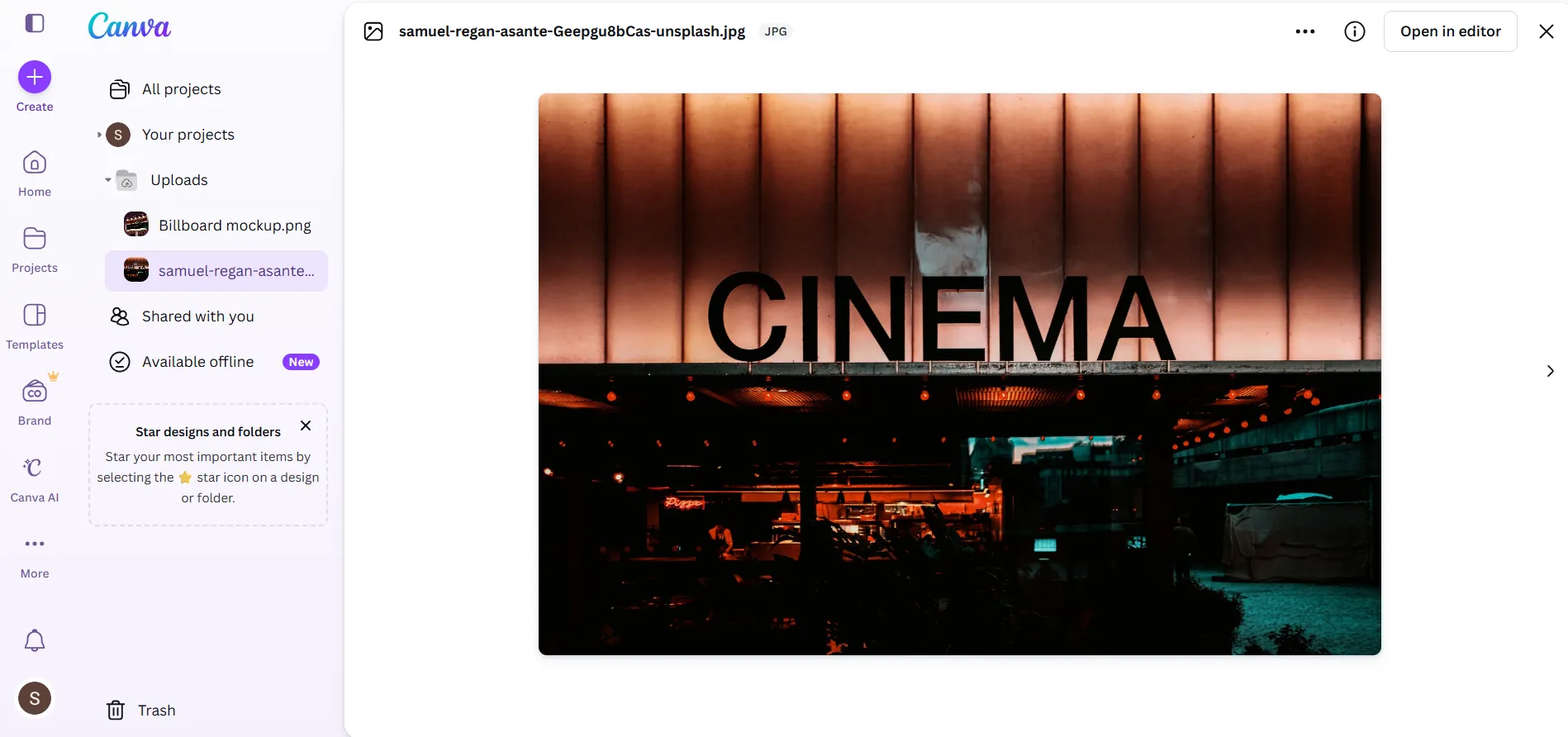
Smartmockups works by uploading your design or image, which is automatically placed in the mockup with the correct dimensions and angles. You can make simple edits such as cropping, aligning, and adjusting the position.
Your uploaded files are also saved in your Canva library, so you can use them again anytime. This makes the process fast and simple, with minimal customization.
Placeit
Placeit mockups features an interactive editor where you can upload your design and adjust elements like shirt color, stage color, and background color from the side panel.
It allows basic positioning and quick edits while also suggesting similar templates and variations with the same model, making it easier to explore more styles without starting over.
Tip: Use Smartmockups for maximum speed. Use Placeit for greater creative control over the final visual.
Mockup Quality and Export Options
Smartmockups
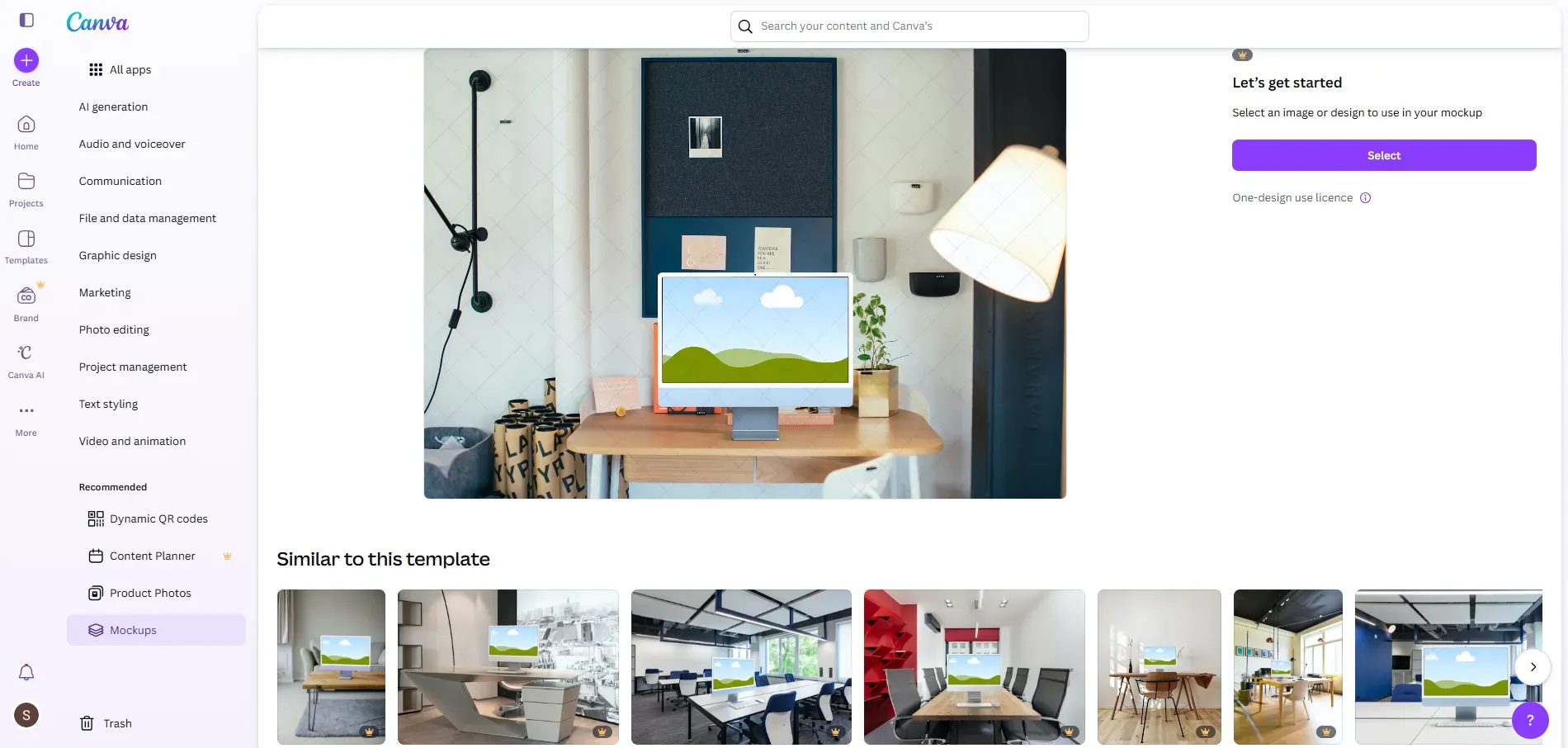
Smartmockups provides high-quality static visuals that work well for presentations, app store listings, and product showcases, with export resolution going up to 5K. After editing, mockups can be easily downloaded as PNG files.
Placeit
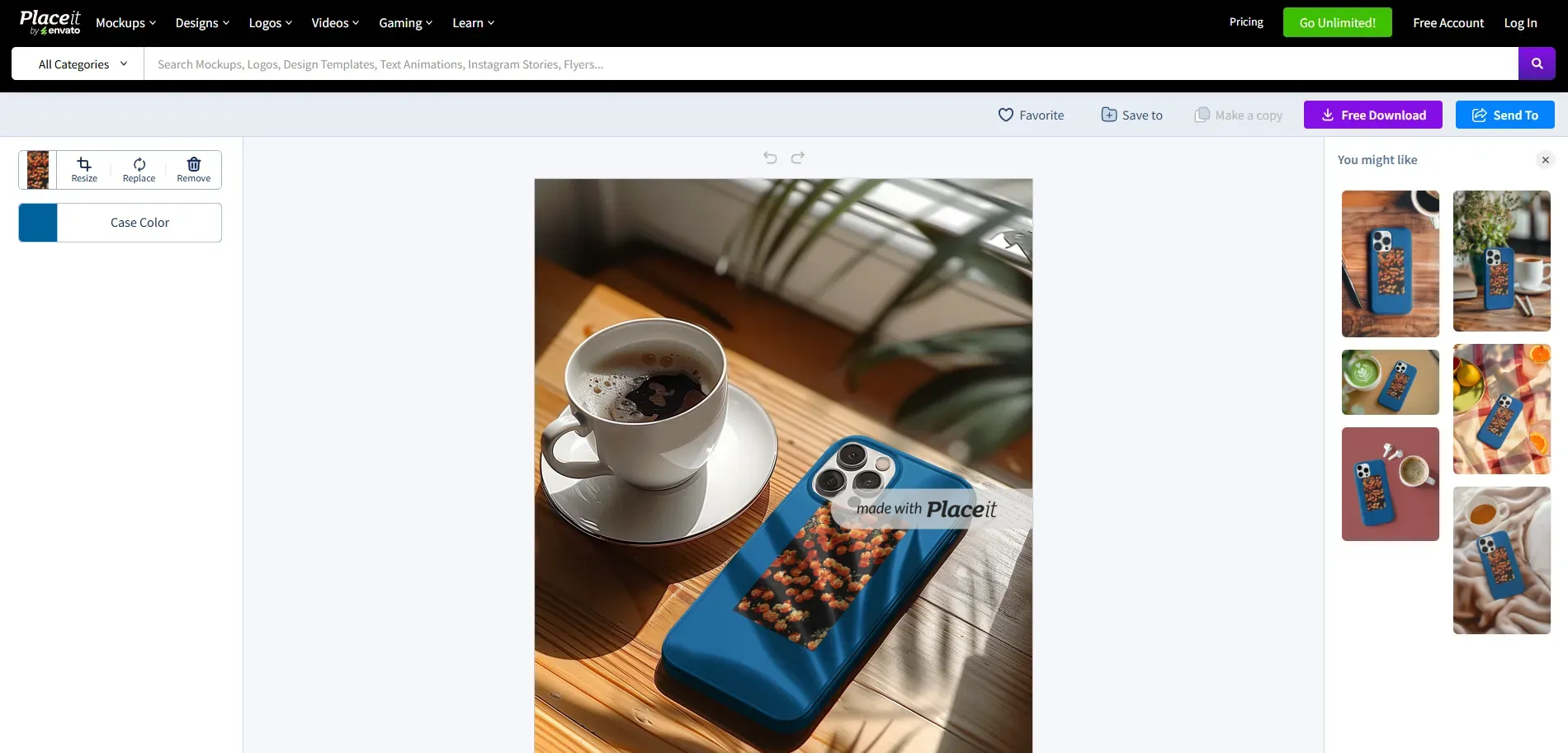
Placeit supports high-resolution PNG downloads for static mockups. Depending on the template, you can either purchase a single high-quality mockup as a watermark-free PNG or subscribe for unlimited downloads, including access to mockups, videos, and other design assets.
Support for Video Mockups
Smartmockups
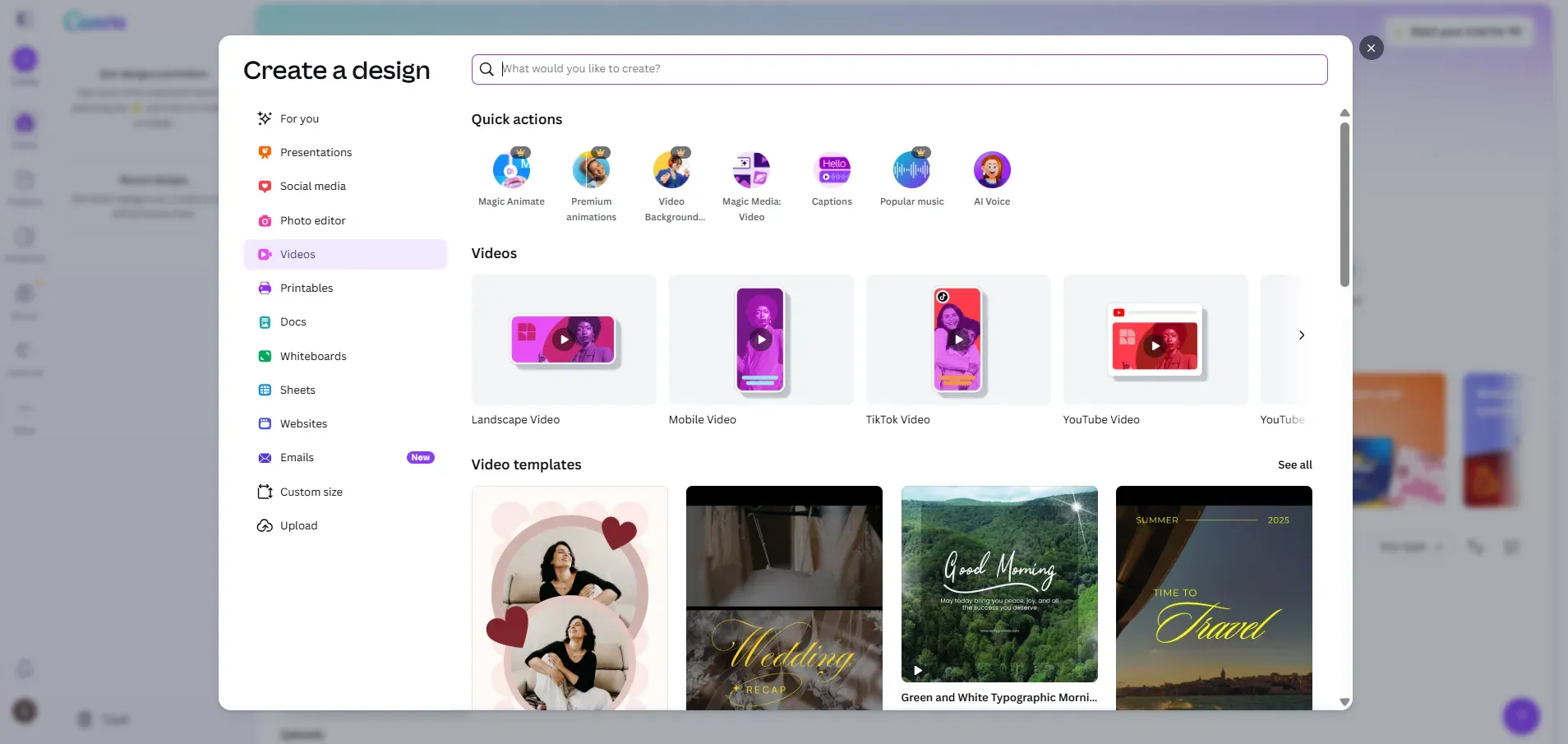
Even though Smartmockups is fully integrated with Canva, it does not offer video mockups or motion scenes, as it is primarily designed for creating static mockups. However, users can access Canva’s distinct video templates, which can be easily downloaded in MP4 format for social media and presentations, in landscape and mobile video layouts.
Placeit
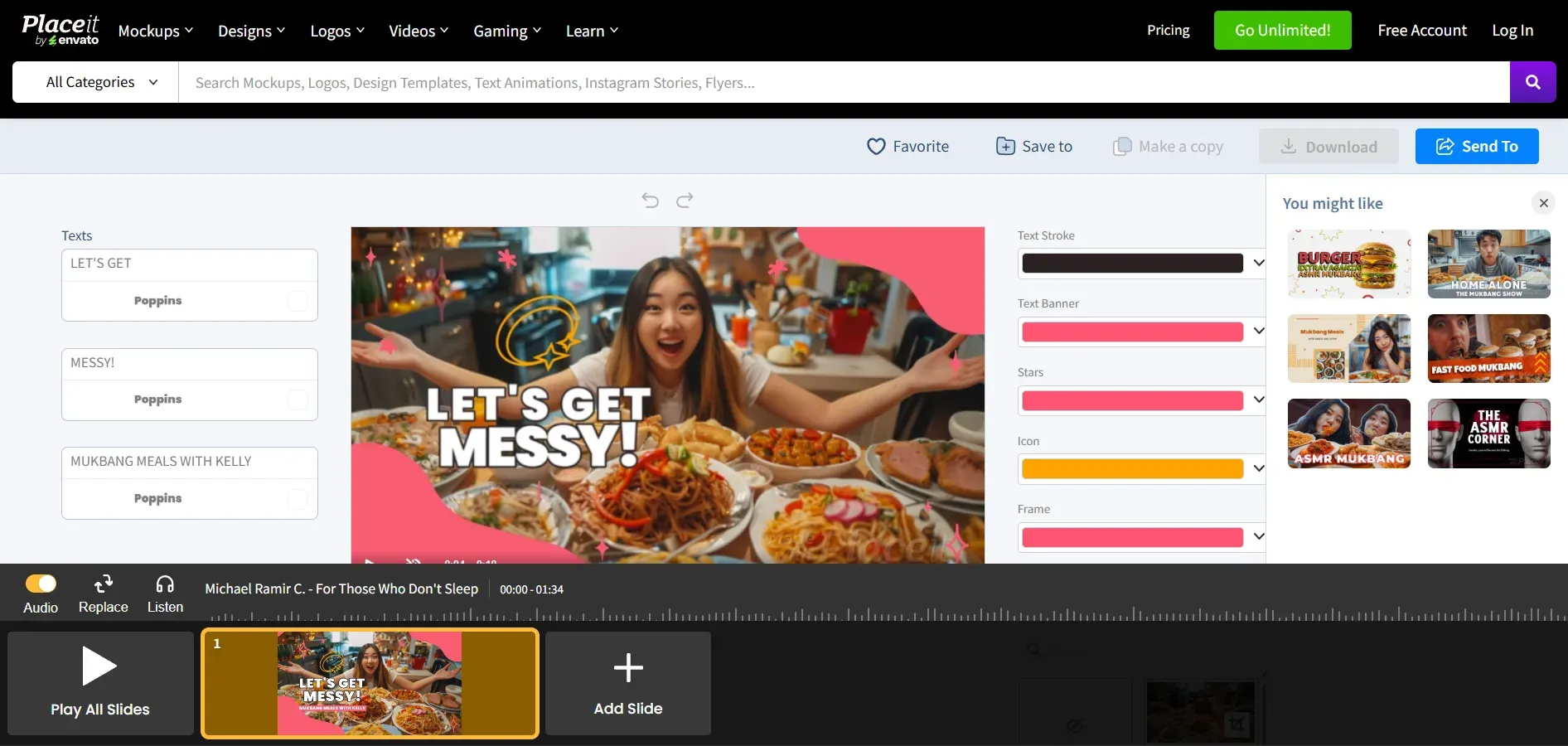
Placeit offers native video mockup support, with a video editor that lets you add your design to motion scenes, preview them, and even add audio to short clips. It features 3D video mockups, merch videos, intros, social media video templates, and more.
You can make a simple animated slide, string several scenes together, and export as an end-to-end promotional video, which is great for ads, reels, and product highlights.
Pricing Structure and Value for Money
Smartmockups
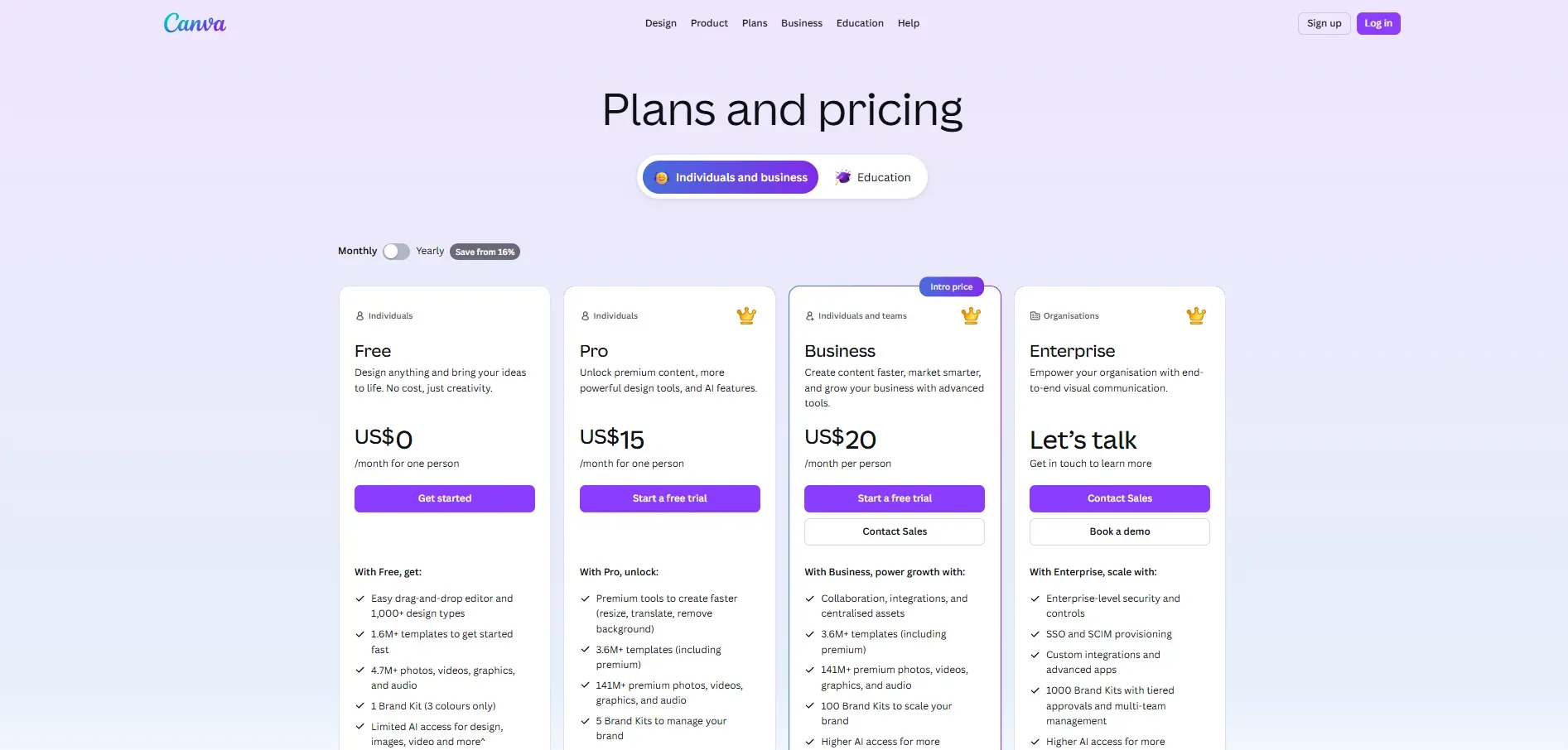
Smartmockups keeps its pricing simple and is better suited for users who mainly need clean product visuals and device mockups.
Free plan available with limited templates and features.
Pro plan starts at $15/month.
Business plan is priced at $20/month per person.
This makes it a practical choice for individuals, freelancers, or small teams who don’t need a large volume of assets and mostly work with static images.
Placeit
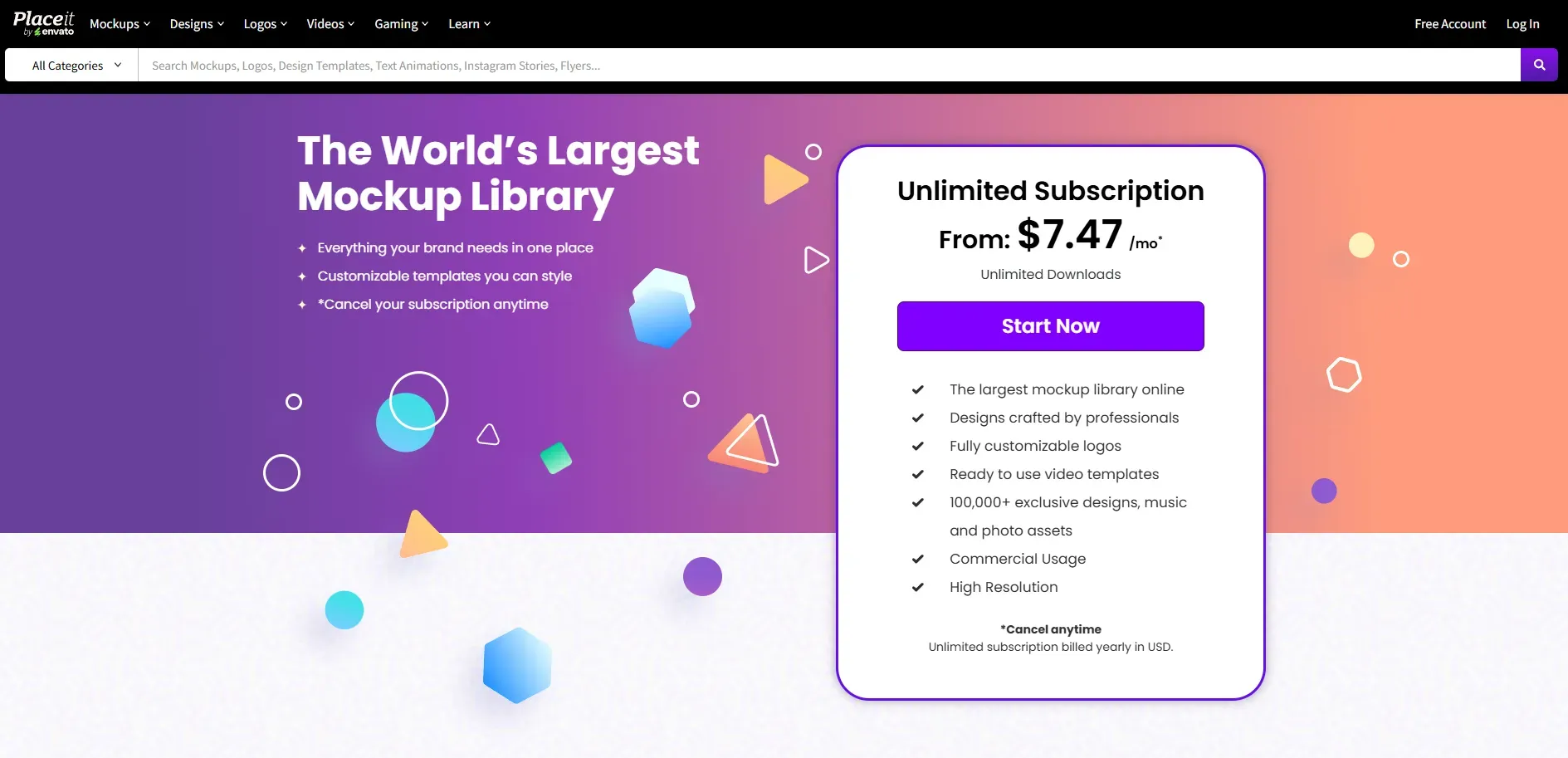
Placeit offers more flexible payment options and access to a much broader range of content beyond mockups.
Monthly subscription starts at $14.95.
Option to purchase a single mockup without a subscription: Image mockups start at around $4 per download. Video mockups cost about $9.95 per download.
Smartmockups Vs Placeit: Strengths and Limitations
Strengths and Limitations of Smartmockups
Strengths:
Provides neat, higher-quality, and more realistic mockups.
The workflow is extremely fast, with minimal interruptions.
Strong integration with design tools such as Adobe Photoshop and Figma.
Limitations:
Fewer template selections than Placeit.
Limited editing features.
It is a web-based tool users can experience lag during heavy use.
Strengths and Limitations of Placeit
Strengths:
Huge and varied template selection, including videos.
Comes with branding tools, including a logo maker and social media templates.
Great video mockup support for dynamic content.
Limitations:
The huge library can seem busy or overwhelming.
Some users argue that certain templates are too repetitive or less photorealistic.
The subscription price for a single mockup download is on the higher end.
Placeit adds a watermark to free mockups, so you have to pay to get watermark-free mockups.
Modor: A Cost-Effective Alternative
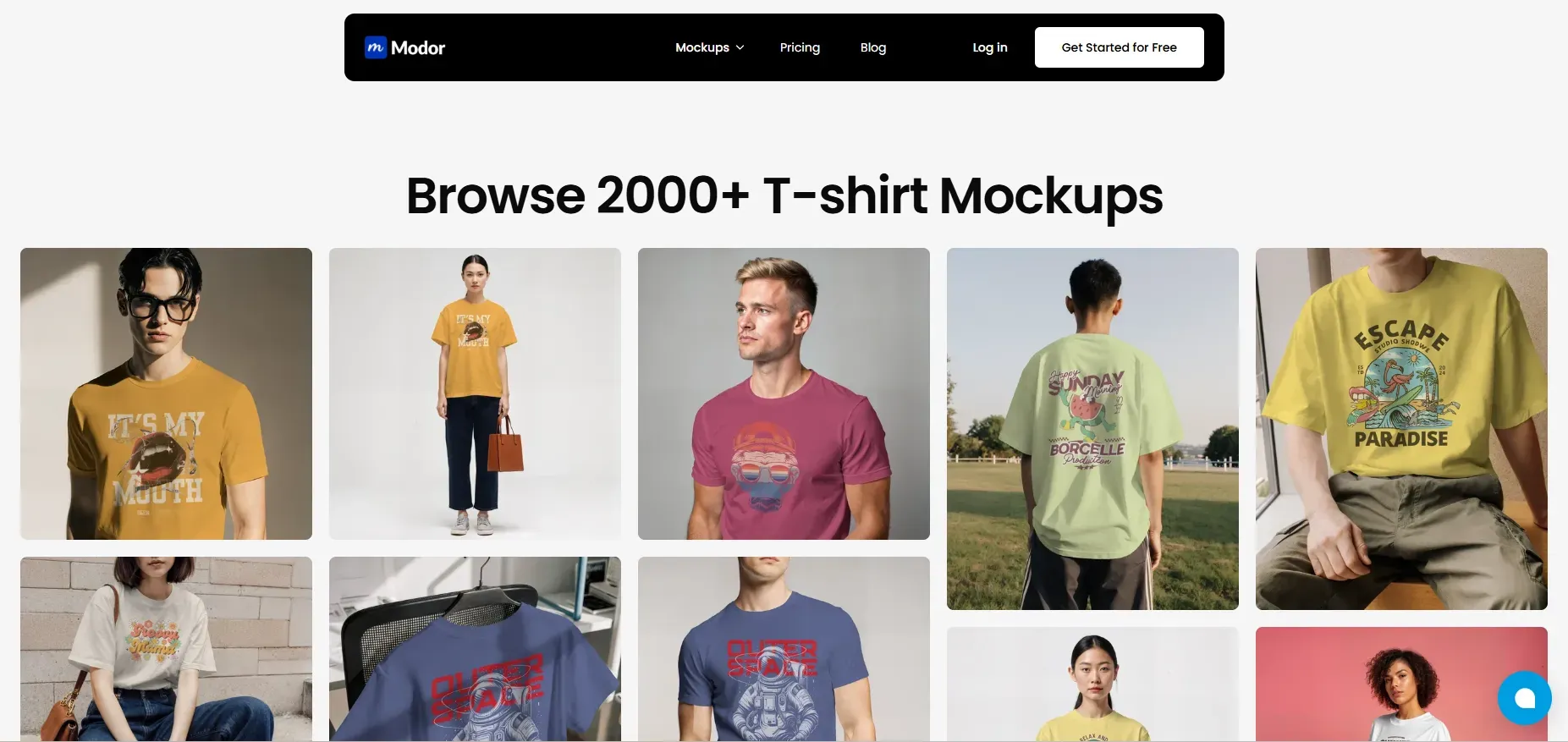
Modor is a mockup tool powered by AI that prioritizes speed and product visuals, making it ideal for designers and e-commerce brands. It has a library of 10,000+ professionally created mockup templates across apparel, tech products, and print media.
Since this is a specialised tool offering mockup creation, it’s a cost-effective, all-in-one mockup solution. Its AI-powered automation enables a faster pace, allowing users to create product mockups more efficiently.
Create Premium Photo-realistic Mockups with Modor: Step-by-step Process
You can now create premium-quality mockups in minutes with Modor. Just follow these steps.
Step-1: Go to Modor and select the mockup type you want to create.
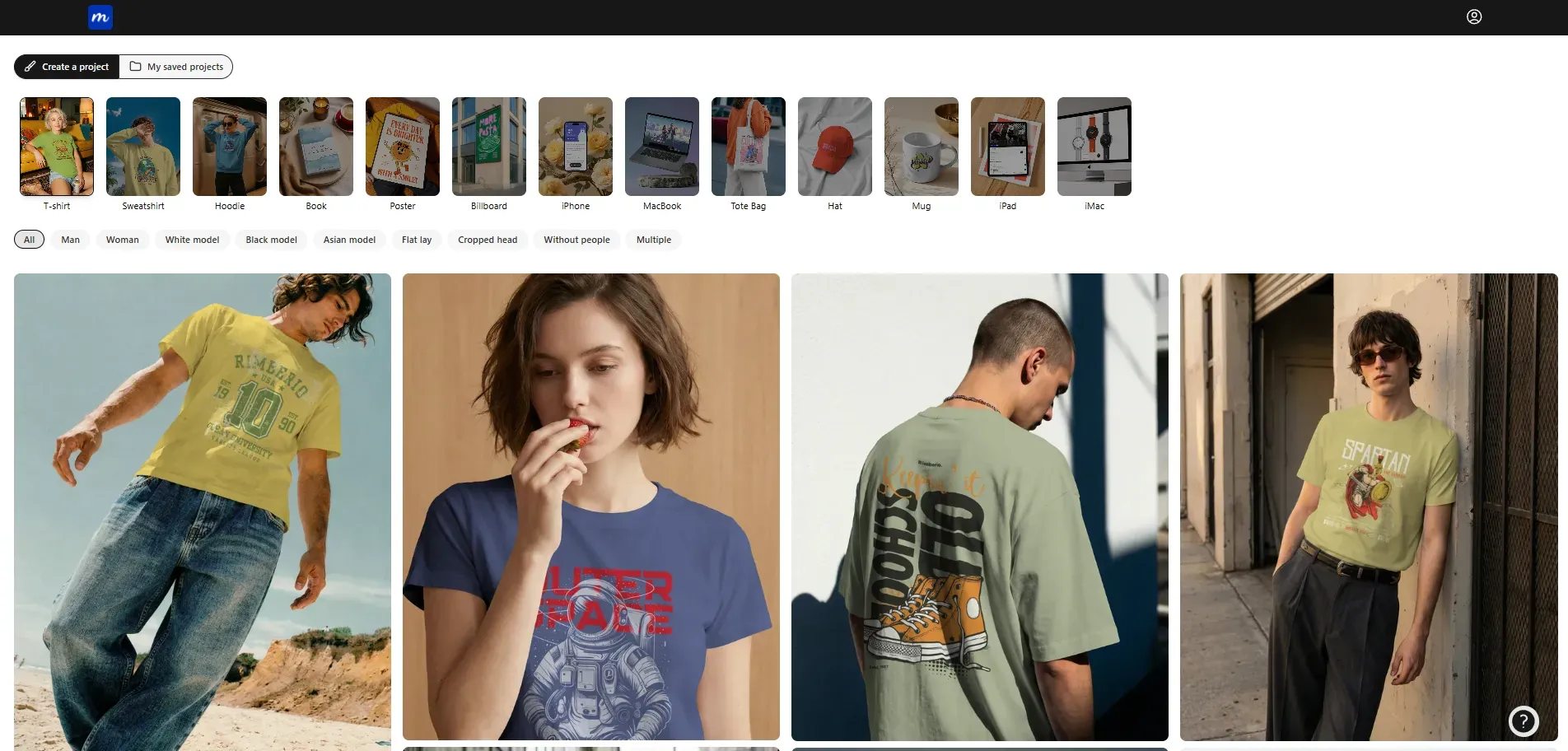
Step 2: Browse the templates and choose the one you want to use.
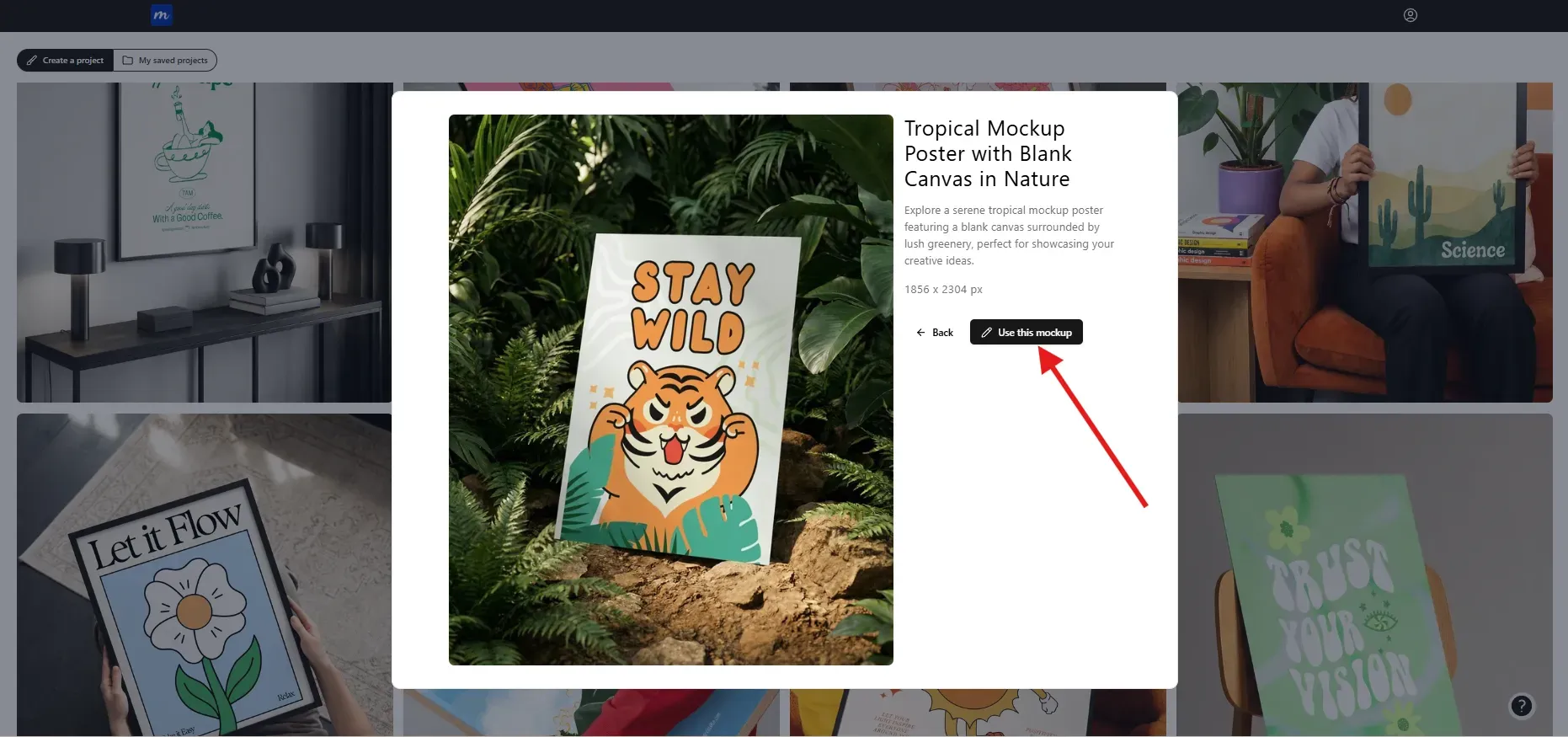
Step-3: Click on the Use this mockup button to edit and customize the template.
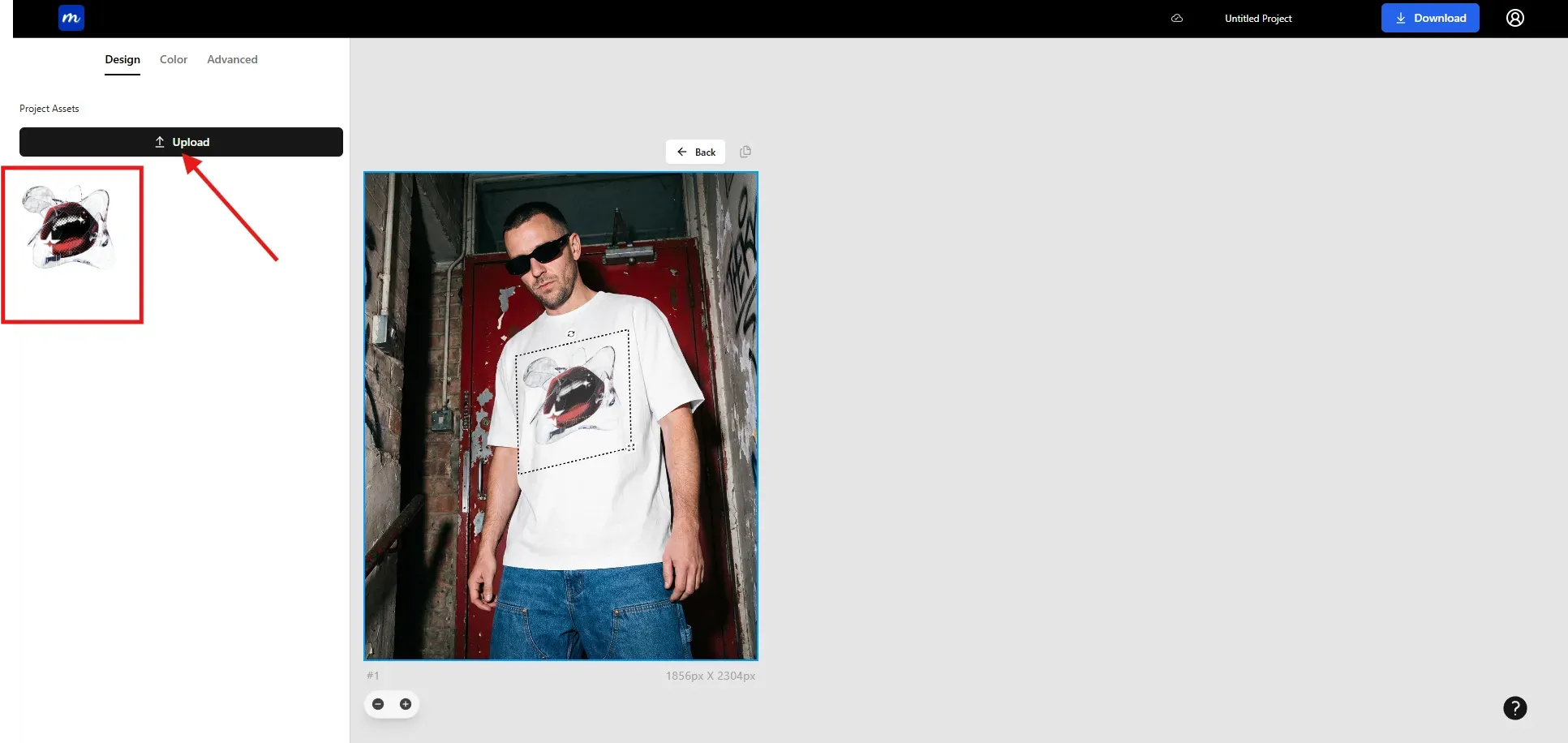
Step-4: Upload screenshots, images, or designs by clicking on the Upload button. You can add it by clicking on the image.
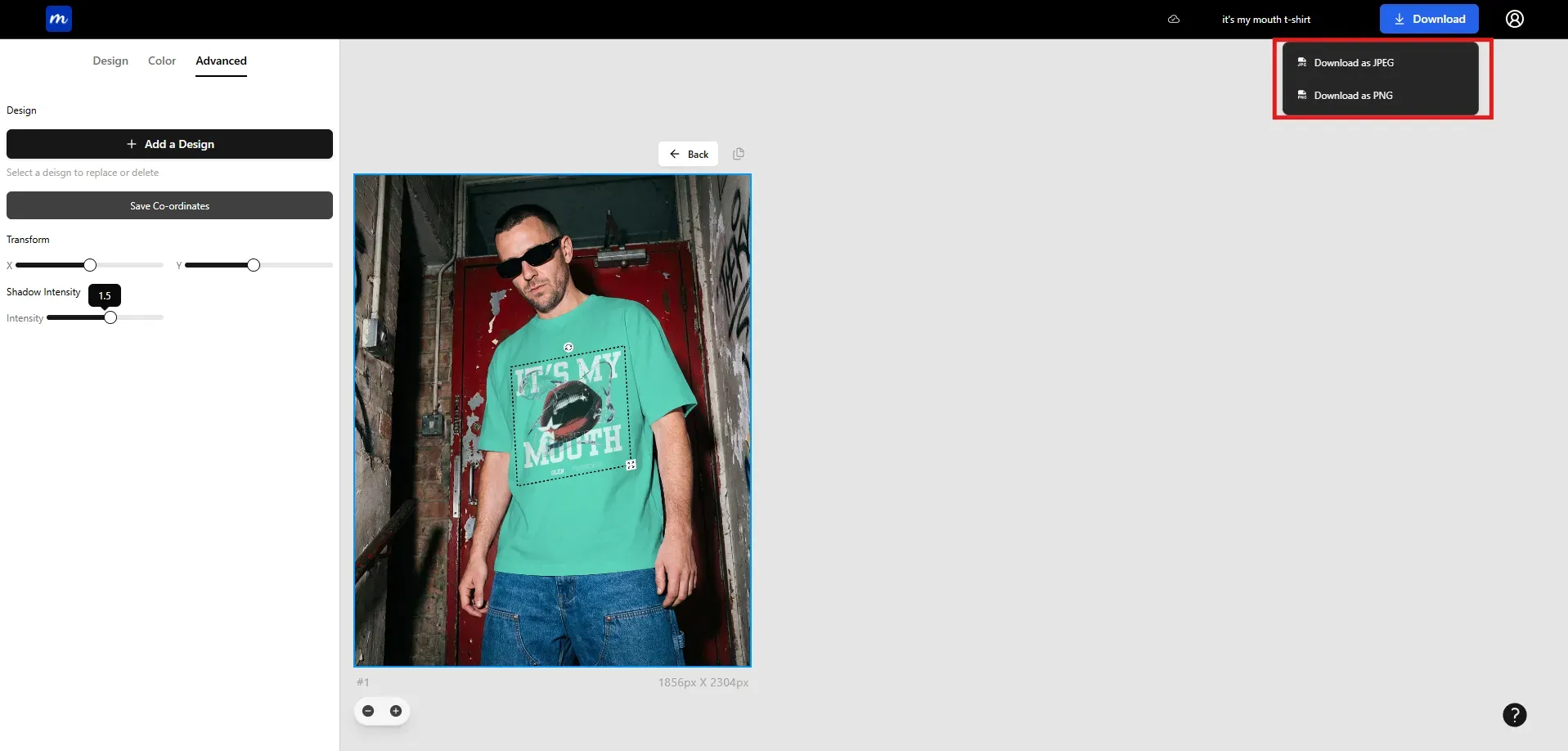
Step-5: Once done editing, click on the Download button to export the mockup. You can download it as PNG or JPEG.
Final Recommendation: Which Mockup Generator Should You Choose?
Choosing the right mockup tool comes down to how you work and what you need to show.
Smartmockups is a strong pick for clean and quick mockups. It suits designers, e-commerce seller, and small teams who want fast results without having to deal with too many settings. Placeit is better for people who create a lot of content across different formats.
Modor sits in the middle as a practical alternative. It focuses on fast mockup creation with a wide range of templates, while keeping the process simple and cost-effective.
In the end, there is no single winner for everyone. If your goal is clean product presentation, Smartmockups is a good choice. If you want variety and motion content, Placeit gives more room to create. If you want a focused tool that balances speed, price, and output, Modor is worth considering.
FAQs
1. Is Smartmockups better than Placeit for Mockups?
It depends on your needs. Smartmockups is great for realistic device and app mockups, while Placeit is better for variety and lifestyle-based visuals.
2. Smartmockups or Placeit, which tool offers more template variety?
Placeit offers a much larger range. Its library includes over 40,000 templates across mockups, logos, videos, and social media designs. Smartmockups has around 8,000 templates and focuses mainly on product and device mockups.
3. Which tool is more beginner-friendly?
Both Placit and Smartmockups are very beginner-friendly, with simple, easy-to-use interfaces.
4: Do Smartmockups and Placeit offer commercially safe mockups?
Yes, both platforms offer commercial licenses with their paid subscriptions.
5. Between Smartmockups and Placeit, which is best for startups?
It depends on the type of startup. SaaS teams often prefer Smartmockups for app and device visuals. E-commerce and lifestyle brands may get more value from Placeit because it also includes logos, videos, and branding assets.