
Mockey AI vs Placeit: Which Mockup Tool Is Right for You?
Mockey AI vs Placeit: Which Mockup Tool Is Right for You?
Trying to choose the best mockup tool? This Mockey AI vs Placeit comparison covers ease of use, template variety, and pricing in one simple guide.

Creating product mockups should be simple, but many still spend more time on it than they expect. People switch between mockup tools, test different layouts, and keep adjusting small details to get a satisfactory result. What seems like a simple task can get quite tedious.
Moreover, as demand for visual content grows, the market is expected to reach USD 86.39 billion by 2032. This further strains teams to produce high-quality creatives faster and more frequently.

Because of this shift, the space for mockup tools is changing as well. Some platforms focus on speed and use AI to generate visuals in seconds. Others rely on large template libraries with ready-made designs that are easy to edit.
Let's look at both approaches by comparing Mockey AI and Placeit. The goal is to understand which mockup design tool is efficient, reliable, faster, and fuels your mockup creation process.
Key Highlights
Mockup creation is no longer a small design task. As demand for visual content grows, teams need faster workflows and consistent output.
Mockey AI is better for quick, AI-based mockup generation with minimal effort. The mockup design tool offers a free plan and a library of over 15,000+ templates across 45+ categories.
Placeit is stronger in template volume (40,000+), branding assets, and video mockups.
If you create mockups daily, library size matters more than AI automation.
Newer free mockup tools like Modor show that the market is moving toward simpler interfaces and quicker visual generation without complex software.
Mockey AI vs Placeit: Quick Comparison
| Feature | Mockey AI | Placeit |
|---|---|---|
| Template Library | 15,000+ mockup templates | 40,000+ pre-made mockup templates |
| Ease of Use | Beginner-friendly editor with quick placement and preview option | Very beginner-friendly with a guided layout and an easy upload flow |
| AI Mockup Generation | Available | No AI image generation, only AI tools |
| Video Mockups | AI-powered video mockups | Professional quality video mockups |
| Free Plan Option | Available with limitation | Doesn’t offer a full functional plan. Offers free templates, logos, and mockups. |
| Pricing | Starter plan starts at $9.9/month | Starter plan starts at $14.95 |
| Best for | E-commerce entrepreneurs, print-on-demand (POD) sellers, fashion designers, and marketers | Print-on-demand (POD) sellers, apparel brands, and marketing content |
| Truspilot Rating | 3.8/5 | 2.4/5 |
Mockey AI vs Placeit: Overview and Features
Before we dive into the comparison, let’s first look at what each mockup tool offers on its own.
Understanding Mockey AI: Key Features, Pros, and Cons
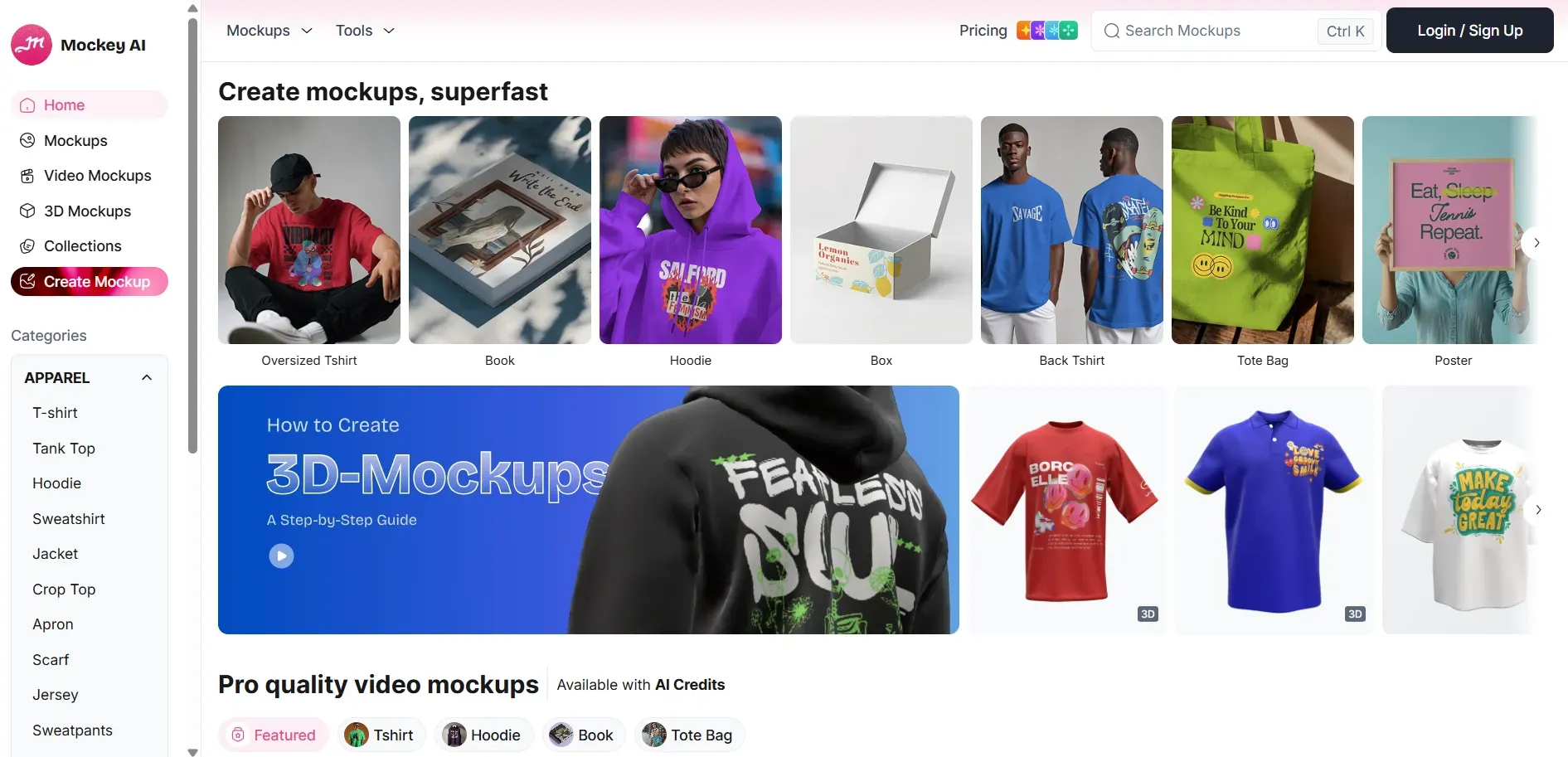
Mockey AI is an AI-powered mockup generator designed for quick visual creation. It is a free online mockup generator that lets users create professional-looking mockups without complex tools or sign-ups. According to Semrush, the mockup design tool has seen significant growth recently, with a 13.29% increase in traffic, indicating rising popularity among users.
Key Features
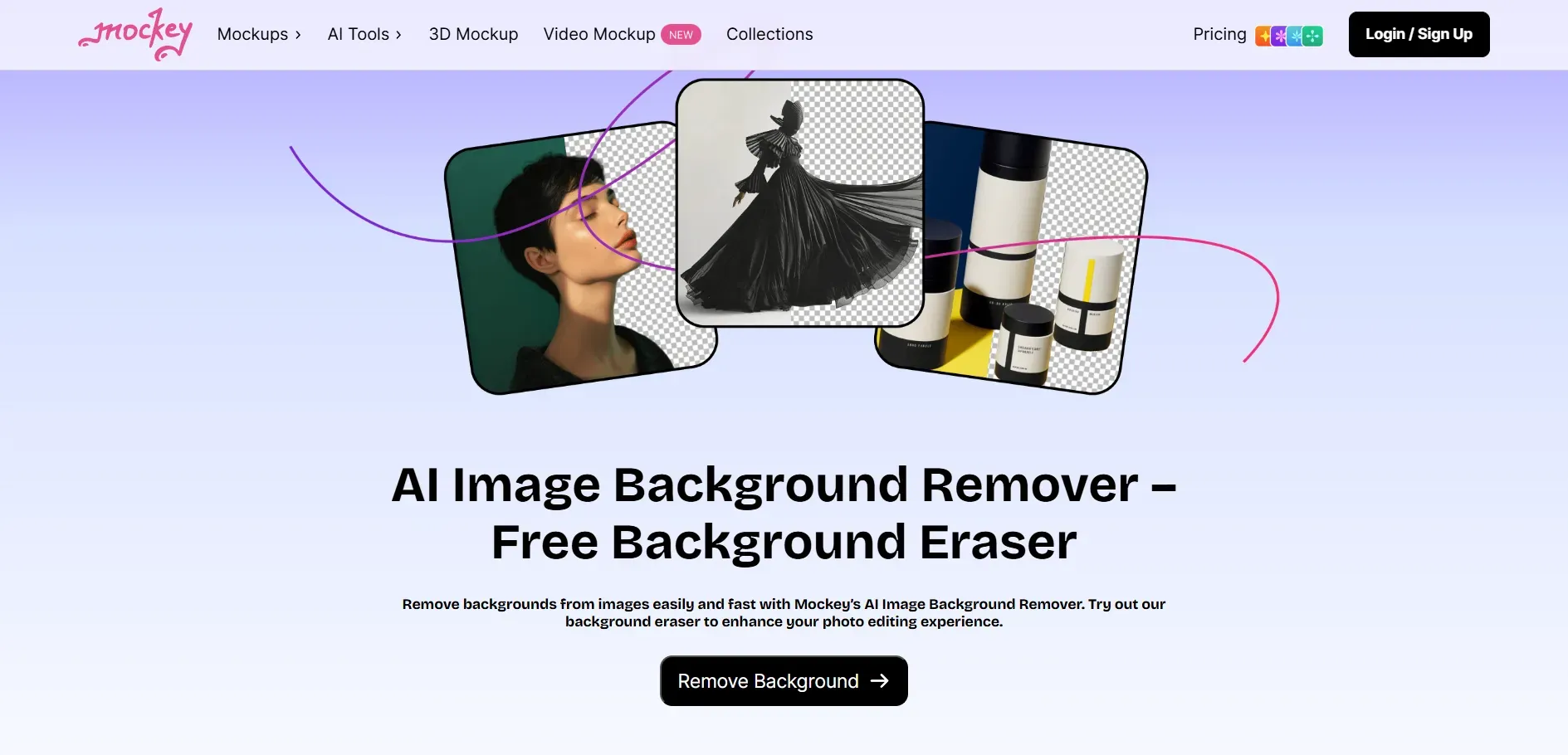
- Extensive Template Library: Over 15,000 templates spanning more than 45 AI-powered mockup categories.
- AI-Based Mockup Generation: Automatically aligns designs with realistic perspective and background placement from uploaded images.
- Device & Product Mockups: Includes mockups for phones, tablets, laptops, packaging, and business cards.
- AI-Powered Tools: Mockey AI offers AI-powered background removal and image enhancement tools, eliminating manual editing.
- 3D and Video Mockups: Mockey AI supports creating realistic 3D mockups and videos. The mockup tool also lets you transform static designs into 5-second MP4 or WebM animations.
Pros of Mockey AI
Offers a large template library with high-resolution downloads.
Provides full control over product color, background, and placement.
Faster workflow due to AI automation.
Easy to navigate and use for beginners.
Offers editing and downloading for selective mockup templates without signing up.
Cons of Mockey AI
Smaller template variety compared to competitors like Placeit.
Limited options for granular, detailed editing.
The AI-generated mockups sometimes feel generic and lacking uniqueness.
The app is currently primarily available on Android, with no iOS support.
The AI drive mockups are not always of high quality.
Understanding Placeit: Key Features, Pros, and Cons
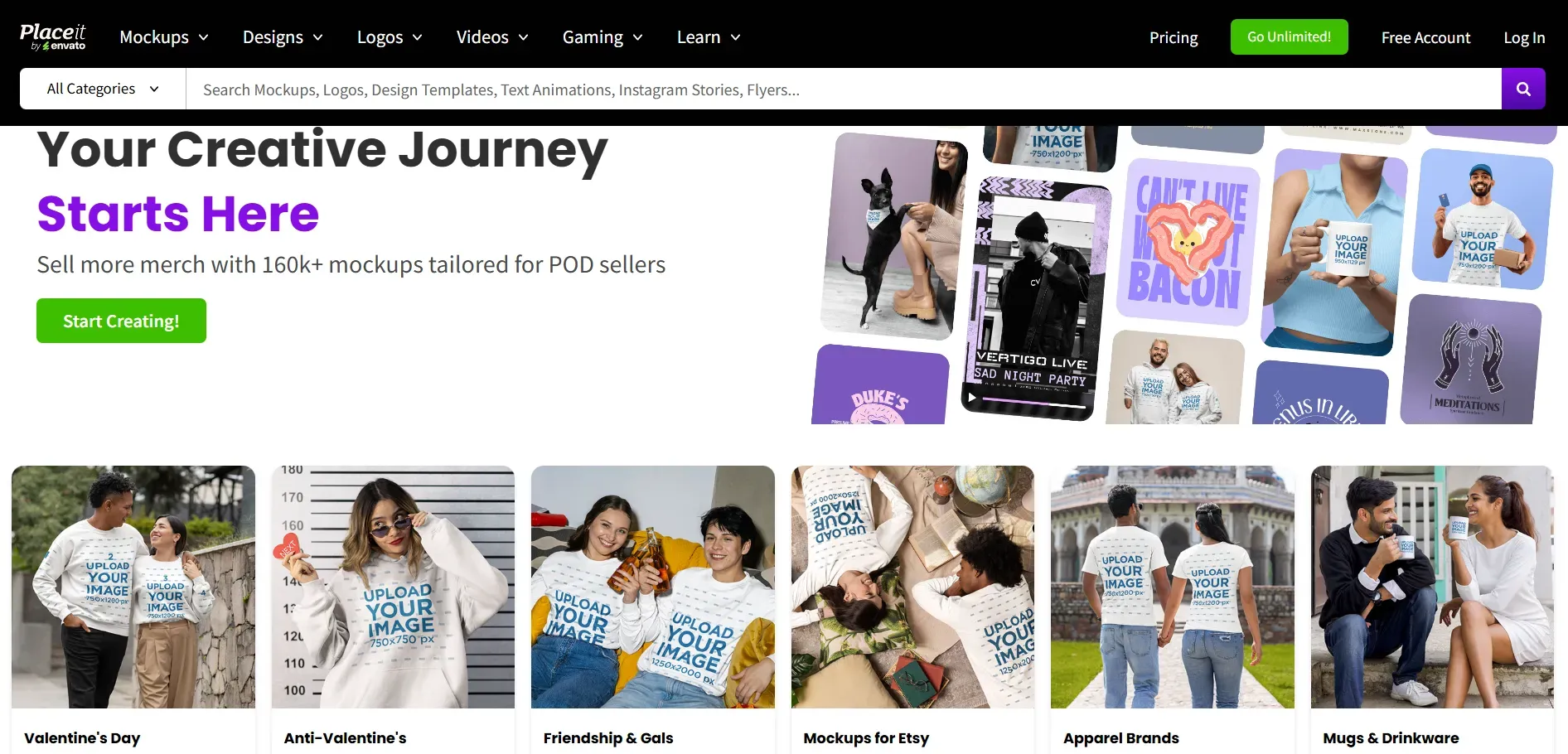
Placeit by Envato is a cloud-based design mockup tool best for creating visual assets, like product mockups, logos, video or design templates, 3D videos, gaming videos, and more, using pre-made templates. It is widely used by beginners, marketers, and content creators who want an all-in-one mockup tool with unlimited design resources.
Key Features

- Massive Template Library: Features more than 40,000 templates across t-shirts, packaging, devices, posters, and logos, offering a wide range of options.
- Logo Maker: Also includes a dedicated logo maker that lets users create high-resolution logos with unique branding elements and customization options that match the brand identity.
- E-commerce Integrations: The mockup tool also supports e-commerce integration, letting users share finished mockups directly on platforms like Etsy, Printify, Printful, Instagram, and Facebook.
- Video Mockups: Placeit houses a huge collection of video and 3D video mockups for social media, product marketing, gaming, intros, and slideshows.
Pros of Placeit
Massive template collection with a wide variety of categories.
Supports both image and video mockups.
Good for full brand asset creation (logos, videos, social posts).
Works well for daily content creation with a simple, no-learning-curve interface.
Suitable for print-on-demand and marketing content.
Cons of Placeit
The Placeit mockup interface can feel crowded with options.
Primarily a paid platform, while free downloads are watermarked.
Takes longer to explore and pick templates than to generate with AI.
Editing is template-based rather than fully flexible.
Mockey AI vs Placeit: Head-to-Head Comparison
To understand which mockup design tool fits your workflow better, we need to compare them feature by feature. Let’s start with one of the most important factors, the size and variety of their mockup libraries.
Mockup Library and Categories
Mockey AI
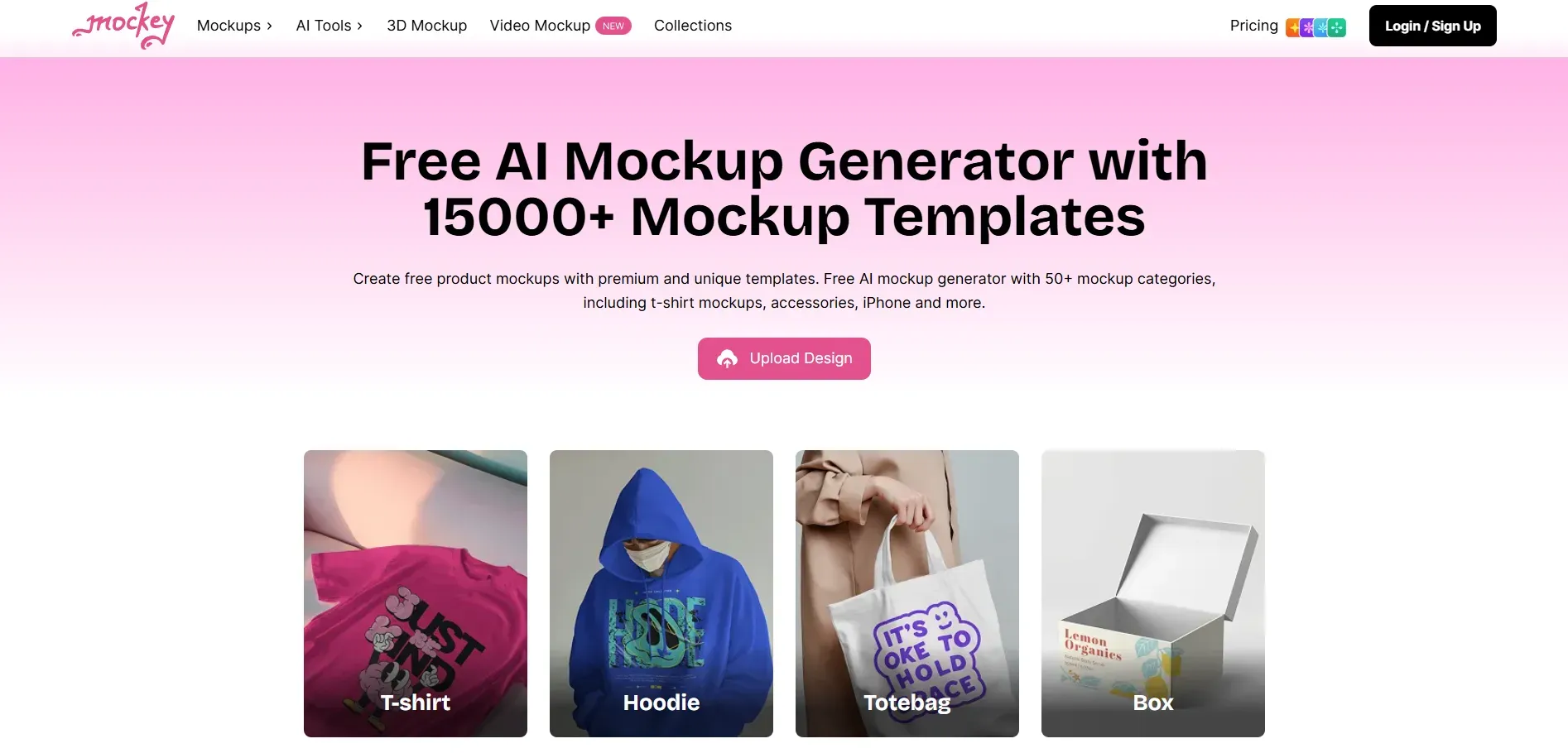
Mockey AI offers 1,5000+ templates across 45+ categories, primarily focused on product, device, and app visuals. You can browse mockups for apparel, packaging, tech devices, print materials, and more from a clear, category-based layout. The library makes it easy to filter and quickly pick ready-to-use scenes for fast customization. Mockey AI offers very trendy templates with a designer touch, whereas Placeit doesn't.
Placeit
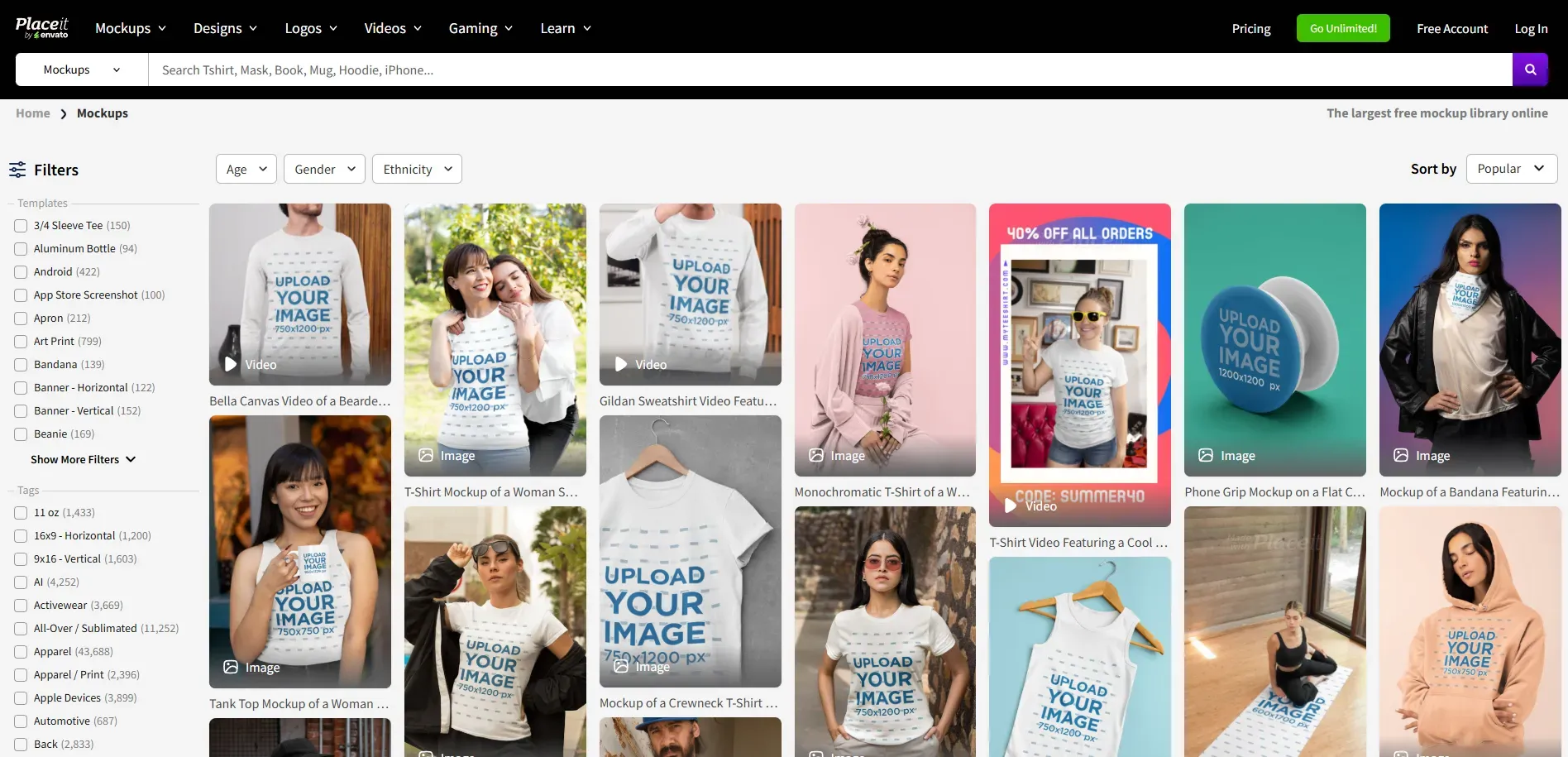
Placeit mockups, on the other hand, offer greater variety for different occasions, genders, scenes, and many other combinations, whereas Mocky AI is very limited in these areas. The mockup tool’s library is easy to browse with detailed filters, so you can quickly switch between product shots and ready-made marketing designs without leaving the platform.
Customization and Editing Interface
Mockey AI
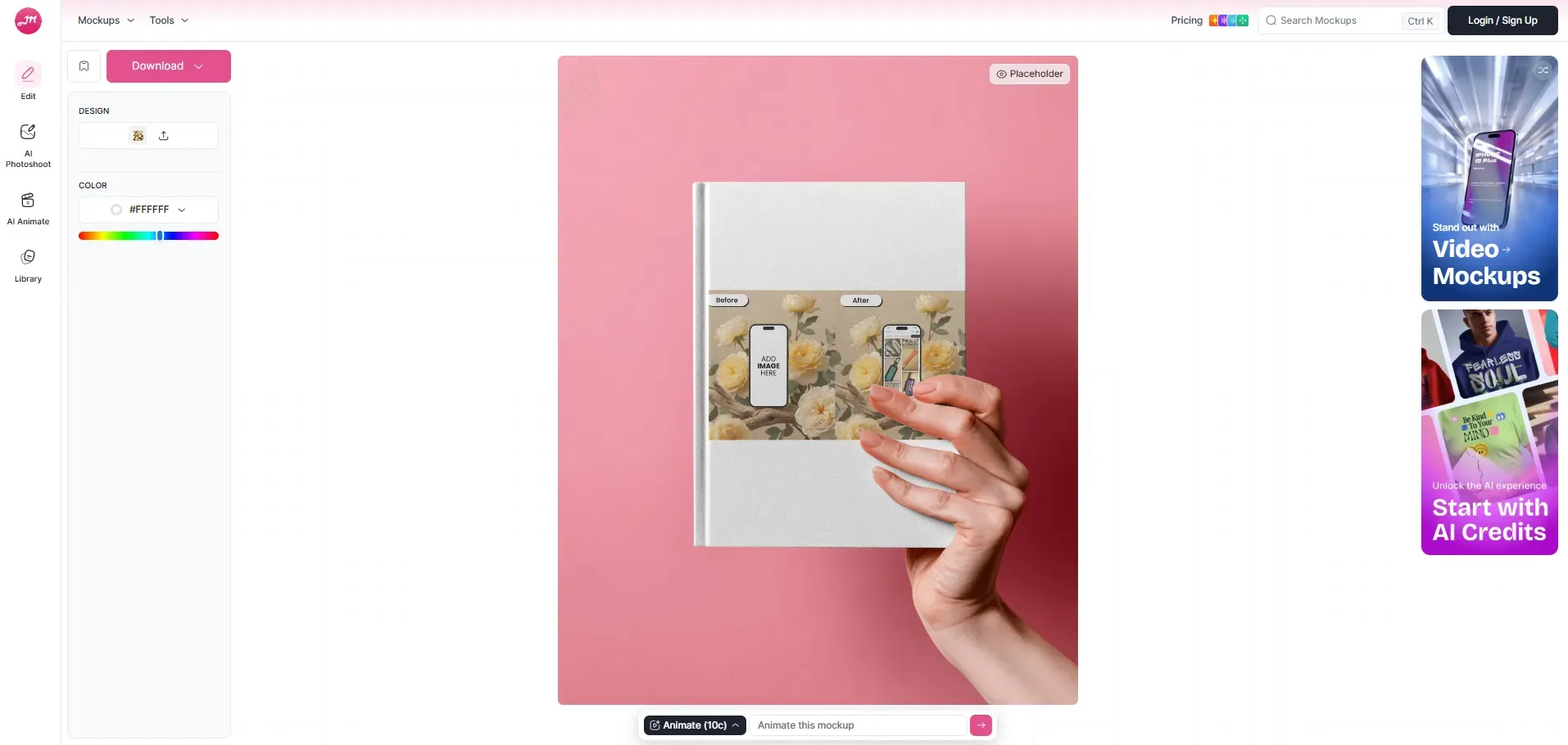
Mockey AI focuses more on automation than manual editing. You upload your design, and the AI places it naturally on the product, adjusting angles and perspective with minimal effort from your side. This saves time but gives you less direct control over layout changes.
Placeit
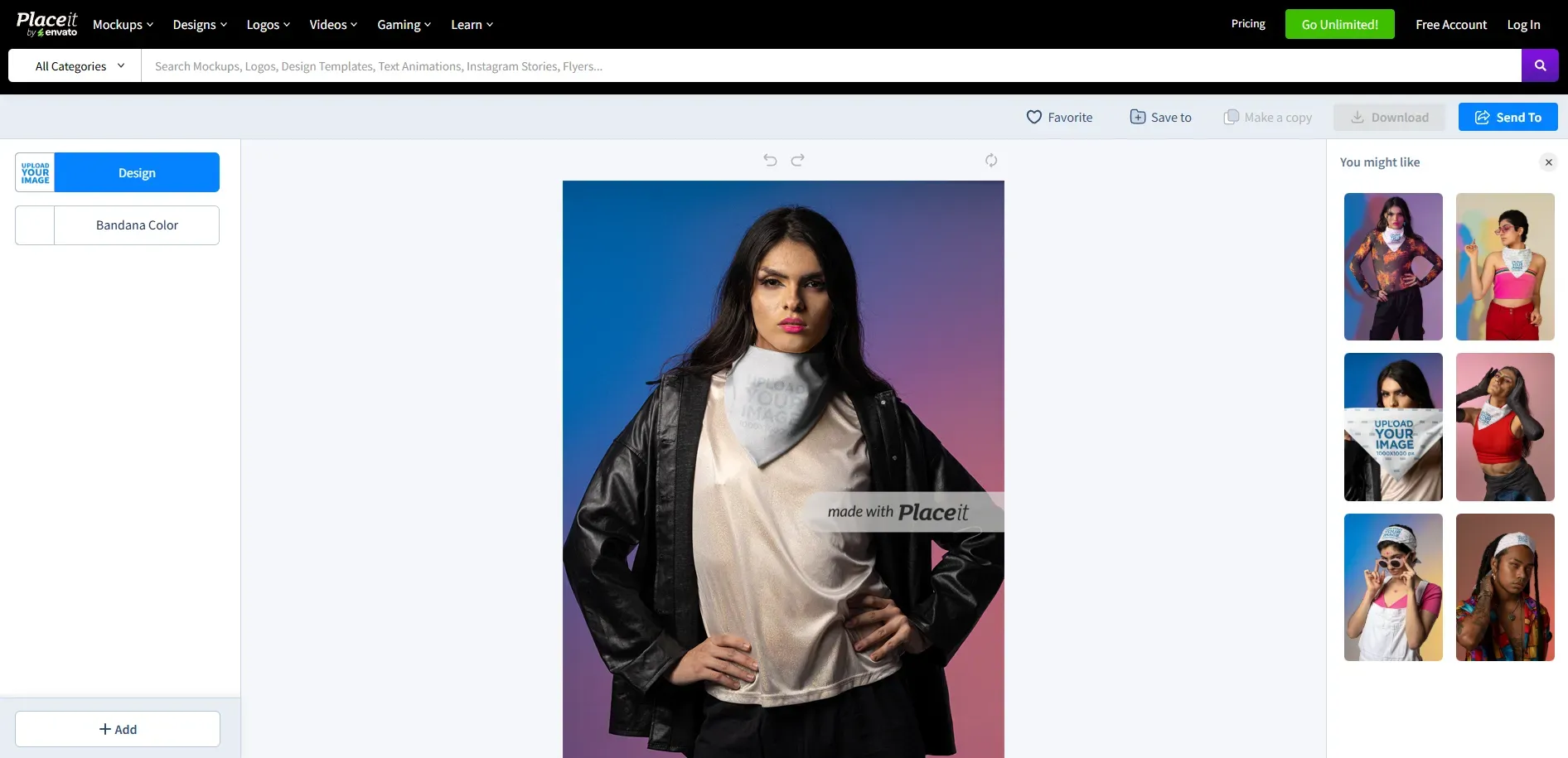
The Placeit mockup interface is very beginner-friendly, making it one of the best mockup tools for designers and beginners alike. You can edit text, adjust colors, and modify layout elements within a template. However, customization is still limited to the structure of that specific template, so you cannot freely move or redesign any element beyond the available options in the mockup tool.
Mockup Quality and Export Options
Mockey AI
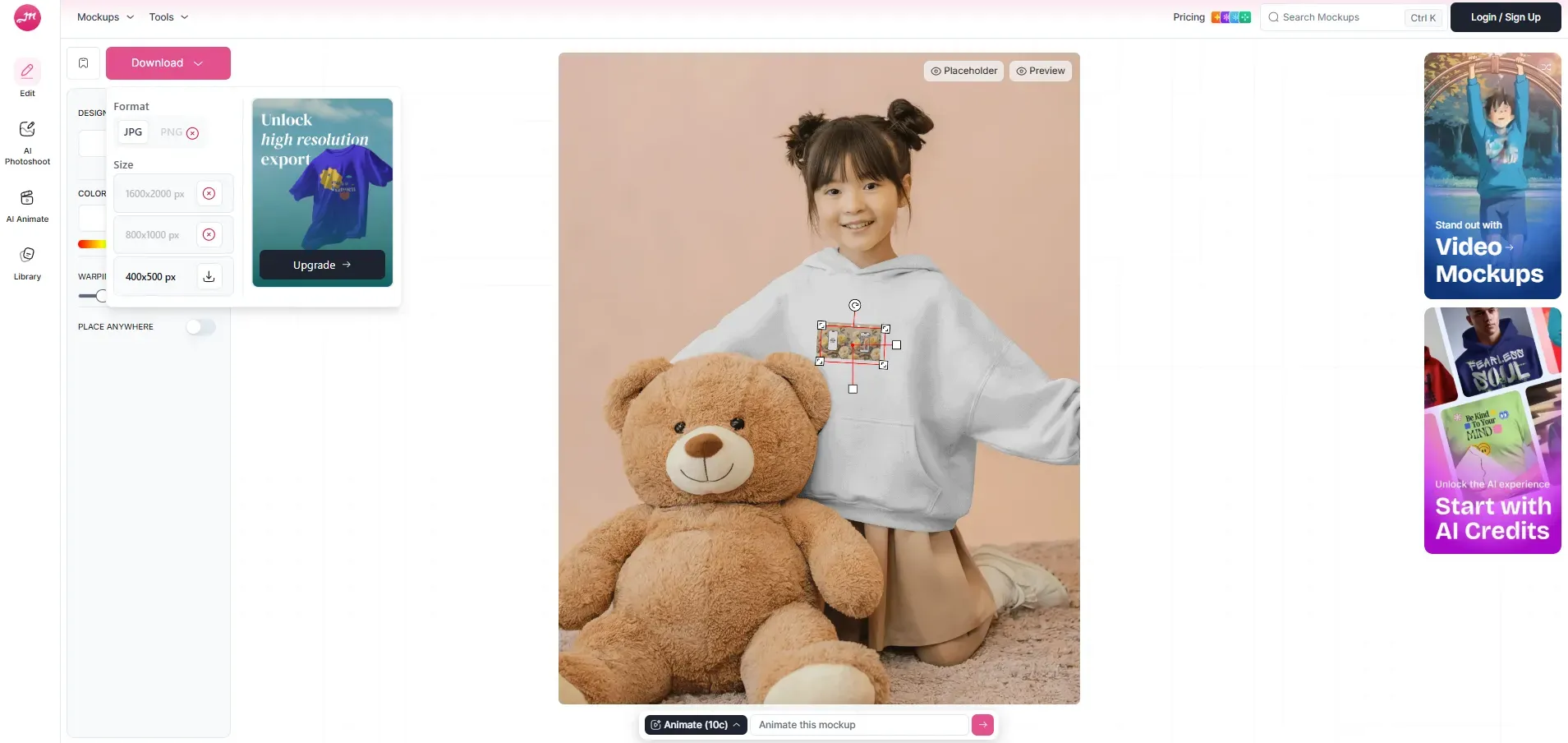
Mockey AI provides high-quality mockups that work well for product pages, social media, and presentations. You can export mockups in JPG and PNG formats with transparent backgrounds, and in MP4 format for animated or 3D mockups.
Users can download files directly and use them across the web and mobile devices, making the export process simple and flexible for different content needs.
Placeit
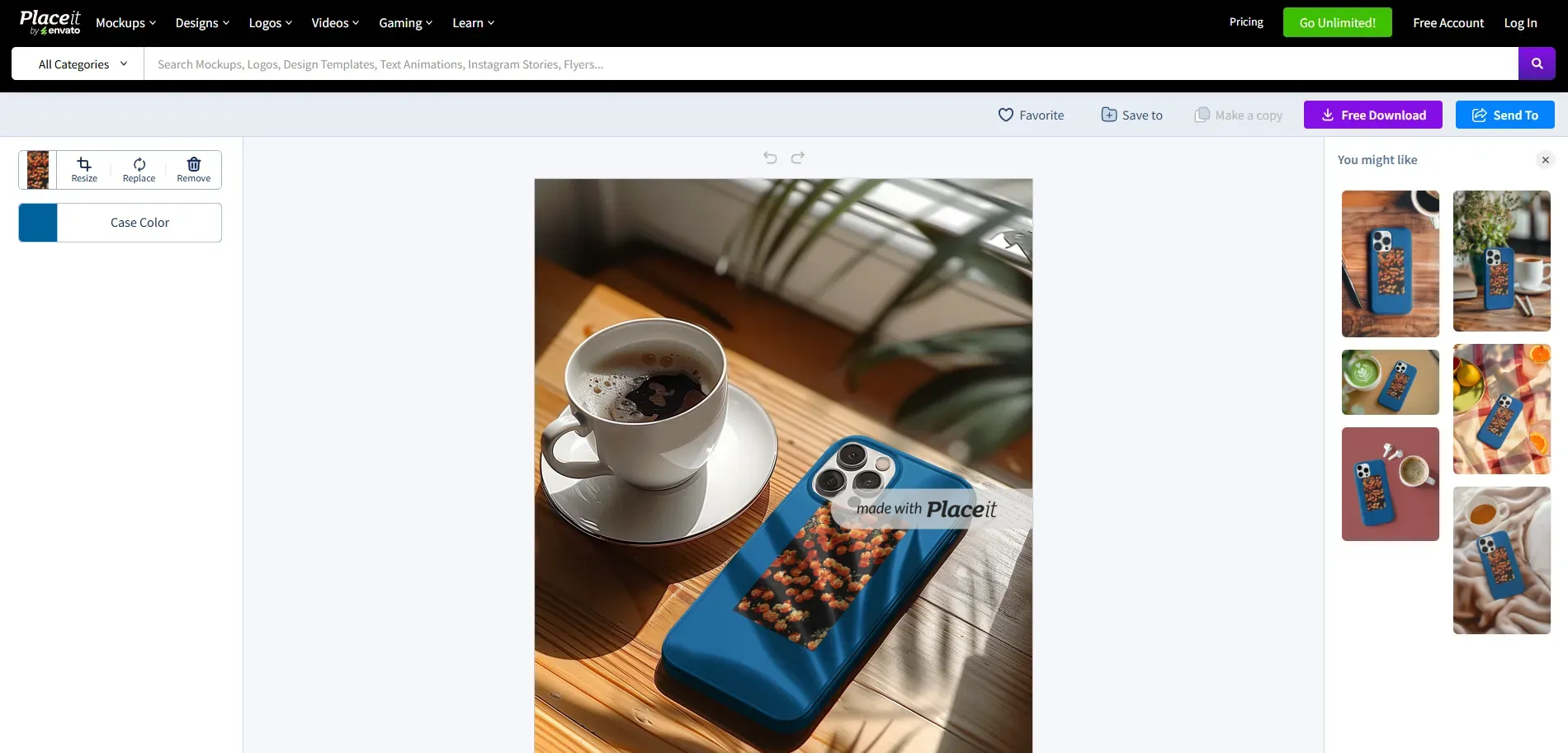
Placeit mockups also offer high-quality mockups suitable for both digital and print use. You can export the static designs at high resolution, often up to 4K resolution, in PNG or JPG formats, while video mockups are available in MP4 format.
The mockup tool also offers free mockups, but only for templates labelled as free, and you need to type ‘free’ in the search bar to browse the free mockups.
Animated and Video Mockups
Mockey AI
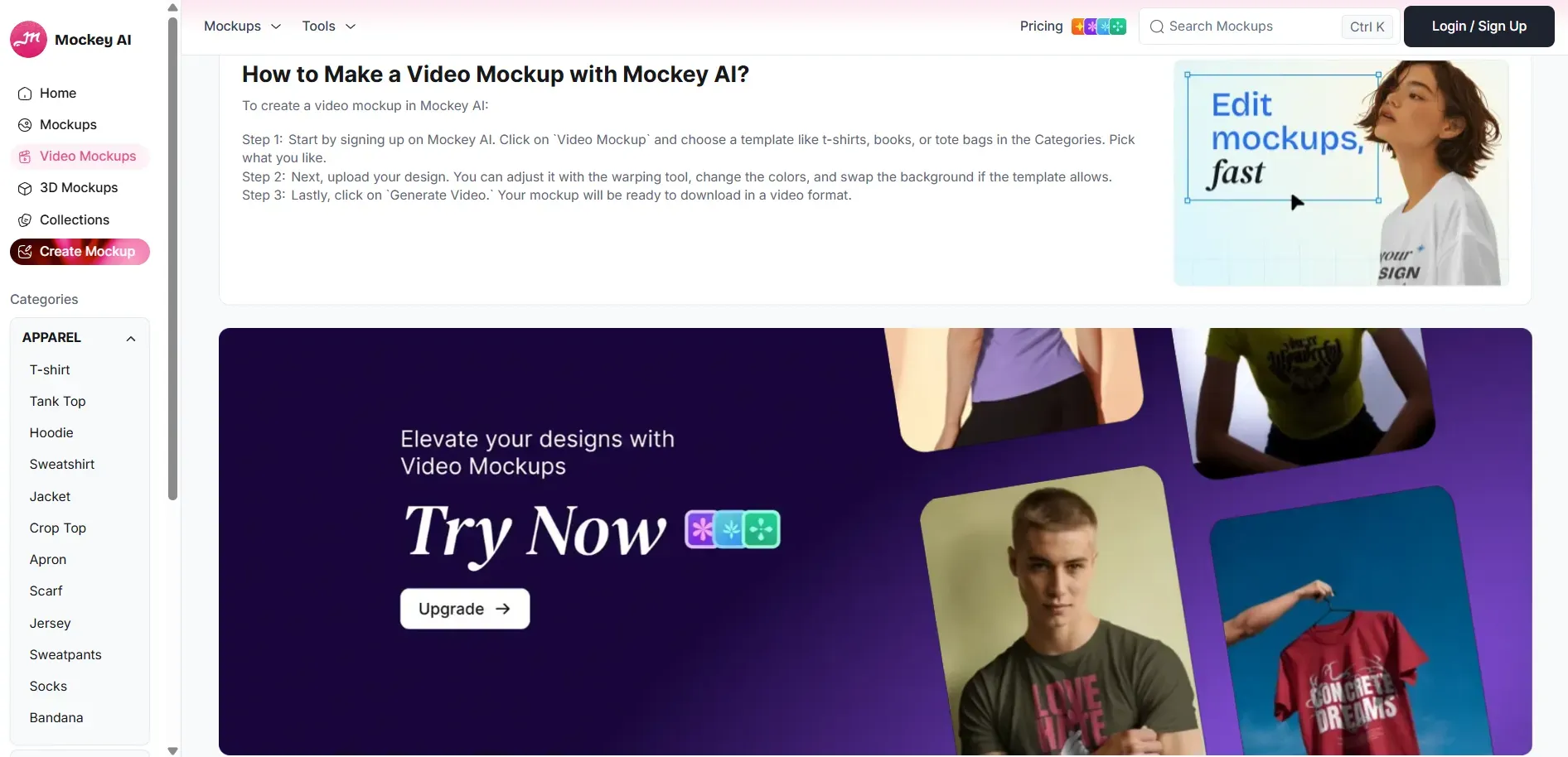
Mockey AI boasts a dedicated video mockup library with thousands of ready-made animated templates across apparel, tech, home decor, and packaging categories. These video mockups feature natural model movements and smooth camera effects, such as zooms and pans, resulting in a dynamic, realistic final export.
Placeit
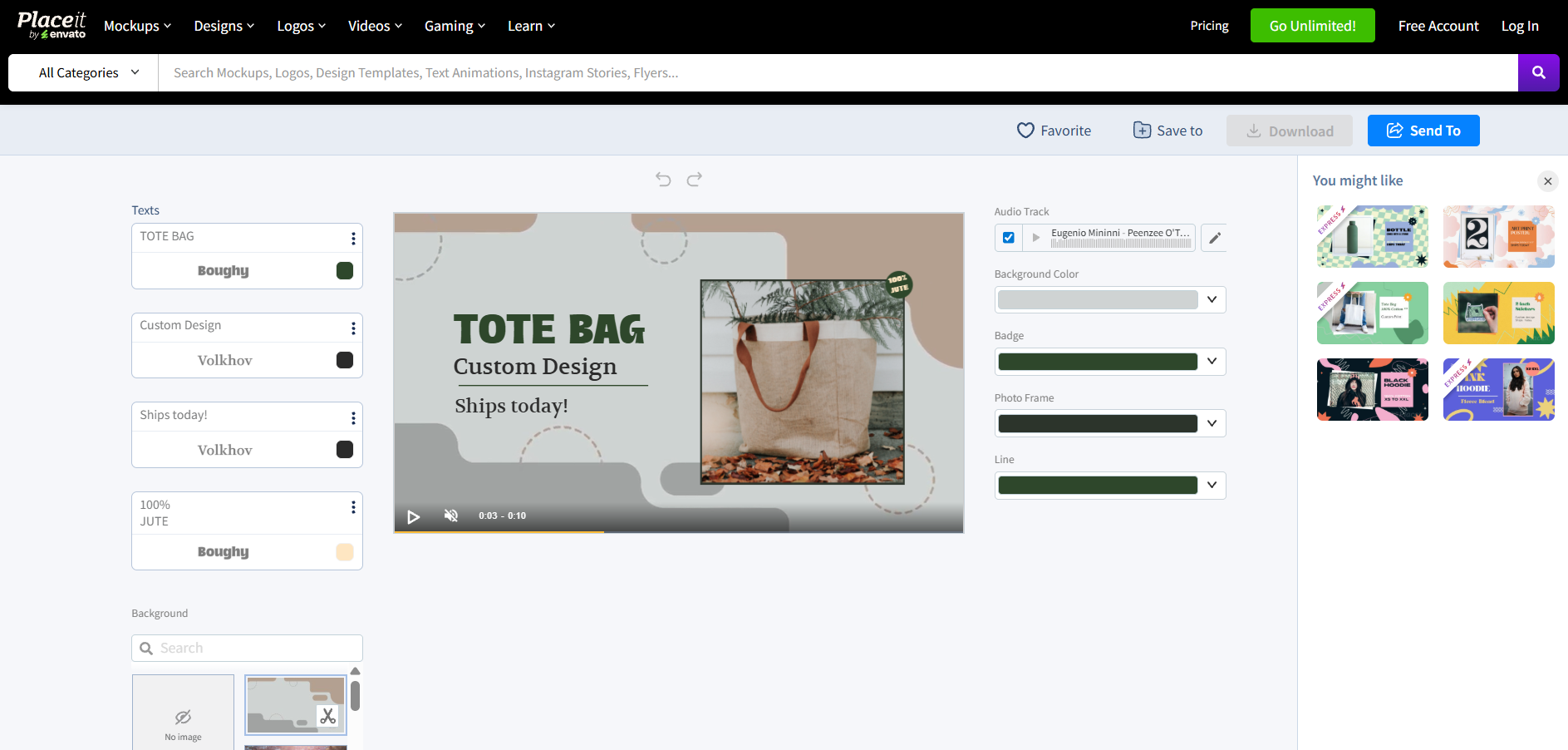
Placeit mockups offers a wide range of video mockups that let you showcase your designs on moving products, digital screens, and real-life scenes. Its templates include apparel and merch videos, app and website demos on devices, 3D rotating product animations, and even cinema-like visuals.
AI Features and Automation
Mockey AI
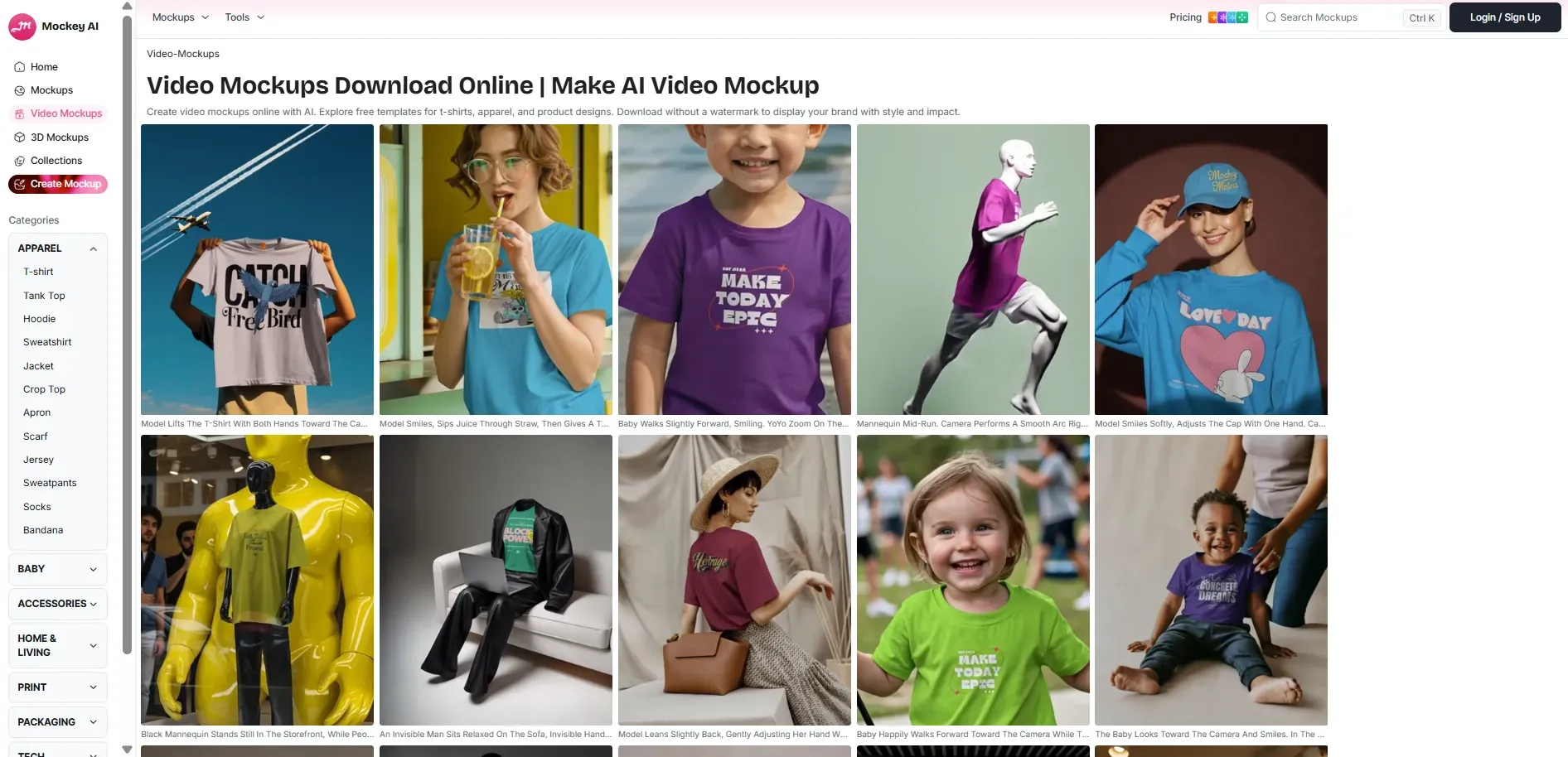
Mockey AI places a strong focus on automation, offering AI features such as AI photo shoot, background blurring, AI image resizer, image converter, outfits AI, and AI image generator. These features help users quickly edit, enhance, and prepare visuals without manual effort.
Placeit
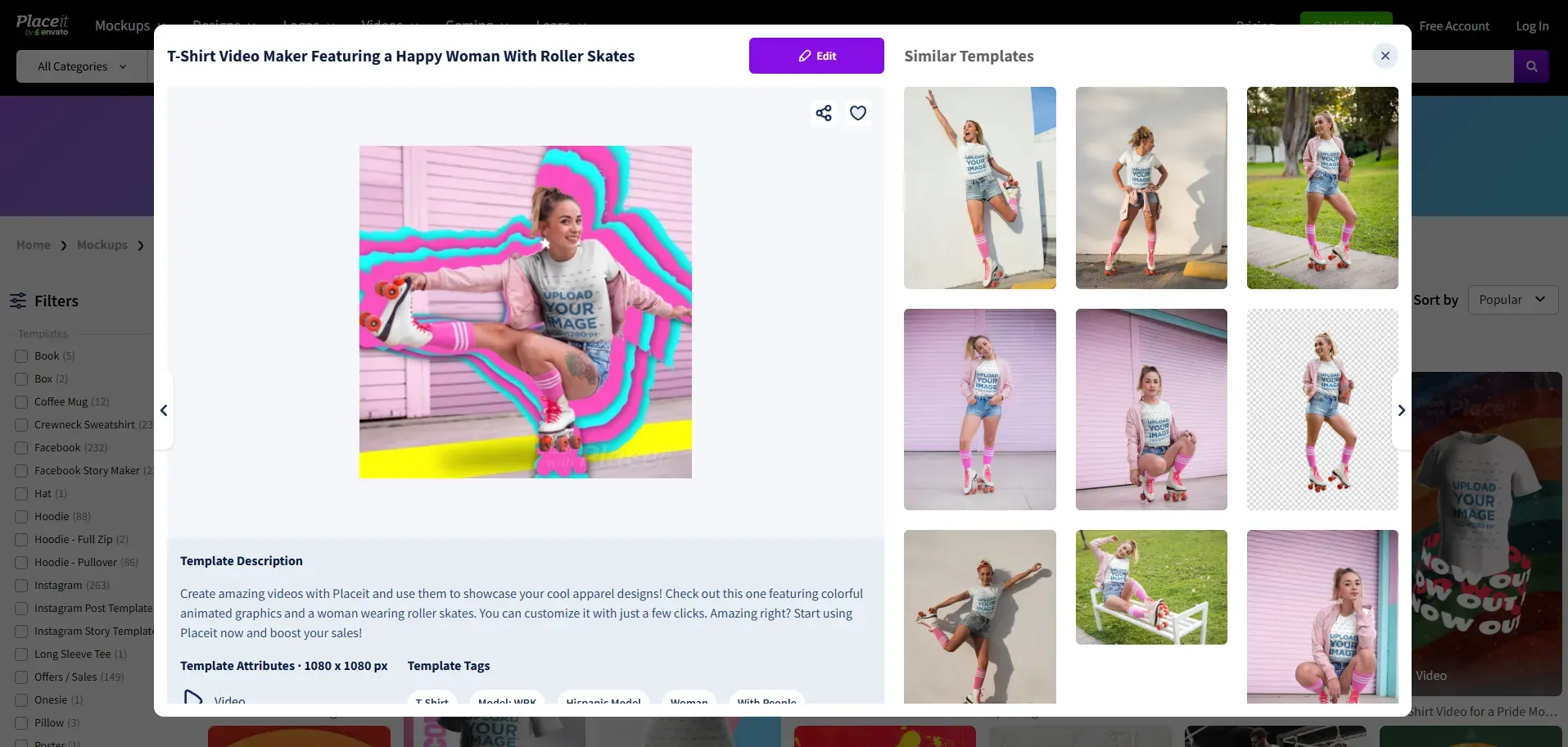
Even though Placeit mockup focuses more on manual customization and editing features, it also offers AI tools. Users can use AI features like Image Cropper, Video to Gif Converter, Video Cropper, and Background Remover. The actual editing process remains template-driven rather than fully automated.
Note: AI is changing how mockups are created, especially as fast content production becomes more important in 2026.
Value for Money
Mockey AI
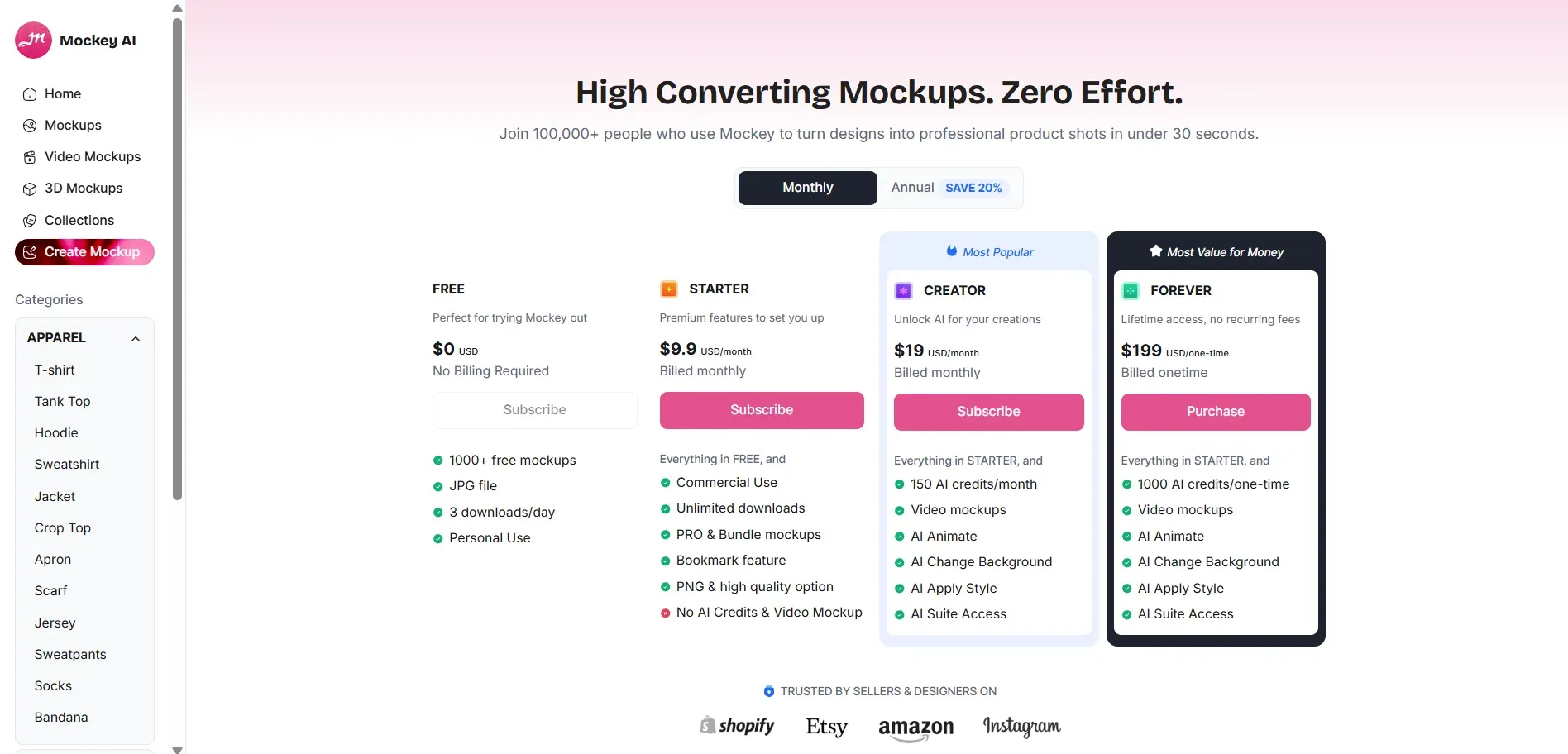
- Free Plan: The free plan includes 1000+ mockups in JPG format, limited to 3 downloads per day for personal use, with no billing required.
- Monthly Plan: The monthly plan starts at $9.9 and includes commercial use, unlimited downloads, PRO and bundle mockups, and high-quality PNG exports. A higher-tier plan is available for $19 per month, with more AI Credits and full access to the AI Suite.
- One-Time Plan: The Forever plan is available at $199 as a one-time payment and provides lifetime access with no recurring fees. It includes everything in the Starter tier, plus 1,000 AI credits (one-time), video mockups, AI Animate, AI Change Background, AI Apply Style, and full access to the AI suite.
- Value Factor: The higher-tier plans combine mockups, AI tools, and video features into a single subscription, making them suitable for users who regularly create product visuals and marketing content.
Placeit
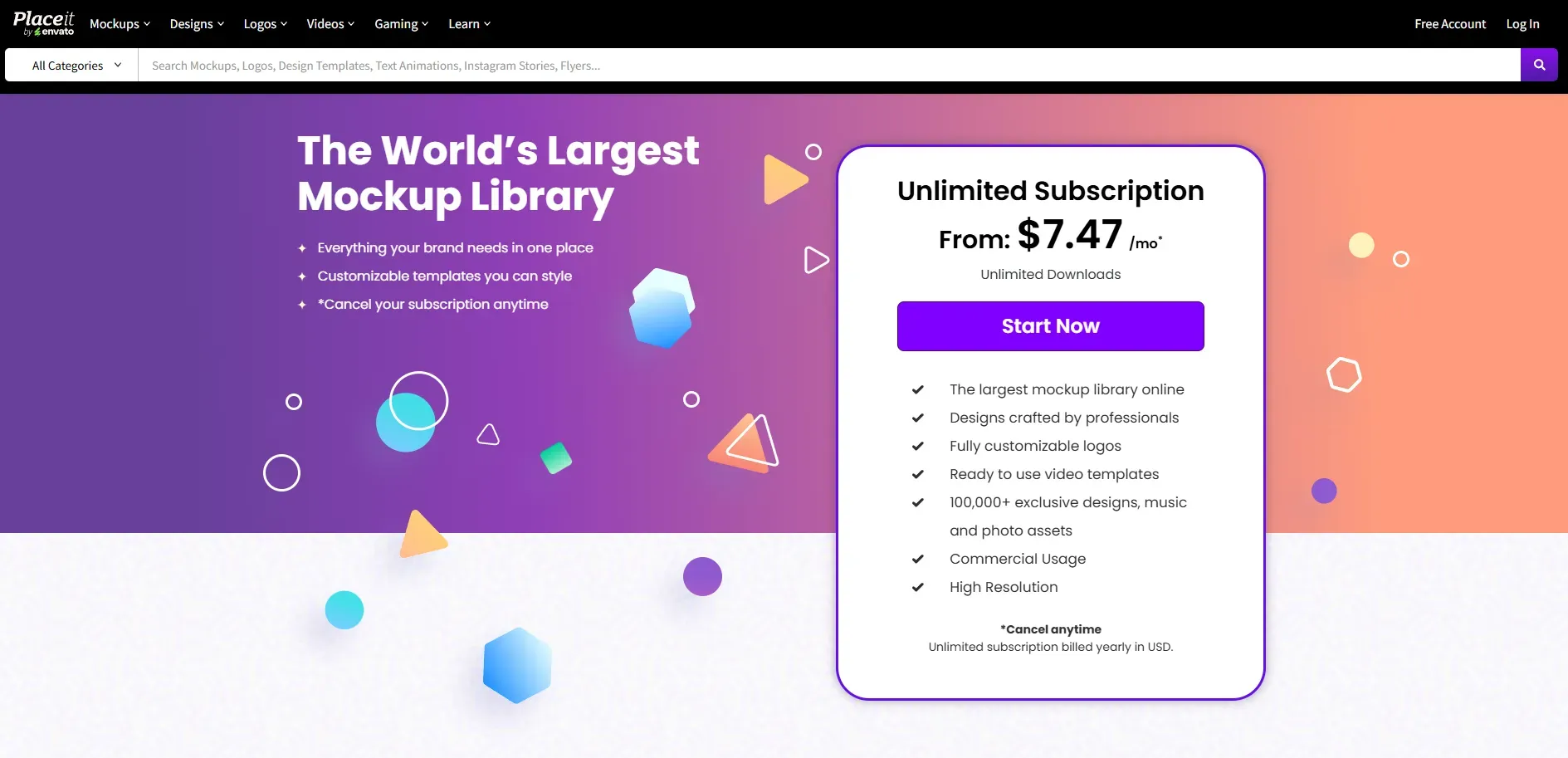
- Free plan: A full free plan is unavailable. You can use the free mockups and templates, but you need to search for ‘free’ in the search box.
Monthly plan: The starter plan is available at $14.95 per month, with access to 100,000+ exclusive designs, video templates, fully customizable logos, and music and photo assets templates with high-resolution downloads.
Pay per project: You can also pay $7.95 for a static mockup and $9.95 for a video mockup.
Value factor: One subscription covers multiple creative needs. Better cost value for users creating logos, videos, and marketing visuals regularly.
Tip: Calculate the value based on how often you create mockups. Heavy users get more value from larger libraries like Placeit, while occasional users may prefer Mockey AI's free access.
Modor: A New Alternative to Consider
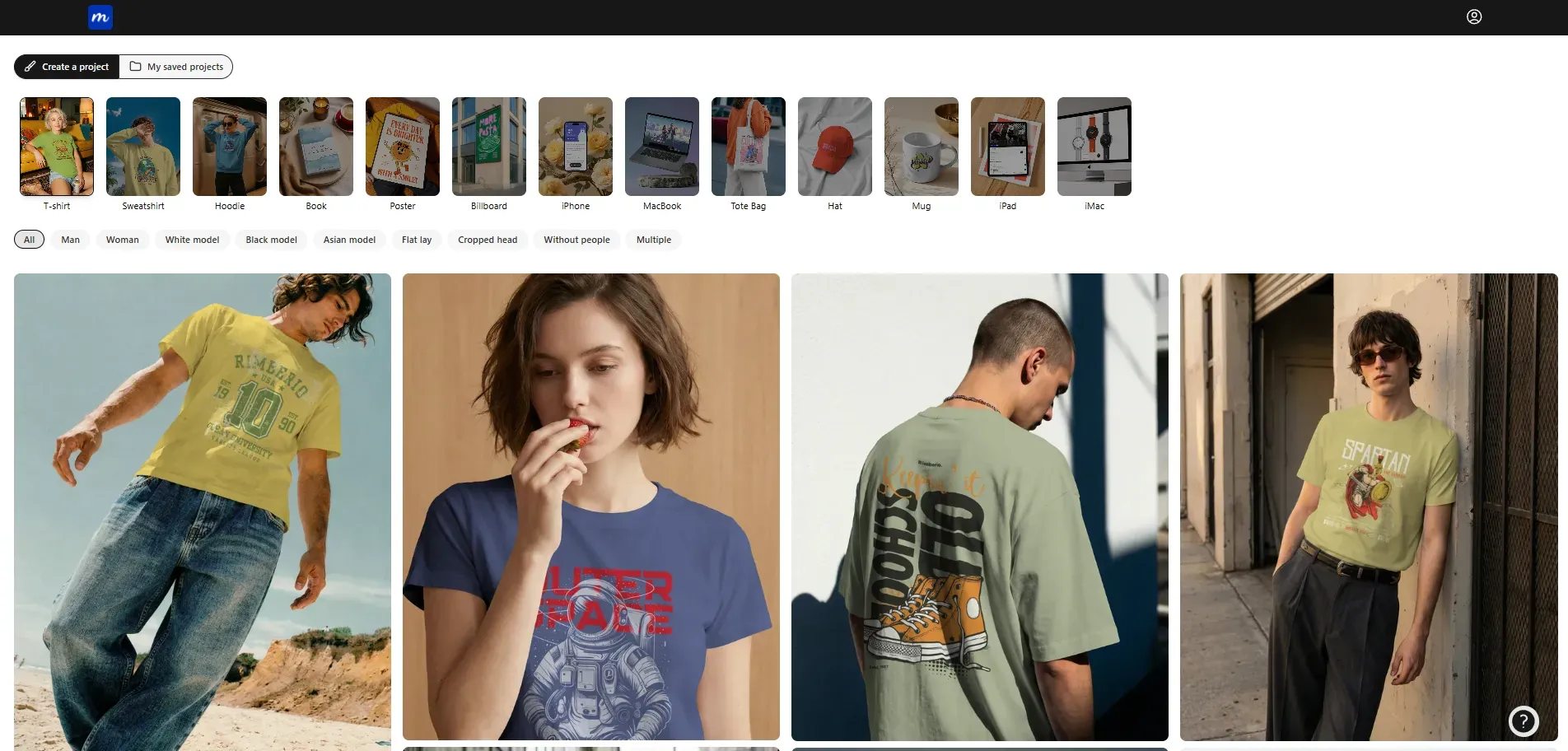
Modor is a freemium AI mockup tool that lets you create product visuals in minutes without complex design software.
It provides more than 10,000 mockup designs across categories like apparel, packaging, devices, and print materials, so you can add your designs and get a realistic mockup immediately.
Key Features of Modor
Here are the core features of Modor that make it one of the best mockup design tools alternatives.
Clean interface with a simple project dashboard and category filters.
One-click image replacement inside the mockup frame.
Editing panels for design, color, and advanced settings in one place.
Download support in PNG and JPEG formats.
Built-in demo video that guides new users through the editing flow.
Best for
E-commerce sellers (Shopify, Amazon, Etsy) who need quick product visuals without professional photography.
Marketers and social media managers are responsible for creating campaigns and promotional content.
Graphic designers and print-on-demand users to showcase their products.
Freelancers and small business owners looking for a free, budget-friendly branding solution.
Modor Pricing
Positioned as a budget-friendly free mockup tool, Modor currently offers two plans.
Free Plan: The free plan includes 15+ e-commerce categories, but exports are limited. You also get limited saved projects, making it suitable for testing or small, occasional use.
Pro Plan: The Pro plan costs $10 per month and includes everything in the Free plan, plus 5000+ premium mockups. It removes export limits, allows high-quality downloads, and increases project save limits.
Final Conclusion: Making the Right Choice for Your Mockup Needs
Mockup tools are evolving as demand for content rises. Some focus on AI speed and automation, while others rely on large template libraries and brand assets. The difference is not just features, but also the workflow style.
Choose based on how you work and what you think best fits your work. If you need fast output with less manual effort, AI-driven tools like Mockey AI make sense. If you create content daily and need variety, a template-rich platform like Placeit and Modor may be a better fit.
Best practice: Test free versions before committing. Pick one mockup tool and build a repeatable workflow.
FAQs
1. Mockey AI or Placeit, which mockup tool is more suitable for beginners?
For absolute beginners looking for speed and free access, Mockey AI is often easier to use thanks to its AI automation and no-sign-up policy.
2. Can I use Mockey AI for ecommerce mockups?
Yes, Mockey AI is excellent for ecommerce, particularly for print-on-demand and product listings, with over 15,000 templates available.
3. Does Placeit support video mockups?
Yes, Placeit has a strong library of video mockups and templates covering varied categories.
4. Is Placeit worth it for mockups?
Yes, Placeit offers a huge library of designs and templates, a great logo maker, and a beginner-friendly mockup editing interface, which makes it one of the best mockup tools.
5. Is there a free plan available for Mockey AI and Placeit?
Yes, Mockey AI offers a free plan with no watermarks or sign-up required. Placeit doesn’t offer a full-fledged free plan, but it does provide free templates you can edit and download.