

Published Nov 29, 2025
Learn how to create hoodie mockups with Modor: 2026 trends, essentials, and design tips.
10 min
Create hoodie mockups that look like actual products, not flat designs. Modor helps you create professional hoodie mockups by automatically fitting your design into ready-to-use templates, eliminating manual editing.
Explore a wide selection of hoodie mockups, including black hoodie mockups, 3D styles, zip up hoodie mockups, and more.
This blog covers the entire process, step by step, from selecting a template and adding your design to modifying shadows and exporting within Modor. When you’re finished, you will have hoodie mockups that you can confidently publish on your store or use as marketing visuals.
Hoodie mockups are digital previews that show how your hoodie design looks on fabric, in folds, under different lighting conditions, and in real-world settings. They help buyers understand what they are purchasing and help sellers maintain visual consistency across catalogs. This is why mockups are crucial to every listing.
Premium mockups highlight stitching detail, accurate colors, clean shadows, and natural texture. These details increase trust and make your visuals stand out. Creators use mockups for hoodies across Amazon, Etsy, Shopify, Instagram, and Pinterest, including styles like black hoodie mockup and zip up hoodie mockup for different audiences.
Amazon shows which mockups actually rank in real marketplaces. These designs reveal what buyers repeatedly purchase and what styles dominate top-selling listings. Many top listings include variations like black hoodie mockups for minimal brands and zip up hoodie mockup styles for casual and functional wear.
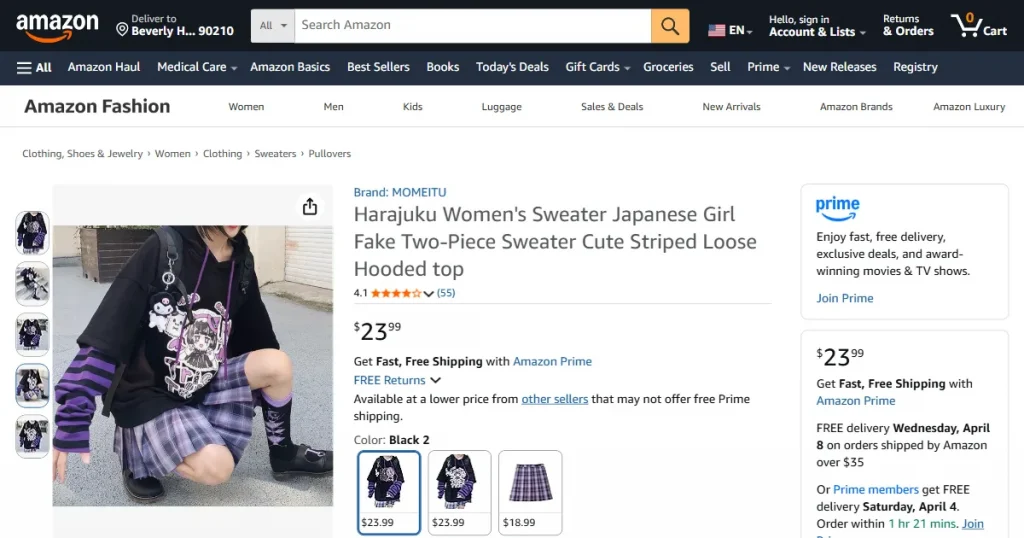
Anime visuals use bold characters and neon tones. These mockups appeal to gaming communities, anime fans, and younger buyers who enjoy expressive designs. They work well for themed drops and seasonal trends.
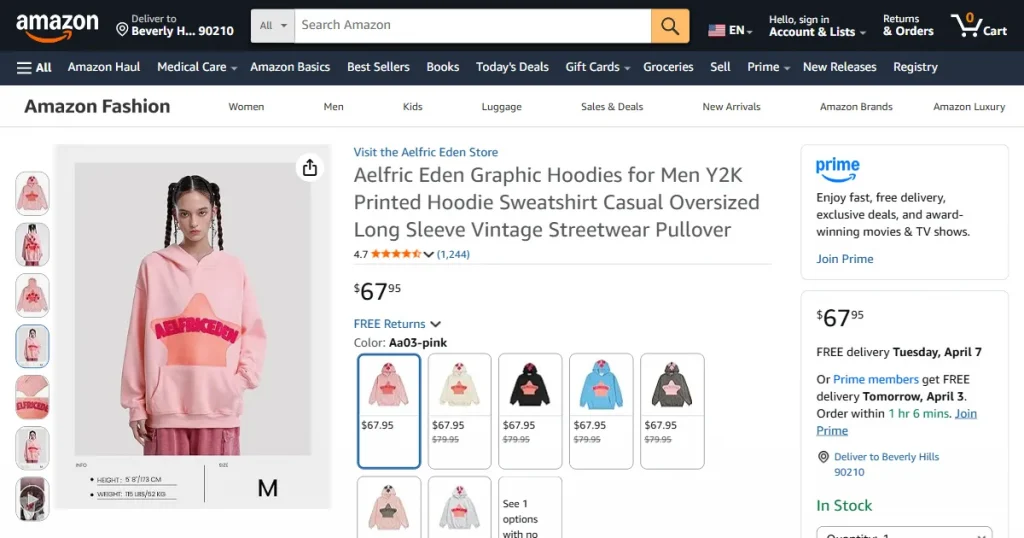
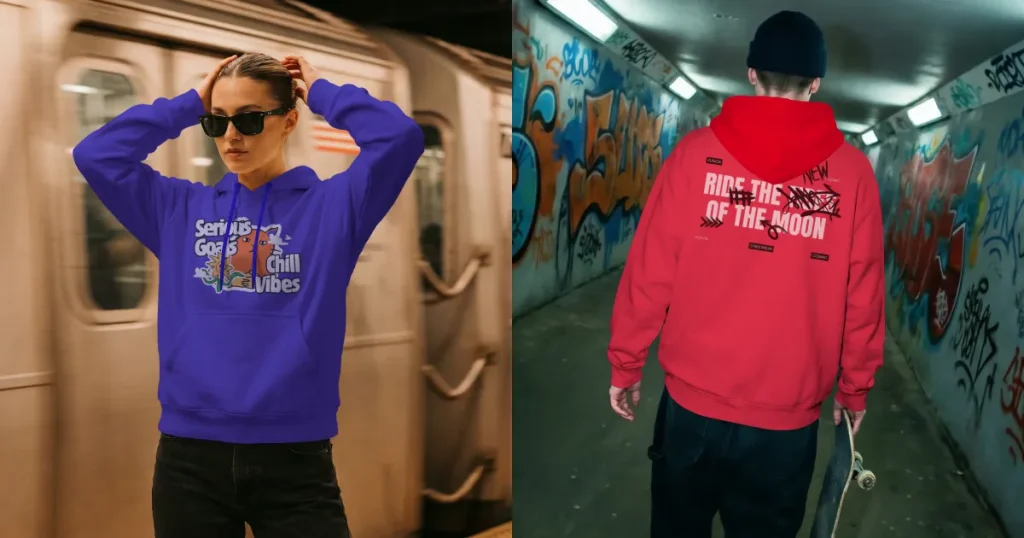
Streetwear styles use oversized prints and graffiti elements. These mockups for hoodie visuals attract urban fashion buyers and lifestyle audiences who prefer designs inspired by music culture and street fashion.
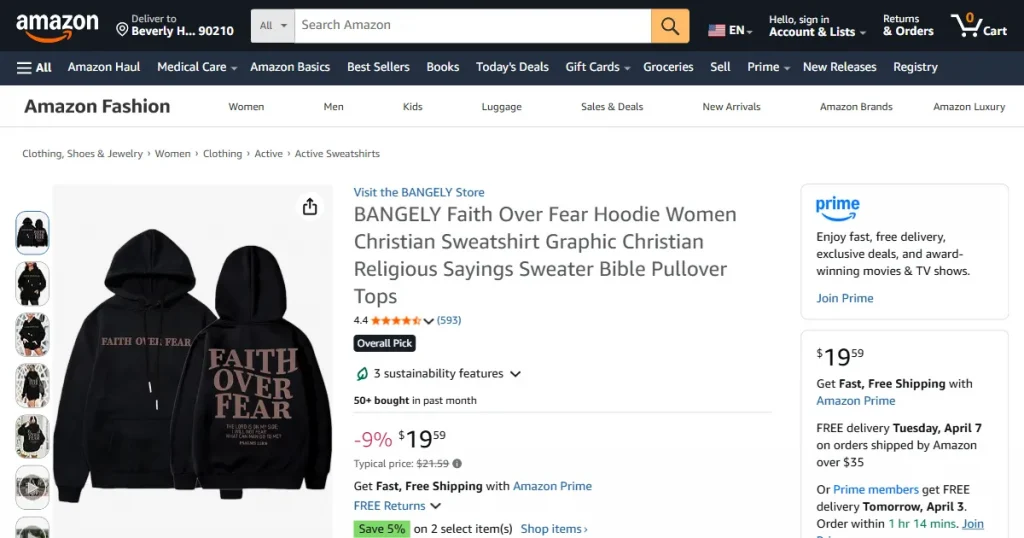
Typography-based designs emphasize bold statements and clean lettering. These hoodie mockups are popular within fitness communities, lifestyle brands, and unisex categories where message-driven apparel performs well.
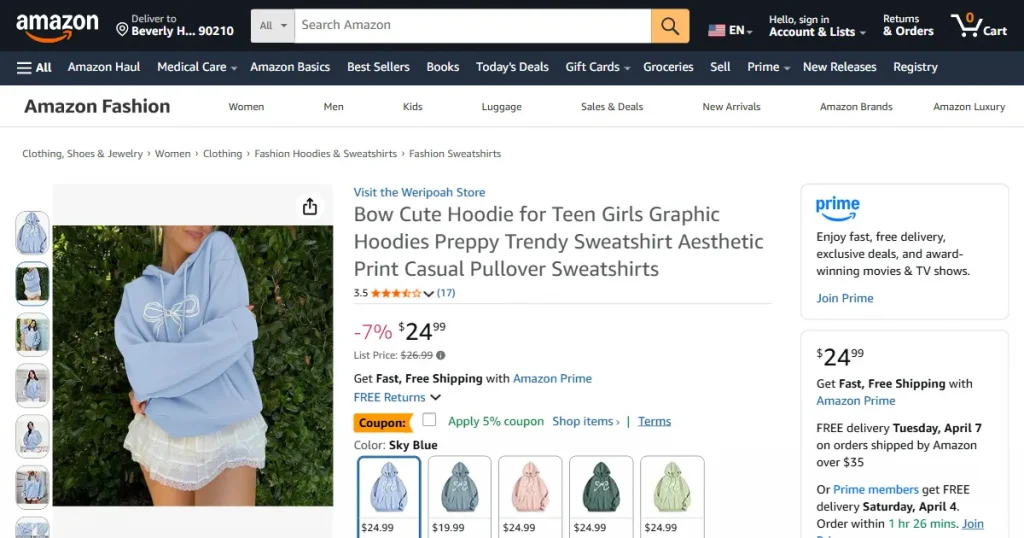
Minimalist styles focus on subtle logos and soft neutral colors. These hoodie mockups are ideal for premium brands, athleisure stores, and modern fashion creators who prefer a calm, simple aesthetic.
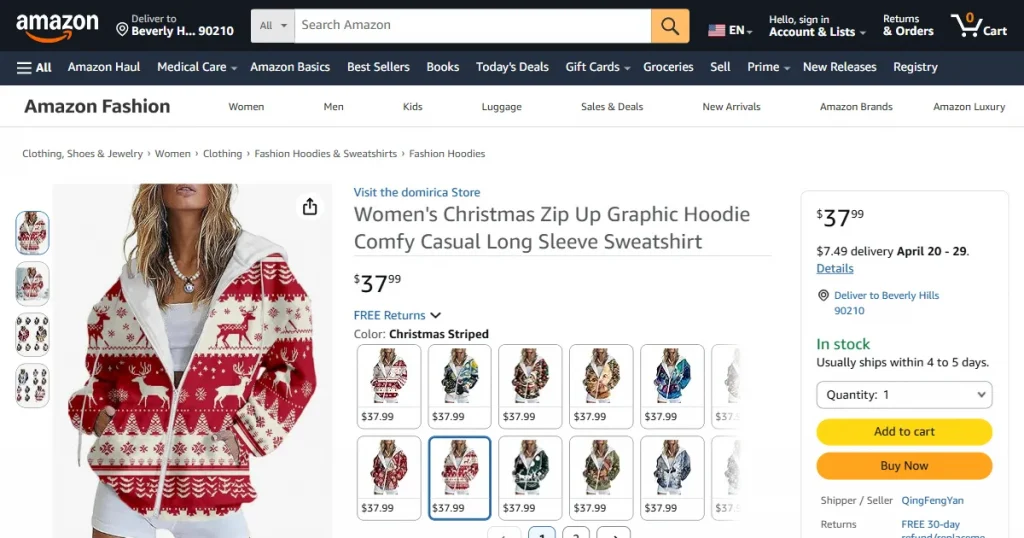
Seasonal prints, festivals, zodiac art, and college style themes help target niche buyers. These themed hoodie mockups are perfect for limited edition releases and event-based campaigns.
There are multiple ways to create hoodie mockups, and each method offers a different mix of speed and control. Choose the approach that fits your skills and long-term goals.
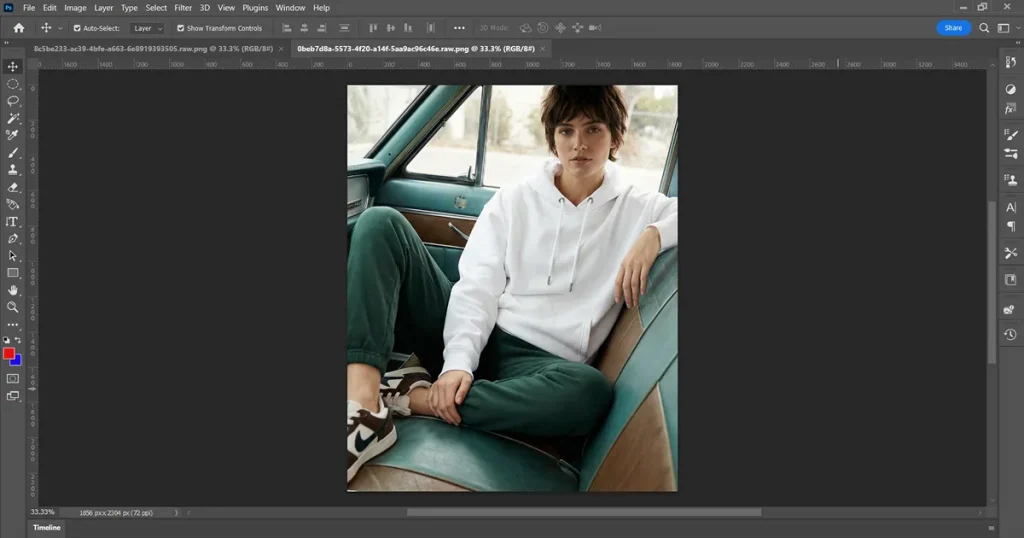
Photoshop provides complete control over lighting, texture, blending, and shadows. When paired with PSD Smart Objects, it produces highly realistic mockups that look studio-made. While it’s great for designers, the learning curve and subscription cost can slow down beginners or creators working with a large volume of designs.
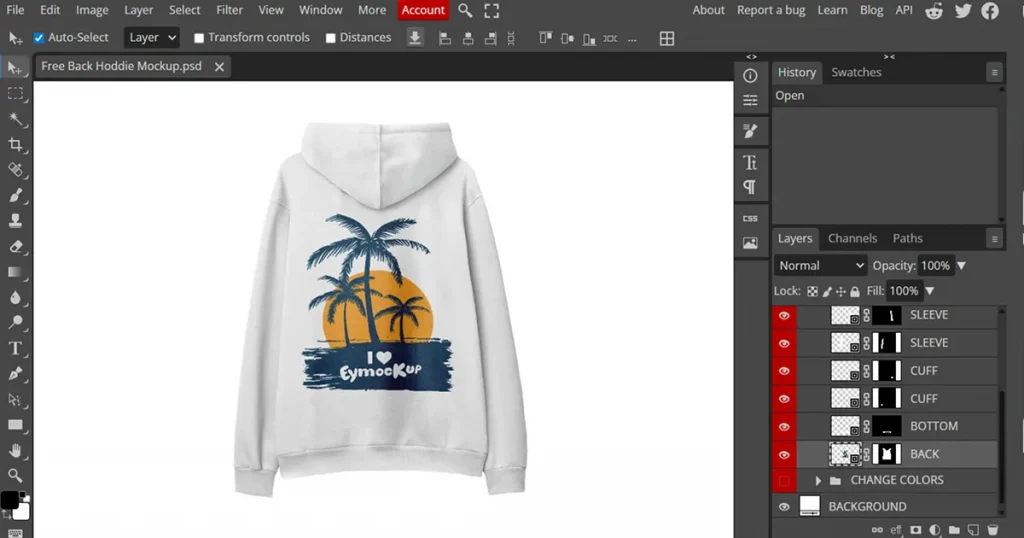
Photopea supports PSD files and Smart Objects in the browser, allowing creators to build mockups without any installations. It is flexible and works well if you are starting with a free hoodie mockup file before moving to advanced setups.
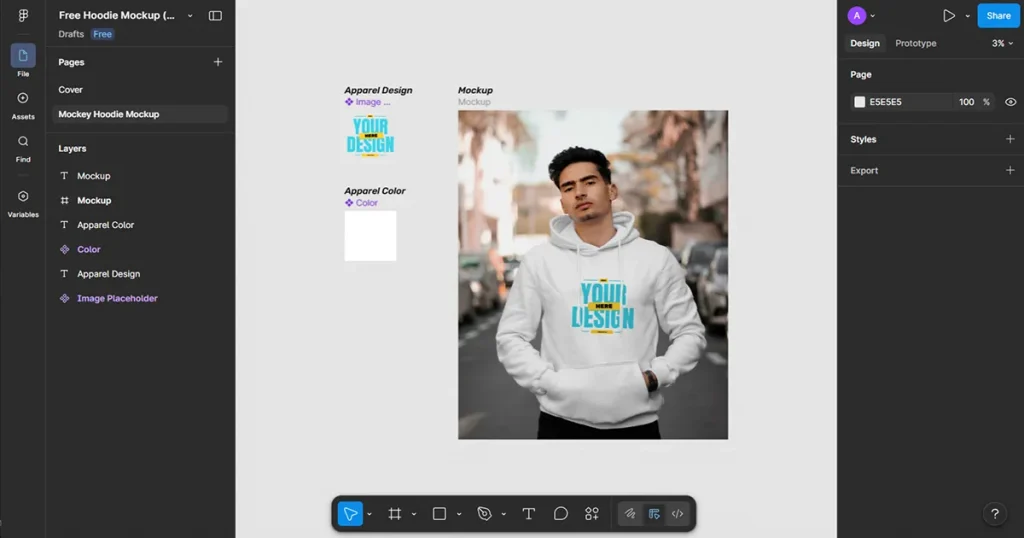
Figma is smooth for layout design and simple visuals, making it useful for flat hoodie mockups and client demonstrations. The limitation is realism, as Figma cannot create detailed fabric shadows or texture depth. It works best for simple previews rather than store-ready mockups.
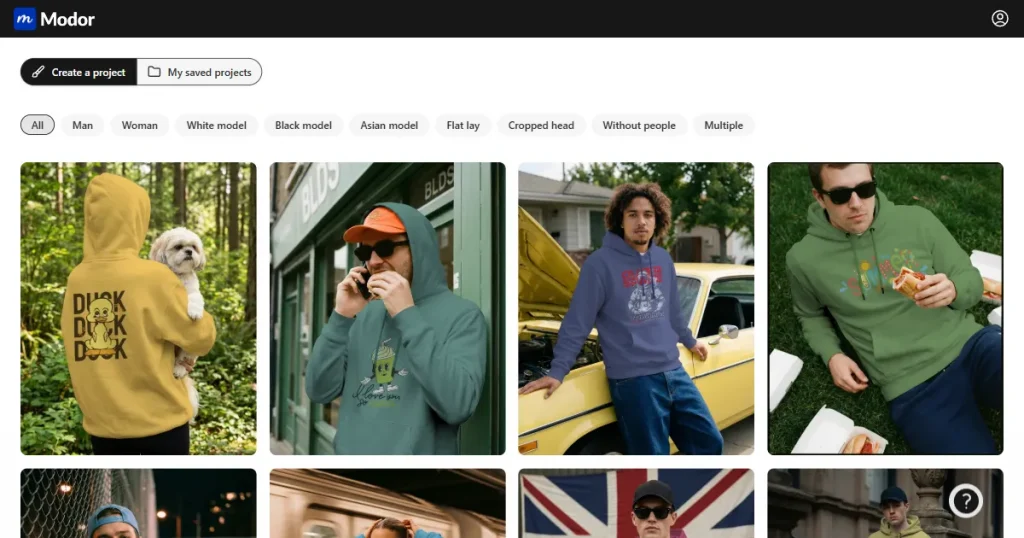
Modor hoodie mockup generator focuses on realism and accuracy by wrapping your hoodie design across natural folds, curves, and fabric textures using AI. The platform features lifestyle scenes, studio settings, and diverse models that make your hoodie mockups look like they were photographed.
Creators often prepare their hoodie designs in Canva or similar tools and bring them into Modor because the workflow is fast and produces consistent results across all mockups for hoodie collections, including variations like black hoodie mockup and zip up hoodie mockup, without requiring advanced editing.
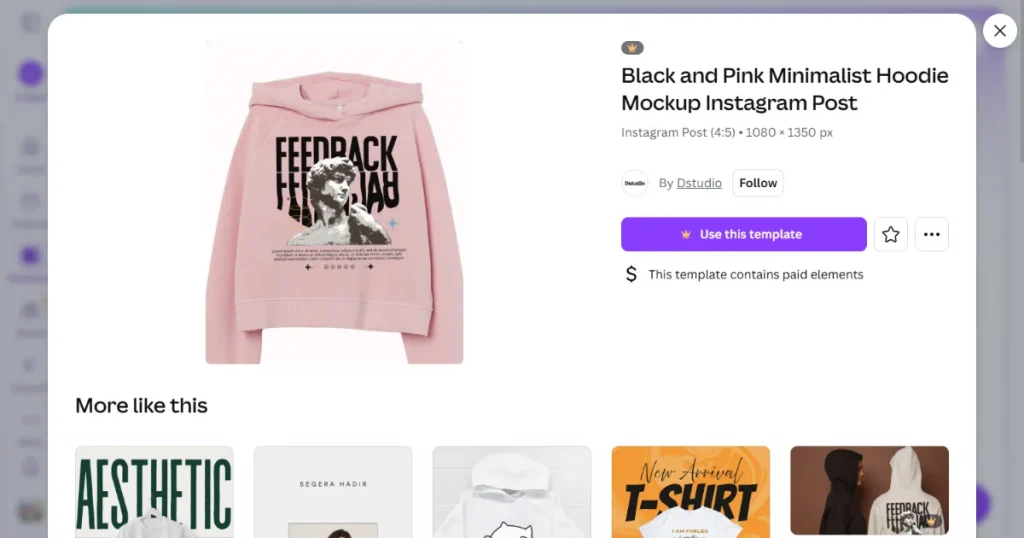
Canva is beginner-friendly and makes it easy to create simple mockups for hoodie designs with a drag-and-drop feature. It is ideal for quick previews and testing ideas using a free hoodie mockup, especially for social media. The limitation is that visuals often lack fabric realism and detailed shadows, which reduces effectiveness for premium product listings.
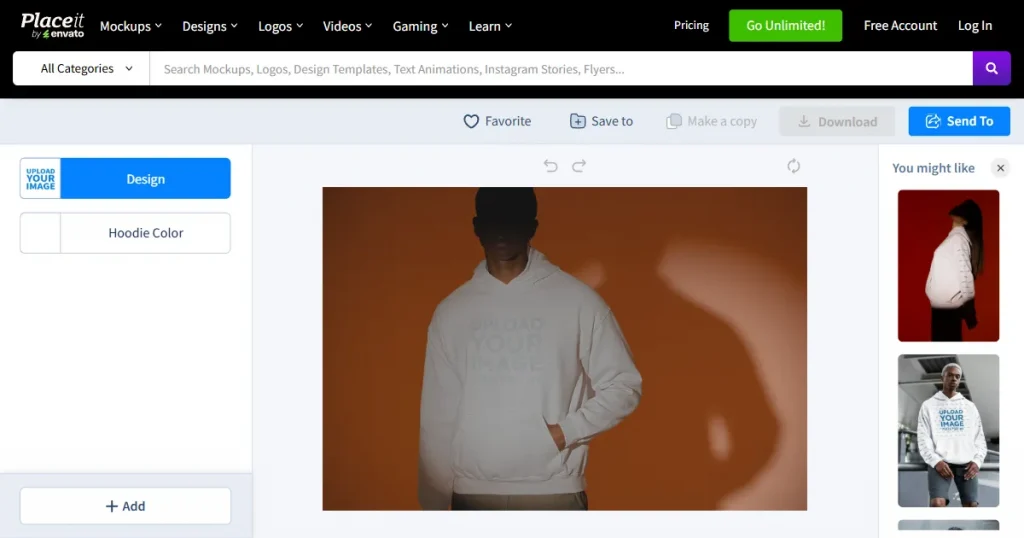
Placeit provides a large library of preset lifestyle scenes and a simple tool interface. It works well for casual visuals and quick uploads. The limitations include repetitive templates, limited customization, and inconsistent realism, which may make your hoodie mockups look similar to those of many other listings.
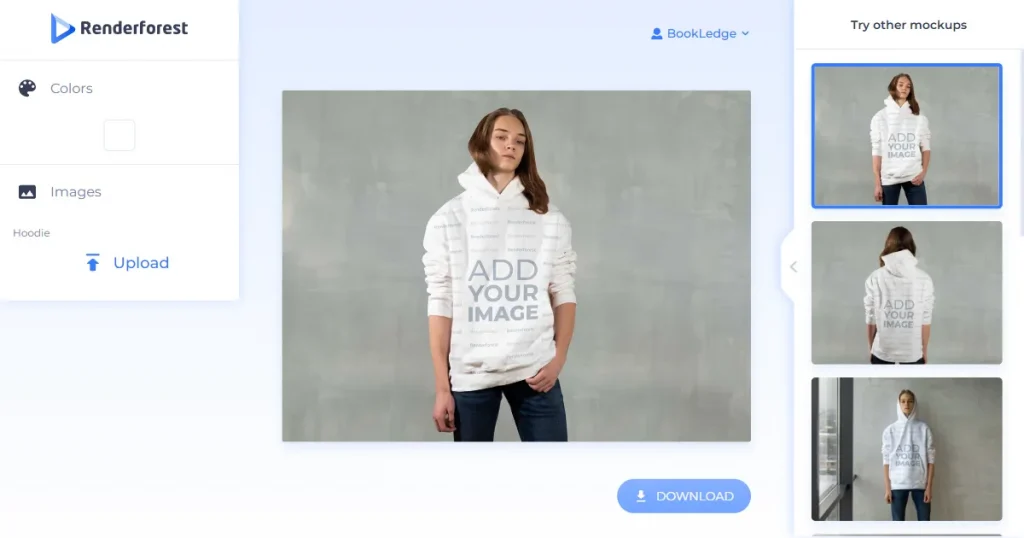
Renderforest is super friendly for beginners. You pick a template, upload your design, and in minutes, you have a polished hoodie visual ready for your store or feed. Many creators start with a free hoodie mockup here before upgrading to more advanced tools.
While the templates are solid, you’ll find that customization options (such as fabric textures or lighting adjustments) are more limited than those offered by high-end, dedicated mockup generators.
A designer is ideal when you want a unique artistic style or premium branded visuals. They can create custom mockups for hoodie collections that match your exact aesthetic. A photographer is a good choice when you want real models, real locations, and original lifestyle shots that no other seller offers.
The downside is cost and time. Designers and photographers require higher budgets and longer delivery cycles. Scaling becomes harder because updating every hoodie mockup requires additional sessions, revisions, or new shoots, slowing your workflow.
Step 1: Create a Modor account using your Google or email account.
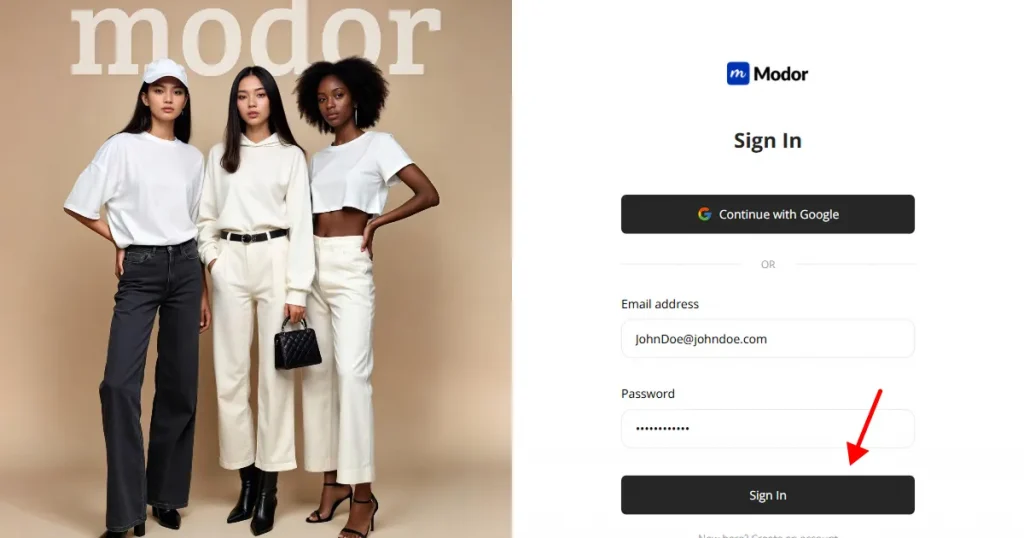
Inside the dashboard, you will find the hoodie section with lifestyle scenes, studio backgrounds, and flat lay options, including templates like black hoodie mockup and zip up hoodie mockup styles for different use cases.
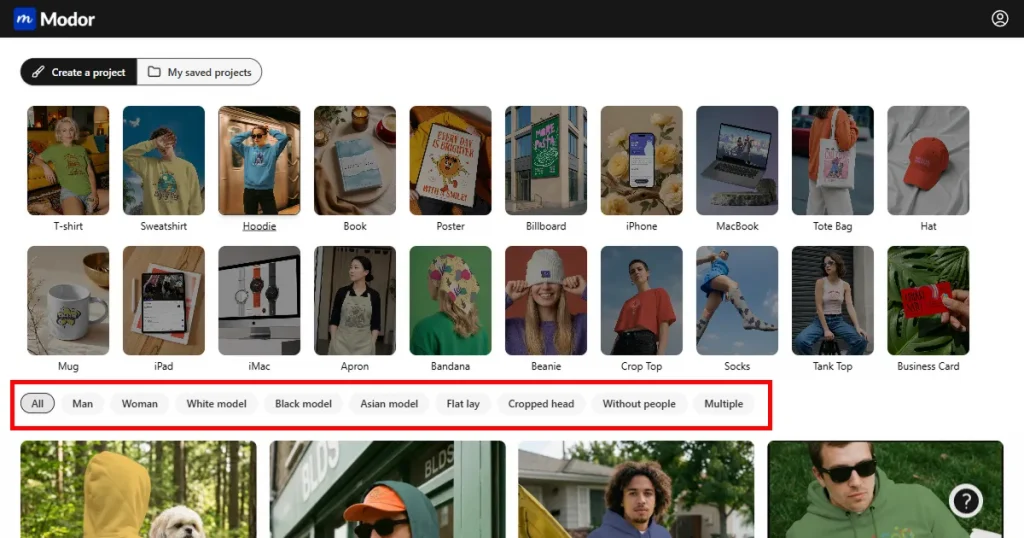
Step 2: Select a template, then click Use this mockup to edit the template.
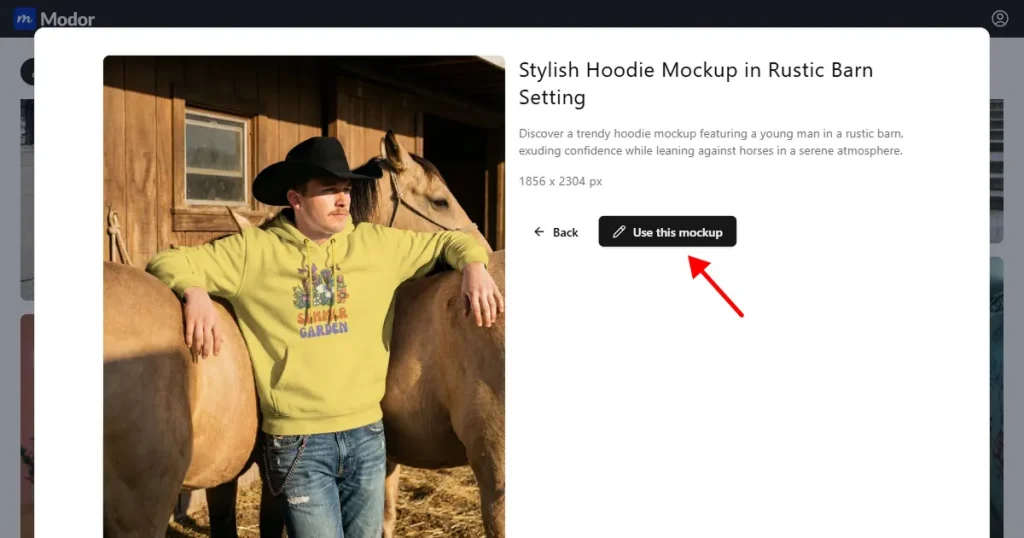
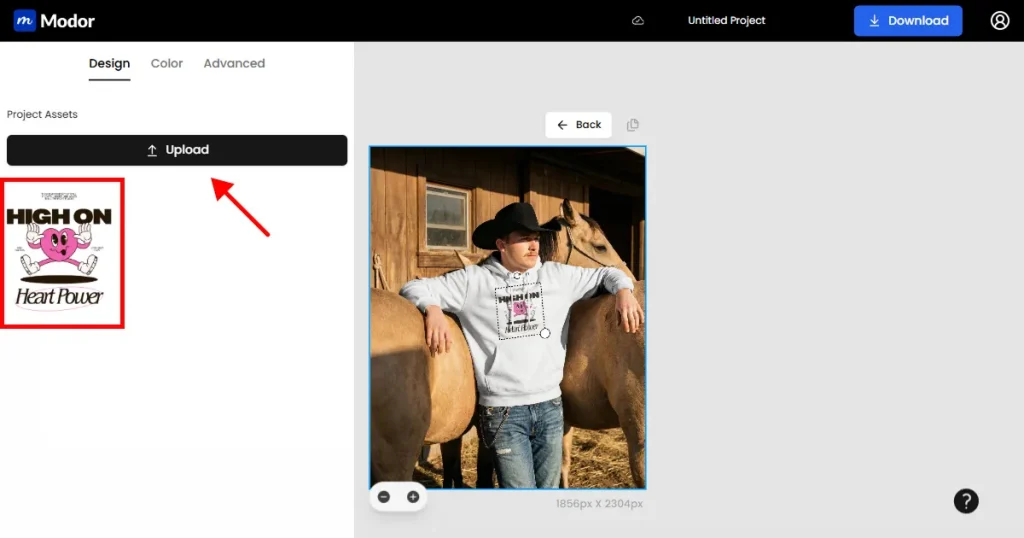
Step 3: Upload your hoodie design as a transparent PNG. Positioning is simple through drag controls, and Modor automatically blends the artwork with fabric folds so your hoodie mockups look real.
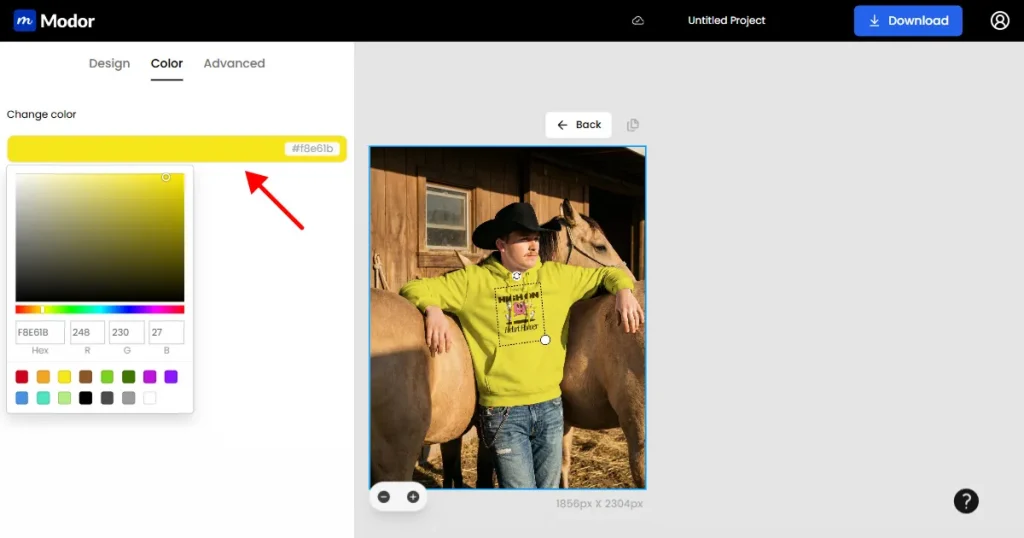
Step 4: Change the color of your mockup using the color picker. You can also enter a Hex code or RGB values for more accurate color results.
Step 5: Apply advanced editing options, such as Transform, to blend your design seamlessly with the hoodie.
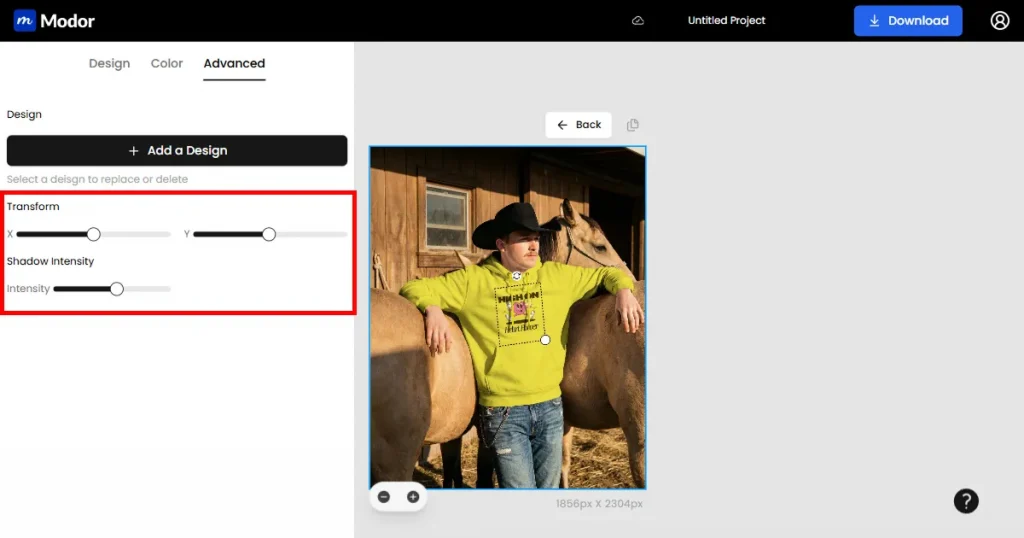
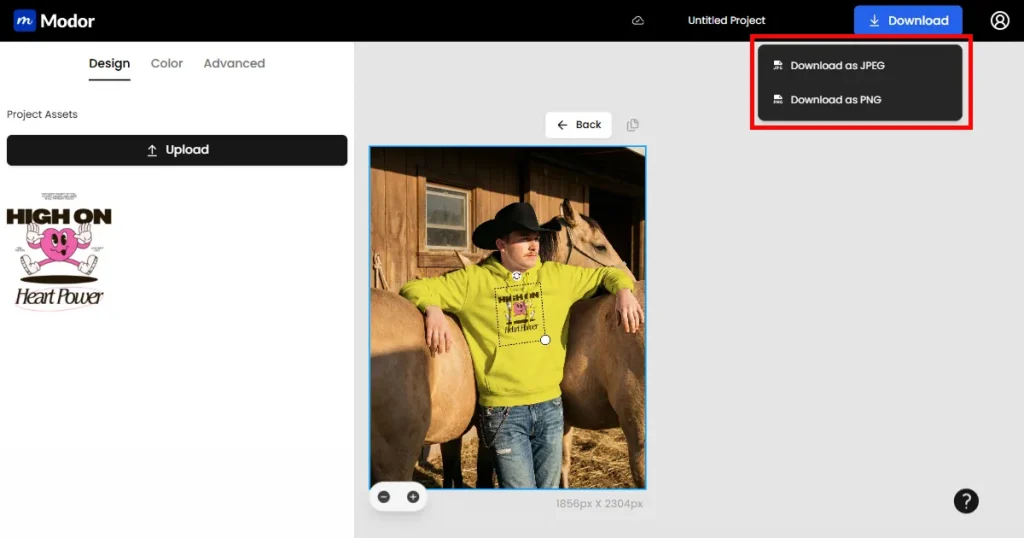
Step 6: When you are satisfied, export your hoodie mockups in PNG for perfect detail or JPG for faster loading. Use lifestyle scenes for ads and flat lays for product pages to maintain a balanced presentation. Modor is built for creators who want speed, consistency, and professional-quality results without complex editing tools.
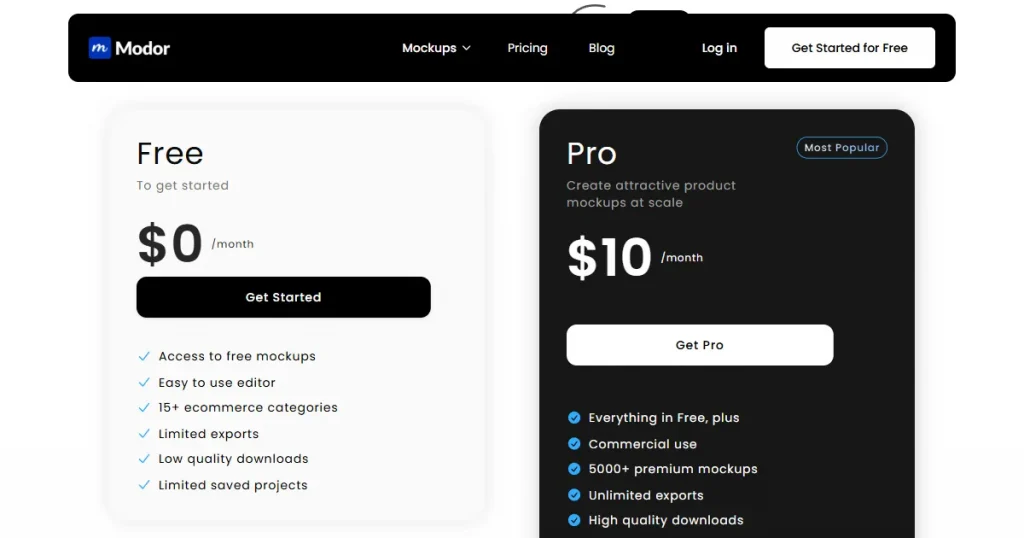
Modor offers a free plan for beginners to explore the editor and create basic hoodie mockups. The Pro plan costs $15/month and unlocks thousands of premium scenes, unlimited exports, and high-resolution downloads.
If you choose the annual subscription, you save 50% and pay only $10/month, making it the best value for ecommerce sellers, freelancers, and print-on-demand creators who need consistent, high-quality hoodie mockups.
Once your hoodie mockups are ready, a few smart changes can instantly upgrade the final results. These tips help your visuals look sharper and more professional.
Choose hoodie mockups that are at least 3,000 pixels wide to keep your visuals crisp. High clarity builds trust and increases click-through rates.
Lifestyle visuals add personality while studio visuals add clarity. Using both creates stronger mockups for hoodie listings and improves buyer confidence.
Keep your hoodie design aligned and proportional. Oversized prints look unrealistic and reduce trust. Natural placement improves conversions.
Use backgrounds that enhance your hoodie design. For example, Streetwear suits urban settings, and modern brands look best with clean indoor scenes.
Include front, back, folded, close-up, and model shots. These angles make your hoodie mockups feel complete and help buyers visualize the product better.
Use consistent tones and brightness across all visuals. This creates a clean catalog and stronger brand identity.
Offer multiple color variants and follow trend data from Pinterest and Etsy predictions. Trend-aligned mockups for hoodie designs, including black hoodie mockup and zip up hoodie mockup variations, attract more traffic.
You now understand how to prepare your hoodie design, export it correctly, create hoodie mockups through Modor, and publish strong listings across marketplaces. Every section of this guide was created to help you build clean, realistic hoodie mockup templates that convert better.
You can start with a free hoodie mockup tool and expand into more advanced styles as your store grows.
If you want to generate mockups for your e-commerce store, or you are a freelancer, or you simply want to create mockups effortlessly, Modor gives you the tools to create high-quality visuals with ease. Keep experimenting, keep creating, and let your mockups do the talking.
A hoodie mockup is a digital preview that shows your hoodie design on a realistic fabric model. It helps buyers understand how the final product will look before purchase, increasing trust and reducing uncertainty. Clear visuals lead to more confident buying decisions.
Modor is one of the strongest AI-powered tools for creating realistic mockups for hoodie designs. It offers natural folds, accurate lighting, and multiple scene variations that match different niches
Yes, you can create a lot of different mockup on Modor, log in to your free account and choose a free hoodie template from the dashboard. Upload your transparent PNG file, adjust the color, and apply additional edits. You can then export the mockup in JPG or PNG format, which is enough for testing early ideas.
You can sell hoodies on Etsy, Amazon Merch, Shopify, Redbubble, Printful, and Printify. Each platform targets a different audience, which helps expand your reach. Publishing your hoodie mockups on multiple channels increases visibility and long-term sales.
Use natural wrinkles, accurate shadows, and balanced colors to improve realism. Include close-up shots to show stitching and texture. Make sure your hoodie design is aligned correctly and avoid artificial lighting for cleaner visuals.


